
More and more people choose to useWordPress Website BuildingOne reason is that WordPress is suitable for beginners to learn on their own, and another is that WordPress is SEO-friendly. But is your website really SEO-friendly? Actually, it's not the case. Just using WordPress to build a website does not mean it is SEO-friendly; you need to do some settings yourself to truly be SEO-friendly. This article by Naiba will introduce how to perform an SEO check on WordPress.
If you have just set up a WordPress site, you can directly readWordPress SEO Optimizationarticle to systematically understand how to do WordPress SEO work.
If your website has been established for a long time but you don't know if it is SEO-friendly, then follow Naiba to check together.
Slow website speed
Website speed has a significant impact on both website SEO and user experience. After all, no one wants to visit a website that takes forever to load. Therefore, first check the website's loading speed.
Regarding website speed, Naibabiji has previously shared the following articles:
Considering that most friends visiting Naibabiji areForeign Trade Website BuildingTherefore, many people use online speed test websites to test their site speed, such as Pingdom, GTmetrix, and Google PageSpeed Insights.
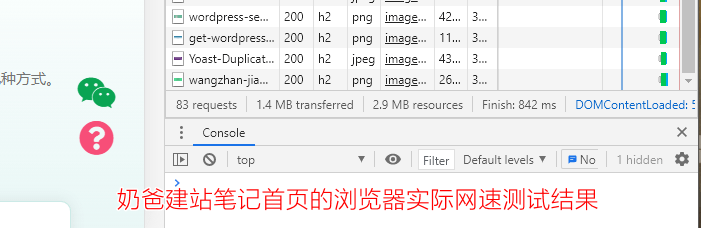
These speed test websites will give your site a score, but Naiba's personal view is that I don't quite believe the relationship between this score and actual speed. Naiba trusts more whether the user's actual access speed is fast or slow. Usually, I directly use a browser (for foreign trade websites, use a proxy) to test, and see if the actual loading speed of the website gives a feeling of not loading for a long time.
As long as users access your website from their computer browser and the loading speed is not noticeably slower than other websites, then Naiba believes the website speed is acceptable.
Why is this the viewpoint?
Because achieving a high score is very difficult for ordinaryself-taught website buildingFor users, the difficulty is very high and requires professional skills.
At the same time, the scoring standards of those test websites are usually related to the size of website resources and the number of requests. Nowadays, servers basically support HTTP 2.0 technology, which can download multiple files simultaneously, unlike the previous HTTP 1.0 where files had to be downloaded one by one in a queue. So merging request numbers is not necessary. InWP Rocketsettings, there is also this suggestion.
General foreign trade corporate websites usually have a slideshow plugin on the homepage. This plugin does consume resources, but the effect is more attractive than a single banner image. Reasonable use of some special effects can enhance the overall effect of the website and improve the user's visual experience. For the sake of a high score, using a purely static page design and reducing the use of images are operations that go against user experience. Naiba does not recommend this.
In addition, if the website has Google ads and uses Google tracking code, it will also affect the score and website speed, but you have to add this code. There is a saying: 'Better to believe in a book than to have no book at all.'
Summary on Website Speed
Therefore, to judge how fast a website opens, Naiba suggests you directly visit it with a browser and follow your own feeling. If it is obviously slower than other websites, then your website is indeed slow. As for the scores from speed testing websites, if conditions permit, you can try to get a higher score, or you can simply ignore them. You can check the score of the leading website in your industry, and it probably won't be very high either.
To improve website speed, the most direct method is to upgrade to a better performing server. Beginners are advised to start withWordPress Shared Hostingand consider transitioning toVPSafter becoming familiar.
Non-responsive design
Responsive design is explicitly recommended by Google as a web design direction and is SEO-friendly.
What is responsive design?
Simply put, your website should be accessible and viewable normally on mobile phones, tablets, or computers, without requiring zooming on mobile or redirecting to a mobile site.
You can directly resize your browser window on your computer to see if the website still displays properly as the window size changes, which helps determine if it is responsive design.
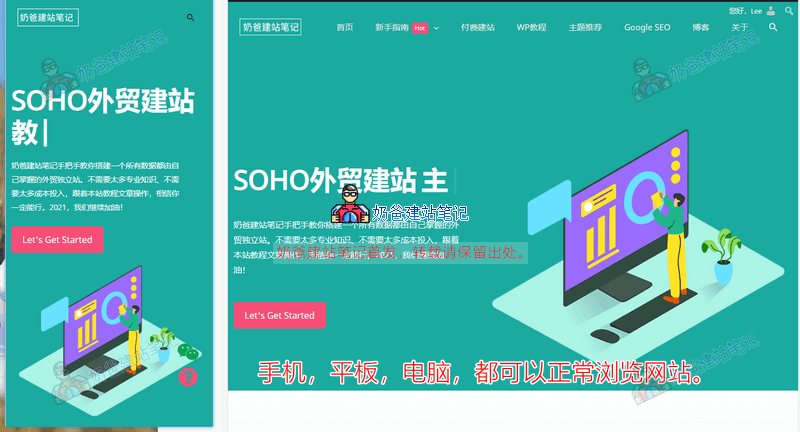
As we all know, we are now in the mobile internet era. Even if you have a foreign trade website, you must consider the mobile access experience.
Fortunately, most WordPress themes in recent years are responsive by design. If your theme is not responsive yet,go buy a responsive WordPress Themenow.
Confusing URL structure
The URL structure here mainly refers to WordPress Permalinks. Setting reasonable Permalinks helps with website SEO.
Regarding Permalinks, articles previously written by Naibabiji:
Naibabiji currently uses a custom format, but it is best to recommend everyone choose the post name or numeric format.
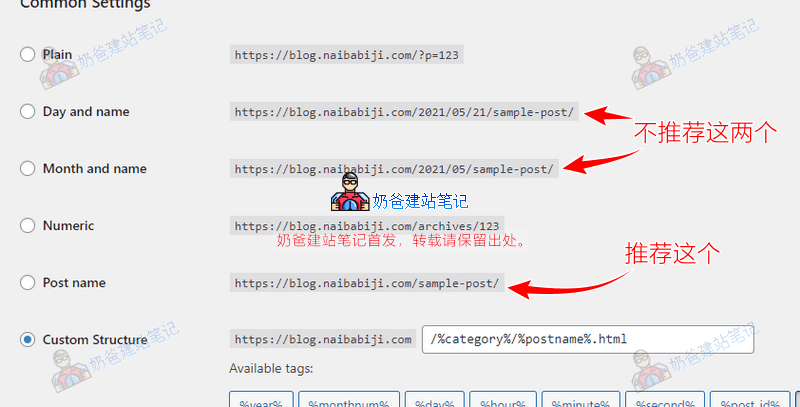
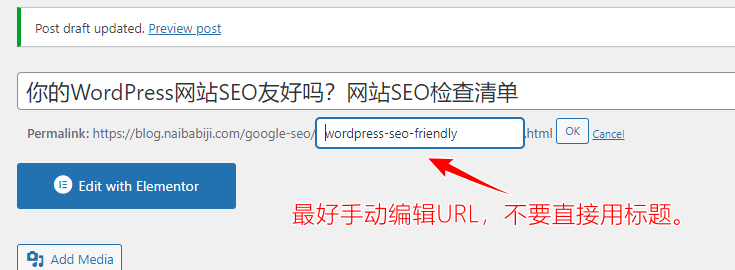
Besides setting up permalinks, there are also URL settings for posts and pages. By default, if you choose the Post name permalink format, the post URL will automatically become the post title. For Chinese websites, using Chinese post titles as permalinks will look very ugly.
For foreign trade websites, although post titles are in English, they often result in overly long URLs.Google SEONowadays, short URLs are preferred, so it's best to manually modify the URL.
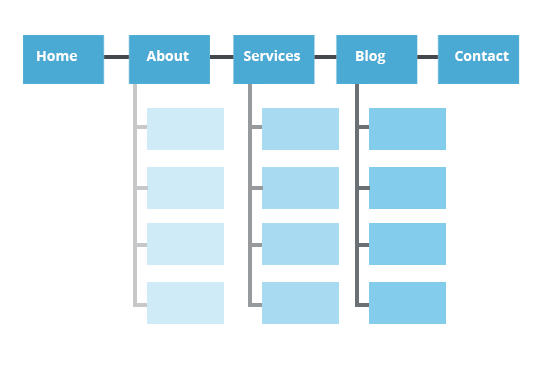
Additionally, some websites have overall page structures that are relatively chaotic and unreasonably set. The conventional page structure for an enterprise website should look like the diagram below.
No SEO Plugin installed
Foreign Trade Website BuildingSince then, Naiba has encountered many WordPress websites built by foreign trade professionals themselves or through web development companies. Many of these sites either have no SEO plugin installed or have multiple SEO plugins installed. Even those with SEO plugins are often not configured correctly.
Regarding WordPress SEO plugins, Naibabiji has shared the following articles:
- Recommended Best Chinese Website SEO Plugin for WordPress: Smart SEO Tool
- Advanced WordPress SEO Plugin Rank Math Usage Tutorial (New Version)
- Free Advanced SEO Plugin The SEO Framework Download and Usage Tutorial
- How to Set Keywords for a WordPress Website? SEO Plugin Recommendations
- Yoast SEO Chinese Premium Cracked Version Download and Usage Tutorial (Updated)
- Methods for Keyword Layout in Foreign Trade Website Articles: It's Not Just About Turning the Yoast SEO Indicator Green.
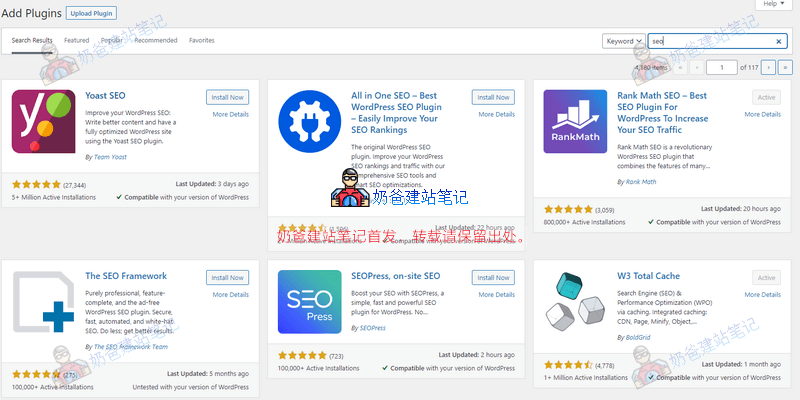
SEO plugin features are generally similar, and there is no conclusion that one is definitely better than another. However, some advanced SEO plugins provide SEO suggestions and statistics. You only need to install one SEO plugin at a time; do not install multiple.
After installing an SEO plugin, you usually need to configure some settings, such as the website title and description.Website sitemap。
Use HTTPS secure connection
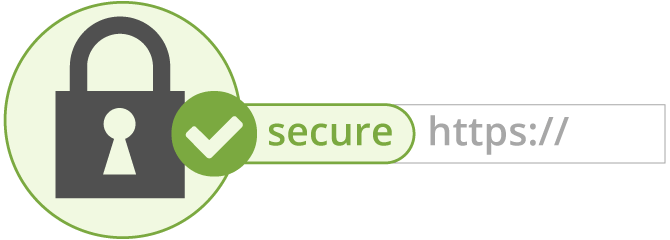
If any website still does not use an SSL security certificate for HTTPS secure connection, it is really unacceptable.
A separate browser warning of insecurity will also affect your website users' confidence, let alone conversions. Therefore, SSL security certificates are recommended for everyone.
Regarding SSL security certificates, Naibabiji has shared the following content:
- SiteGround Free SSL Certificate Setup Tutorial (Applicable to New Panel)
- Baota Panel SSL Configuration Tutorial_HTTPS Certificate Renewal Failure Solutions
- Website https Not Showing Green Lock_Solutions for SSL Certificate Security Warnings
- Method for Adding an SSL Certificate to a Website on DirectAdmin Shared Hosting
Enable breadcrumb navigation
Breadcrumb navigation allows visitors or search engines to clearly understand their location on your website. It helps search engines comprehend your site's structure and hierarchy and can also appear in search results. It looks roughly like the example below.
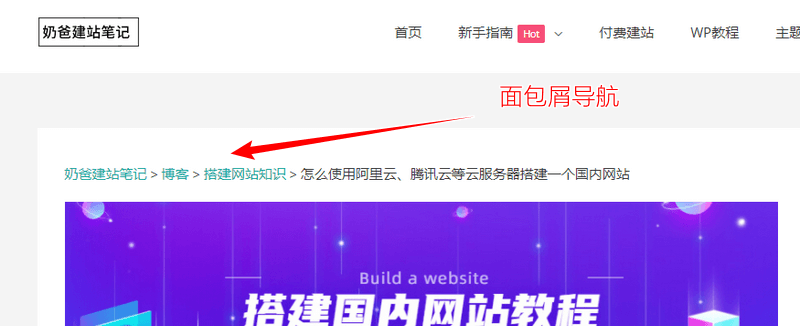
The breadcrumb navigation I specially added for a client was criticized for looking like a template-built website. That really hurts T_T...
Comment moderation
If your website has the comment feature enabled, then there are likely many comments in the backend. Without a doubt, for websites with little traffic, 99% of them are spam comments. If you have opened comments without requiring moderation, these spam comments are detrimental to your website's SEO.
Set correct titles and keywords
This issue is described in detail in the articleHow to Write Webpage Titles and Descriptions to Improve Google SEO RankingIt has been described in detail in one article, so I won't repeat it here.
If you find that when visiting your website, the browser tab shows HOME or just the website name, then you definitely haven't set the correct title and keywords.
Remove meaningless and duplicate content
Many people hear online that to do SEO, you need to maintain a high update frequency, so they frantically publish meaningless articles or products. This is ineffective for Google SEO; delete them early.
Some people also publish dozens of articles with different titles but the same core content. This is considered duplicate content and is not good for SEO; it is recommended to delete them.
Summary
The above are the main check items to determine whether your WordPress website is SEO-friendly. Of course, SEO is a systematic project, not just the few tasks mentioned above.
For more detailed SEO tips, please refer toGoogle SEOcategory.