
The SEO Framework is an SEO plugin for the WordPress platform, feature-complete and completely free, with over 100,000 installations and an overall rating of 5 stars.
Introduction to The SEO Framework
A fully functional SEO plugin that follows WordPress and search engine optimization rules. Simple, professional, extensible, unrestricted, no ads or strings attached.
Full-featured, ready to use out of the box.
- Professionalism, automated SEO work saves you time;
- Default settings are suitable for most websites;
- Helps you optimize metadata, fully compliant with Google SEO guidelines;
- Includes SEO tips;
- Responsive support forum;
- Enhances search status, supports features like breadcrumbs, sitemaps, etc.;
- Social sharing support;
- Helps you avoid serious SEO mistakes;
- Security, compatibility, uses WordPress APIs as much as possible;
- Has core developers;
- Respects privacy, does not collect data;
- Extension Support
- Supports data import from other SEO plugins
Download Link for The SEO Framework
You can directly search for The SEO Framework to install from the WordPress admin dashboard, or download and install it via the button below.
Usage Tutorial for The SEO Framework
Using The SEO Framework is very simple. Let's first look at the effect on the post editing page, as shown in the figure below:
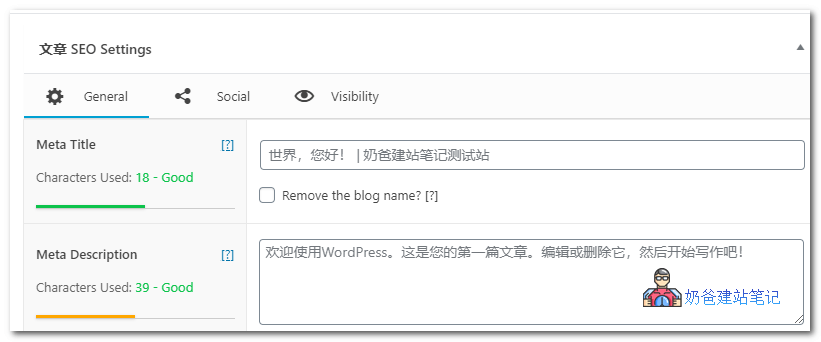
After installation, it can work with default settings. In the post editing screen, there are fields for you to fill in the site title and description, which are commonly referred to as Title and Description in SEO.
If you do not fill in the description, it will automatically grab the beginning part of the article as the description.
Supports customizing social sharing data for this article and whether it is visible in search engines.
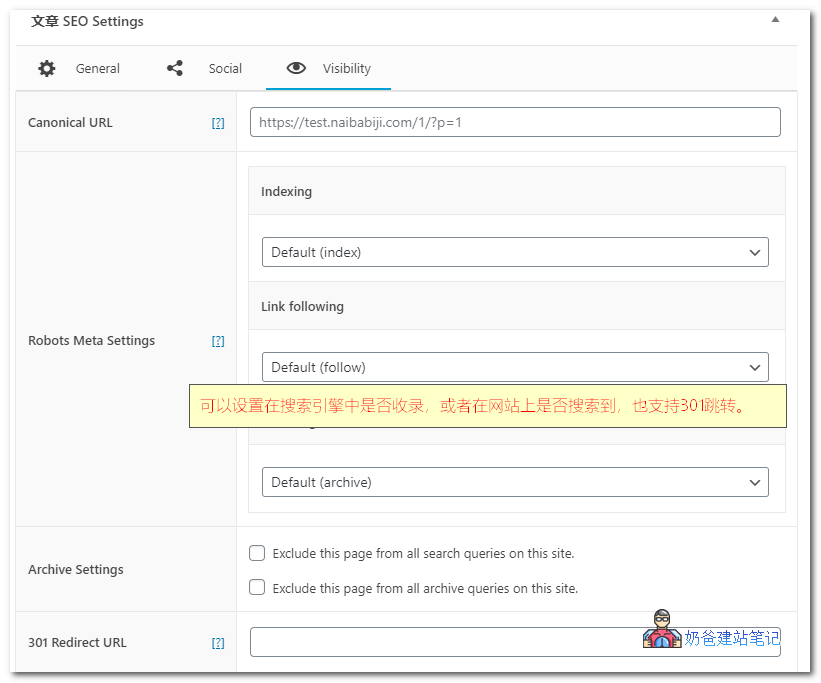
Next, let's seewhich areas require manual modificationof settings, rather than using the default ones.
1. Website homepage title and description
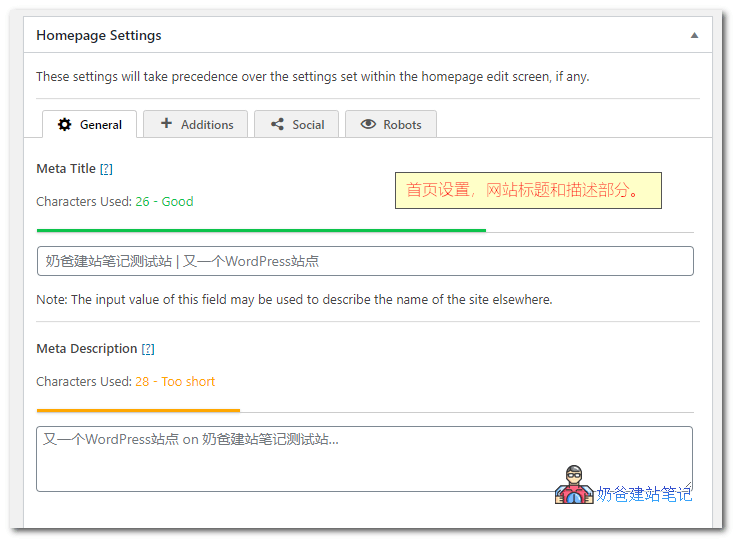
The homepage title defaults to calling the site title and tagline set in WordPress settings.
If your tagline is not the SEO keyword for your site, you can manually set the site title here.
The homepage description defaults to calling the homepage tagline. You can manually modify it to a paragraph introducing the site, which can include keyword information for your site.
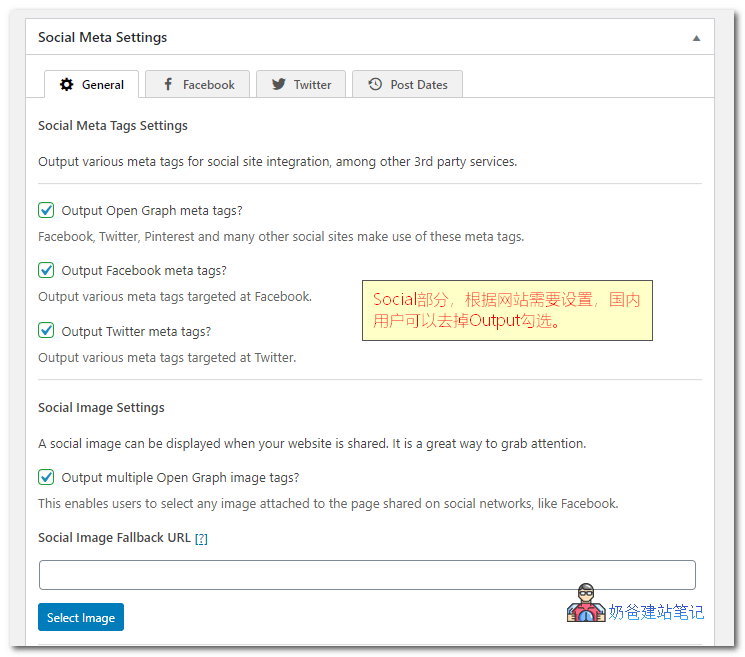
2. Social sharing section
In Social, you can separately set the display content and description for social sharing; those who need it can also configure this.
3. Site administrator section
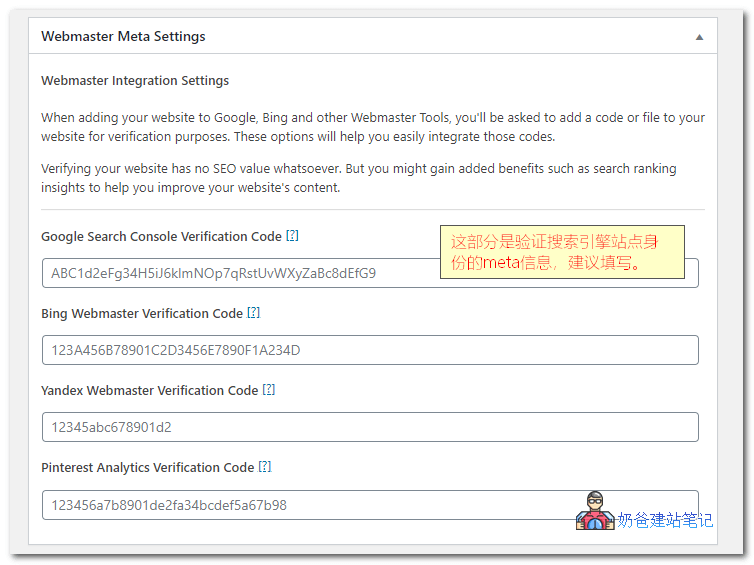
Webmaster Meta Settings are used by search engines to verify your ownership of the website. We have introduced this inGoogle Search Console Tutorial_How to Use Google Search ConsoleAs mentioned earlier, you can register and fill it in.
For other parts, modify as needed or keep the defaults.
Additionally:
- The SEO Framework supports sitemap generation, so you don't need to separately install asitemap plugin。
- You can download additional extensions from The SEO Framework official website, both paid and free, but general users usually don't need to install extra ones.
Summary of The SEO Framework
It is similar in functionality to mainstream SEO plugins, all meeting the latest Google SEO requirements (as for Baidu, not to mention, slow and inefficient, see howToutiao SearchHow about it?)
The SEO Framework feels lighter overall, and it has a very clear SEO score indicator on the post list page. Unfortunately, it does not support Chinese, which is not very convenient for webmasters who are not good at English.