Recently, I changed the website server and started using Tencent's EdgeOne service. Because I had to manually clear the cache in the EdgeOne Admin Dashboard after each Post update, I wondered if I could write a Plugin to achieve automatic refresh. Thus, this Tencent EdgeOne Cache Purge WordPress Plugin was born.
Introduction to Tencent EdgeOne Cache Purge WordPress Plugin
A WordPress plugin that automatically refreshes Tencent Cloud EdgeOne cache after a Post is published, updated, or deleted.
Features
- Automatic cache refresh: Automatically refreshes when Posts are published, updated, or deleted
- Supports multiple Post types: Post, Page, Custom Post Type
- Smart refresh: Automatically refreshes the Post page, homepage, Category page, Tag page, author page, and date archive page
- Comment integration: Automatically refreshes the cache of related Posts when new comments are approved
- Manual refresh: Supports manually refreshing specific Posts or the entire site
- Refresh method selectable: Supports deleting cache (delete) or marking as expired (invalidate)
- Logging: Optionally logs refresh operation records
- No SDK required: Supports directly calling the API without installing the Tencent Cloud SDK
Introduction to Tencent EdgeOne
Edge Security Acceleration Platform EO (TencentCloud EdgeOne) is based on Tencent Cloud's global edge nodes, providing integrated edge services such as DNS resolution, dynamic/static intelligent acceleration, TCP/UDP layer-4 acceleration, DDoS/CC/Web/Bot protection, Pages, and edge function computing. It helps customers respond to user requests faster, more securely, and more flexibly.
Usage Tutorial
1. Apply for and use the EdgeOne service
As of the publication of this article, EdgeOne still has a free tier available to claim.
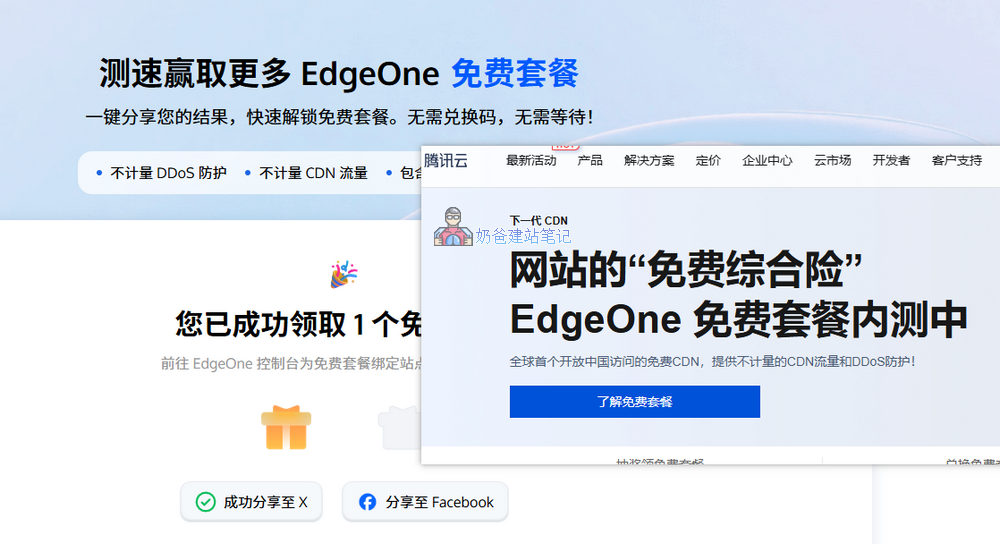
International version claim address:Speed test sharing, unlock more EdgeOne free tier
Domestic version claim address:Edge Security Acceleration Platform Special Offer_EdgeOne Promotional Activities - Tencent Cloud
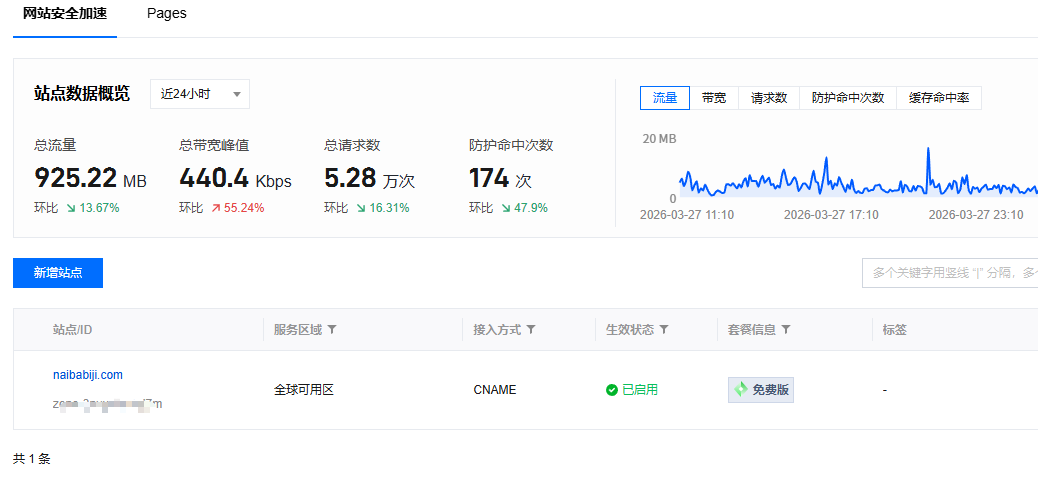
After successful claim, go to bind the domain you want to connect. It supports both CNAME and NS connection methods, which is relatively simple.
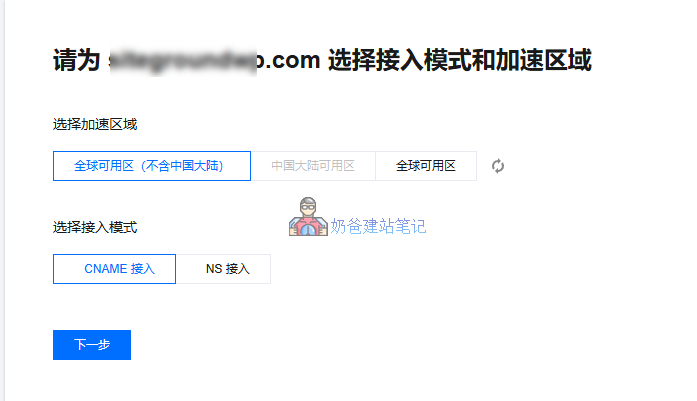
Among them, the Global Availability Zone can only be selected after ICP filing and real-name verification. Websites without ICP filing only support selecting the Global Availability Zone (excluding Mainland China).
2. Install the EdgeOne Cache Purge Plugin
- Download the plugin zip package
- Log in to the WordPress Admin Dashboard
- Go to 「Plugins」 → 「Add New」 → 「Upload Plugin」
- Select the plugin zip file and upload
- Activate the plugin
PS: The plugin has passed WordPress official review and can be installed directly by searching for „Cache Purger for EdgeOne“ in the WP Admin Dashboard plugins section.
3. Configure the EdgeOne Cache Purge Plugin
在Admin Dashboard Menu,SettingsBelow, you can findEdgeOne Cache Purgersettings entry.
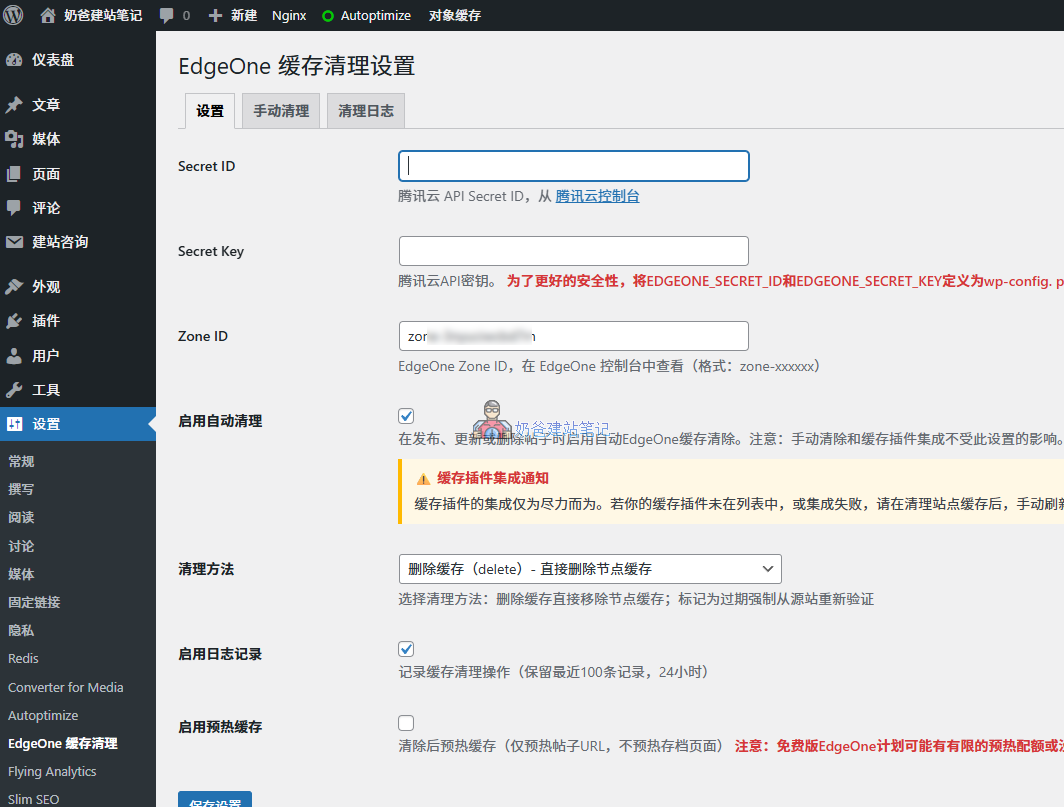
First, go to the Tencent Cloud console to apply forSecret ID和Secret Key. You can directly fill them in here, or define them in the wp-config.php file.
Then fill in theZone ID, check theEnable Auto Purgeoption, save the settings, and the configuration is complete.
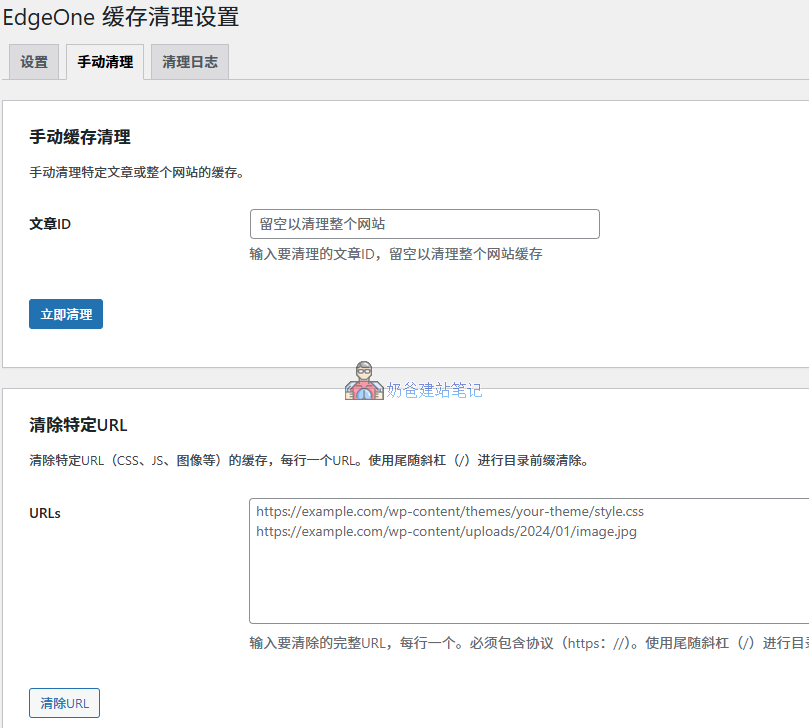
In the manual purge interface, you can purge by Post ID or by URL.
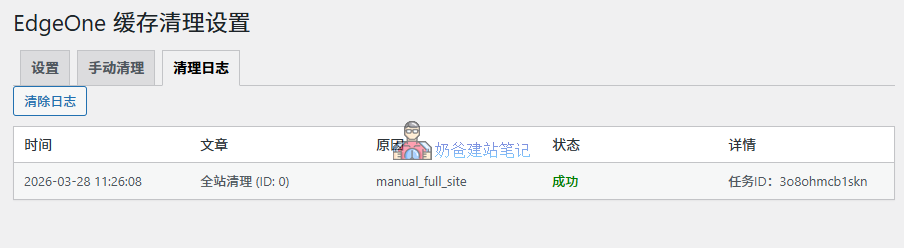
After purging, you can view the records in the purge log.
Explanation about cache plugin integration
Currently, the plugin integrates automatic purge functionality for four caching plugins: WP Super Cache, W3 Total Cache, WP Rocket, and LiteSpeed Cache. When you purge the cache in your caching plugin, the EdgeOne plugin will automatically purge the CDN cache.
However, Naiba's own website usesNginx Fast_cgi cache. I have only tested with W3 Total Cache with a friend. If your caching plugin's purge does not automatically clear the CDN cache, please manually purge once in the EdgeOne cache plugin.