
As someone deeply involved inWordPress Website BuildingWith years of experience in the field, Naiba has discovered through consulting and answering countless questions from novice website owners that product management and display are one of the core needs of B2B enterprise websites. However, existing solutions on the market often come with numerous pain points:
The Dilemma of Traditional Solutions
- WooCommerce is too bloated: As a powerful e-commerce plugin, WooCommerce is primarily designed for B2C websites, integrating complex features like shopping carts, payments, and inventory. For B2B websites that only need product display, although it can be used for B2B product showcasing, these redundant features still increase server load and affect website loading speed.
- ACF Custom Fields have a high barrier to entry: Managing and displaying products using the Advanced Custom Fields plugin, while efficient and fast, requires a certain level of development skill, making it very unfriendly for beginners.
- Custom pages are too cumbersome: Creating a page for each product, while allowing for flexible layouts and good performance, becomes particularly troublesome to manage when the number of products increases, and the workload for data updates and synchronization is heavy.
Solution: Naibabiji B2B Product Showcase Plugin
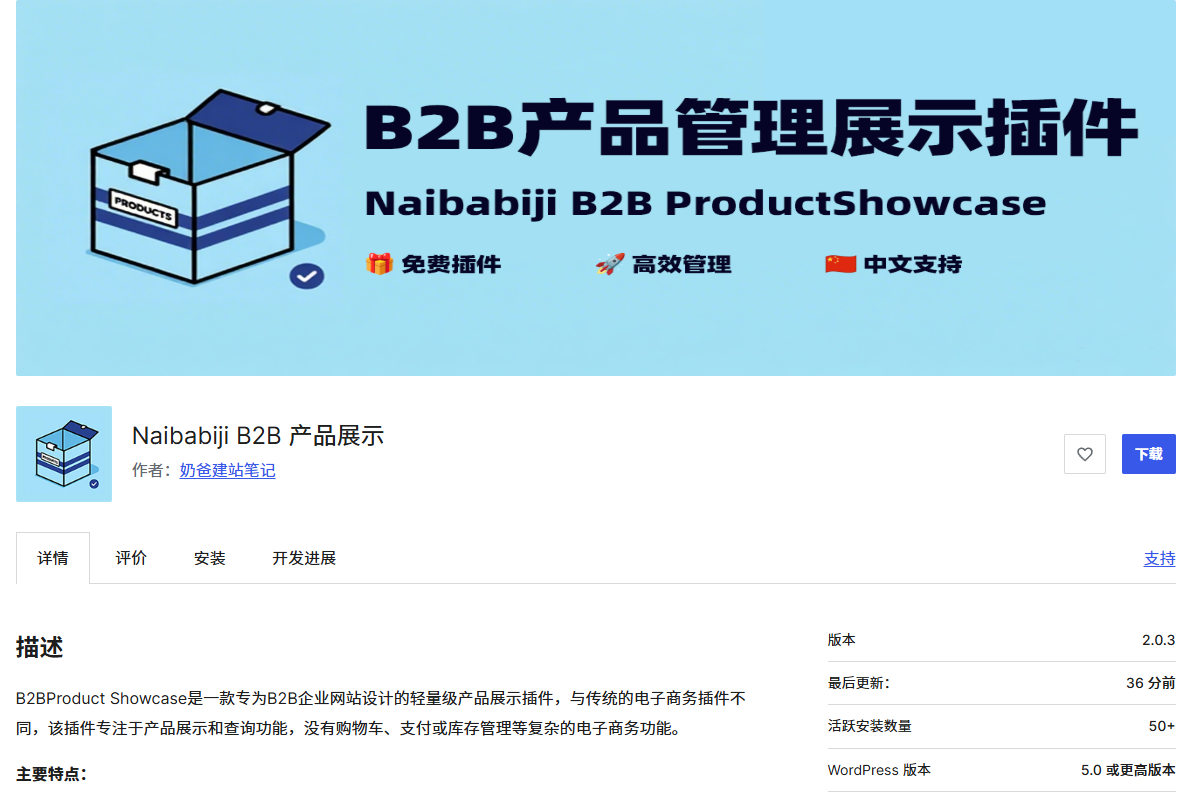
To address these pain points, the Naiba team has developed this lightweight WordPress product plugin specifically tailored for B2B enterprises—Naibabiji B2B Product Management & Display Plugin 。
Plugin Core Highlights
1. Extremely Lightweight Design
- Retains only the core product display functions, rejecting redundant code
- Optimizes performance and reduces server resource consumption
- Ready to use out-of-the-box, no dependency on third-party plugins like ACF
2. Professional B2B Feature Set
- Custom Product Post Type for independent management of product content
- Built-in inquiry button, directly guiding customers to communicate
- Supports product category and tag system for easy content organization
- Responsive layout design, perfectly adapting to various devices
3. SEO-friendly architecture
- Integrated structured data markup to enhance search visibility
- Optimized URL structure, supports product permalink
- Built-in breadcrumb navigation, improving user experience and SEO performance
4. High scalability
- Rich Action/Filter hooks, supporting secondary development
- Template override mechanism, easily customizing product display styles
- AJAX interface support, enabling dynamic interactive features
Detailed Function Modules Product Management System
- Supports product title, description, and featured image settings
- Multi-image gallery display, presenting product details comprehensively
- Flexible category and tag management system
- Customizable inquiry button text and link frontend display system
- Product archive page, supports grid layout display
- Product detail page, fully presenting product information
- Category and Tag list pages for easy content navigation
- Shortcode support for flexible embedding of product displays and admin dashboard functionality
- Intuitive SEO settings interface
- Inquiry button style customization
- Visual control of display options
- Clear code structure for easy maintenance
Plugin Installation and Usage Tutorial
1. Install and Activate
- Search for "naibabiji" in the WordPress backend to find the plugin
- Install and activate the Naibabiji B2B Product Display Plugin
After you have installed WordPress (WordPress Installation Tutorial), go to the plugins section in the website„s admin dashboard, select “Add New„, then search for “naibabiji„
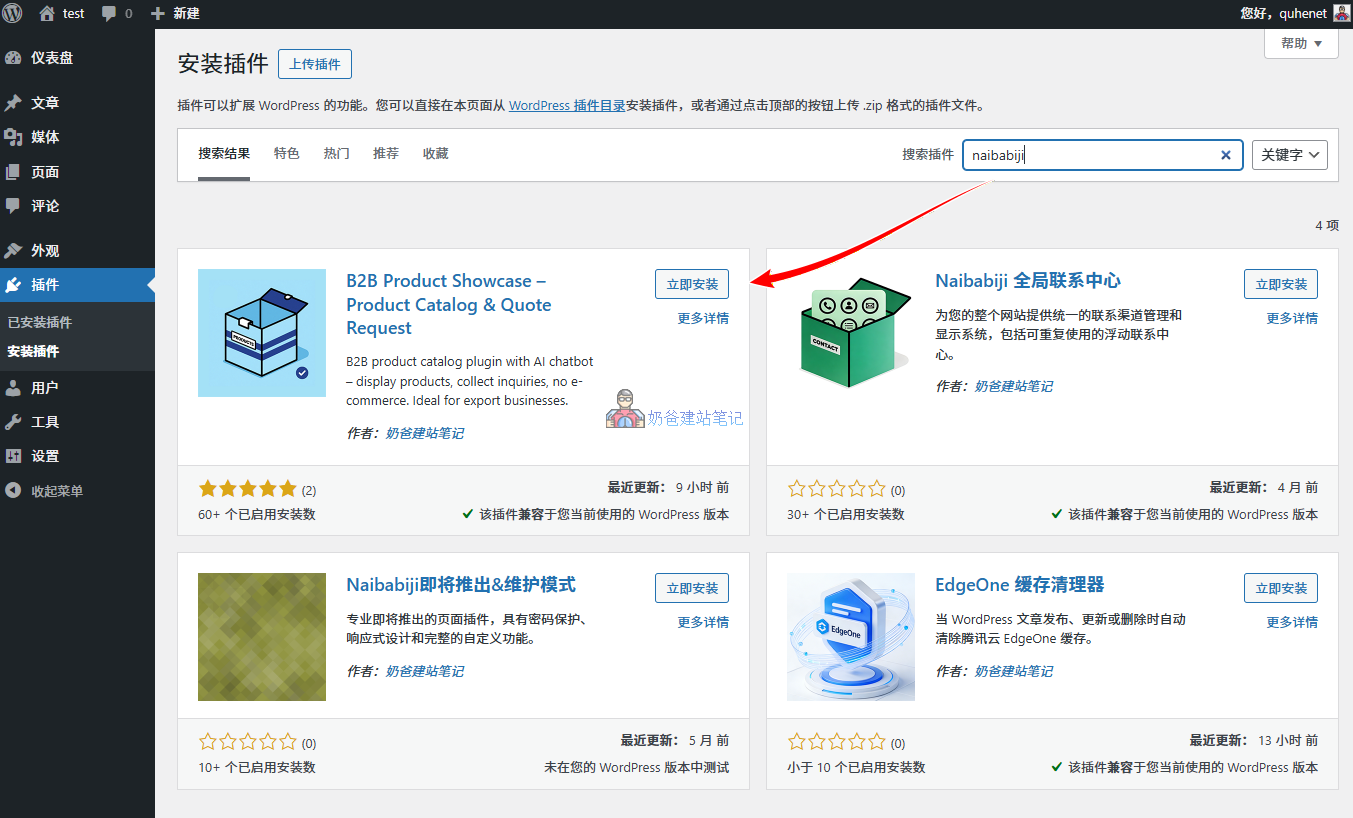
Then install and activate the „B2B Product Management Display Plugin“ that appears in the search results.
2. Basic Configuration
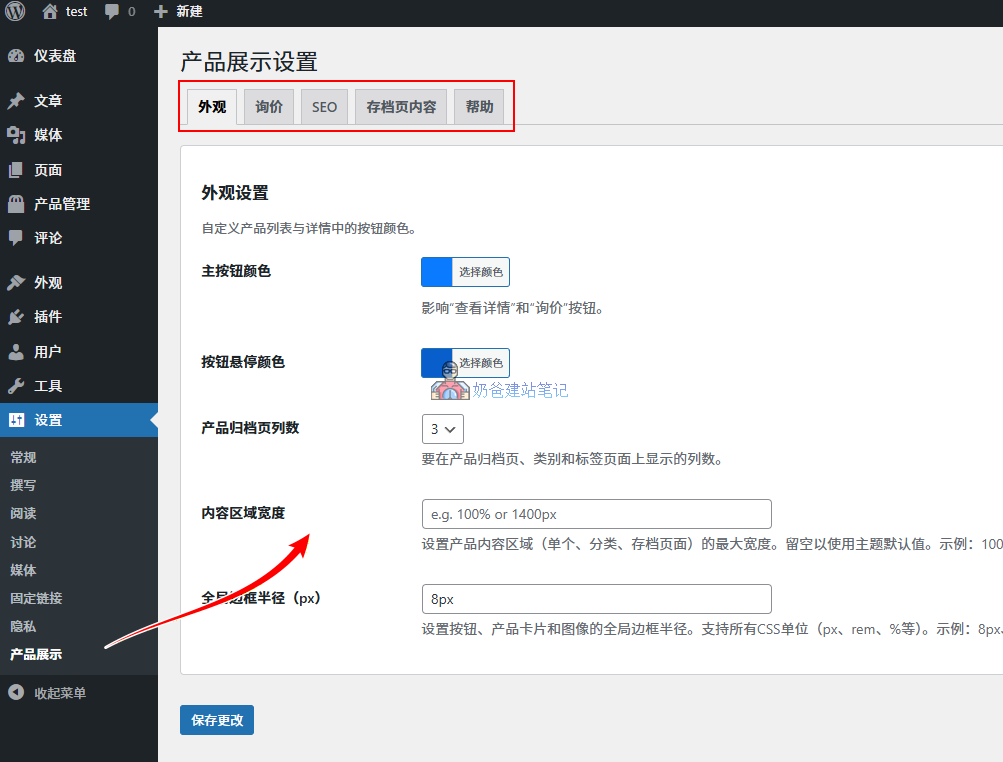
- Go to "Settings → Product Display" page
- Set appearance colors, etc., to match your website's color scheme.
- Set the default inquiry button text and inquiry mode within the inquiry tag, supporting two modes: external link button and built-in inquiry form.
- SEO tag settings control whether to display product meta information, etc.
- Archive page content allows you to add SEO content for product summary pages yourself.
3. Content Creation
- Go to "Product Management → Product Categories" to add categories
- Click on the details page of the added category to edit the category SEO information (optional).
- Publish product content, fill in the title, description, images, and other information.
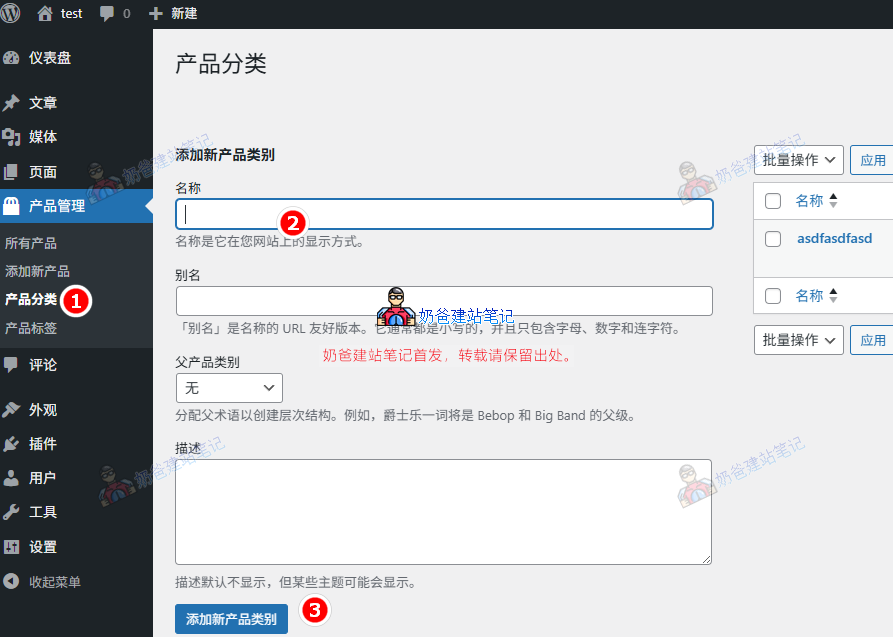
Then go to the product categories under the product management menu to add your website's product categories.
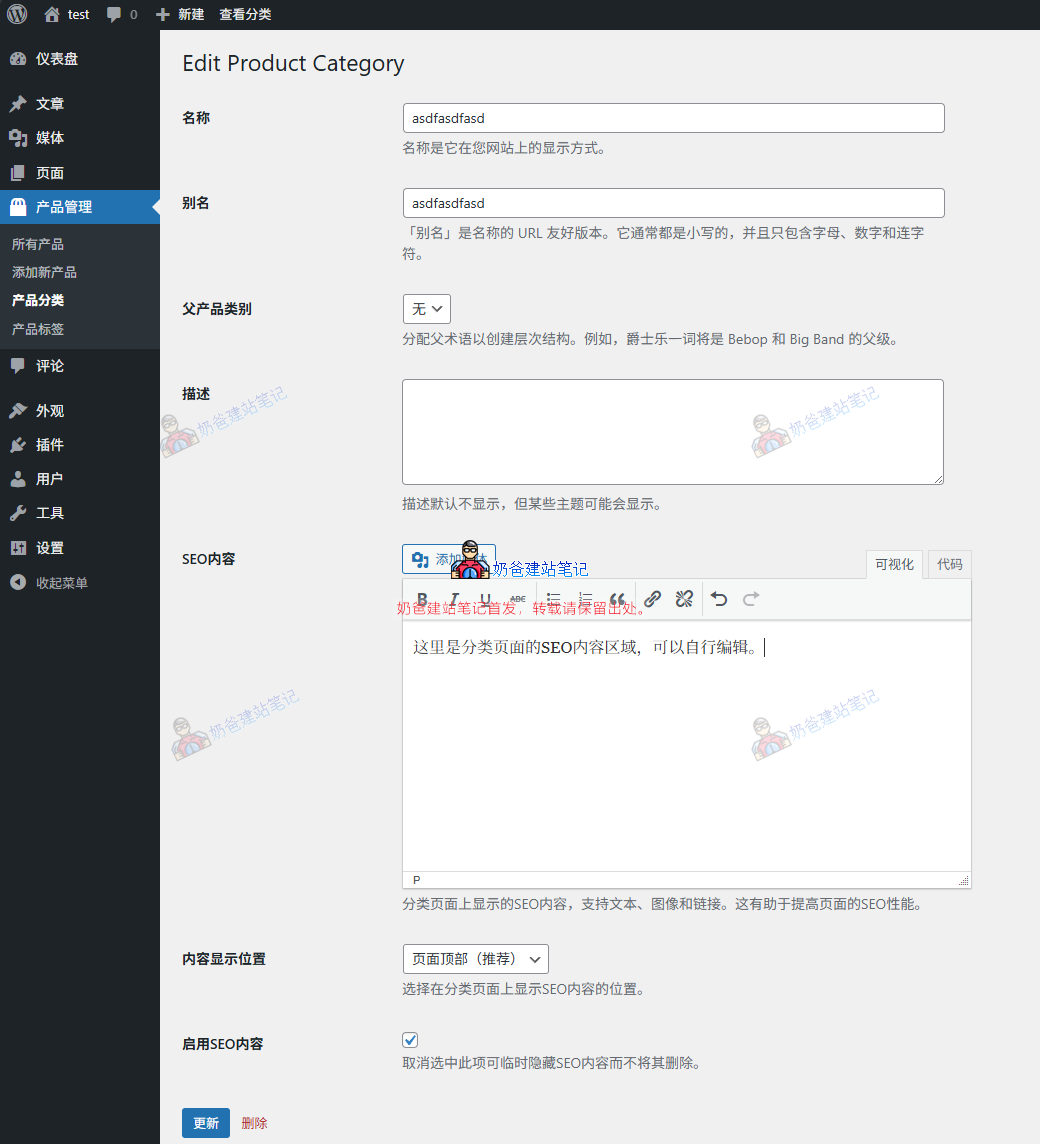
In the edit product category interface, we have reserved an SEO content area for the product category page. You can edit it yourself if needed.
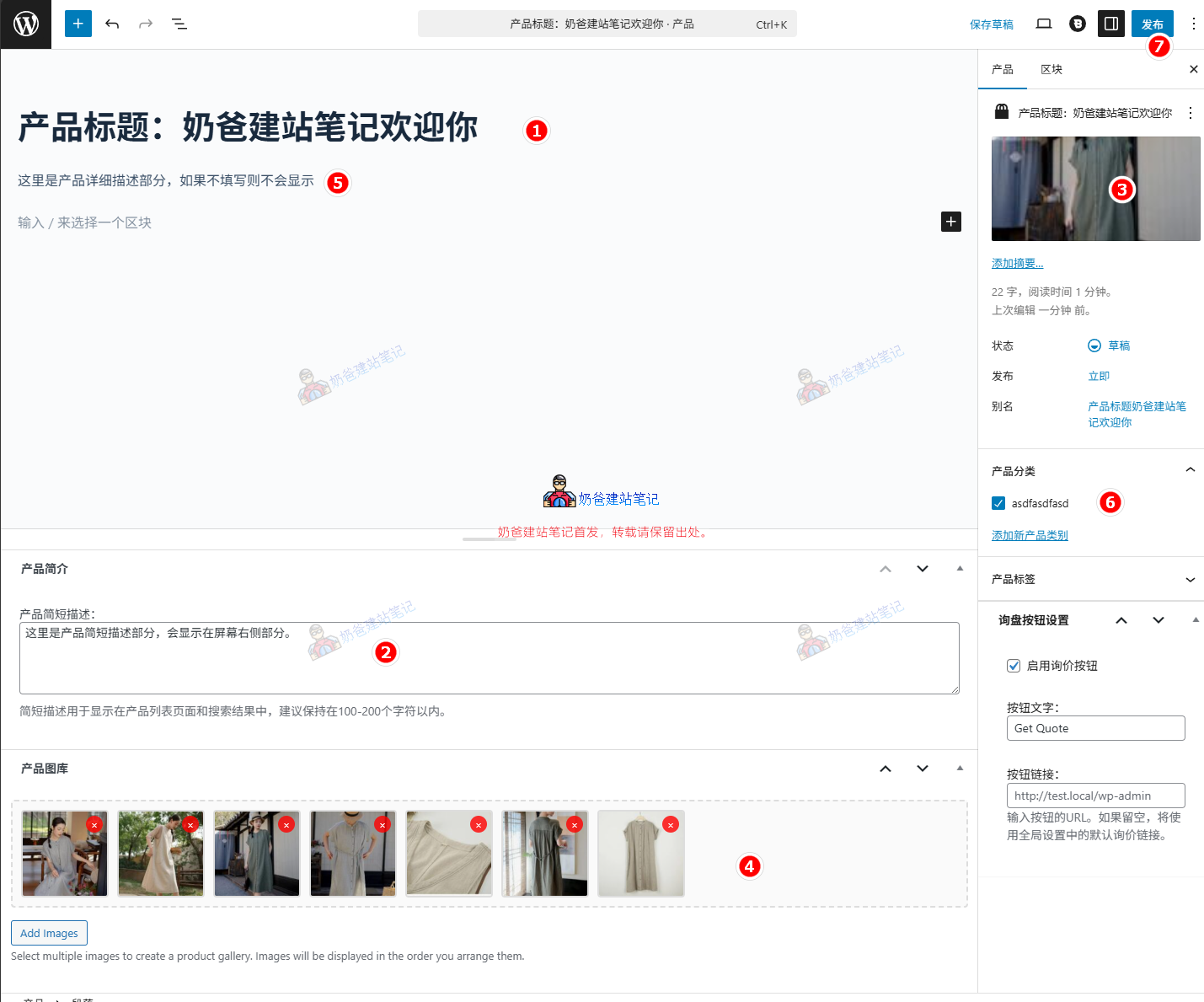
After creating the categories, you can go and publish products. Refer to the image above for the content on the publishing interface.
- Product Title
- Product Short Description
- Product Featured Image
- Product Gallery
- Product Detailed Description Section
- Product Category
- Publish Button
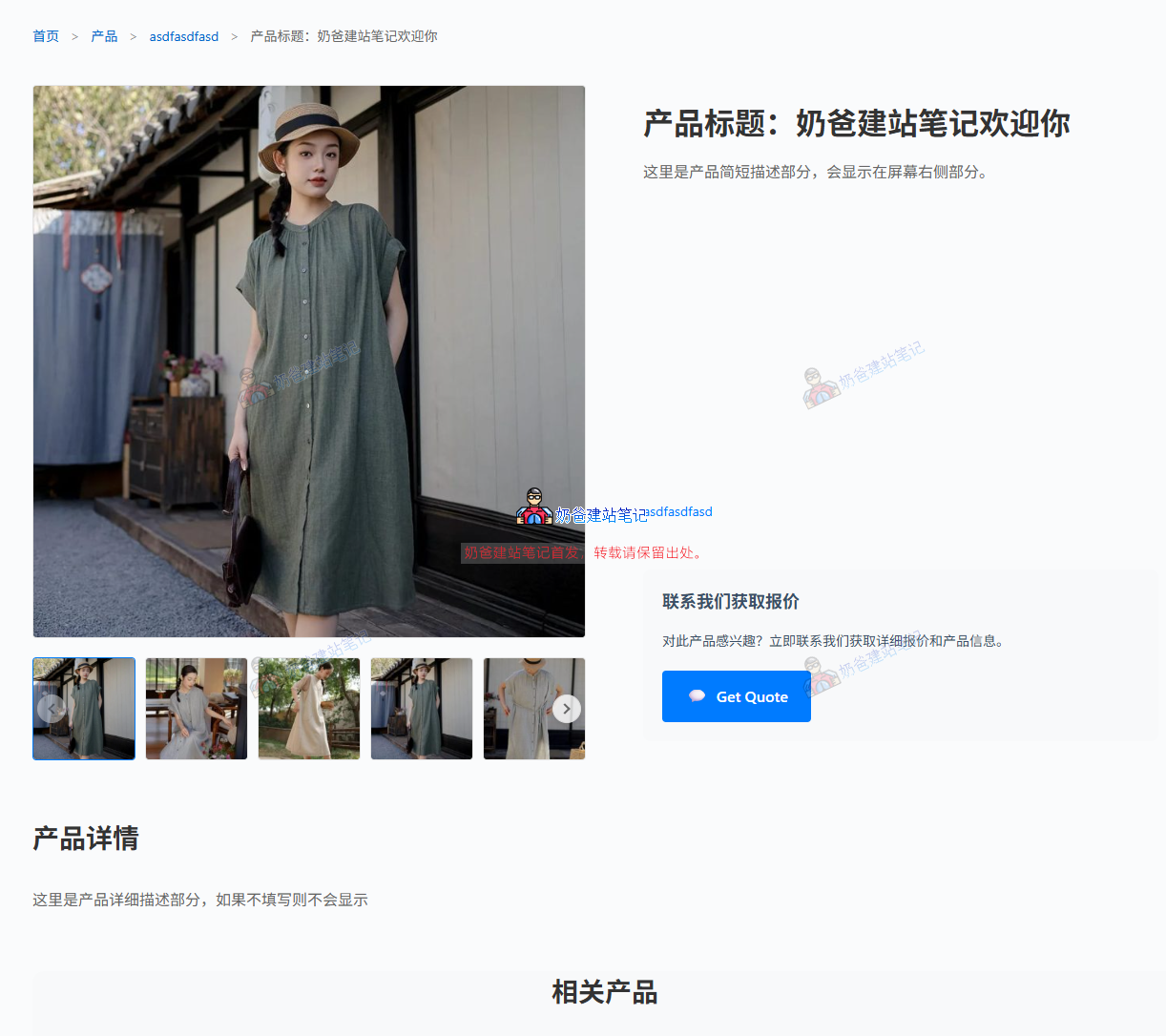
After publishing, the frontend will display the effect shown in the image above. Because each Theme's style code is different, the specific display effect will vary slightly depending on the Theme you use.
4. Shortcode Generator
Using shortcodes allows you to display products on any page. You can generate shortcodes via the Shortcode Generator under the Product Management Menu, and then call the product information anywhere on the website.
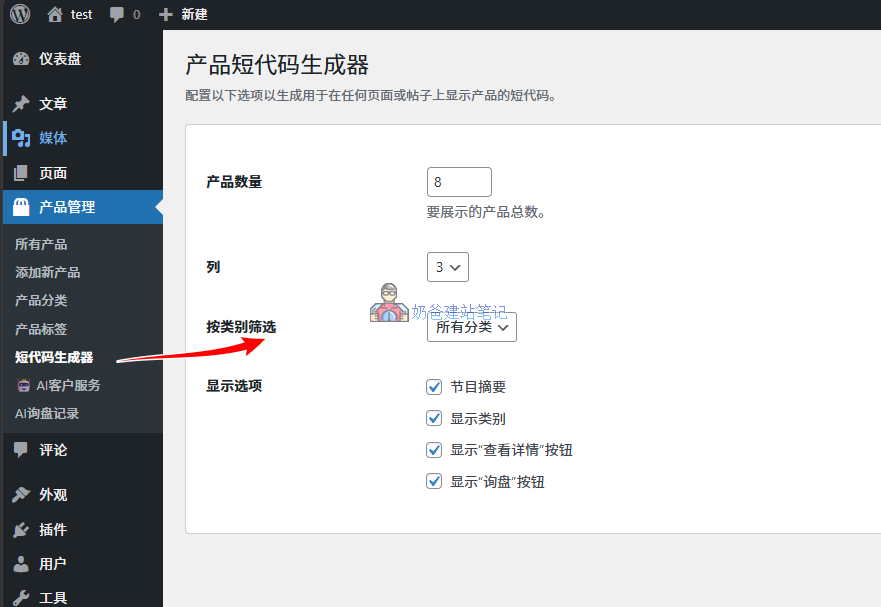
5. AI Customer Service
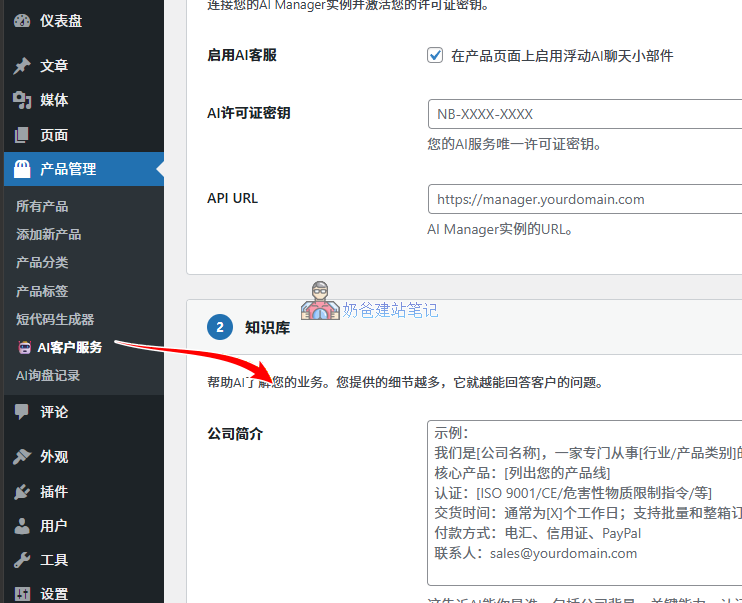
In the AI Customer Service interface, you can set the website's basic information. After enabling it, users on the product details page can interact with the AI by clicking the AI button. The AI will answer user questions based on the information you fill in here and the product's own data. When the AI cannot answer or the connection fails, it will automatically switch to the built-in inquiry form.
Frequently Asked Questions
Q: Does the Plugin support shopping cart functionality?
A: No, it does not. This Plugin focuses on B2B product display and inquiry scenarios and does not include e-commerce transaction features.
Q: How to customize the product display template?
A: You can create the following template files in the Theme directory to override the Plugin's default styles:
- single-naibb2pr_products.php – Product detail page
- archive-naibb2pr_products.php – Product Archive Page
- taxonomy-naibb2pr_product_category.php – Product Category Page
Q: Which shortcodes are supported?
A: The plugin provides the following shortcodes:
- [naibabiji_b2b_products] – Product Grid Display
- [naibabiji_b2b_product_categories] – Product Category Display
Technical Support
This plugin has passed the official WordPress review and is compatible with the latest version of WordPress. Naiba has tested the plugin locally and online, and the basic functions work normally. Since everyone's website uses different plugins and themes, 100% compatibility with every individual's website is not guaranteed. If there are obvious bugs, you can leave a comment at the end of this article, and I will fix them as appropriate.
This is a free plugin. I will try my best to maintain it to ensure compatibility with the latest version of WordPress, but I do not guarantee solving every problem encountered when using this plugin on individual websites. (Except for paid troubleshooting)
Conclusion
Naibabiji B2B Product Display Plugin is a lightweight WordPress product plugin specifically designed for B2B enterprises. With its simple and efficient design philosophy, it helps businesses easily build a professional product display platform. Whether it's a startup or an established brand, this plugin can quickly meet product display needs and improve online business conversion rates.
Can you explain in detail how to create product archive pages and detail pages with Elementor?
Official documentation: https://elementor.com/help/woocommerce-archive-products-pro/https://elementor.com/blog/customize-woocommerce-product-page/
The prerequisite is that you have purchased Elementor Pro. Then do it yourself. However, beginners may not be able to control the design and details of these pages, so it is not recommended to try easily. If you don't believe it, try it yourself first. It's also fine to give up if you can't handle it.