WP Security Audit Log is a WordPress security log auditing tool that records all activity logs on your website. It helps thousands of WordPress administrators and security professionals monitor what is happening on their sites.
Detailed Introduction to WP Security Audit Log
As a comprehensive and complete WordPress activity log solution, WP Security Audit Log not only tells you that a post, user profile, or object has been updated. It records the changes that occurred in the post, profile, or object.
Here is a summary of the changes that this plugin can record:
- Posts, pages, and custom post type changes,such as status, content changes, title, URL, date, and custom field changes.
- Tags and category changes,such as creation, modification, or deletion, as well as adding or removing them from posts.
- Widgets and menu changes,such as creation, modification, or deletion.
- User changes,such as user creation or registration, deletion, or addition to sites on a multisite network.
- User profile changes,such as password, email, display name, and role changes
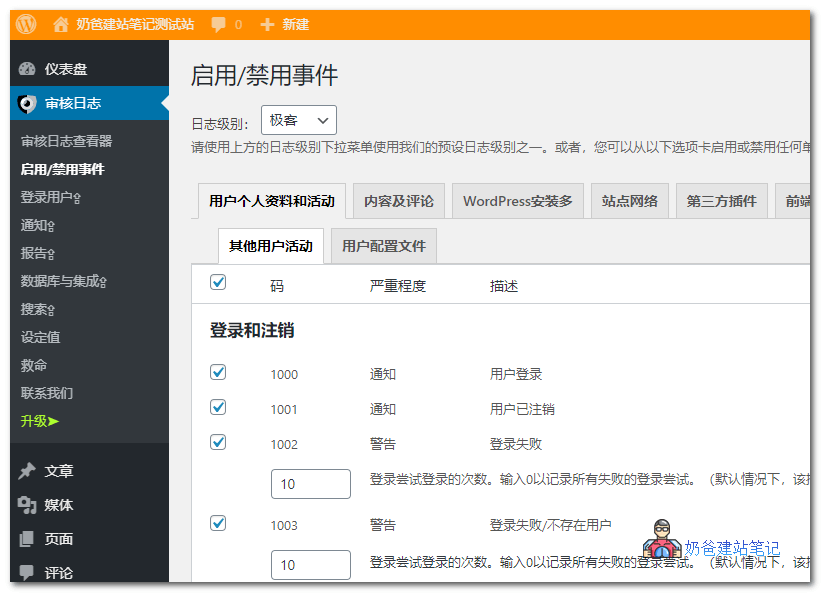
- User activities,such as login, logout, login failures, and termination of other sessions
- WordPress core and settings changes,such as installed updates, permalinks, default roles, URLs, and other site-wide changes
- WordPress multisite network changes,such as adding, deleting, or archiving sites, adding or removing users from sites, etc. (activity log for multisite networks).
- Plugin and theme changes,such as installing, activating, deactivating, uninstalling, and updating them
- WordPress database changes,such as when plugins add or delete tables
- Changes inWooCommerce stores and products,Yoast SEO,Advanced Custom Fields (ACF),MainWPand other popular WordPress plugins.
- WordPress site file changes (for example, new files were added) or existing files were modified or deleted.
For each event logged by the plugin, it also reports:
- The date and time of occurrence (in milliseconds),
- The user and user role who made the change,
- The source IP address where the change occurred.
Upgrade to the premium version to also get the following features.
- See who is logged in,
- View in real-time what everyone is doing,
- Log out any user with a single click,
- Generate HTML and CSV reports,
- Export activity logs in CSV format (suitable for integration),
- Get notified of important changes via email,
- Receive instant SMS notifications about site changes,
- Use text-based search to search activity logs,
- Fine-tune searches using built-in filters,
- Store activity logs in an external database for enhanced security,
- Mirror WordPress activity logs to Slack, Papertrail, Syslog, and other central log management and collaboration solutions,
- Configure archiving and mirroring of logs.
Website log analysis isBuilding a Websitea task that may be used later, but for single-user websites, this plugin is not very useful. For multi-user sites, especially those that areresource sites, using this plugin can analyze website user access, helping you improve website content.