
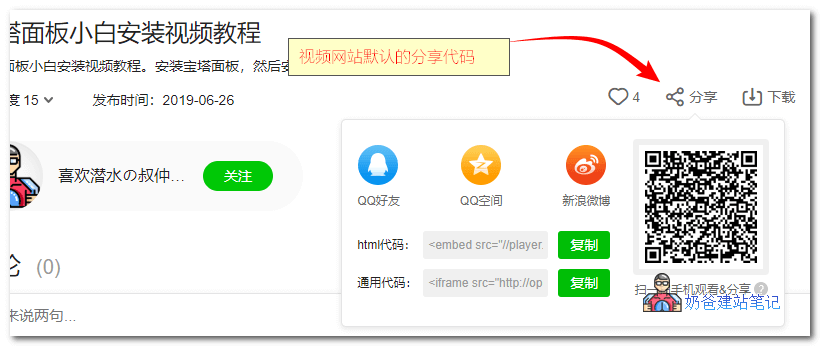
If your site has embedded videos from video sites such as Youku, iQiyi, Bilibili, etc., you will definitely find that after enabling HTTPS, the default sharing codes from these video sites cannot be played directly. For example, like this:
1. Copy the HTML code or universal code from the video site's share button into the WordPress article.
2. After publishing, when accessing the video on the website frontend, it will prompt that Adobe Flash Player has been blocked, and the address bar will also show a prompt that unsafe content scripts have been intercepted.
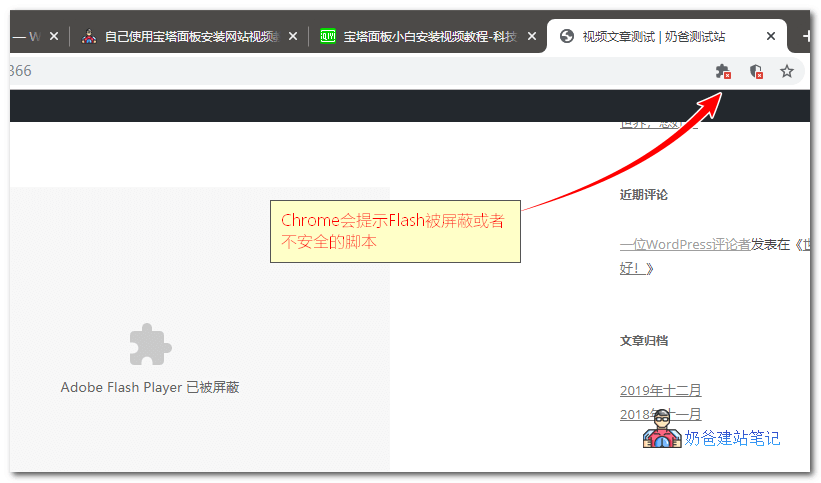
So this greatly affects user experience. However, if you use the SmartideoWordPress Plugin, then you can easily solve the issue of videos not playing directly over HTTPS.
Smartideo Plugin Introduction
Smartideo is a plugin that adds online video support to WordPress (supports HTML5 playback on mobile devices, tablets, etc.). Currently supports Youku, iQiyi, Sohu Video, Tudou, 56, Tencent Video, Sina Video, Ku6, Wasu, LeTV, YouTube, and other sites.
Paste the complete URL of the video playback page directly into the editor (on a separate line) to load the video player.