
Hello everyone, I am Brother Leifeng. Recently, Brother Leifeng「s blog is hosted on a low-quality server with very high latency. Due to lack of ICP filing, I cannot use domestic CDNs. I tried the free CDN from 」Cloudflare,「 but the results were not ideal. Later, I discovered that jsDelivr + Github is the best free CDN.
jsDelivr Introduction
jsDelivr is a free CDN service that provides acceleration for thousands of Javascript, CSS, and over 1650 libraries. It supports free CDN acceleration for Github, WordPress, and NPM. Moreover, it has CDN nodes in China, making it very fast.
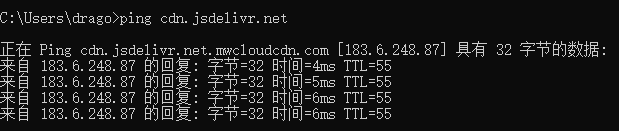
jsDelivr Official:https://www.jsdelivr.com/
Github Introduction
Github is currently the best free open-source project hosting site, with numerous open-source projects hosted there. Github has now been acquired by Microsoft.
Github Official:https://github.com/
Using jsDelivr + Github to Speed Up WordPress for Free
1. Register a GitHub account
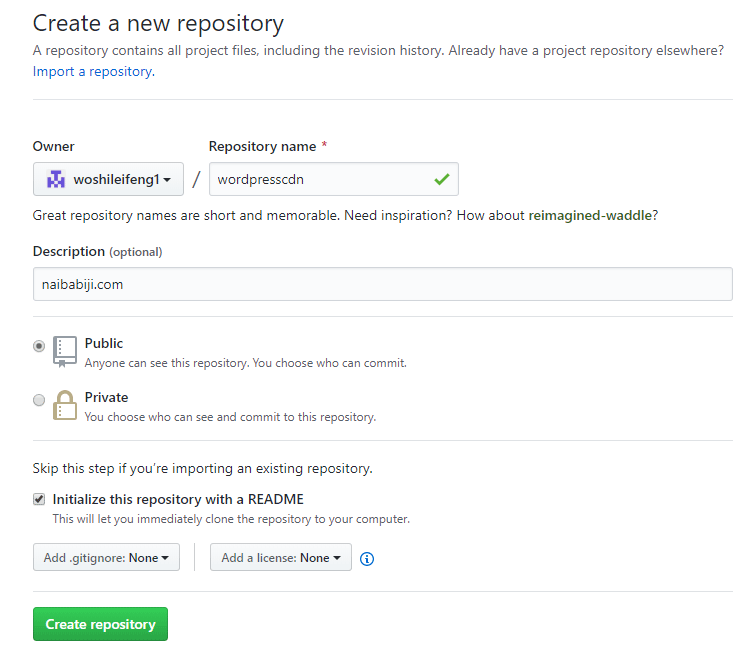
2. Create a new GitHub repository. Repository name: enter the repository name, then click 「Create repository」 to start creating.
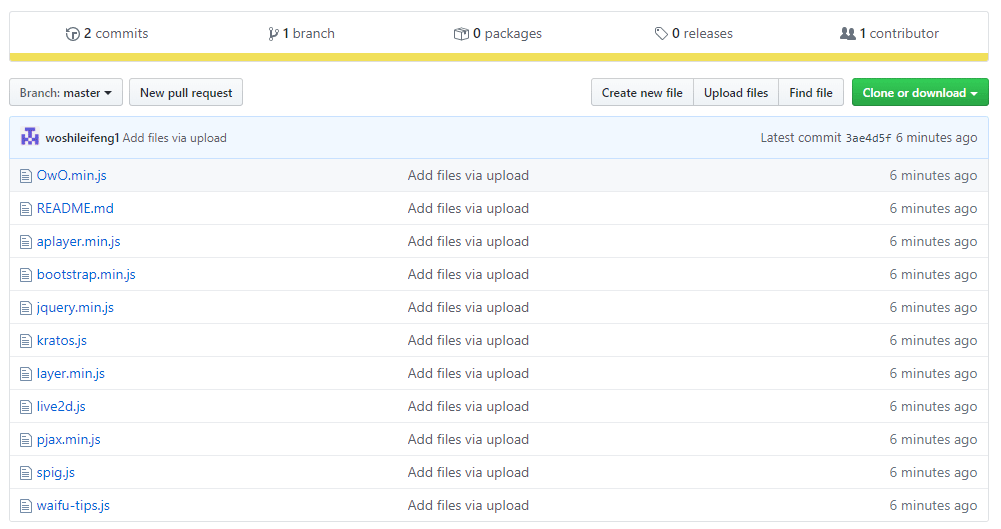
3. Click 「Upload files」 to upload the files you want to CDN, such as CSS, JS, images, etc...
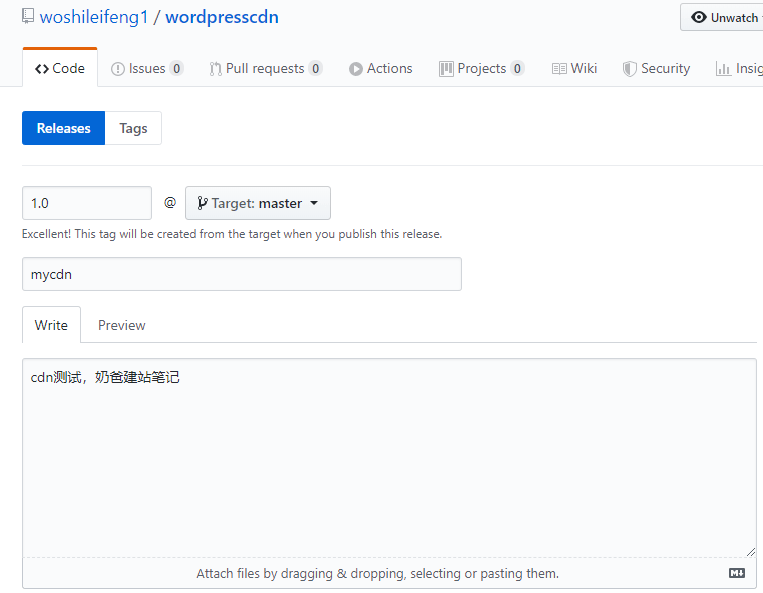
4. Release the repository, click 「release」 to publish, and enter a custom release version number.
5. Use jsDelivr to reference resources
https://cdn.jsdelivr.net/gh/your username/your repository name@release version/file path
For example: https://cdn.jsdelivr.net/gh/woshileifeng1/wordpresscdn@1.0/aplayer.min.js
If you don't need version number differentiation, you can also directly:
https://cdn.jsdelivr.net/gh/woshileifeng1/wordpresscdn/aplayer.min.js
6. Next, replace all the CSS and JS file addresses from the CDN into your theme.
7. You can add <link rel='dns-prefetch' href='//cdn.jsdelivr.net' /> to the header file of your theme to prefetch DNS and speed up resolution.
Building a Free Image Hosting Service with GitHub+jsDelivr+PicGo
1. Create a new GitHub repository specifically for storing uploaded images.
2. Generate an Access token
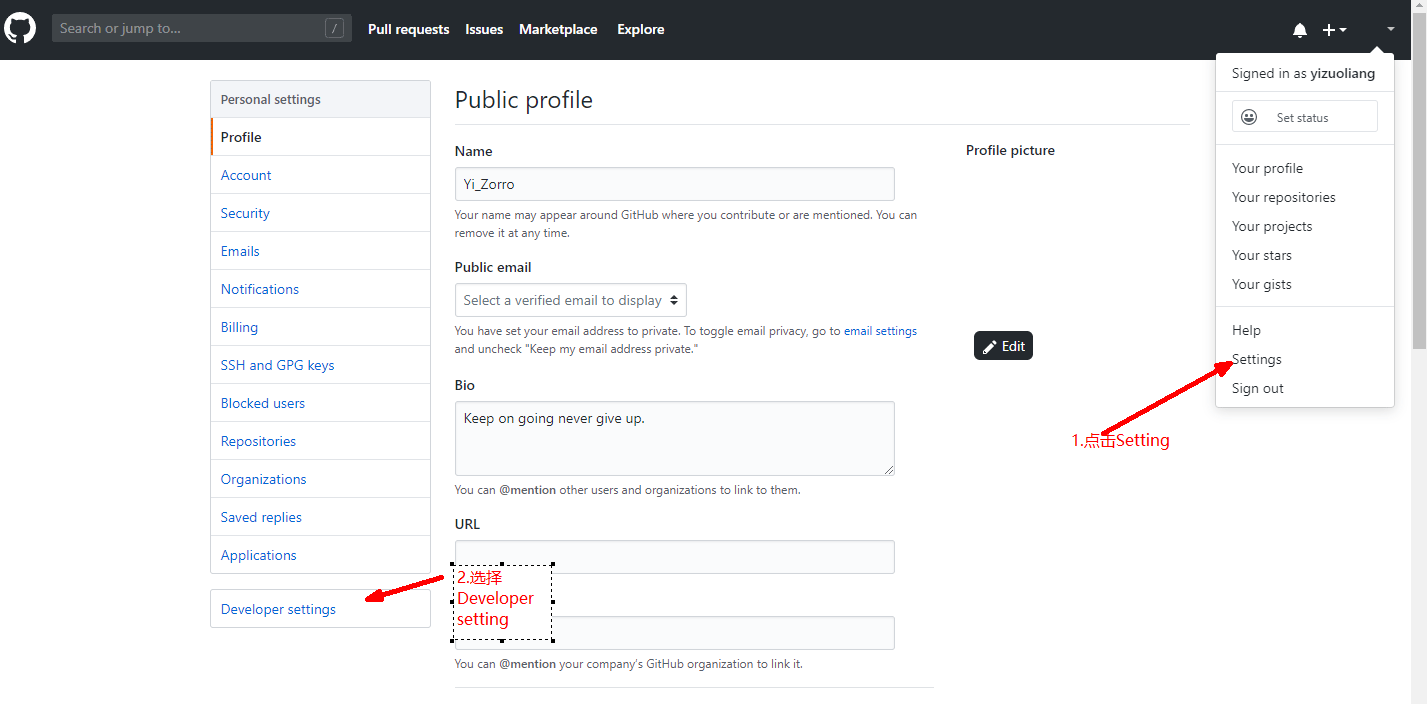
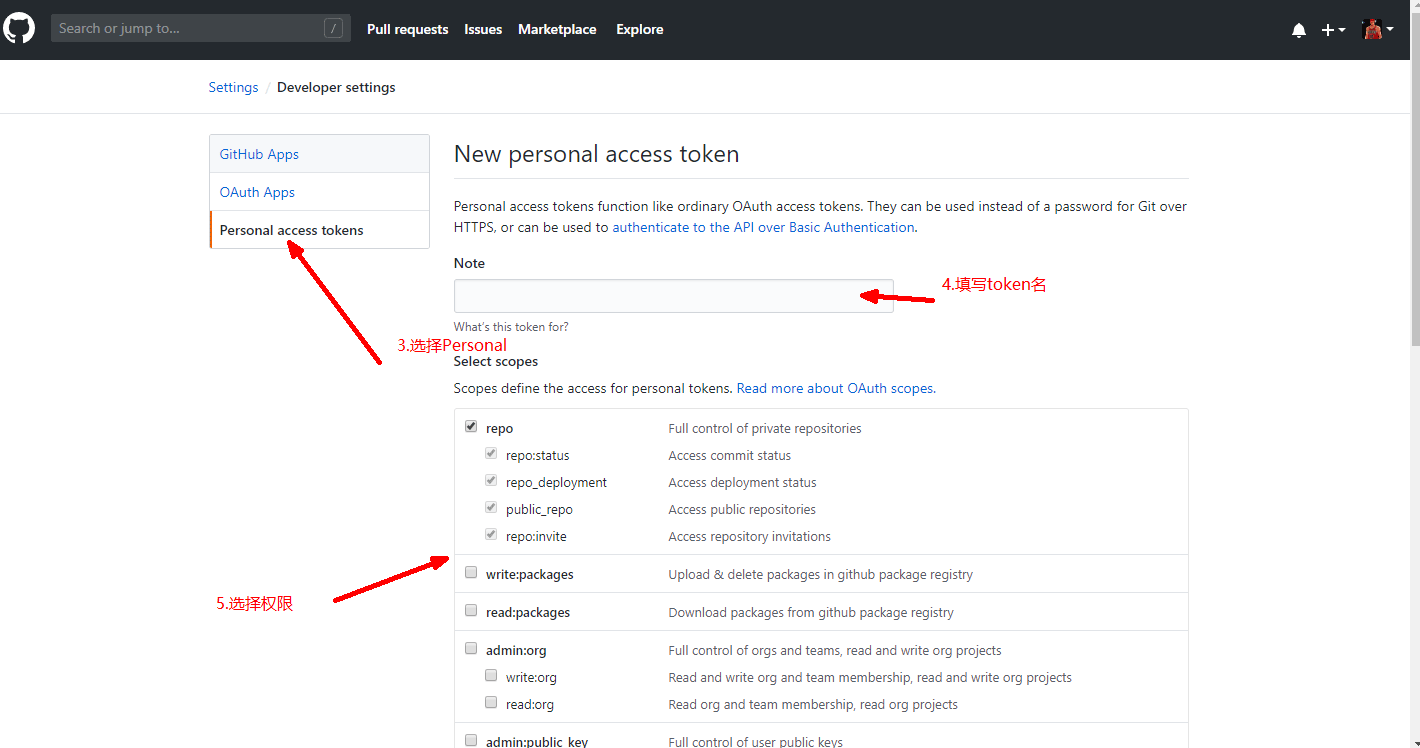
3. Download PicGo software: https://github.com/Molunerfinn/picgo/releases
4. Fill in the information created on GitHub, specify the path for the storage folder. When PicGo uploads files, it will automatically create this folder in the GitHub repository.
Custom domain: https://cdn.jsdelivr.net/gh/username/image-hosting-repo-name
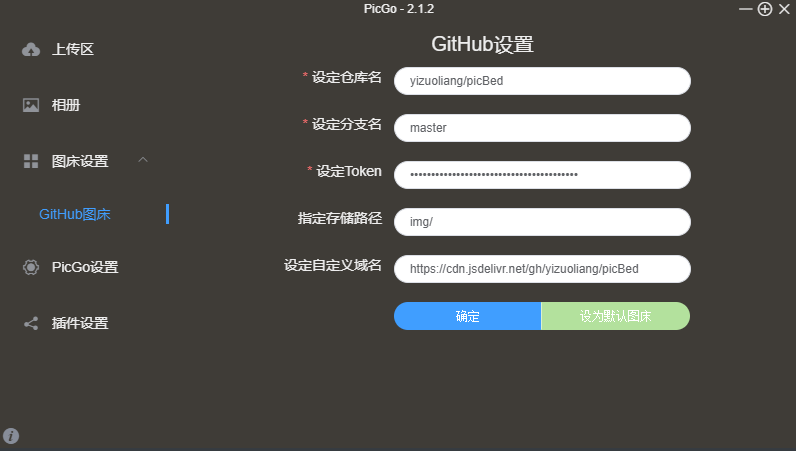
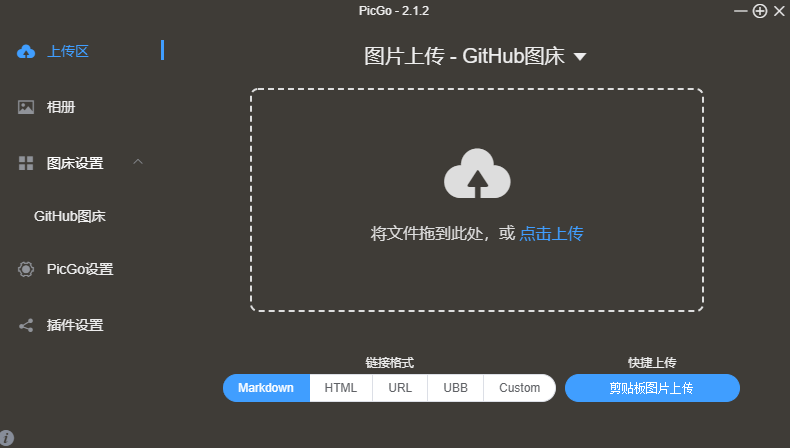
5. You can start uploading images now. After uploading an image, the image link will automatically be copied to your clipboard.
Summary
Although setting up this free CDN can be a bit troublesome, it「s free after all and can also be used as an image hosting service to save your server traffic. Plus, both jsDelivr and Github are major companies, so they are relatively trustworthy. For those who enjoy tinkering, you can put the entire site on Github and then use the CDN feature in the plugin 」WP Super CacheThe CDN feature inside handles static resources. I won「t demonstrate it here. If interested, you can explore it yourself.
Finally, if you don't want to go through all this trouble, you can check this #The Easiest Way to Check if a Website Uses CDN Acceleration_Recommended Free CDN Services