都说WordPress慢?你觉得奶爸建站笔记访问速度慢吗?其实任何网站程序,随着数据的增加和内容的丰富,都没有最开始空站时那么快速。但是只要我们做一些必要的优化,网站速度还是可以变得飞快的。本文奶爸就给大家分享10点非常实用的WordPress速度优化方法。
10 Methods to Optimize WordPress Speed
奶爸这里分享的这10个WordPress速度优化技巧,就算你是建站小白也可以轻松跟着操作,所以不用有太多心理负担,按部就班地调整即可。
1. 选择一个性能好的服务器
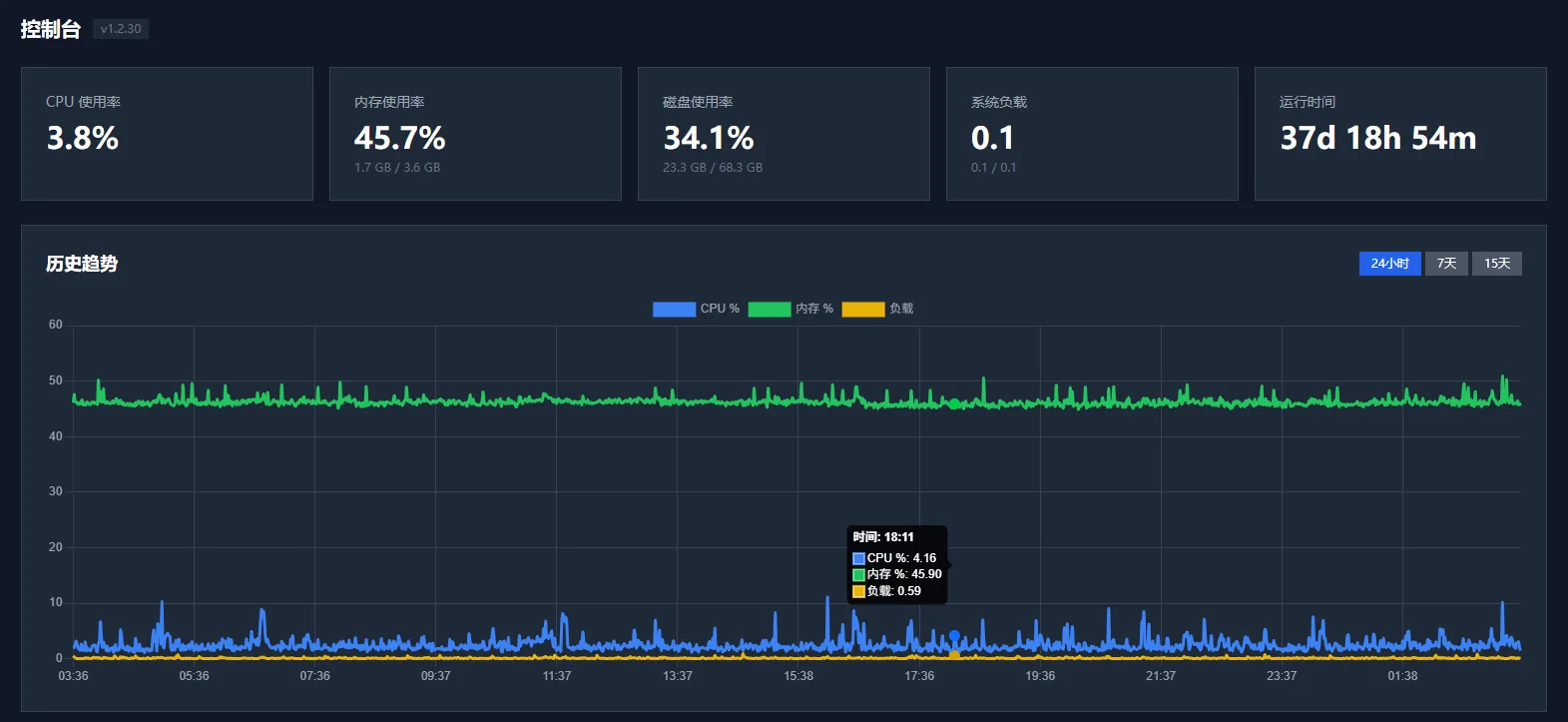
这是最立竿见影的优化技巧。如果你不想花太多心思折腾技术,那么直接升级服务器配置就是最简单粗暴且有效的解决方案。
举个例子,奶爸建站笔记的服务器从早期的1核1G云服务器逐渐升级后,在不调整任何缓存和代码优化的情况下,新服务器的网站打开速度就有了明显的提升。这足以证明一个性能过硬的服务器对网站响应速度的影响有多明显。
当然,如果你目前使用的是低端虚拟主机,你会发现它基本上没有太多硬件升级的弹性选项,因此奶爸更建议大家选择高性价比的VPS来搭建网站,这样后续升级会更加灵活。
2. 使用缓存插件
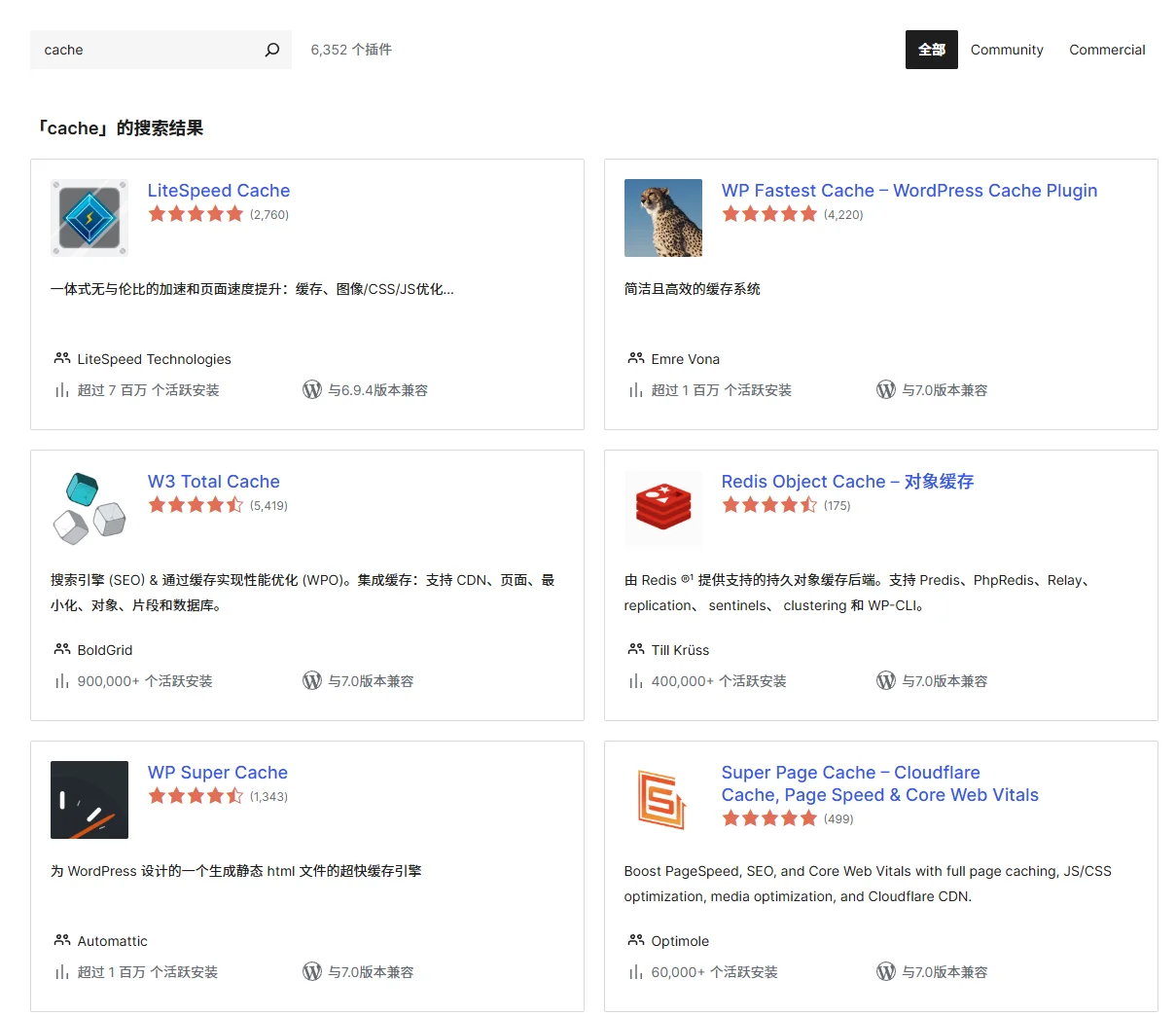
WordPress网站使用了缓存和没有使用缓存,打开速度是有天壤之别的。缓存插件绝对算得上是WordPress必不可少的标配。
在免费插件方面,WP Super Cache是一款经典且稳定的选择。如果你预算充足,可以考虑付费的 WP Rocket,这款插件的功能集成度非常高,也是目前很多站长青睐的提速利器。
除了传统的页面缓存,如果你使用的是VPS服务器,还可以配合Redis进行动态数据缓存,大幅减轻数据库压力。感兴趣的同学可以参考奶爸之前写过的 WordPress Website Configuration Redis Object Cache Optimization and Multi-Site Cache Conflict Issue 教程。当然,如果你使用的是WP Paenl面板,那么这个优化面板自动都帮你操作了。
3. Optimize the WordPress Database
After your website has been running for months or years, the database will accumulate a lot of useless data (such as post revisions, orphaned metadata, spam comments, etc.). These redundant contents increase the server's query load. Regularly cleaning up unnecessary database content can effectively improve the overall site's response efficiency.
Optimization is also very simple. Just install a database cleanup plugin like WP-Optimize to help. If you are using a specific host and encounter issues with a full or slow database, you can also refer to this real case to solve it:What to Do When SiteGround Database Exceeds the Limit? A Real Case to Help You Solve It。
4. Delete Unnecessary Plugins
When server performance is limited or the plugins themselves are of low quality, the more plugins installed on the website, the greater the impact on speed.
As ordinary users building our own websites, we often rely on plugins to solve many functions due to lack of coding knowledge. But to make WordPress load faster, you must make trade-offs. Some infrequently used, unnecessary, or disabled plugins should be completely deleted to prevent them from secretly consuming resources in the background.
5. Keep Core Software, Themes, and Plugins Updated
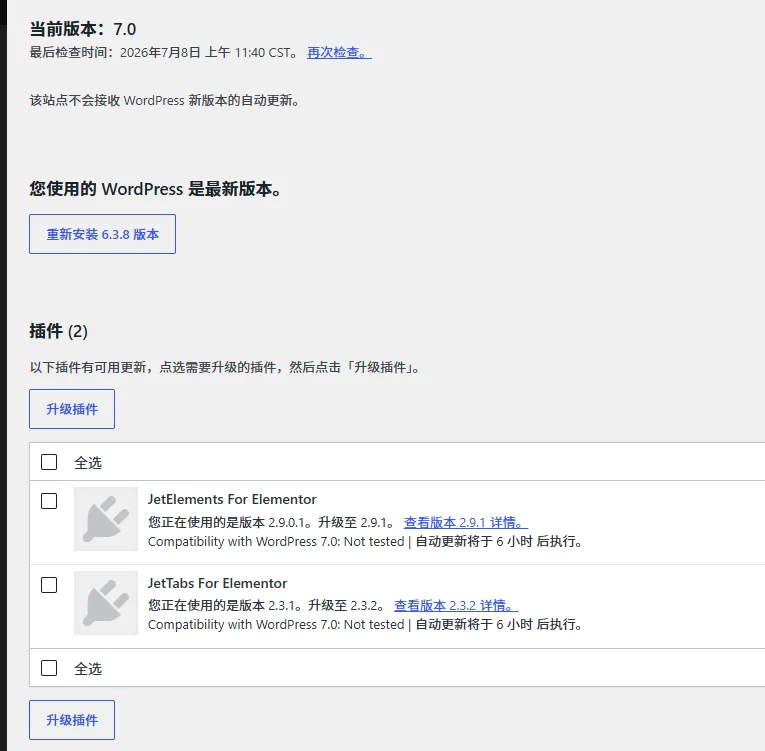
Naiba has seen many business websites that never update the WordPress version, themes, and plugins after they are built. This actually poses significant security and performance risks.
Each official update usually includes code structure optimizations, fixes for known bugs, and performance improvements. If your website has accumulated too many pending updates, it will not only slow down the frontend loading speed but also make backend operations increasingly sluggish.
6. Use Smaller Image Sizes Properly
Many beginners and corporate webmasters directly upload original images of several MB taken by digital cameras or phones when updating articles. These original images often have resolutions of thousands of pixels, while in reality, the widest part of most web pages is only about 1200 pixels. Uploading oversized images beyond the actual display size is completely pointless (unless you run a professional wallpaper download site).
Therefore, Naiba strongly recommends that before uploading images, you manually adjust the pixel width of the images to between 800px and 1200px, which is sufficient for clarity.
You can also directly use theOnline Image to WebP / Compression / Watermark Toolto optimize images before uploading.
7. Optimize Image Compression and Format Conversion
Reducing the pixel dimensions of images is not enough. To make web pages load extremely fast, we also need to deeply compress images or convert them to smaller modern image formats (such as WebP).
There are two main methods for image compression:
- Local/Online Manual Processing:Process images using third-party tools before uploading. You can use the tool launched by Naiba,Online Image to WebP Compression and Watermark Toolwhich converts images to next-generation formats and compresses them with one click. Additionally, well-known overseas online compression sites like TinyPNG are also good auxiliary options.
- Plugin Automatic Compression:If manual processing is too troublesome, you can install plugins like EWWW Image Optimizer or ShortPixel in the WordPress backend for automatic optimization. However, such cloud-based compression plugins usually have certain limits on free quotas.
8. Integrate CDN Acceleration and Full-Site Network Optimization
Many beginners don„t understand what a CDN (Content Delivery Network) is. You can simply think of it as the “JD local warehouse„ in online shopping—the CDN caches your website“s static files (such as images, CSS, JS, etc.) in advance to its server nodes across the country or even globally. When a user visits your website, the system automatically distributes resources to the node closest to that user.
This way, users can obtain resources at extremely fast speeds, and it also helps you save a lot of server bandwidth. If your website is hosted on a domestic server, you can refer to theWordPress Alibaba Cloud CDN Configuration Tutorial; if you want more comprehensive acceleration and security protection, you can try a new generation of one-stop services, refer to theComplete Tutorial for Connecting WordPress Website to Alibaba Cloud ESA。
9. Disable Comment Notifications and Pingbacks
Pingback was originally a nice feature—when another website references your article link, you receive a notification in the backend, facilitating interaction between blogs. However, in today„s network environment, this feature has basically become a hotbed for spam and ad bots. It is not only useless but also frequently consumes server database query resources. Therefore, Naiba recommends directly disabling this feature in “Settings – Discussion.„
10. Enable Gzip or Brotli Compression
By enabling compression on the server side, text files on the web page (such as HTML, CSS, JS) are „packed“ before being transmitted to the browser, and the browser automatically decompresses them after receiving. This can directly save up to 70% or more of transmission traffic! Currently, many high-quality themes, caching plugins, high-configuration VPS, or third-party CDN/ESA services provide this compression optimization by default, ensuring that website data is transmitted at the lightest possible state.
WordPress Speed Optimization FAQ
Q: What factors usually affect the slow access of a WordPress website the most?
A: The core factors are server performance and the geographical location of the server. For example, if you are targeting domestic individual customers but use an overseas server without ICP filing, no matter how you optimize the code, due to physical distance and network public routing limitations, the speed will be hard to achieve the best. However, if your website is a foreign trade independent website targeting overseas customers, never choose a domestic server just for your own fast access in China. Instead, base your choice on the server and CDN coverage of the target customers' location.
Q: Website images load too slowly. Are there better optimization methods?
A: The most basic and effective method is always to limit image dimensions and perform format compression (such as converting to WebP). If it still feels slow after using these methods, it means your website's static resources are overwhelming the server bandwidth. In this case, it is strongly recommended to integrate a dedicated CDN node or directly use a paid high-speed image hosting service to share the traffic load.
Q: The WordPress backend is very laggy. How can I optimize it?
A: Domestic servers often encounter this problem, mainly because the domestic network connection to WordPress official update servers and avatar servers (Gravatar) is not smooth. You can try using some acceleration plugins specifically optimized for domestic networks. If you are using a foreign server and the backend is still laggy, it is usually due to low server basic configuration (such as insufficient memory) or too many plugins that need updates or are reporting errors in the backend.
Q: Besides the 10 tips in this article, are there any more advanced methods?
A: Of course, such as Redis object caching at the server level, OpCode caching, dynamic-static separation architecture, reducing unnecessary database queries, etc. These operations involve modifying the server's underlying environment (e.g., Nginx/Apache), which has a certain threshold for pure novice webmasters. You can start with the 10 basic points introduced in this article. If you want to challenge more advanced speed optimization, you can refer to Naiba's Redis optimization tutorials, or leave a message in the comment section. Naiba will provide more beginner-friendly advanced tutorials based on feedback!
Learn one article every day