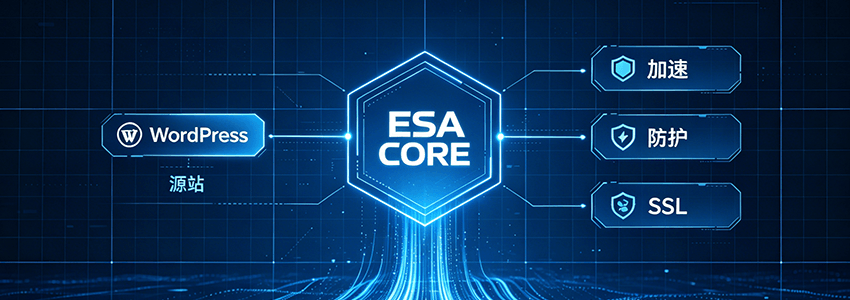
Why Does Your WordPress Website Need Alibaba Cloud ESA?
„Page loading spinning“, „Backend login failure“, „Comments full of spam ads“ — if you are experiencing these, it means your WordPress website needs not just „faster“, butFaster + More Secure。
Traditional CDN can only make the website "run fast", but is almost helpless against DDoS attacks, SQL injection, and CC traffic.Alibaba Cloud Edge Security Acceleration (ESA)(Edge Security Acceleration) bundles CDN acceleration, WAF firewall, DDoS scrubbing, andautomatic SSL certificatespackaged into one platform. Simply put, it allows your website to "open doors to welcome guests nearby" on 3200+ edge nodes worldwide, while blocking malicious traffic outside the door.
Naibabiji previously used the free version of Tencent Cloud EdgeOne for about 3 months, but visitors often reported522 errors, and stability was indeed limited. After weighing options, I switched to the paid plan of Alibaba Cloud ESA, which costs just overone hundred yuana year. Stability is yet to be fully observed, but based on Naiba's understanding of Alibaba Cloud products, it should be stable. You can also occasionally visitNaibabiji's websiteto test the speed and stability yourself.
This article will explain how to integrate ESA with a WordPress site and configure caching rules to achieveboth speed and security.。
Preparation: What Do You Need?
- A domain name that has been filed (required for building a site in China; unfiled domains can only accelerate global regions outside mainland China).
- A running WordPress server (e.g.,Alibaba Cloud ECS)
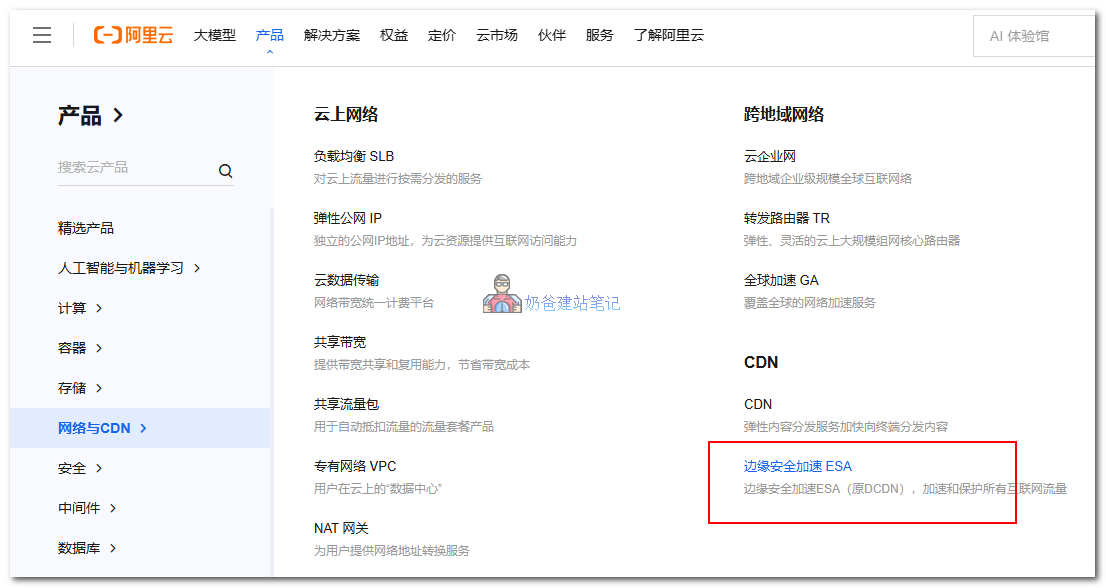
Step 1: Enter the Alibaba Cloud ESA Console
LoginAlibaba Cloud official website, search for „ESA“ or „Edge Security Acceleration“ in the console. The first time you use it, you„ll be prompted to activate the service; follow the instructions to complete it. After activation, you“ll see a clean management interface. Don„t worry, follow Naiba step by step.
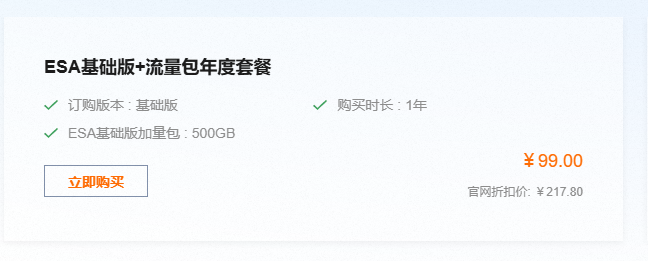
Naiba chose the plan below and selected the 1TB traffic plan. If you run out of traffic, you can purchase additional traffic packages later. If this plan is not available when you purchase, choose a suitable one yourself.
Step 2: Add Your WordPress Site
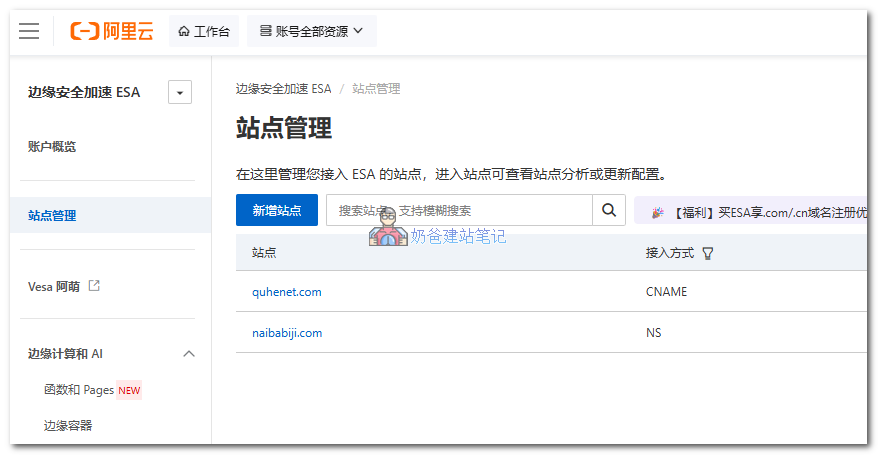
After the service is activated, enter the ESA interface and click „Site Management„ → “Add Site", enter your domain name (e.g., naibabiji.com). ESA will automatically detect the DNS status of the domain. Then select the acceleration region and plan.
If you purchased the domain on Alibaba Cloud, it will be fully automated. For domains purchased on other platforms, simply choose NS or CNAME access, then modify the corresponding DNS resolution records. It's relatively simple; if you're unsure, just ask the online customer service for detailed tutorials.
Step 3: Configure Cache Rules
After adding the site, ESA enables smart caching by default, but we need to adjust rules for WordPress dynamic content (e.g., comments, shopping carts).
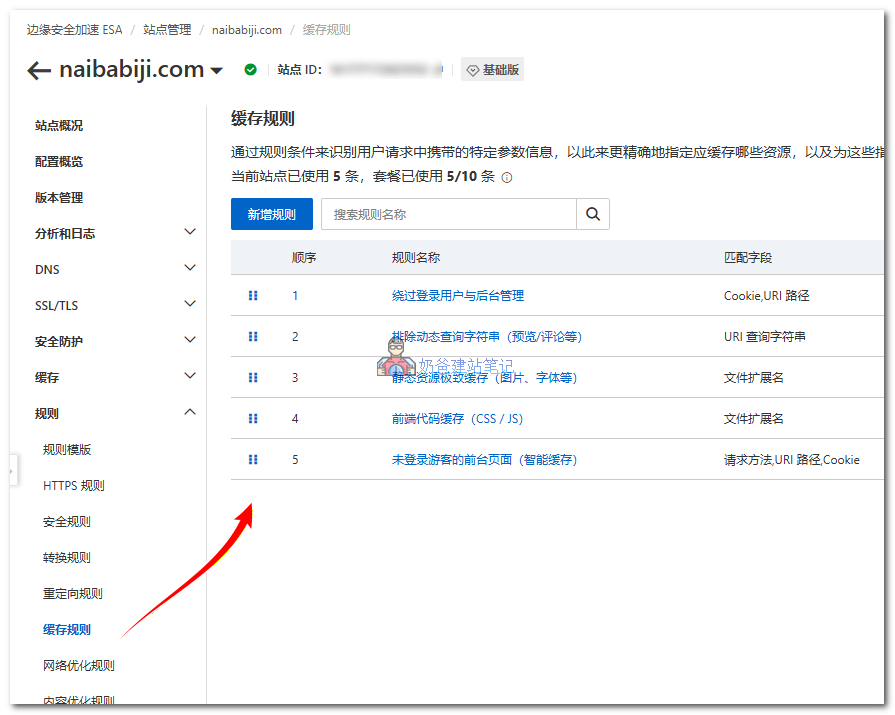
ESA Basic supports 10 cache rules. Naiba has organized and used 5. Below are the cache rules currently used by Naibabiji; you can refer to them for adding.
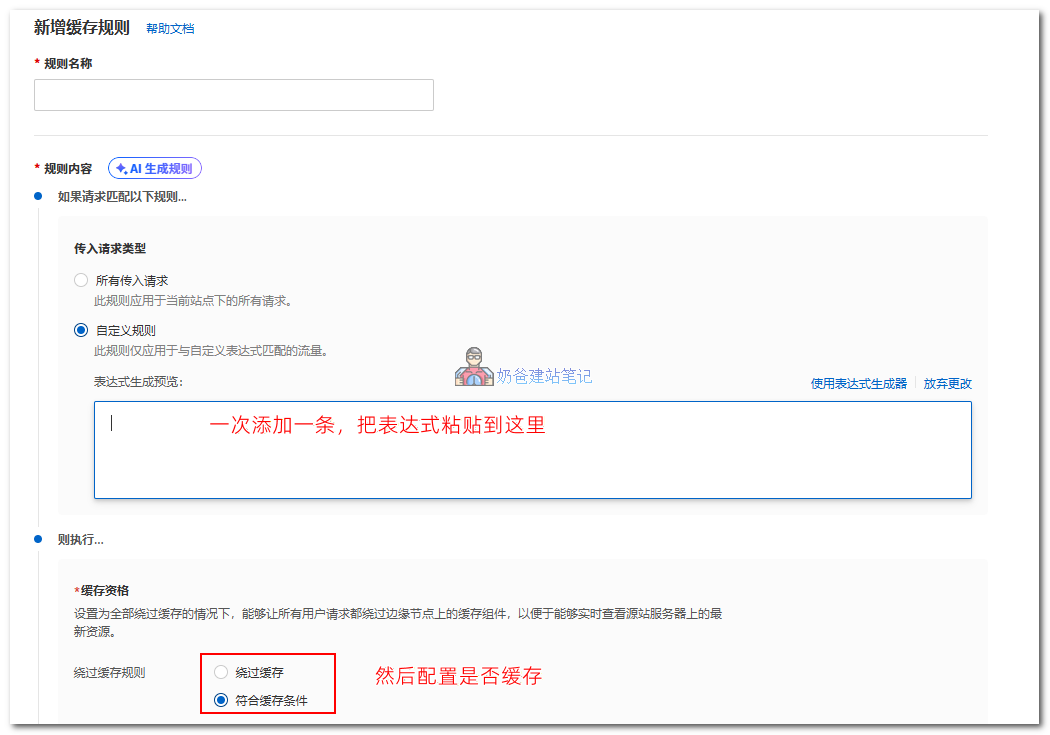
顺序1 Cache_Admin_Static_7D_1M
starts_with(lower(http.request.uri.path), "/wp-admin/") and lower(http.request.uri.path.extension) in {"css" "js" "woff" "woff2" "png" "jpg" "jpeg" "svg" "ttf" "eot" "otf"}

顺序2 Cache_WP_Includes_Static_7D_1M
starts_with(lower(http.request.uri.path), "/wp-includes/") and lower(http.request.uri.path.extension) in {"js" "css" "woff" "woff2" "ttf" "svg"}


顺序3 Cache_Global_Static_7D_1M
lower(http.request.uri.path.extension) in {"jpg" "jpeg" "png" "gif" "webp" "avif" "ico" "woff" "woff2" "ttf" "svg" "mp4" "zip" "pdf" "webmanifest"}

顺序4 Cache_Front_End_Code_1D_7D
lower(http.request.uri.path.extension) in {"css" "js"}

顺序5 Bypass_Admin_Dynamic_Login_API_Ajax
starts_with(lower(http.request.uri.path), "/wp-admin/") or starts_with(lower(http.request.uri.path), "/wp-json/") or lower(http.request.uri.path) in {"/wp-login.php" "/wp-signup.php" "/ai-assistant" "/wp-comments-post.php" "/wp-cron.php" "/xmlrpc.php"}

顺序6 Bypass_WooCommerce_Dynamic_Pages
starts_with(lower(http.request.uri.path), "/cart/") or starts_with(lower(http.request.uri.path), "/checkout/") or starts_with(lower(http.request.uri.path), "/my-account/") or lower(http.request.uri.query) contains "wc-ajax="


顺序7 Bypass_Logged_In_And_Session_Cookies
lower(http.cookie) contains "wordpress_logged_in_" or lower(http.cookie) contains "wordpress_sec_" or lower(http.cookie) contains "wp-settings-" or lower(http.cookie) contains "comment_author_" or lower(http.cookie) contains "woocommerce_items_in_cart" or lower(http.cookie) contains "woocommerce_cart_hash" or lower(http.cookie) contains "wp_woocommerce_session_"

顺序8 Bypass_Dynamic_Query_String
starts_with(lower(http.request.uri.query), "s=") or lower(http.request.uri.query) contains "&s=" or lower(http.request.uri.query) contains "preview=" or lower(http.request.uri.query) contains "preview_id=" or lower(http.request.uri.query) contains "preview_nonce=" or lower(http.request.uri.query) contains "replytocom=" or lower(http.request.uri.query) contains "rest_route=" or lower(http.request.uri.query) contains "wp_hc=" or lower(http.request.uri.query) contains "customize_changeset_uuid="

顺序9 Cache_Guest_HTML_Pages_200_30M
http.request.method in {"GET" "HEAD"} and not starts_with(lower(http.request.uri.path), "/wp-") and not starts_with(lower(http.request.uri.path), "/feed/") and not ends_with(lower(http.request.uri.path), "/feed/") and not lower(http.request.uri.path) in {"/xmlrpc.php" "/ai-assistant"}
Note that after each rule name above, Naiba has written specific cache expiration rules; don't forget to configure them. The Bypass rule is to bypass the cache. Static_7D_1M means browser cache expires in 7 days and edge cache expires in 1 month. You can copy the specific rules and ask AI to explain them.
Step 4: Fully Automatic SSL Configuration (The Most Hassle-Free Step)
Enter the „SSL/TLS“ module„s “Edge Certificates„, click “Apply for Free Certificate„. ESA supports free auto-renewing Let“s Encrypt certificates. You just need to select „Auto Verification“ — the system will complete verification through DNS records, no manual operation required. Click „OK“ and wait 1~3 minutes, the certificate will be automatically generated and deployed.
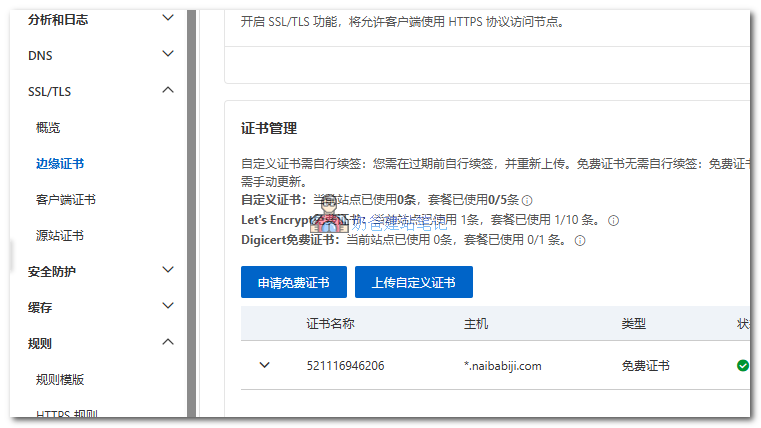
Tip: If you use CNAME access without modifying NS records, you need to manually add the domain verification record to successfully apply.
Step 5: Speed and Network Optimization
After successfully applying for the certificate, go to the left navigation bar and selectSpeed and Network > Speed Optimization。
Enable HTTP/2 and HTTP/2 back-to-origin, otherwise it will still use HTTP 1.1 protocol by default, which will be much slower.
Zstd compression can also be enabled. According to the official introduction, Zstd has better compression and decompression performance than Gzip and Brotli.
Step 6: Understand Basic Security Protection
By default, when ESA is enabled, some security protection features are automatically enabled:
- ESA enables by default Basic DDoS Protection, which can automatically defend against DDoS attacks up to 10Gbps and CC attacks up to 100,000 QPS, with no additional setup required.
- Web Basic Protection (WAF)It is also enabled by default and in blocking mode. Newly added domains will automatically be protected against common web attacks such as SQL injection and XSS.
- SSL/TLS EncryptionEnabled by default to ensure data transmission security.
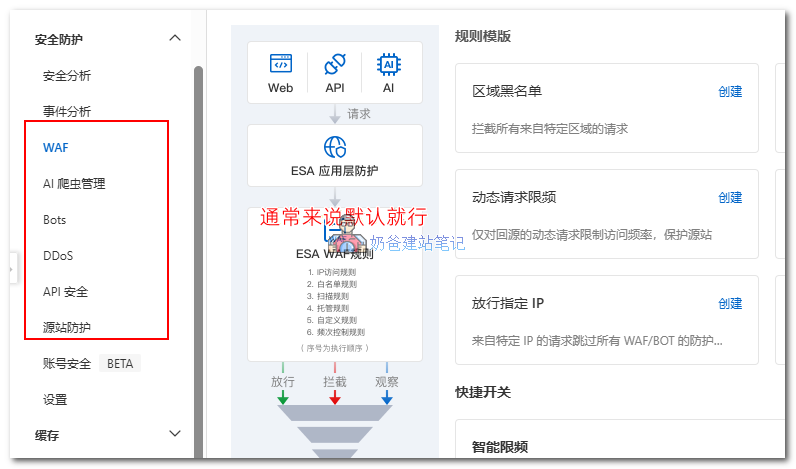
For features like AI crawler management and bots, if you find these crawlers severely slowing down your site, you can manually enable them. Of course, if you are usingWP Panel, you don't need to worry about this, as the panel will automatically limit the access speed from the same IP. You can enable it when the panel's default security features fail to block them.
Step 7: Add Nginx FastCGI Cache to WordPress
ESA only enables the CDN function. If the server does not perform cache optimization, the default CDN origin pull can also cause some server performance impact. Therefore, it is also necessary to add an additional layer of cache on the WordPress site.
The simplest operation is to directly install a caching plugin, such as WP Super Cache or other free caching plugins.
A more efficient approach is to directly enable Nginx FastCGI cache, which caches at the server level and is more efficient than plugin caching.
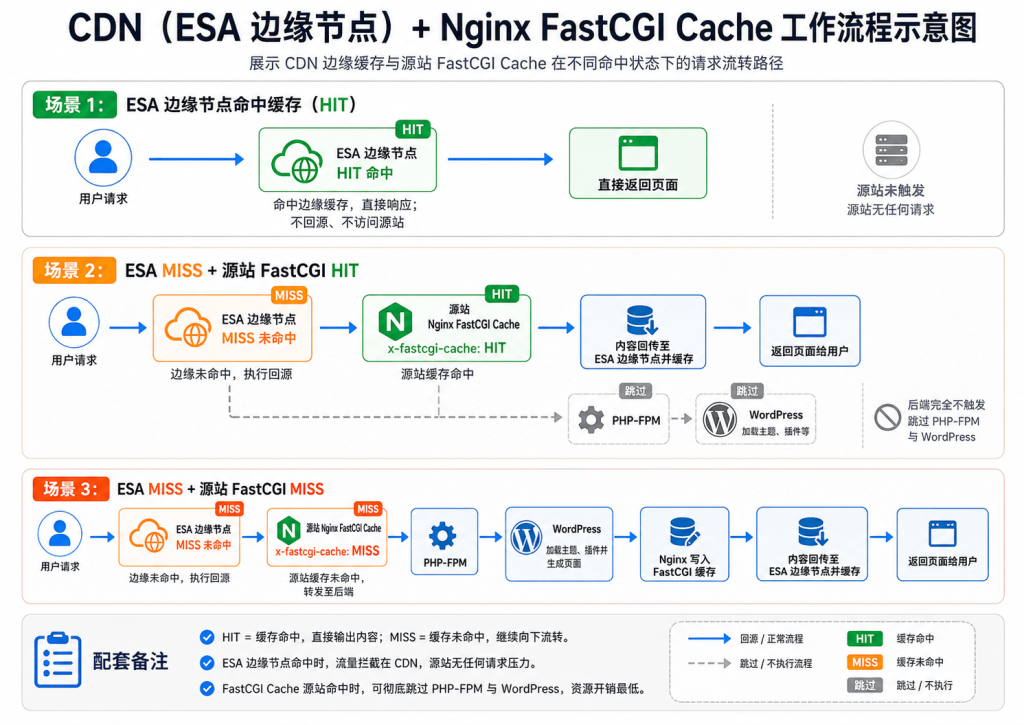
With this configuration, origin pull only occurs when neither the CDN nor the Nginx FastCGI cache hits, minimizing the impact on server performance.
For configuration methods, see:Baota Panel Nginx FastCGI Cache Configuration Tutorial: WordPress Website Acceleration Complete Guide – Naibabiji
Frequently Asked Questions (FAQ)
Q: After using ESA, why are visitors seeing outdated front-end content or other issues?
A: It is likely that you have not configured cache expiration rules or configured them incorrectly. Another possibility is that your server has Nginx FastCGI cache enabled but the cache rules are not configured, and the CDN has cached pages that you did not bypass correctly. The simplest test method is to first clear the cache on the website and server side, then clear the ESA cache. If it returns to normal after clearing, it is a cache rule issue.
Q: Does ESA affect the shopping cart functionality of WordPress plugins like WooCommerce?
A: If you correctly add cache rules according to the tutorial, it usually won't happen. However, if you use custom store-related pages, the addresses in the rules need to be updated accordingly, otherwise the cache will not be bypassed.
Q: I'm already using another CDN. Can I use ESA at the same time?
A: The website itself (such as https://blog.naibabiji.com) can only use one CDN at a time, but resources uploaded within the site, such as files under the wp-content/uploads folder, can use a different CDN. You can configure the CDN domain in the CDN or cache plugin. This is somewhat complex, and beginners are advised not to tinker with it.
Q: After using ESA, posting articles fails with a/wp-json/Full Series 403Error
A: This is because your website previously used a different CDN. After switching to ESA, due to domain resolution and CDN cache issues, your account cookies were corrupted by chance. Log out and log back in to resolve it. (Naiba spent over 2 hours troubleshooting this pitfall, tears T.T)
Q: How to automatically clear ESA cache after updating WordPress content?
A: Naiba wrote a cleanup plugin. You can download and use it.
Summary and Interaction
How do you feel about the speed of the Naibabiji website now? Have you encountered any 522 errors?
If you are also troubled by slow website access, you can first try ESA for a month to see the effect. If it works well, continue using it. If not, first check the website itself for issues—maybe the site itself is not fast, and adding a CDN won't help much.