
How to set keywords for a website after building it with WordPress?Today, Naiba encountered a new site owner asking this question, and it has been several days since the last update on website building articles. So, here is an article introducing SEO plugin recommendations for setting keywords on WordPress websites.
What are keywords?
Website keywords refer to the term 'keywords' in the webpage's source code (don't look,Naibabijidoes not have keywords), you will find such a section. For example, JD.com's:
<meta name="Keywords" content="网上购物,网上商城,手机,笔记本,电脑,MP3,CD,VCD,DV,相机,数码,配件,手表,存储卡,京东"/>
In simpler terms, keywords are the core words of your website or a specific article. If you delve into website SEO in detail, keywords might overwhelm you, so Naiba no longer uses the keyword value and practices SEO more casually.
How to set keywords in WordPress?
Keywords play a very important role in website SEO. If you are running a commercial website or want higher traffic for your site, then keywords are an essential step.
So if you are using a WordPress site, how should you set the keywords for your site? There are usually two methods:
Method 1: Use the theme's built-in functionality or add custom code to modify the theme
Some domestic themes integrate SEO settings within the theme options, allowing you to set your website's keywords and other information. Article keywords typically call the TAG values. If your theme lacks SEO settings, you can also add custom code to implement them, or alternatively, use Method 2.
Method 2: Using WordPress Plugins
Using WordPress plugins to implement website keyword settings is the choice of the vast majority of website owners. Therefore, Naiba also recommends using this method to set your website's keyword information.
WordPress SEO Plugin Recommendations
Which WordPress SEO plugin is good? Searching for SEO in the WordPress backend, the top result is
Yoast SEO, and the second is All in One SEO Pack
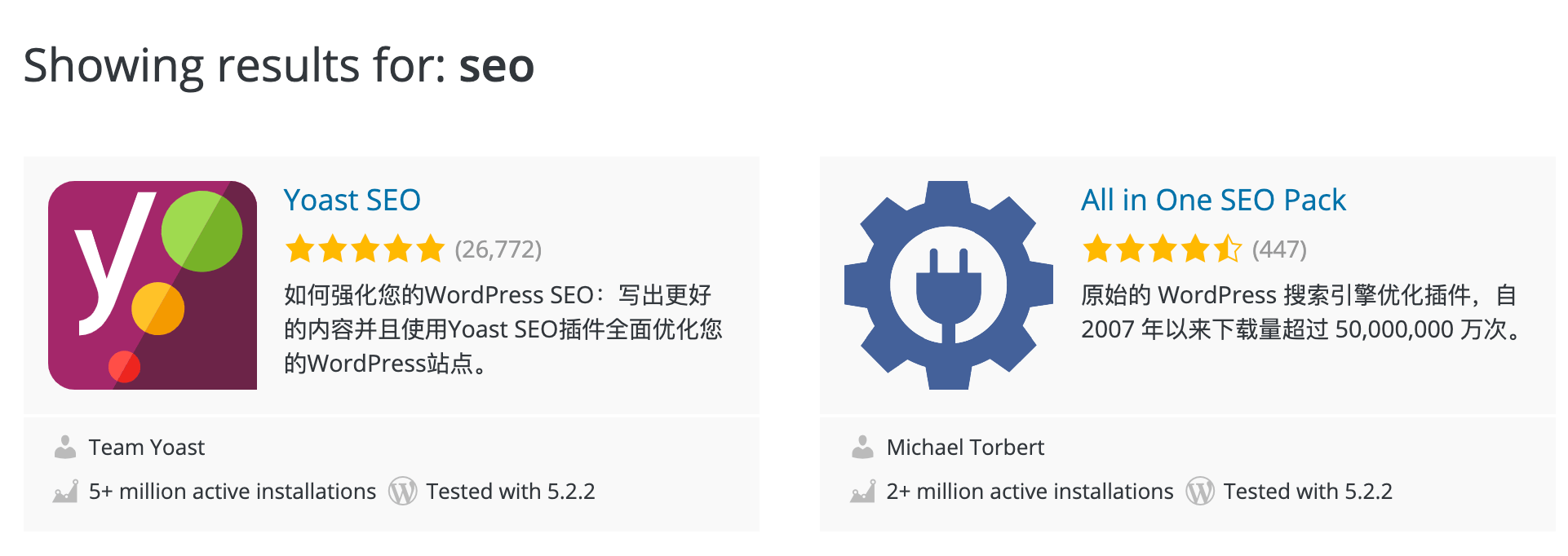
These two plugins are indeed the most used SEO plugins on WordPress.
Yoast SEO has more complete Chinese translation and richer guidance, which may be more beginner-friendly.
All in One SEO Pack also has Chinese translation, but its guidance is not as good as Yoast SEO. However, the functionality of both is the same, so it's hard to simply say which plugin is better or easier to use.
If you are using them for the first time, you can install both plugins and set them up, then choose the one you find more convenient.
If you are not satisfied with either of the above, then I recommend the Lightning Blog work from Naiba's friend links:Smart SEO Tool
A Chinese-localized SEO plugin specifically designed for WordPress website owners. It has all the necessary features and is very convenient to use.