🚀 Is building a website too difficult? Let me guide you step by step—Learn about the 「Naibabiji WordPress Website Building Coaching Service」 →

WordPress website displays random posts when scrolling down: WP Scroll To Post

When building websites, we always think about making users browse more content. Therefore, many people add a random posts feature at the end of articles. However, in this article, Naiba wants to recommend a more interestingWordPress Plugin: WP Scroll To Post

Plugin Introduction

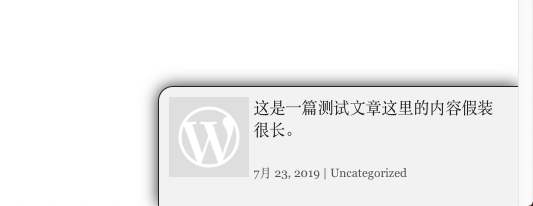
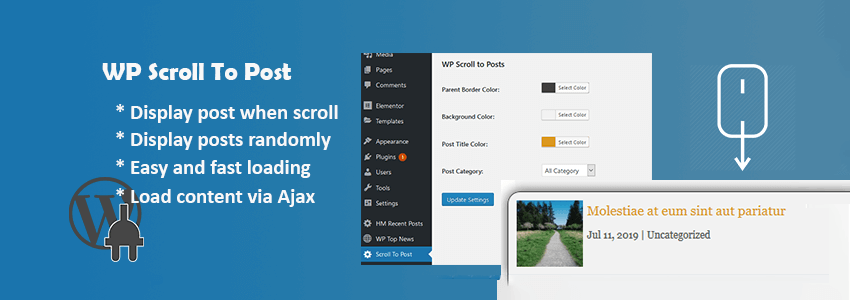
WP Scroll To Post is a plugin that displays random posts as you scroll down the webpage. Each time you scroll down, it makes an ajax call to fetch and display posts. When you stop scrolling, the content appears one by one randomly. It supports custom colors and specifying the categories for the random posts. For example, Naibabiji can exclusively display the website-building knowledge category to visitor users.WP Scroll To Post

Plugin Download

You can install it directly by searching for the plugin name in the backend, or download the plugin package via the link below and upload it for installation.Download Link

Related Recommendations

Introduction to Code and Plugins for Adding Related Posts in the 2019 New Version of WordPress WordPress Random Featured Image Plugin: Random Post Thumbnails

🚀 Still feeling confused after reading the tutorial? Let me guide you step-by-step.

「Naibabiji WordPress Website Building Coaching Service」—From choosing a domain and buying hosting, to installing a Theme and publishing content, I「ll coach you through every step, helping you avoid detours and reach your goal directly.

👉 Learn about the Website Building Coaching Service
🔒

Comments are closed

The comment function for this article is closed. If you have any questions, please feel free to contact us through other channels.

×
二维码

Scan QR Code to Follow

AI Website Building Assistant

🤖
Hello! I am the Naibabiji AI Assistant. How can I help you?
Quick Consultation: