Are there any software that are
After building your own websitefrequently used? Or are there any essential software for building your own website? The answer is yes. Naiba here recommends the software I often use during the website building process, as well as
essential software to install。
Recommended essential software for building your own website
SSH Software: Xshell6

Xshell is an SSH tool that helps us connect to servers. If you
use a VPS to build a website, then SSH software is essential to install. Naiba personally uses Xshell 6, which is free for personal use, has a Chinese interface, and is quite powerful. Recommended for installation. Related article:
Tutorial on connecting to a VPS using Xshell 6: How to log into a VPS from a computer. Other similar software:Besides Xshell, there are other SSH management tools. The most compact is PuTTY, another well-regarded one is MobaXterm, and SecureCRT is also used by many.
SFTP Software: Xsftp 6

Xsftp is from the same company as Xshell, making it very convenient to use together. Xsftp can manage files on the server using both SFTP and FTP protocols. It also allows seamless switching between the two software, directly invoking the other for operations. Related article:
#WebsiteBuilding# Free VPS management software Xshell6/Xftp6 Chinese version Other similar software:Besides Xsftp, other software supporting SFTP and FTP include: WinSCP, FileZilla, FireFTP.
Screenshot Software: FastStone Capture
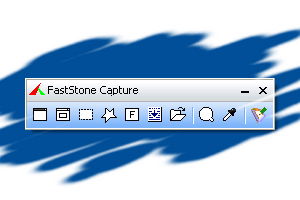
The article images for the Naibabiji website are all captured and edited using FastStone Capture. FastStone Capture can take screenshots and record videos. After capturing, images can be edited, supporting adding text, icons, watermarks, shadows, and resizing images. It's very useful. The download address for FastStone Capture can be found with a quick online search, so it's not provided here.
Commonly Used Software for Building Your Own Website
Besides the above three, which Naiba personally considers essential when building a website, the following software are also commonly used by Naiba and can help improve work efficiency when writing articles after the website is built.
PhotoShopAdobe Photoshop goes without saying; it's definitely useful for editing images.
Snipasteis also a screenshot software. The reason for using it is that Snipaste has a pinning function, which can display your previous screenshots directly on the screen, allowing you to take secondary screenshots that include the previous screenshot content. Very convenient.
Notepad ++An advanced text editor. When we build our own websites, we mostly use Linux, and WordPress is written in PHP. Using Windows' built-in text editor directly can easily lead to formatting errors and is inconvenient for viewing. Notepad++ allows easy file editing and has powerful find and replace functions.
VPN SoftwareAlthough this is not directly related to building websites, it is essential software for those in foreign trade. It won't be discussed in detail here.
XnConvertThis software performs batch operations on images. It has many functions, such as batch resizing, batch watermarking, batch compression, batch renaming, etc. It's also available on Mac. For webmasters with many images, it can be a great help. The above software are what Naiba often uses in the process of building and operating websites. If you have other useful ones, feel free to discuss with Naiba.
 Xshell is an SSH tool that helps us connect to servers. If youuse a VPS to build a website, then SSH software is essential to install. Naiba personally uses Xshell 6, which is free for personal use, has a Chinese interface, and is quite powerful. Recommended for installation. Related article:Tutorial on connecting to a VPS using Xshell 6: How to log into a VPS from a computer. Other similar software:Besides Xshell, there are other SSH management tools. The most compact is PuTTY, another well-regarded one is MobaXterm, and SecureCRT is also used by many.
 Xsftp is from the same company as Xshell, making it very convenient to use together. Xsftp can manage files on the server using both SFTP and FTP protocols. It also allows seamless switching between the two software, directly invoking the other for operations. Related article:#WebsiteBuilding# Free VPS management software Xshell6/Xftp6 Chinese version Other similar software:Besides Xsftp, other software supporting SFTP and FTP include: WinSCP, FileZilla, FireFTP.
 The article images for the Naibabiji website are all captured and edited using FastStone Capture. FastStone Capture can take screenshots and record videos. After capturing, images can be edited, supporting adding text, icons, watermarks, shadows, and resizing images. It's very useful. The download address for FastStone Capture can be found with a quick online search, so it's not provided here.
Naiba has submitted so many articles; you can see Naiba everywhere.
The blog finally allows comments, I was thinking of contacting you to exchange a friend link, haha.
Not exchanging friend links for now
The images are edited very well, but after looking, they are all in English, so never mind.
They are all in Chinese, hmm.
Naiba, can you talk about a tutorial for website migration?
Website search Website migration