Hostinger was founded in 2004. Naiba first came into contact with their services in 2015 (got a free .xyz domain). New and old internet users may not be very familiar with Hostinger, but many old internet users should know about their free hosting service 000webhost (which ceased service on October 14, 2024). Hostinger focuses on affordable shared hosting and VPS (to put it bluntly, it's cheap). Since SiteGround raised its prices, many users building foreign trade websites have started looking for cheaper shared hosting.Hostinger is the service provider you need, although cheap, is completely sufficient for building a simple corporate website.
Hostinger Tutorials
Step-by-step guide on how to use Hostinger to build a WordPress website.
Naiba came into contact with this service provider in 2015. It offers virtual hosting with better cost-performance than SiteGround. Fast, secure, guaranteed 99.99% uptime, a powerful and feature-rich WordPress hosting solution.
Use the promo code BLACKFRIDAY from October 20 to November 10 to get a 10% discount.

📚 Tutorial Index
🚀 Hostinger Introduction
💡 How is Hostinger?
Just speaking from 2015 when Naiba got a free domain from their website until now, it has been 10 years. It can be seen that Hostinger's services have grown larger and larger, without going bankrupt or disappearing, proving the company's strength. Moreover, their cheapest shared hosting pricing is ¥4.75/month (the price for buying 4 years at once). With a large user base, this price does not mean they are losing money, so there is no need to worry about buying a product today and not being able to find them tomorrow.
But then again, the prices for servers and such are relatively transparent.You get what you pay forThe price is cheap, and some aspects are certainly not as good as more expensive options. For example, SiteGround's best reputation is for their service, while Hostinger's best reputation is for its low price.
⚖️ Which is better, Hostinger or SiteGround?
We compare two similar mid-tier WordPress hosting plans:
| Purchase Term | Hostinger (Business Plan) | SiteGround (GrowBig Plan) |
|---|---|---|
| One Year | ¥36.99/month | $4.99/mo |
| Two years | ¥32.99/month | $12.49/mo |
| Long-term Purchase | Approximately ¥30/month (4 years) | $12.49/mo (2 years) |
| Purchase Address | Click to Purchase | Click to Purchase |
Through price comparison, we can find that for the mid-tier plan, SiteGround offers better value for a one-year purchase, while Hostinger is more cost-effective for purchases of 2 years or more.It should be noted that the renewal prices for both of them are at the original rate after the term expires.(You can try to bargain with customer service; how much you can get depends on your skill).
Typically, many consideringbuilding your own websiteFor foreign trade friends, only one website needs to be built, so we can purchase an entry-level WordPress managed hosting plan. Let's compare the prices again.
🎯 Entry-Level Plan Comparison
| Purchase Term | Hostinger (Premium Plan) | SiteGround (StartUp Plan) |
|---|---|---|
| One Year | ¥29.99/month | $2.99/mo |
| Two years | ¥25.99/month | $7.49/mo |
| Long-term Purchase | ¥21.99/month (4 years) | $7.49/mo (2 years) |
| Purchase Address | Click to Purchase | Click to Purchase |
Don't you think Hostinger's prices are much more attractive? The key is that Hostinger's Premium plan also allows you to build multiple websites (limited to 25). Doesn't that feel like better value for money?
Then you need toNaiba seriously discusses which is better: Hostinger or SiteGround, I can only summarize it this way:
ThroughNaibabijiThrough this website, Naiba has interacted with many foreign trade professionals, whether SOHO or from foreign trade companies. Regarding foreign trade websites, 99% of people don't need to consider which specific server to use because if you're self-learning website building, the road ahead is long. The server is just a foundation; Hostinger, SiteGround, or any other server on the market can meet your needs. Once you're familiar with foreign trade website building, you can change the server anytime if unsatisfied later; these are not issues.
If you must choose:Considering the price, choose the Hostinger 4-year plan, cheap.Considering service, SiteGround, SiteGround has online live chat customer support, while Hostinger currently only uses tickets and email for after-sales service.Considering Chinese language support, choose Hostinger. Hostinger has Chinese customer support and a Chinese official website, which is advantageous for many novice users.
🛒 Purchase Hostinger Tutorial
First, click the button below to enter the Hostinger official website. (Special note: Accessing the Hostinger official website from within China is not fast; it is recommended to use a proxy accelerator to access it.)
If your purchase page differs from this tutorial, pleasecontact Naibato update the tutorial.
Hostinger Official WebsiteSmall Advertisement: If you don't know how to buy a server, domain, and install a website, Naiba offers paid setup services (Contact Me).
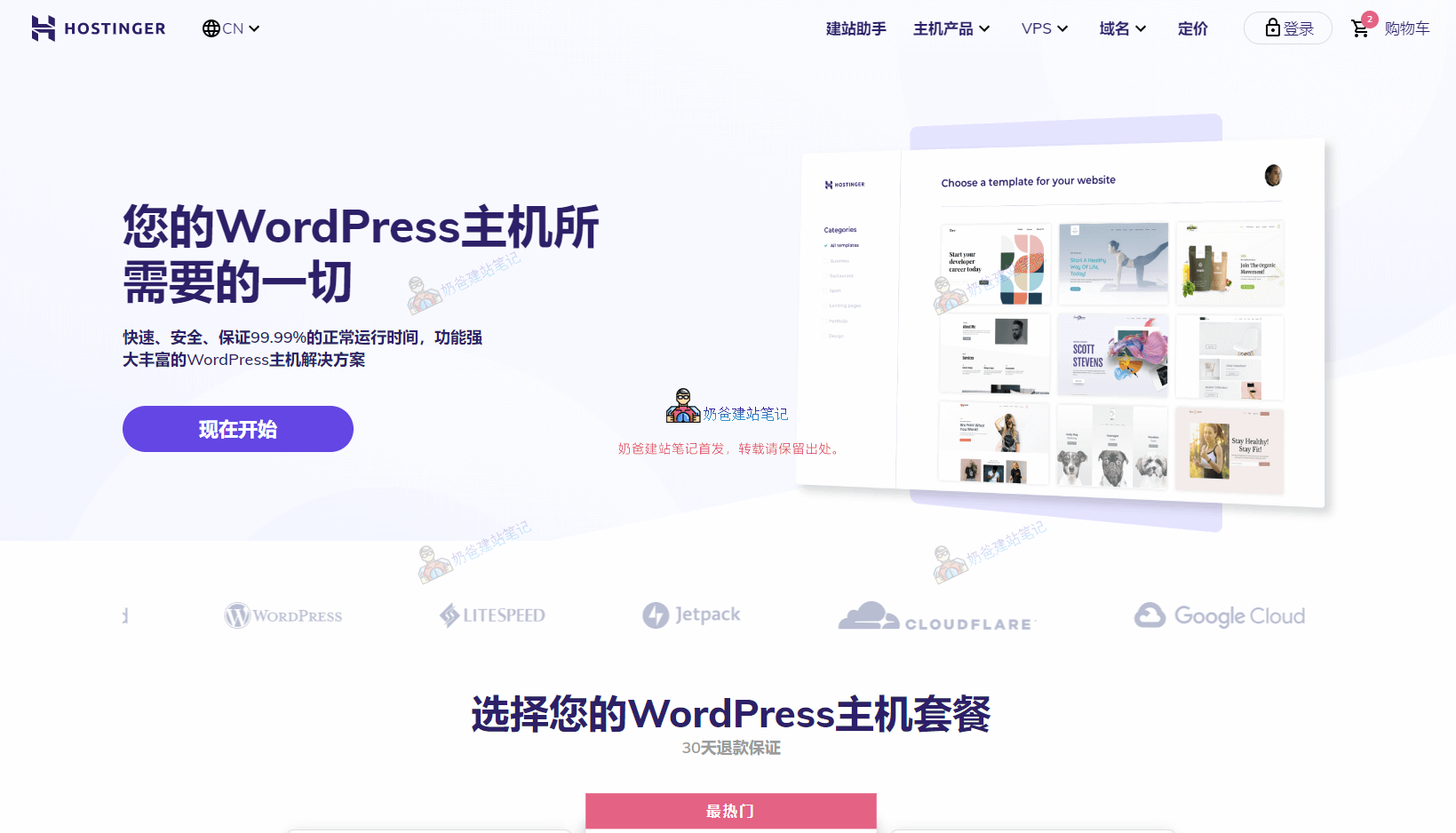
After clicking the button above to enter the Hostinger official website, the plan selection interface will appear, as shown in the figure below:

If your budget is not tight, it is recommended to purchase the most popular middle-tier Business plan, which offers the best value for money. You can see the specific feature comparisons on the official website.

After adding to the cart, select the purchase duration. It must be said that Hostinger's pricing is quite tricky; buying 4 years works out to be the cheapest, but paying that much upfront is a lot. So, consider whether to buy 1 year, 2 years, or 4 years yourself. The possibility of the service provider running away is relatively small; the only thing you need to worry about is whether your website can last 4 years.

After selecting the purchase duration, click the continue button. An account registration or login interface will appear.

After creating your account, you will receive a verification link in your email. Remember to verify your email address.

Hostinger Supports Alipay Payment, so it's very convenient for domestic users to purchase. Please note that after payment, you need to wait for the webpage to automatically redirect; if the network speed is slow, just wait a bit longer.

After payment, remember to save the website URL for easy login next time.

⚙️ Installing a WordPress Foreign Trade Independent Website on Hostinger
After your payment is successful, the system will activate your service. Log in to the Hostinger backend, and you will see an interface like the following (since Hostinger periodically redesigns its website interface, what you see may differ from this tutorial; please adapt accordingly.)

Click Setup to configure.

The guide interface asks, 'Who is this website for?' Just click to skip.

It asks if you are building a new website or migrating an existing one. We choose to create a new website. (If you are moving a website from another server, you can select 'migrate a website' below, but automatic migration is likely to fail. For safety, it's recommended to create a new website first and then migrate manually.)

For the website platform, choose WordPress here

Fill in the email and password that your website administrator needs to use.

Do not choose to use AI for website building. AI isn't that omnipotent yet, so choose 'website and themes' later.

Select 'use a theme instead' in the bottom right corner.

Just choose the default first theme. The theme can be switched at any time after WordPress is installed, so there's no need to dwell on which theme to use here.

Do not select any of the recommended plugins.。

Enter the domain name you have already registered in advance. If you haven't registered one, you can consider registering it first (Domain Registration Tutorial), or register directly with Hostinger (your purchased plan might also include a free year).

Since we have already registered this domain name in advance, there is a prompt. Simply click the Confirm button.

Next, you will be asked to choose the server location. Generally, choose a location closer to your customers.

🌐 Hostinger DNS Resolution Tutorial
In the previous step, we have already installed the WordPress website. Now we need to set up DNS resolution so that others can access the website we built using the domain name.

Select Websites at the top of the Hostinger dashboard, then choose the Dashboard button next to your website list.

On the Dashboard interface, there is a red notification message at the top. Click 'Check guide' to view domain resolution help.

This help is for you to directly change the domain DNS to Hostinger's.. For beginners, changing DNS servers only needs to be done once; afterwards, Hostinger will handle all the resolution for you. It is recommended to make the change.
If you want to modify domain resolution by adding an A record yourself, fill in the A record value with the IP after 'website ip address' (you can find it on the product details page; if you can't find it, contact Naiba to help you check).
Domain Resolution Related Tutorials:Godaddy Domain Name Resolution Tutorial、Namesilo Domain Resolution Tutorial、Alibaba Cloud Domain Name Resolution Tutorial、Tencent Cloud Domain Name Resolution Tutorial
🔒 Hostinger SSL Certificate Installation Tutorial
Hostinger supports one-click SSL certificate installation, which requires waiting for the domain resolution to take effect before installation. If you purchased a paid SSL certificate yourself, you need to manually upload and install the certificate.

Click Setup, then select 'Activate' in the pop-up interface.

After successfully activating the SSL certificate, return to the WordPress menu and enable the HTTPS redirect function, as shown in the figure below:

After enabling it, reopen your website, and you will find it is accessed via https. To enter the backend (add /wp-admin to the end of your website URL, for details, seeWordPress Login Tutorial), set the website URL to start with https.

At this point, we have purchased a domain and server from Hostinger and installed a WordPress foreign trade website from scratch. It is recommended that beginners go toWordPress Tutorial WebsiteTake a look at the basic operation methods to avoid not knowing how to use WordPress.

Why has the Hostinger backend been in a loading state from yesterday until now?
You can try accessing it using a proxy; it's probably a network connectivity issue.
Naiba, how is bluehost?
Based on the experience of clients I've been in contact with, it's not that good.
It's really not that good; I've crashed it while building.
Does purchasing a virtual hosting plan on the Hostinger store page count as renewal? If I renew myself, 48 months cost 4200+, but buying the same virtual hosting for 48 months on the Hostinger store page is 1200+, with the same discount as the initial sign-up. However, after purchase, does it equal renewal?
A newly purchased one is definitely not a renewal. If your renewal is expensive, you can buy a new one and then migrate the website over.
How can I contact you? I'm looking for paid website building services.
There is a WeChat icon in the lower right corner of the website, or an About page in the upper right corner.
Is the Starter plan now 51.35 yuan per month? Or is that the price for a 4-year purchase?
Black Friday just ended, so the price has definitely gone back up.
After the website is built, can the [Hostinger] plugin in the backend plugins be deleted? Will deleting it have any impact on the website or the products purchased on Hostinger? Thank you.
It can be deleted, no impact.
SiteGround prices have been updated, your information is outdated!
Thanks for the reminder.
I'm just starting an independent website and don't know if I'll sell a lot later. Is using the Starter server enough?
For e-commerce, don't buy a server that's too cheap.
If I initially bought a 4-year Hostinger plan and want to upgrade the plan midway, how is it calculated?
Contact customer service to pay the price difference
Naiba, I'm planning to start cross-border e-commerce. Besides the WordPress plan, Hostinger also has a WooCommerce plan. Is it worth buying? Or should I install WordPress first and then find and install WooCommerce myself?
It's just a difference of a plugin.
Is the Hostinger (Business plan) mentioned above a shared WordPress hosting or a WordPress VPS hosting? Do I need to configure Baota Panel myself?
Shared hosting, no need to install Baota Panel.