
If you plan to build a website within China, it is also recommended to purchase the domain domestically. Naiba recommendsTencent CloudorAlibaba Cloudregistering the domain, because Naiba's domain is registered and resolved at Tencent Cloud, so this tutorial also uses Tencent Cloud domain registration and post-registration resolution as an example.
Tencent Cloud Domain Registration Tutorial
Click the image below to claim the coupon first.

First click the image above to claim the new user coupon.
After successful claim, see the image below to find the domain registration location.
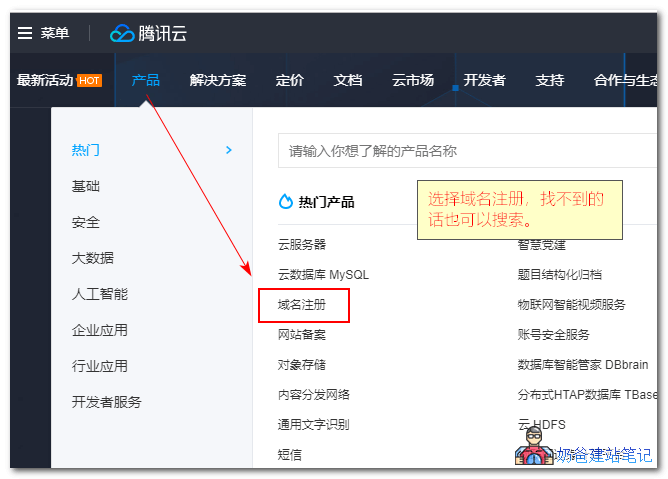
Enter the domain name you want to register, then search.
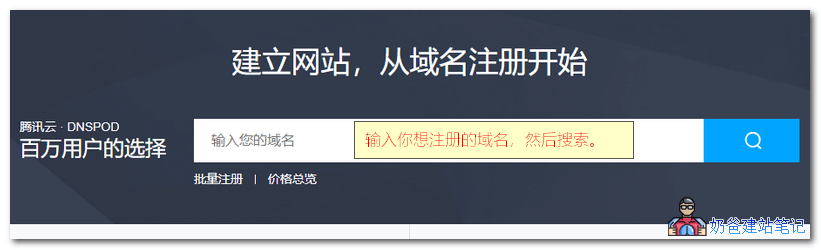
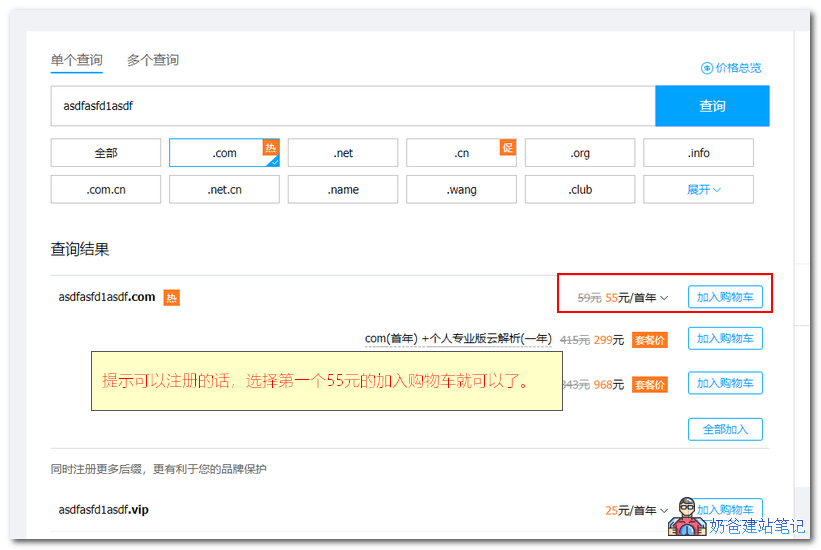
If it is available for registration, add the domain to the shopping cart, then click the "Buy Now" button on the right.
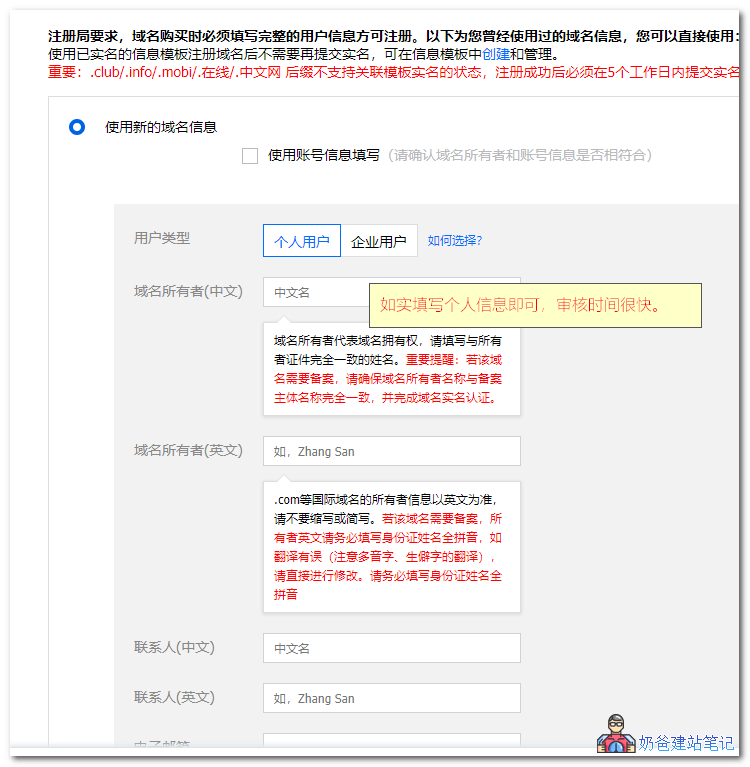
During the purchase process, you need to add real-name information; fill it out truthfully.
Then submit the order and make the payment.
Tencent Cloud Domain Name Resolution Tutorial
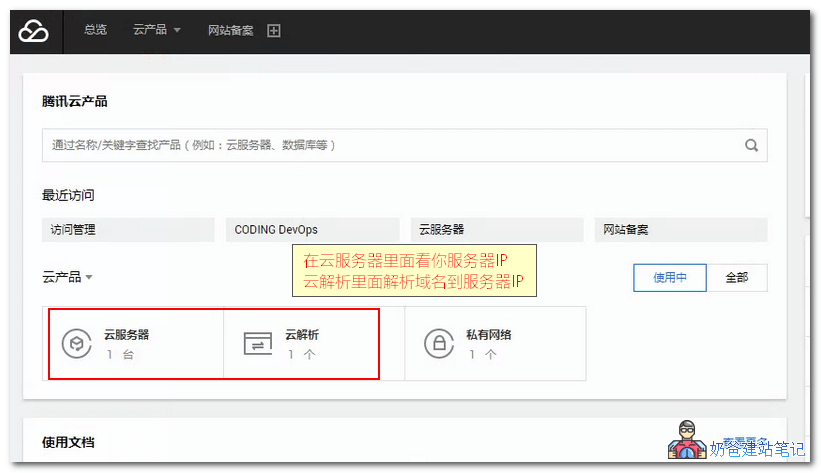
First, log in to the Tencent Cloud management console, you will see an interface like the figure below, showing Cloud Server and Cloud Resolution.
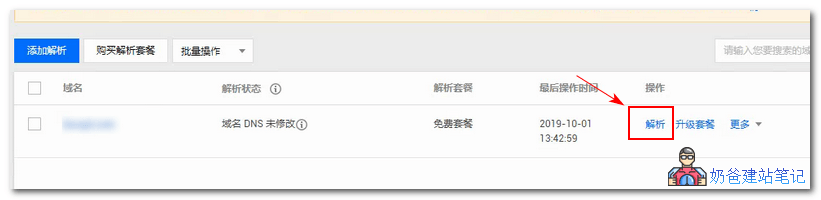
Click on Cloud Resolution, you will enter the interface shown in the figure below, then within that interfaceclick the Resolution button。
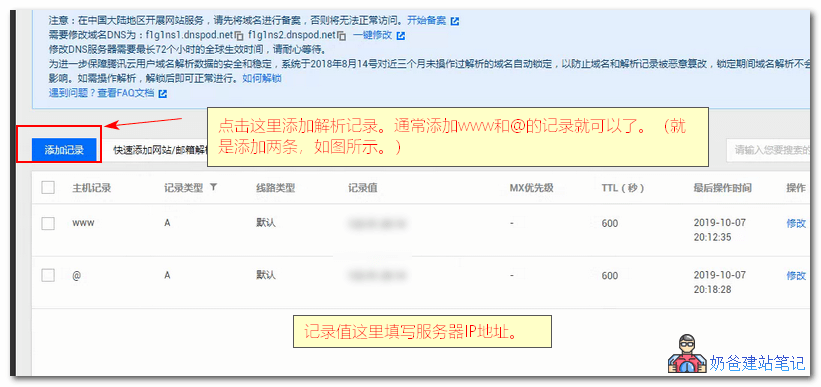
Click the [Add Record] button in the upper left corner, then fill in the values as shown in the two images below in the pop-up box.
Host record www, record value fill in the server IP address (if your server is also purchased from Tencent Cloud,then click here to view.)

Host record @, record value also fill in the server IP address.
Tencent Cloud Domain Real-name Verification (if required)
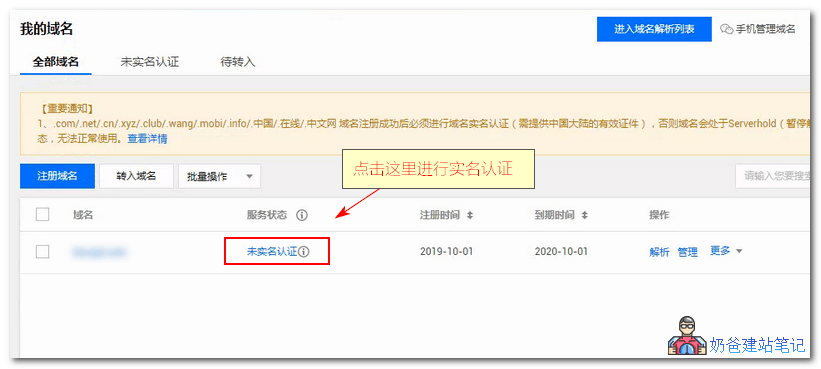
If you have not completed real-name verification for your domain name, after adding the record, you will be prompted to proceed with real-name verification, as shown in the figure below.
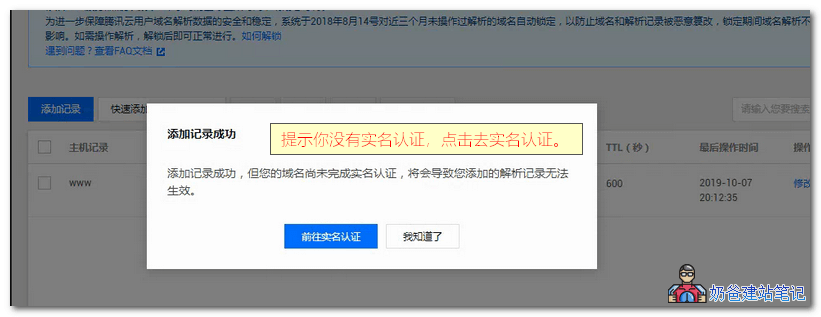
Click on the domain name that requires real-name verification to proceed.
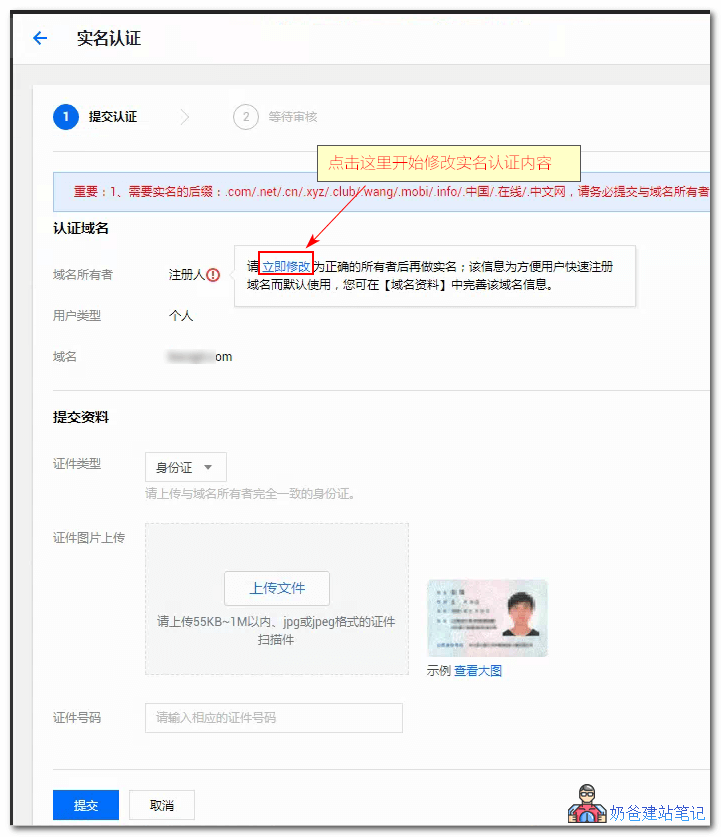
Click the 'Modify Now' button on the interface shown below to fill in the real-name verification information.
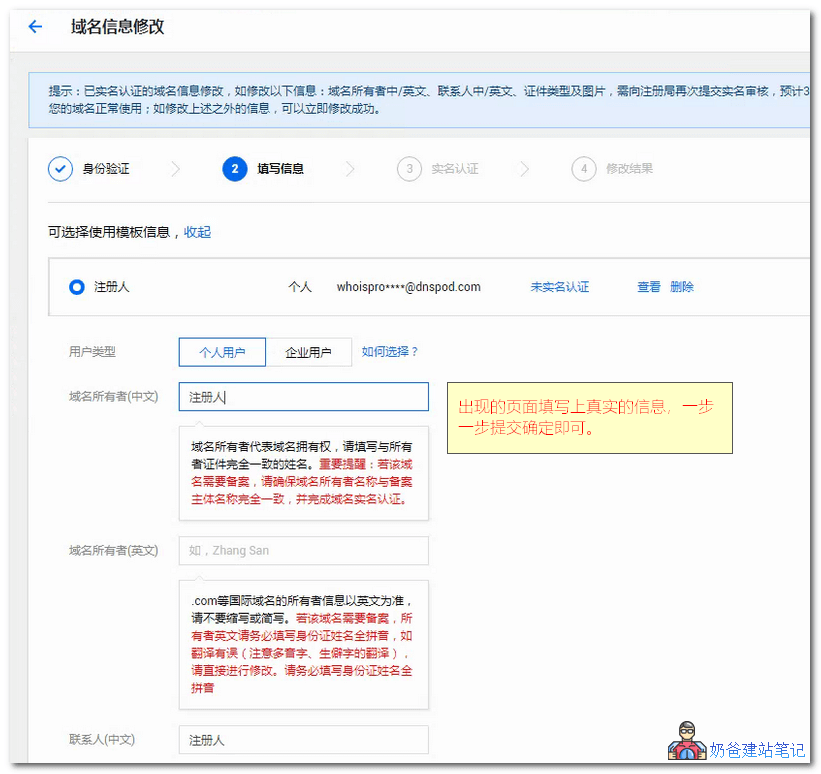
After completely filling out the information, wait for the real-name verification to pass. Once the real-name verification is approved, the DNS resolution you added will take effect, and you will be able to access your website via the domain name. (Note: A website must be installed on the server to be accessible; if not installed, you can proceed to install the website on the server.)
If you do not want to perform real-name authentication for the domain, it is recommended to register the domain from a foreign website. Domains registered domestically require real-name authentication before use.
Foreign domain registration does not require real-name authentication. Naibabiji has previously shared related tutorials, see below:
Tutorial on Registering a Domain with the Foreign Domain Registrar Namesilo
Tutorial on DNS resolution and DNS server modification for NameSilo domains