For beginners who want to register a domain name and build a website themselves, Naiba here recommends the foreign NameSilo domain registration platform and the latest 2026 full-process tutorial for NameSilo domain registration and DNS setup.
NameSilo is a well-established foreign domain registrar. Naiba registers most of his own domains here. As an ICANN-accredited platform, it supports Alipay payments, offers free privacy protection, has transparent renewal pricing, and allows purchase and use without real-name verification.
Detailed Steps for NameSilo Domain Registration
1. Search for the domain name you want to register
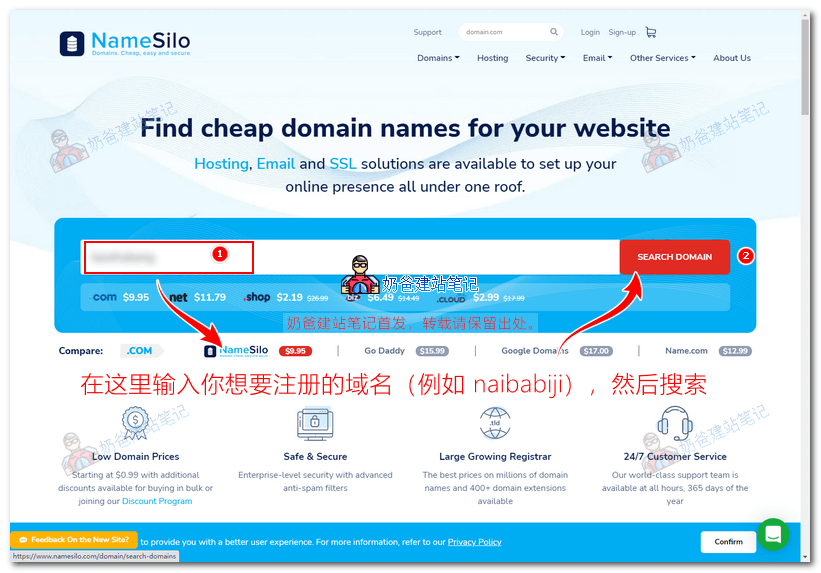
Open theNameSilo official website(It is recommended to use a proxy for access, otherwise the page may not load smoothly). Enter the domain name you want to register in the search box, as shown in the figure below:
2. Add the domain name to the shopping cart and proceed to checkout
After clicking the search button, available domain name suffixes will appear. The prices vary for different suffixes, but Naiba still recommends prioritizing the registration of a .com domain name.
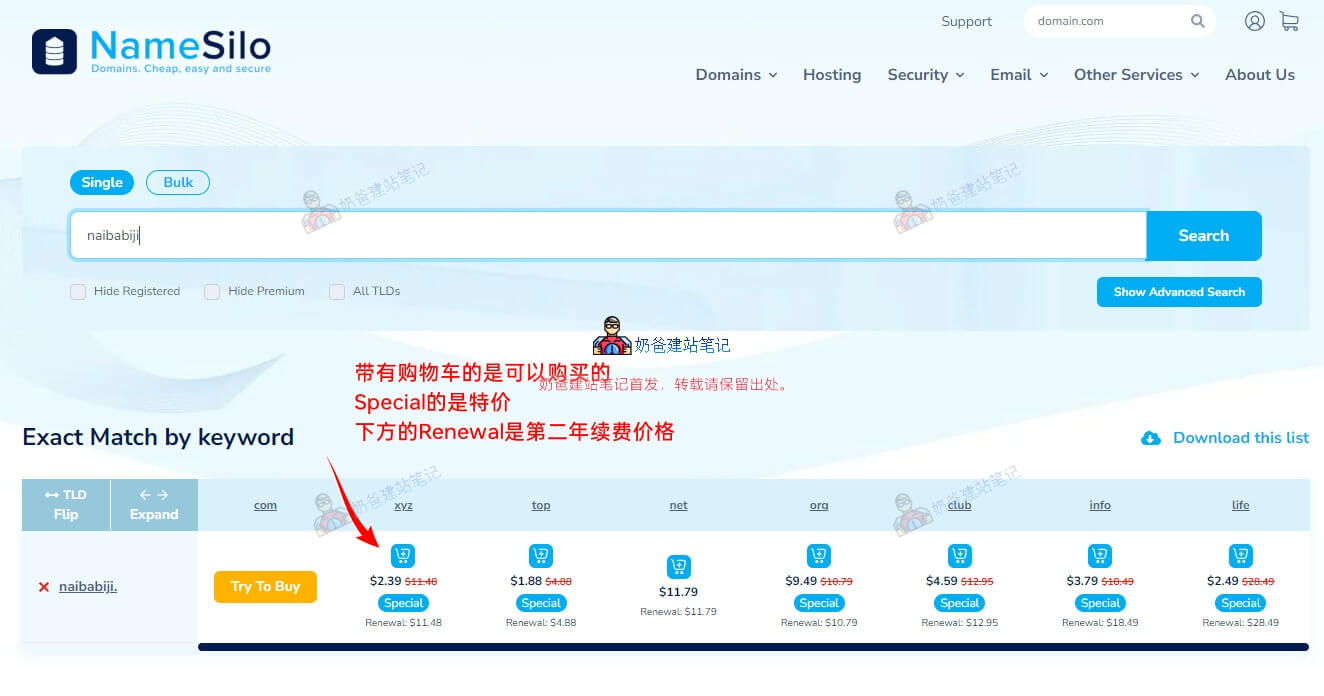
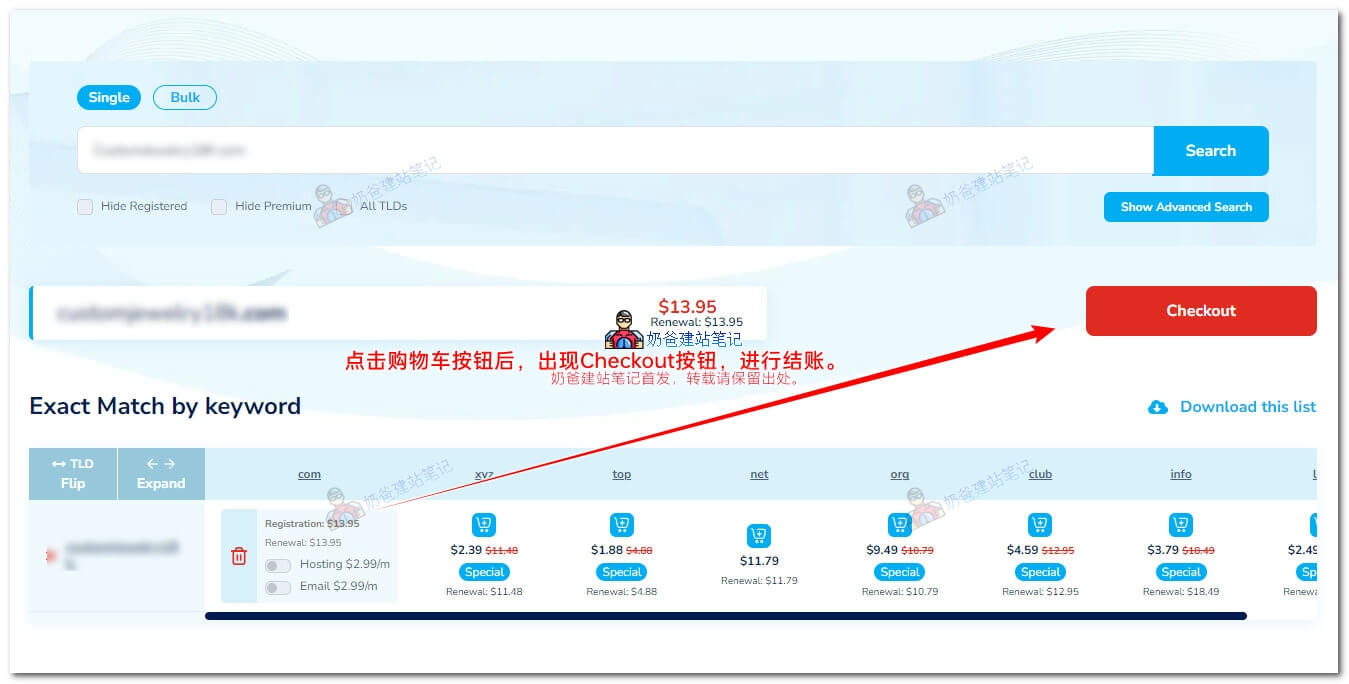
Select an available domain name (if unsatisfied, simply search for another one), click the shopping cart button, and then click the red checkout button.
3. Register an account or log in
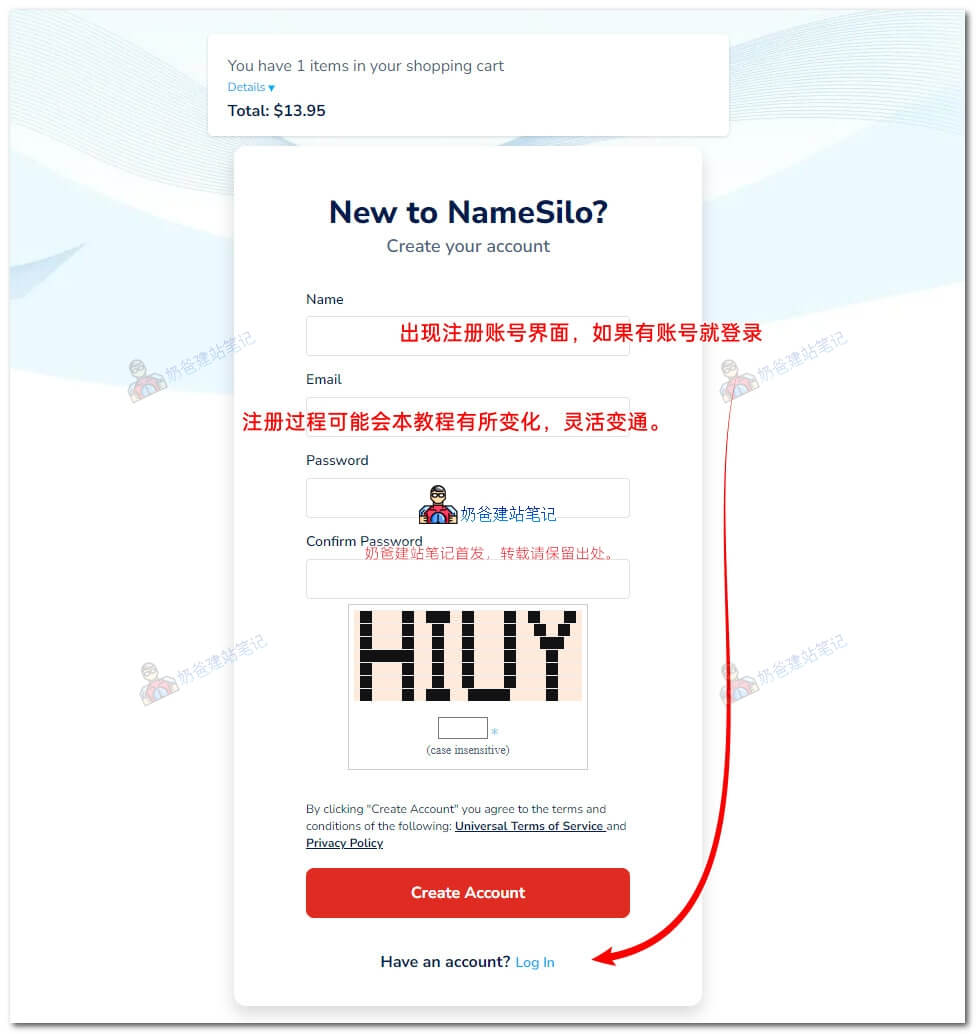
The order of the following checkout and registration steps has been adjusted by Namesilo, so please adapt flexibly.
On the account registration interface, if you are not accessing via a proxy, the CAPTCHA may not be visible, so remember to use a proxy for access.
4. Enter the promo code and complete the checkout
After logging into your account, a pop-up window titled „Welcome to the NS Rewards Program„ will appear. Simply click the “I Understand" button to confirm.
Then the following interface will appear:
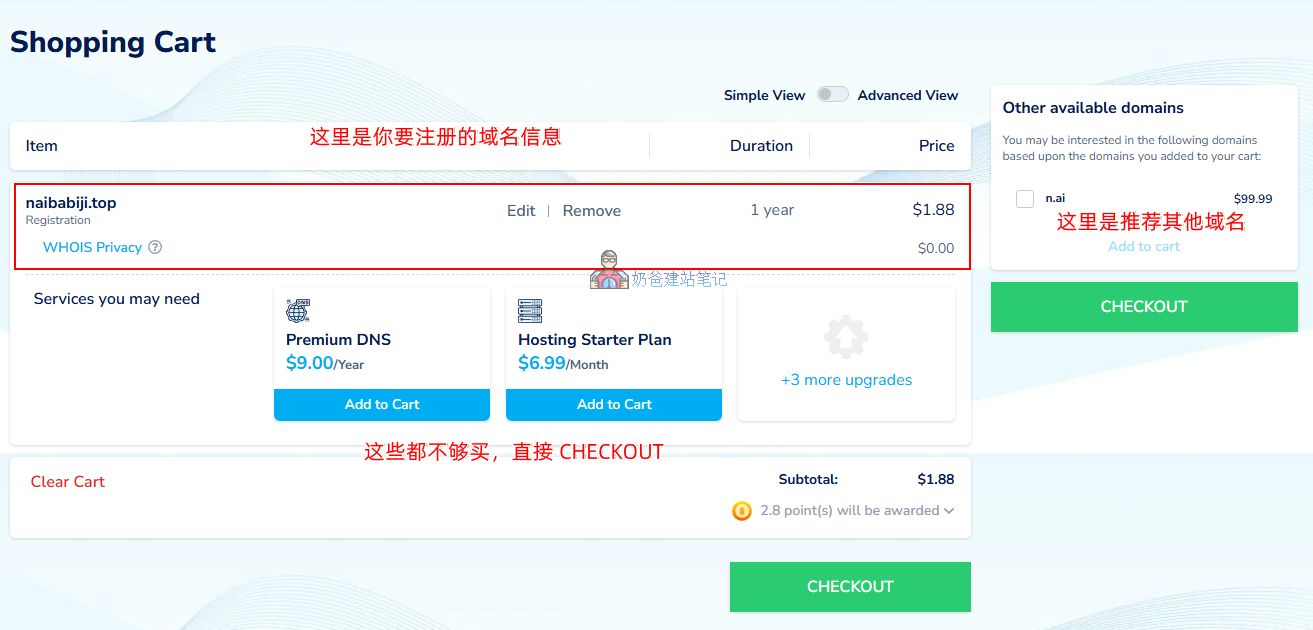
On this interface, directly click the CHECKOUT button to proceed to the next step. There is no need to add DNS or Hosting to the cart.
Then a pop-upAddressinterface will appear, requiring you to fill in your account information. You can fill in real details or approximate information, as no authenticity verification is performed.
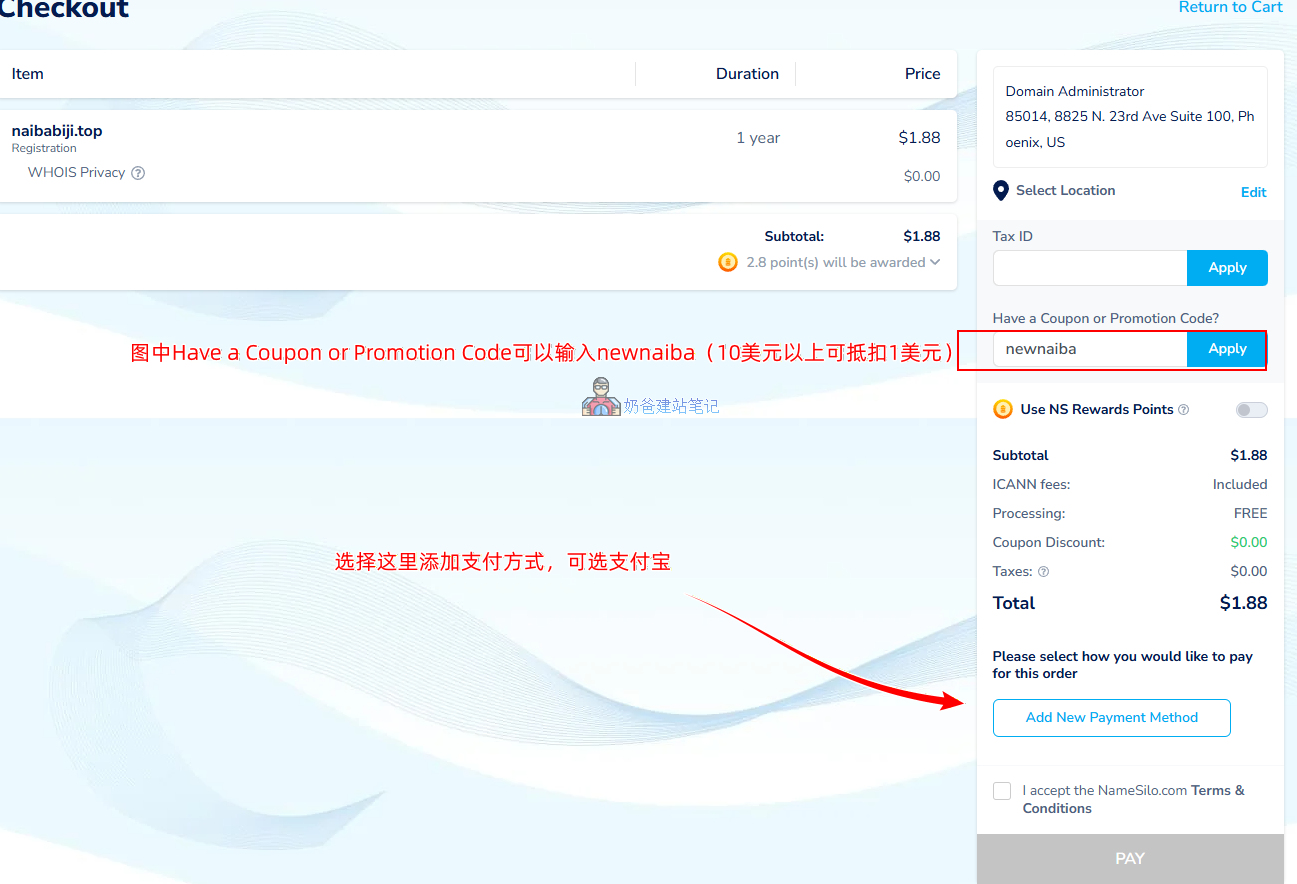
In the figure, theHave a Coupon or Promotion Codefield can be used to enter apromo codenewnaiba(which can deduct $1 for orders over $10). Then click the Add New Payment Method button to add a payment method.
On the payment method selection interface, if you want to use Alipay for payment, select See more. The newly popped-up interface will have the Alipay option.
After selecting Alipay, check „I accept the NameSilo.com Terms & Conditions“, then click the PAY button to be redirected to the Alipay payment interface.
5. Interface after successful purchase
After completing the payment and continuing, the following interface will appear. Decide whether to enable auto-renewal as needed and then save. However, auto-renewal is not effective for Alipay payments because they cannot directly deduct funds from Alipay.
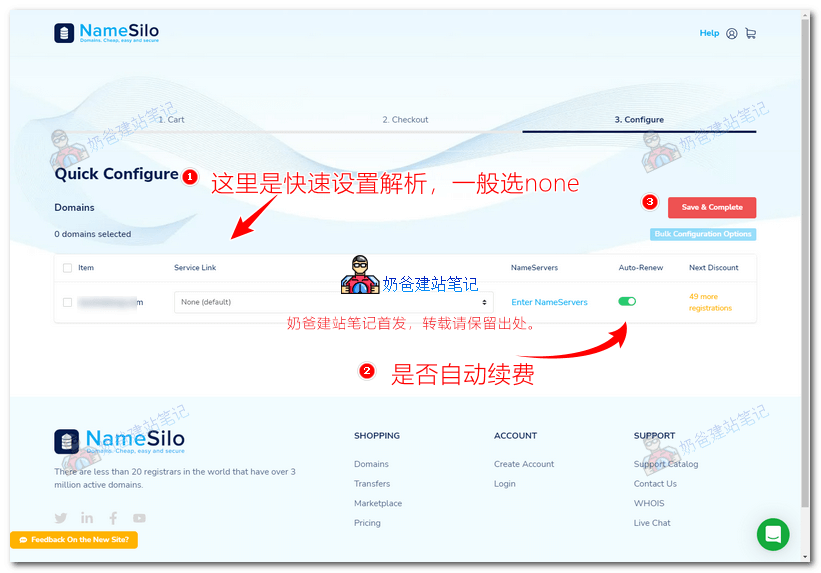
If the above cannot be saved, you can ignore it and simply click the logo in the top-left corner to return to the website homepage.
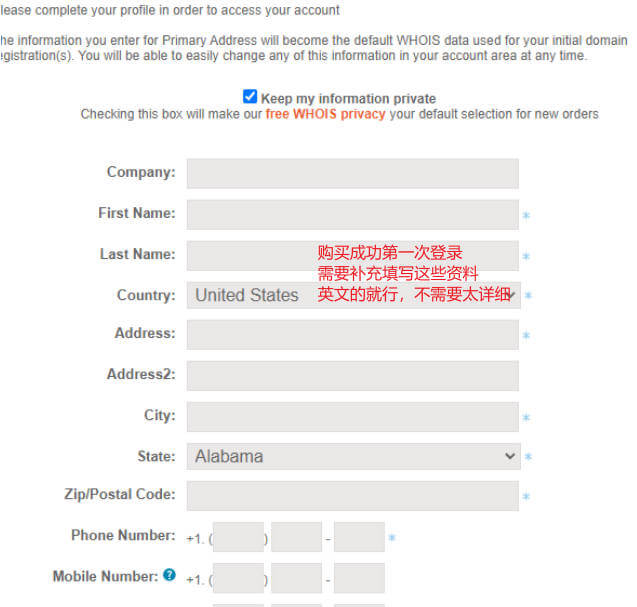
Note: If, after registration and login, you are prompted to verify your email or complete your profile, remember to verify and fill it in.
You have not verified your main account email address.
Click here for more information and to verify your main account email address.
What to do after registering the domain name?
After the domain name is registered, you still need to configure DNS resolution for the domain name before it can function.
For the method of DNS resolution on Namesilo, please continue reading 👉Tutorial for Namesilo Domain Resolution and DNS Server Modification
Once DNS resolution is complete, you can proceed to build your website, for example,Install a WordPress website。
You may also need to know:How to renew a NameSilo domain? 、Purchase and renew domains at a lower price on NameSilo
Common Questions about NameSilo Domain Registration
Does NameSilo support Alipay payment?
NameSilo supports Alipay payment. When adding a payment method at the checkout page, select the 'See More' button, and you will see the Alipay option in the new interface.
Can domains registered with NameSilo be filed for ICP?
Domains registered with NameSilo cannot be filed for ICP directly. According to domestic ICP filing requirements, domains need to be registered within China. Therefore, you need to first transfer your domain from NameSilo to a domestic domain registrar, such as Alibaba Cloud or Tencent Cloud, and then apply for ICP filing.
Does registering a domain with NameSilo require real-name authentication?
Registering a domain with NameSilo does not require real-name authentication, and it includes free domain privacy protection, so others cannot see your registration details through a Whois lookup.

Hello!
The information that needs to be filled in upon first login after a successful purchase, does it require real country information, etc.?
No, it does not need to be real.
Hello! I want to build a website for foreign trade. For the information that needs to be filled in upon first login, I am targeting the European and American markets. If I fill in China, will it affect recommendations or access from foreign customers?
It will not affect it.
Hello! I want to build a website for foreign trade. For the information that needs to be filled in upon first login, I am targeting the European and American markets. If I fill in China, will it affect recommendations or access from foreign customers?
It doesn't matter.
Hello! For automatic domain renewal, is it also about $10 per year?
The renewal price displayed on the purchase interface is the actual price.
Hello, may I ask why the Alipay payment option is not displayed on my side?
If you don't have Alipay, try other payment methods, or switch to a different registrar.
Are the hosting services provided by domain registrars good to use?
Haven't used it.
What is the purpose of their premium DNS? If I use it directly, do I still need to modify my DNS settings myself?
No need to buy it, the default one is sufficient.