Tutorial on Purchasing InMotion Hosting and Setting Up a WordPress Website
Introduction to InMotion Hosting
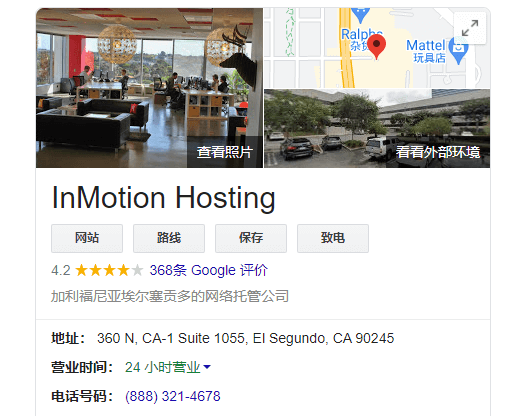
InMotion Hosting is an industry-leading provider of shared hosting, WordPress hosting, VPS hosting, dedicated servers, and managed private cloud. Founded in 2001, our headquarters is located in Segundo, California.We first started using their service in 2016, and we still have server expenses of several hundred dollars per month, as shown in the image below:

Advantages of InMotion Hosting:
We have been using InMotion Hosting's services continuously for 5 years. Their advantages are stable service and reliable performance. In addition to standard features, they have made many optimizations for WordPress, such as advanced caching, Brotli compression, PHP 8 support, etc.
Disadvantages of InMotion Hosting:
The price is not significantly advantageous. For example, the cheapest WordPress hosting plan is $4.99/month (for 3 years), and it also limits the number of websites (though this is also a guarantee of server performance). It does not include free backup functionality by default; if you need automatic backups, you must purchase them separately (of course, you can install plugins to achieve free automatic backups). Another disadvantage is the relatively few data centers. If your website's main clients are in North America, this is not an issue. However, if your clients are located far from North America, the speed may not be ideal.
Overall, if your website primarily targets North American clients, you don't mind a difference of one or two dollars per month, and you want a stable hosting provider, then you can consider InMotion Hosting.
InMotion Hosting Purchase Tutorial
1. Click the button below to go to the purchase page, then click the Add to Cart button.
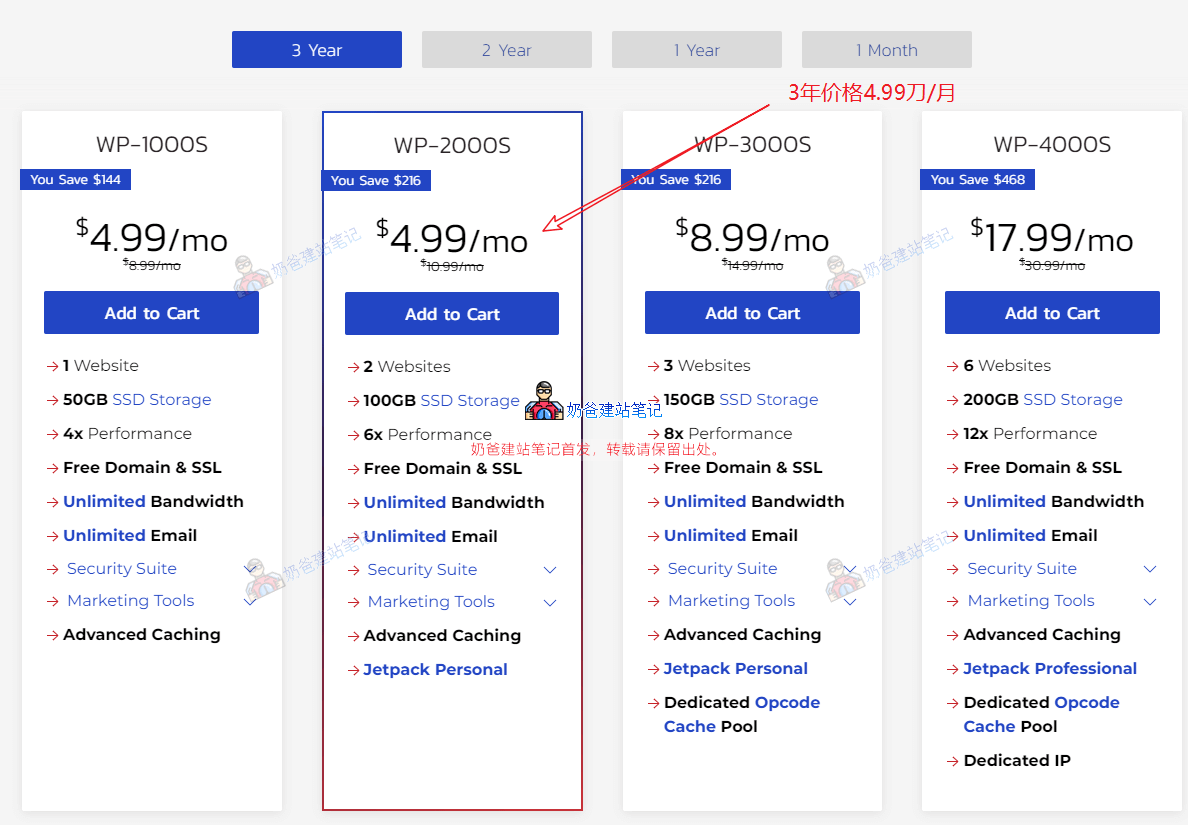
It is recommended to choose the WP-20000S plan, which allows you to build 2 websites, includes 100G SSD storage, 6x performance, provides a free domain and SSL certificate, unlimited traffic, unlimited business email accounts, and other features.
2. Review the additional information on the checkout page.
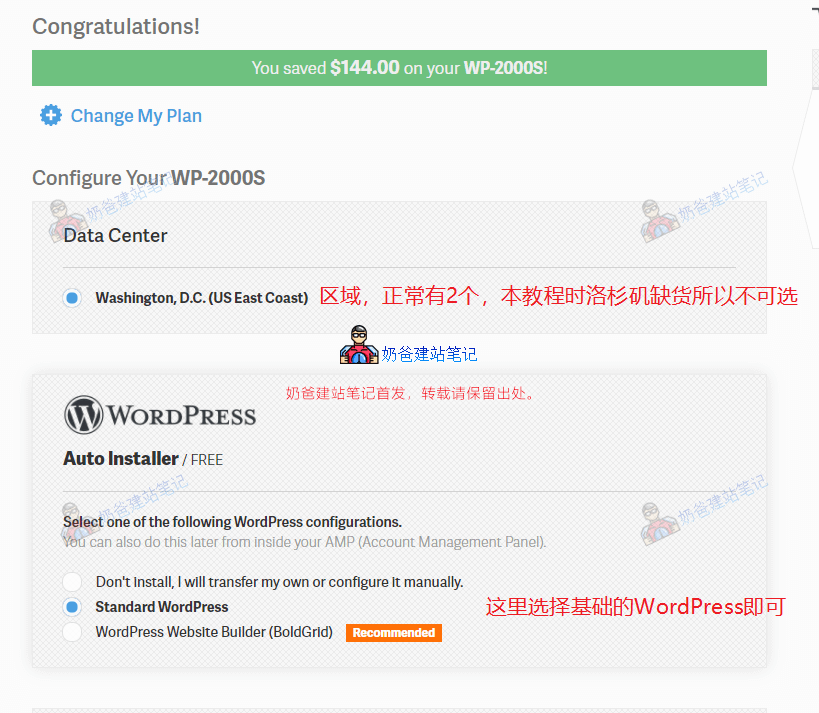
The Data Center option above was not selectable when writing this tutorial; the Los Angeles one was sold out.
There are 3 options for WordPress installation:
- Don’t install, I will transfer my own or configure it manually. If you are migrating from another server, choose not to install.
- Standard WordPress: Regular users can choose this basic WordPress option.
- WordPress Website Builder (BoldGrid): Their website builder, which is not needed and will differ from theWordPress tutorialsyou find online.
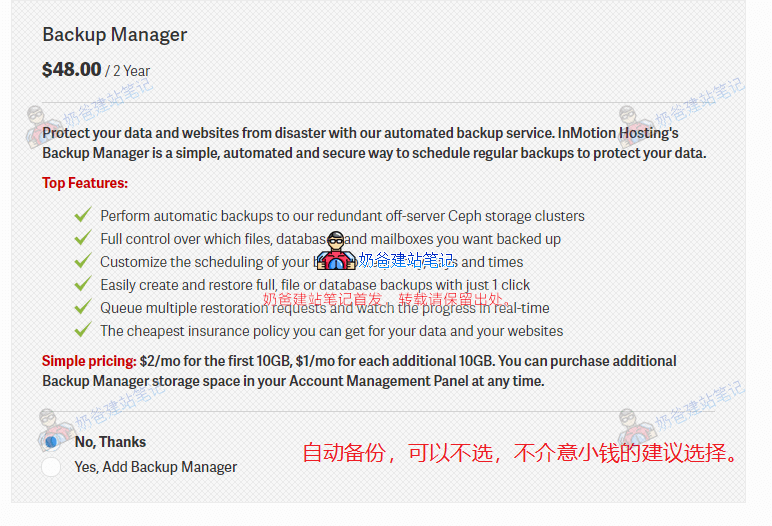
For backup management, it costs $48 for 2 years, with only 10G of backup space by default. If you have a regular official website, not an e-commerce site, you can consider not purchasing backups and instead manually installWordPress backup pluginsfor backup. If you have an e-commerce website, it is recommended to purchase one (the backup function is similar to insurance; you may never use it, but if you use it once, it's worth it).
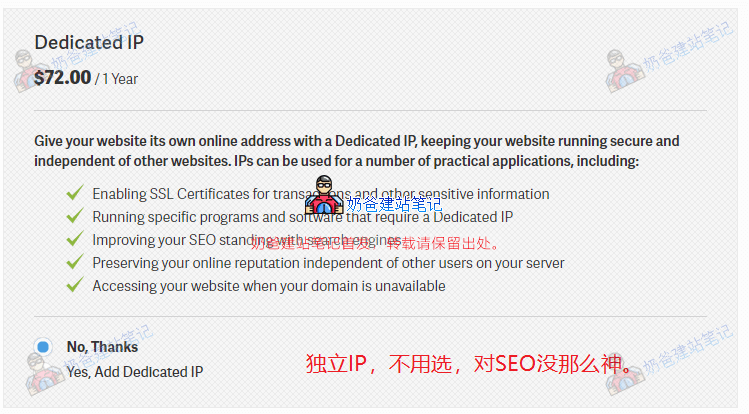
A dedicated IP is optional. The price of $72 per year is not cost-effective, and a dedicated IP is not that magical forSEO optimization and ranking.
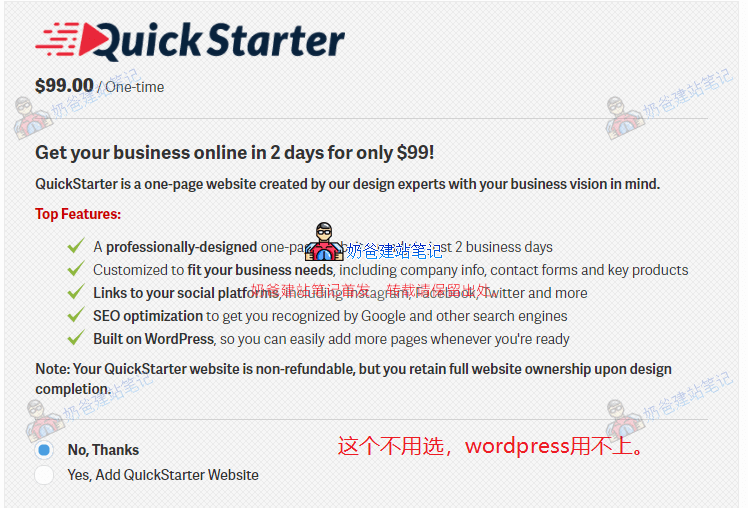
Quick Starter: This server option should not be selected. It helps you create a single-page website, which will not meet your website needs, and you will likely end up rebuilding the website anyway.
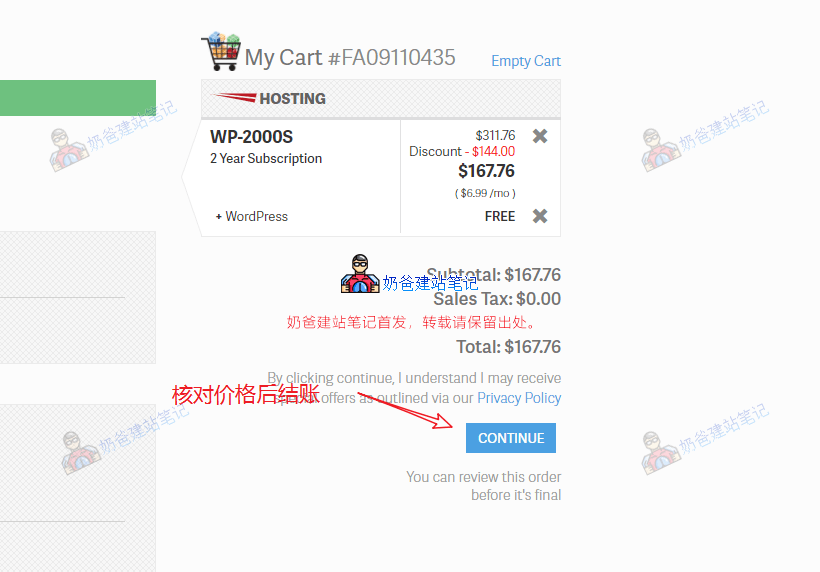
Final checkout, this tutorial shows a 2-year price of $167.76 (later found the 3-year price is similar, so switched to 3 years), approximately ¥1087, with annual server cost just over 500, which is not expensive.

Domain selection stage, if you alreadypurchased a domain, then choose the second option 'I already own the domain I want to use'. If you haven't registered a domain yet, you can choose the first option 'I would like to purchase a new domain'.
Enter the domain you want to register in the domain search box, click 'Add to Cart' for available domains. Domain renewal for the second year is $15.99 (a few dollars more expensive than other places, but for beginners unfamiliar with much technology, paying a few dollars extra per year for convenience is worth considering—choose as you see fit).
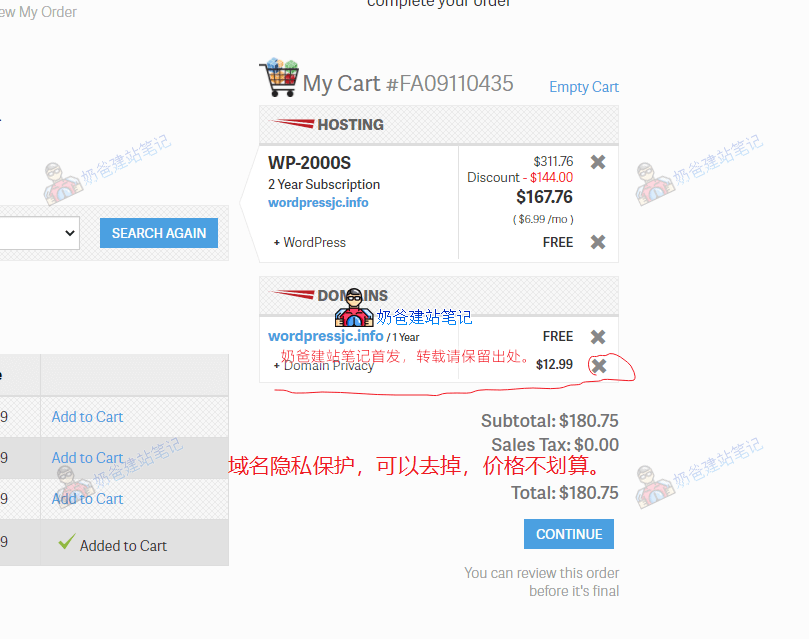
If you choose their free domain, after adding to cart, the price on the right will change, adding a domain privacy fee of $12.99, which can be removed because registrars likeNamesilo offer it for free, and that price could buy another year of domain registration.
After removing Domain Privacy, click the CONTINUE button, and you'll be prompted again to purchase Domain Privacy; select 'No, Thanks'. Since foreign trade websites aim to acquire customers, domain privacy protection is not very meaningful.

On this interface, under New Customer, enter your email address and continue. (Here, you can try moving the mouse to the webpage close button position; it might trigger a 10% discount.)

Next, the account and payment information filling interface appears. Fill in the account information according to your actual situation (Note: Ensure address and other details are complete, otherwise account review may be required). Payment methods we can choose include credit card or PayPal.

Click the checkout button.

If everything goes smoothly, the 'Welcome to InMotion Hosting, Inc.!' interface will appear, informing you that the account is being set up. Please wait, usually a few minutes; for domestic purchases, it may take longer. You'll receive an email notification upon approval.
We just need to wait. Of course, if you don't want to wait too long, you can manually contact their online support. (If there's no movement after 10 minutes, it's recommended to contact online support; they are currently stricter with new account reviews, and contacting support can speed up the process.)

When you receive two emails like in the image above, it means the service is activated. The first is the billing email, and the other is the service information email.
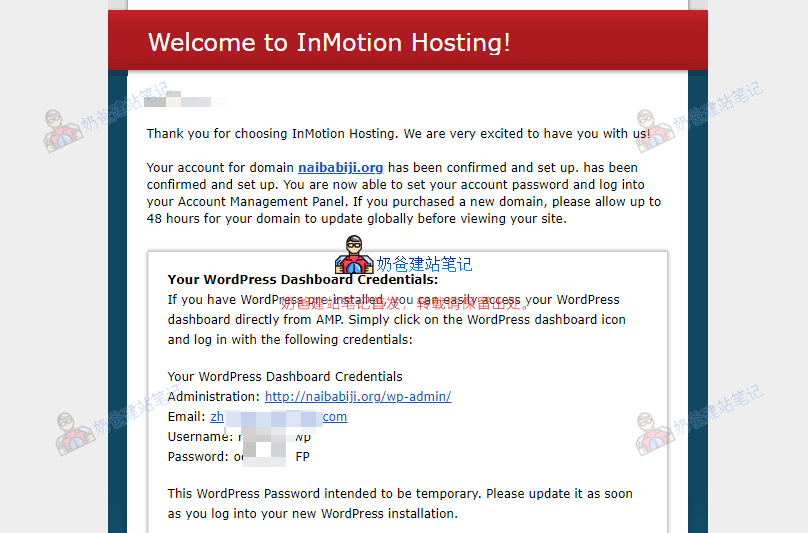
Since we chose to register the domain with InMotion Hosting and install WordPress, the email will directly provide the WordPress Admin Dashboard login URL, username, and password. At the bottom of the email, you'll be prompted to set a password for the InMotion Hosting official website.
Newly registered domains have a DNS propagation time, so you might not be able to access the website immediately; wait a few tens of minutes and it should be OK.
For domains registered with InMotion Hosting, you'll receive several emails about the domain after a few hours, including one requiring you to click a link for confirmation—don't miss it.
Automatically Install WordPress Website
After DNS propagation takes effect, visit the domain you purchased, and you'll find WordPress has already been set up for you, so you can directly modify and customize WordPress.
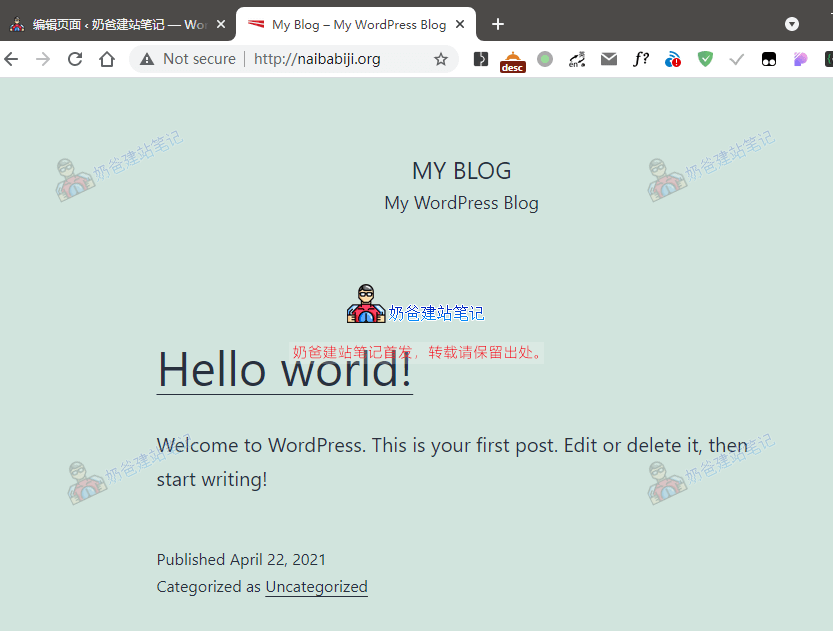
Using the login information from the „Welcome to InMotion Hosting!“ email, you can log into the website Admin Dashboard, as shown below:
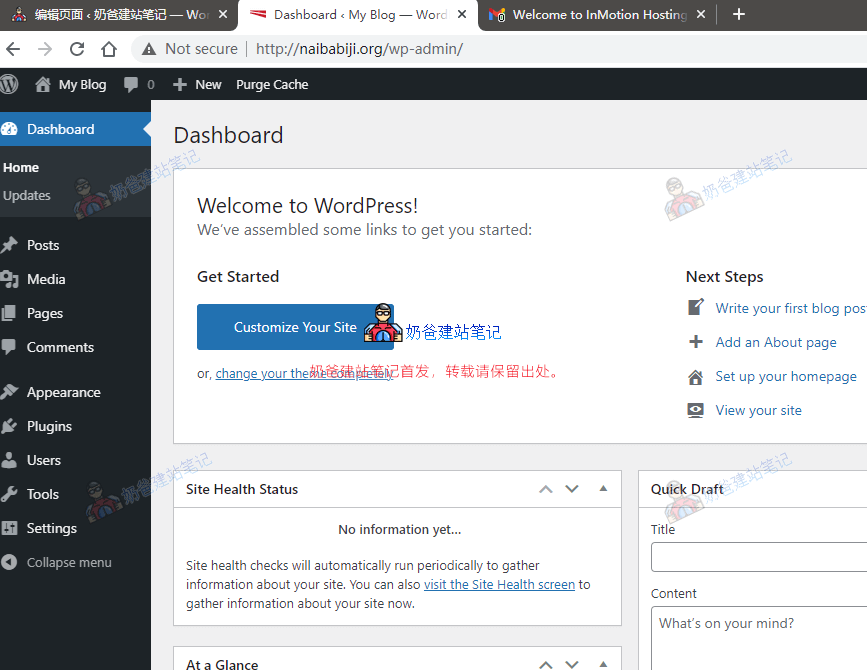
Next, you can make some settings to WordPress, such as modifying website information, adding Plugins, installing Themes, etc. If you're new to WordPress, you can go toWordPress Tutorial Websiteto see some basic operation methods.


Hello Naiba, may I ask how to consult with you? Can I add you on WeChat? Thank you.
What do you think? Can I?
Hello, since there is no CDN, if my website contains images and text, will the loading speed be very slow for clients in Germany? Thank you for your reply.
If you choose a server in the United States, access from Germany should be acceptable. It's not like accessing from China to the US—the distance is much shorter. Also, you can set up your own CDN.