
If you useBaota Panelto set up a WordPress website, and the site often gets stuck or fails to load even though it has little traffic, it is very likely that bots are maliciously scanning your site. This article will teach you how to add Nginx rules to block these malicious requests.
Symptoms
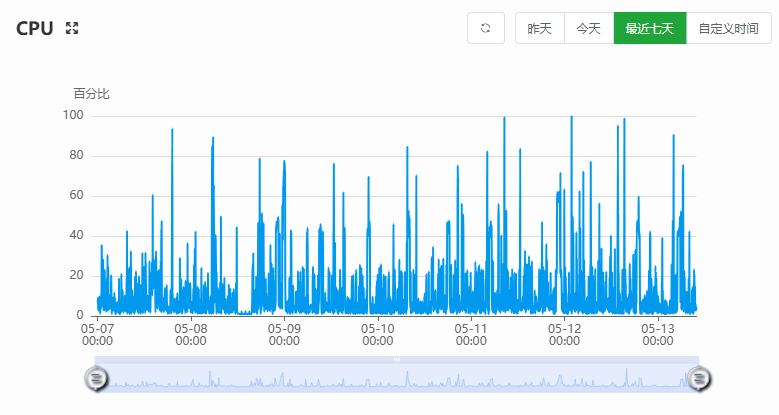
On a new server with only one WordPress site installed and little traffic, the site frequently gets stuck or fails to load. Checking server monitoring in the backend shows CPU usage fluctuating up and down, as shown below:
Accessing the website logs reveals that at the same time, the same IP or similar IPs are suddenly accessing multiple non-existent files or directories on the site, as shown below:
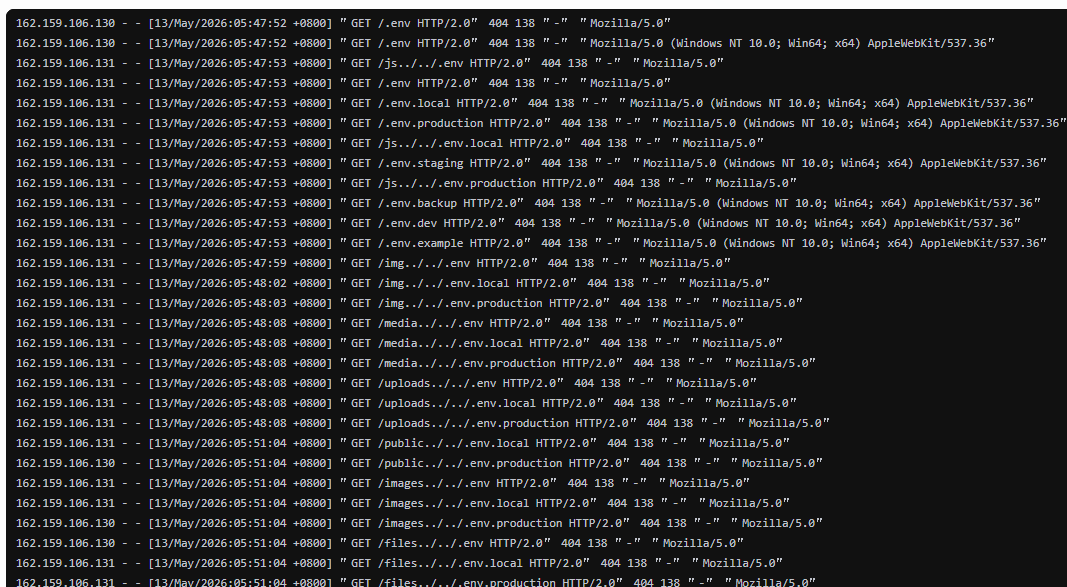
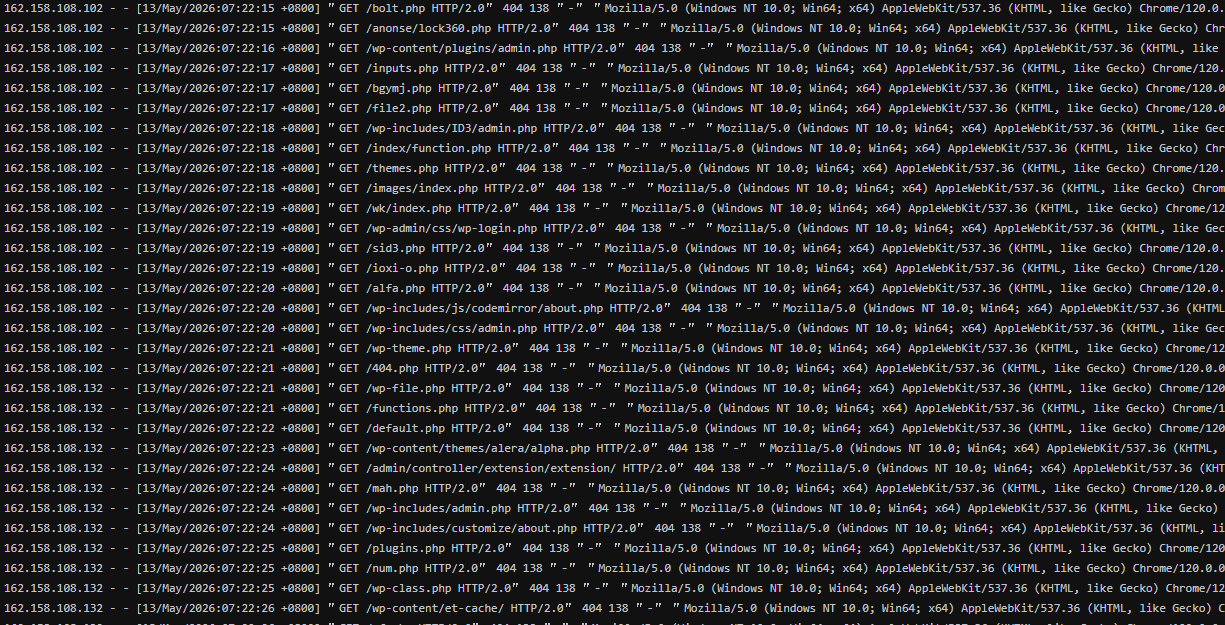
Normally, as long as your site does not contain these vulnerabilities, it will return a 404 error, which has minimal impact on server performance.
The key issue is that these bots are unscrupulous, usually making multiple requests per second, and dozens or even hundreds of requests per minute. For the server of an average website, it cannot withstand such high-frequency access, causing CPU usage to reach 100% and resulting in site lag or failure to load.
Solution
To solve these problems, we can use CloudFlare's firewall or the server's fail2ban to automatically block them. However, these configurations are a bit more complex for beginners, so we will use a simpler method by modifying the site's nginx configuration file.
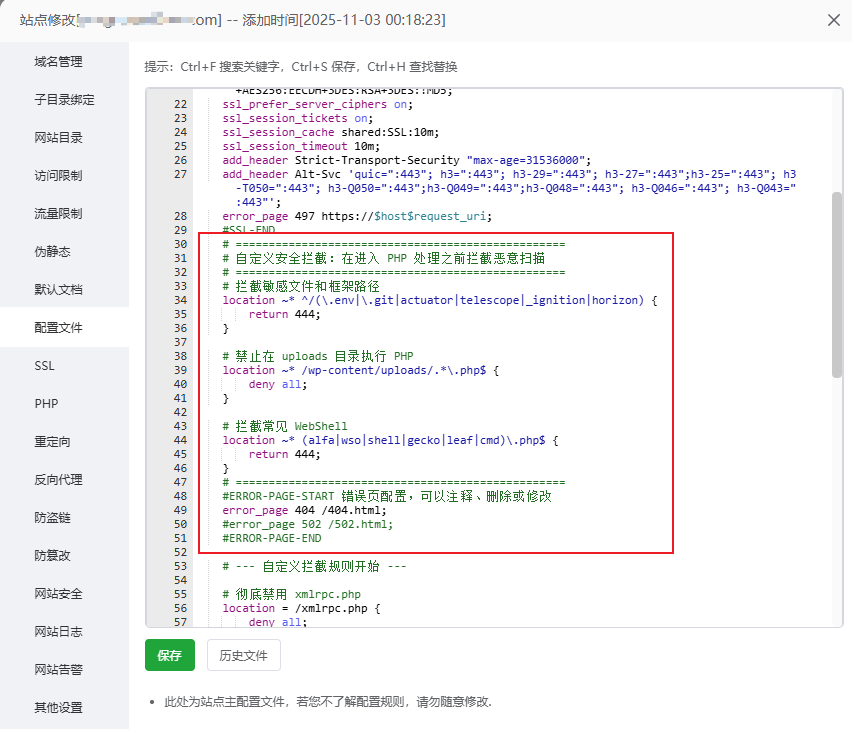
In the Baota Panel backend, go to Websites, click on the website settings, select Website Configuration, and insert the following code after the SSL certificate configuration ends.
    # ==================================================
    # 自定义安全拦截:在进入 PHP 处理之前拦截恶意扫描
    # ==================================================
    # 拦截敏感文件和框架路径
    location ~* ^/(\.env|\.git|actuator|telescope|_ignition|horizon) {
        return 444;
    }

    # 禁止在 uploads 目录执行 PHP
    location ~* https://edgeone.naibabiji.com/wp-content/uploads/.*\.php$ {
        deny all;
    }

    # 拦截常见 WebShell
    location ~* (alfa|wso|shell|gecko|leaf|cmd)\.php$ {
        return 444;
    }
    # ==================================================
Additionally, the xmlrpc.php file is also frequently attacked, so you may consider adding it as well.
    # 彻底禁用 xmlrpc.php
    location = /xmlrpc.php {
        deny all;
    }
Save the configuration. If there are no error prompts, the configuration has taken effect. Next, observe the server resource usage. If everything is normal, the CPU will rarely spike to 100%.
Note:If the CPU usage is still high even when the server is not being scanned or attacked by bots, it is usually a problem with the website itself, such as high resource usage caused by plugin or theme compatibility issues. In this case, it is best to disable plugins and switch themes to identify the problem.
Custom Rules
The scanning situation varies for each website. The configuration above may not necessarily match the directories and files that bots are scanning on your site (we did not include PHP file blocking rules in the configuration).
How to customize your own rules?
It's simple: send your website access logs to AI, let it analyze them, then design rules and add them to the Baota website configuration file.
If you really can't handle it, you cancontact Naiba for paidhelp in troubleshooting and customizing blocking rules.
Can WordPress security plugins block these scans?
Unfortunately, WordPress security plugins cannot completely block these scans. The normal website request flow is:
用户请求
↓
Nginx
↓
PHP
↓
WordPress
Requests like GET /.env are directly returned with a 404 at the Nginx layer and do not reach WordPress.
As for requests for non-existent PHP files, although they reach WordPress and security plugins can identify and block them, each request consumes some PHP resources. Multiple requests can exhaust resources, causing server lag.
Therefore, blocking at the Nginx layer is much more effective than blocking with WordPress security plugins.
If Nginx blocking still doesn't stop them, you need to consider adding a firewall for automatic banning. Generally speaking, for most websites, Nginx rules can reduce server resource usage.
The above is Naiba's sharing on blocking malicious requests with Nginx on Baota Panel. If you have any questions, you can add Naiba's WeChat for discussion.