Beginners building their own websites are most afraid of encountering website problems, such as WordPress database connection failure, prompting 'Error Establishing a Database Connection'. Naiba here shares several troubleshooting methods after a database error occurs.
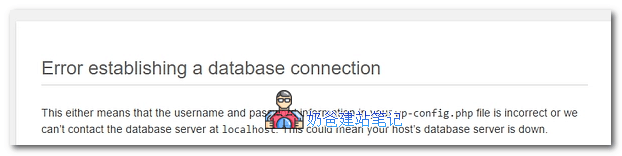
When youhave installed your WordPress websiteand one day it prompts a database connection error, then check according to the following methods.
1. Check if the database process is normal
If you purchased it yourselfInstall Baota Panel on VPSIf so, first log in to the Baota Panel backend to check whether the MySQL process is running normally. If it is not running normally, restart it.
If the process cannot be restarted, consider restarting the server.
2. Restore previous database backup
If you are using Shared Hosting, then database connection failure is usually due to a database issue. You can log in to the virtual host management backend and enter the database management interface, such as phpMyAdmin. Back up the current database first, then restore the previous old backup.
3. Check Theme and Plugin
Sometimes, Theme and Plugin bugs can also cause database connection failure. You can use FTP software to rename or move all Plugins and non-default Themes to another folder. After ensuring the website can open, restore them one by one to test where the problem lies.
4. Reinstall WordPress core files
This method is the same asManual WordPress Version Update, downloadthe new version of the WordPress installation package, then upload the new installation package files to the server to replace the existing files.
5. Try WordPress automatic database repair
Use FTP or Baota Panel's file editing function to open the wp-config.php file in the website root directory, and adddefine('WP_ALLOW_REPAIR', true);
Then access the website via your domain pluswp-admin/maint/repair.phppath, and a database repair and optimization interface will appear.
Summary
Many people often encounter the problem of database connection failure in WordPress. In most cases, it's because the server memory is insufficient and the database process has crashed. However, this situation is less common with Shared Hosting; the problem mostly lies with the website itself, and you need to judge based on the actual situation.