Manyself-taught website buildingusers consider Astra when choosing a WordPress theme. In this article, Naiba will introduce how to use the Astra free version to build a corporate website.
Before we start, let's answer two common questions:
Is the Astra free version sufficient for a corporate website?
Yes, it is. The Astra free version is fully capable of creating a professional corporate website, and purchasing the premium version is not necessarily required.
What are the differences between the free version and the Pro version?
The Pro version offers more enhancements, such as more tools supported by the header builder compared to the free version, support for a sticky header at the top, and more customization options for the theme. Additionally, there are more pre-built templates available. For beginners, it's advisable to start with the free version and upgrade to the premium version only when you determine you need its features. (There arecheap Pro versionsfor sale)
Preparation
Before you start building a corporate website with the Astra free version, you need to have a WordPress website, preferably with an SSL certificate and pseudo-static rules configured.
If you don't have a WordPress website yet, refer to this tutorial for installation:WordPress Website Building Tutorial: AI-Powered, Go Live in 30 Minutes from Scratch (Complete Guide) – Naibabiji Website Building Notes
Install the Astra Theme
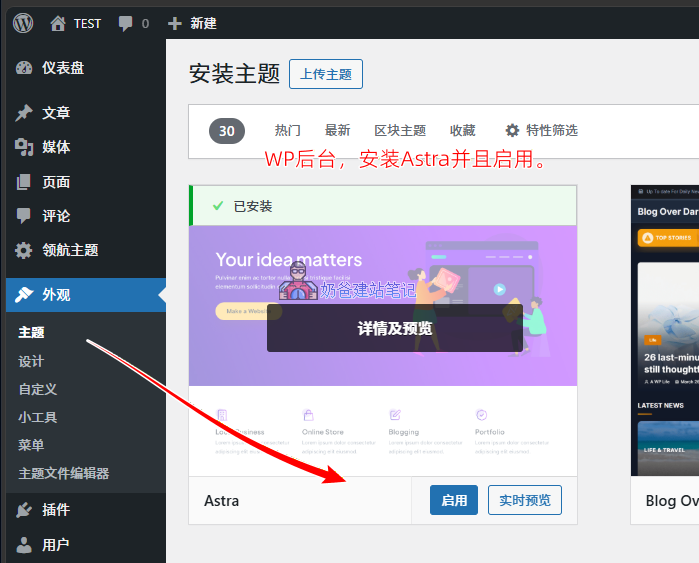
In the WordPress admin dashboard, under the Themes menu, search for or find the Astra theme, select Install, and then click Activate.
Import Astra Demo Templates
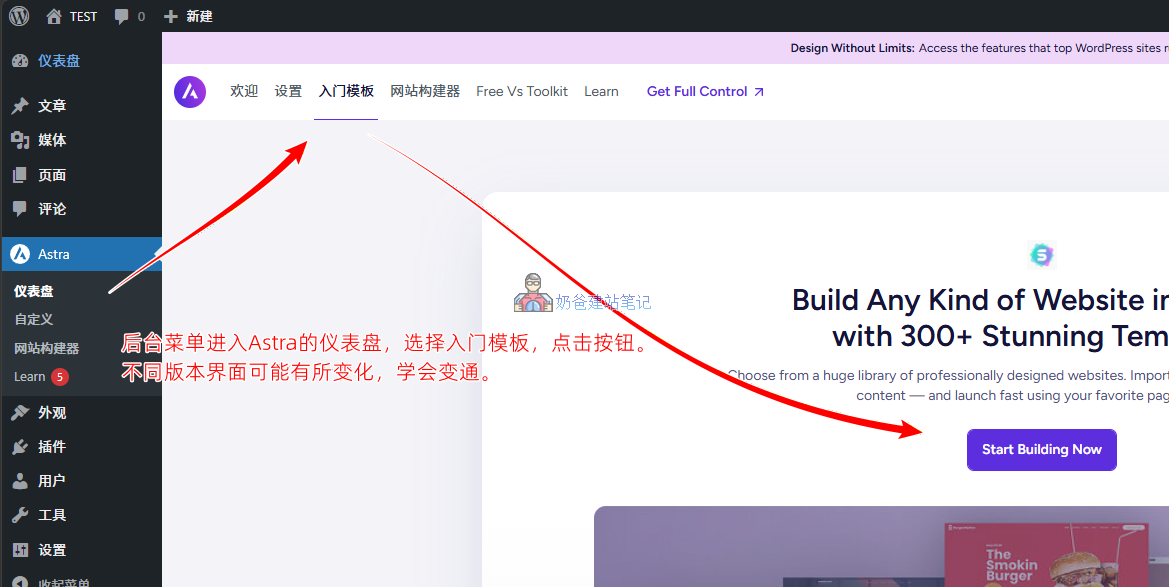
Go to the Astra dashboard in the menu, find „Starter Templates“, and click the button to install the template plugin.
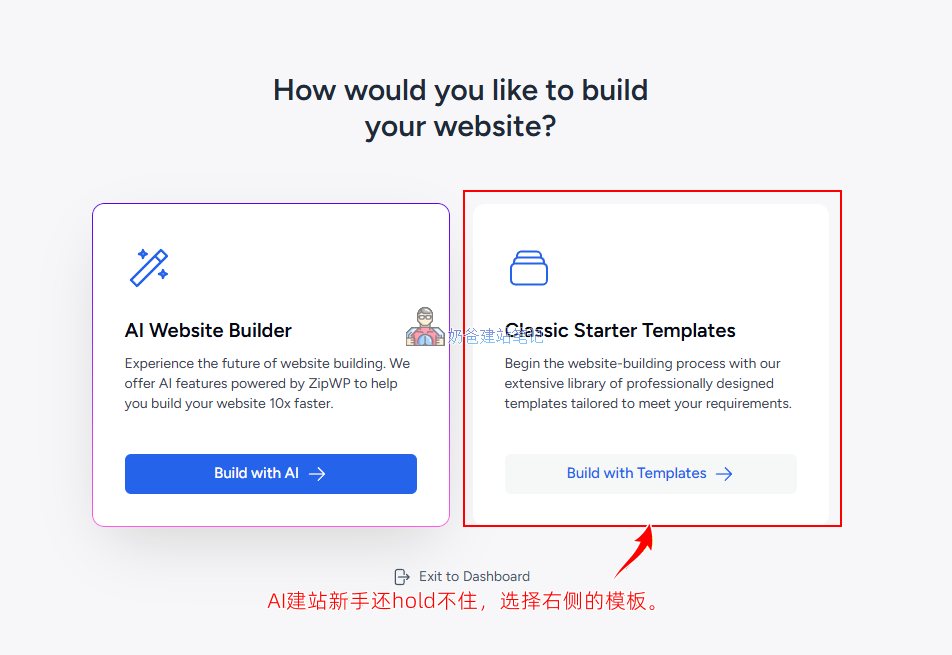
On the screen that appears, select the template on the right. Do not choose AI website building. 1) AI website building is not yet mature, and 2) beginners may not necessarily be able to handle AI website building.
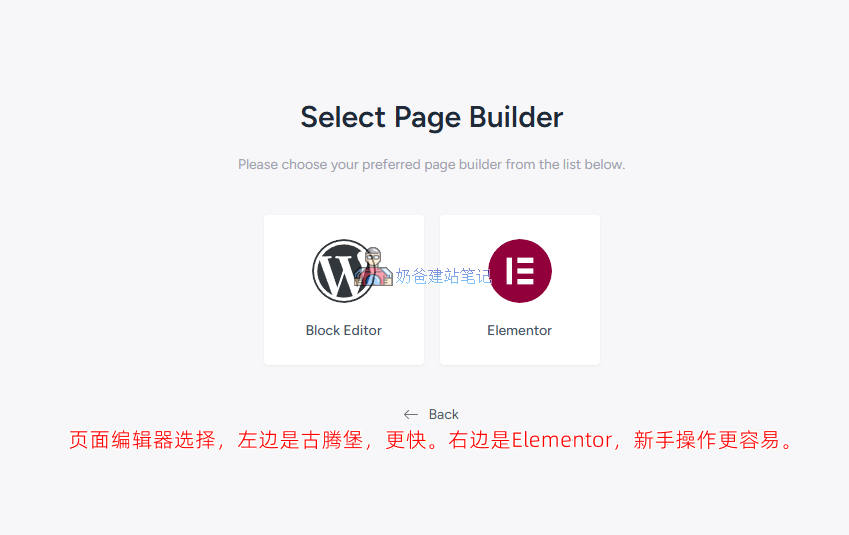
Next, editor options will appear. On the left is Gutenberg, and on the right is Elementor.
The Gutenberg editor is the default editor for WordPress and is currently the officially recommended editor. It offers better performance and speed than Elementor, but it is not as easy to learn as Elementor.
Naiba's recommendation:
Beginners can first try Gutenberg to get a feel for it, then switch to Elementor later. Don't worry about the performance and speed differences between them. Only when a website is built can it possibly get traffic; if it's not built, no matter how fast or good the performance is, it's useless. Moreover, building a website with Elementor does not affect SEO and speed. Naibabiji's website was also built with Elementor before and still had rankings. (Now the entire theme is directly coded by AI.)
Later, you can switch the builder using the top right corner, then click the icon in front to refresh and sync the template library.
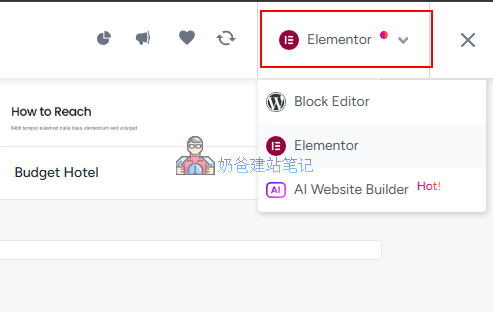
The number of template libraries for Gutenberg and Elementor is different, so you can sync both template libraries and take a look, then choose the pre-made design template you prefer.
After selecting a design you like, click the card to enter the import interface.
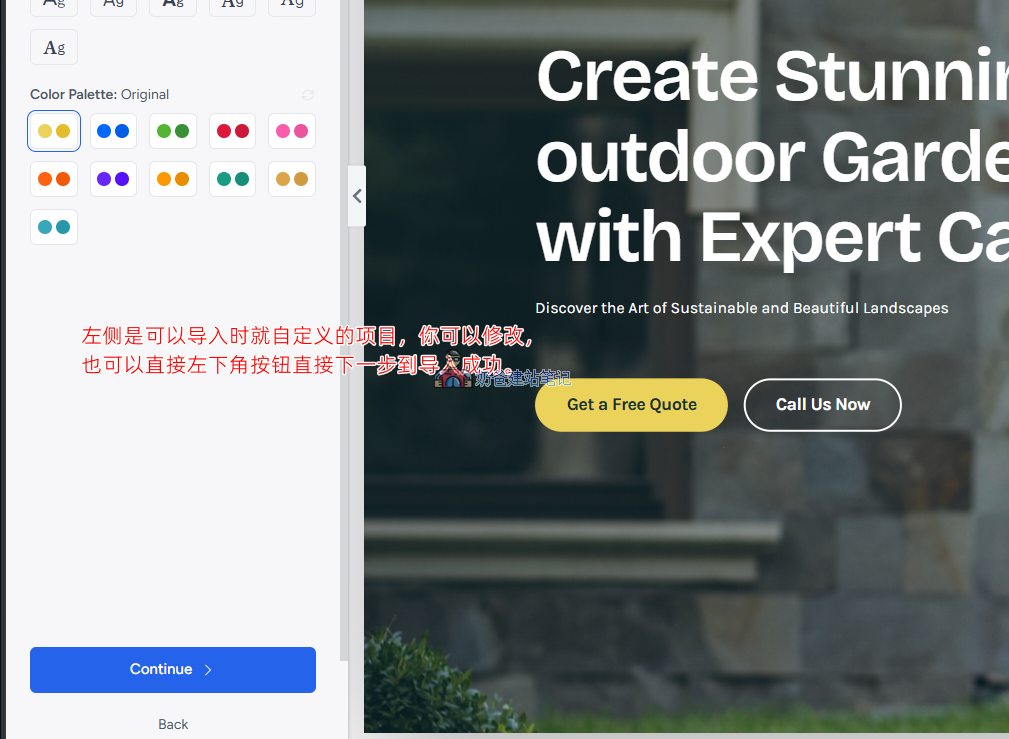
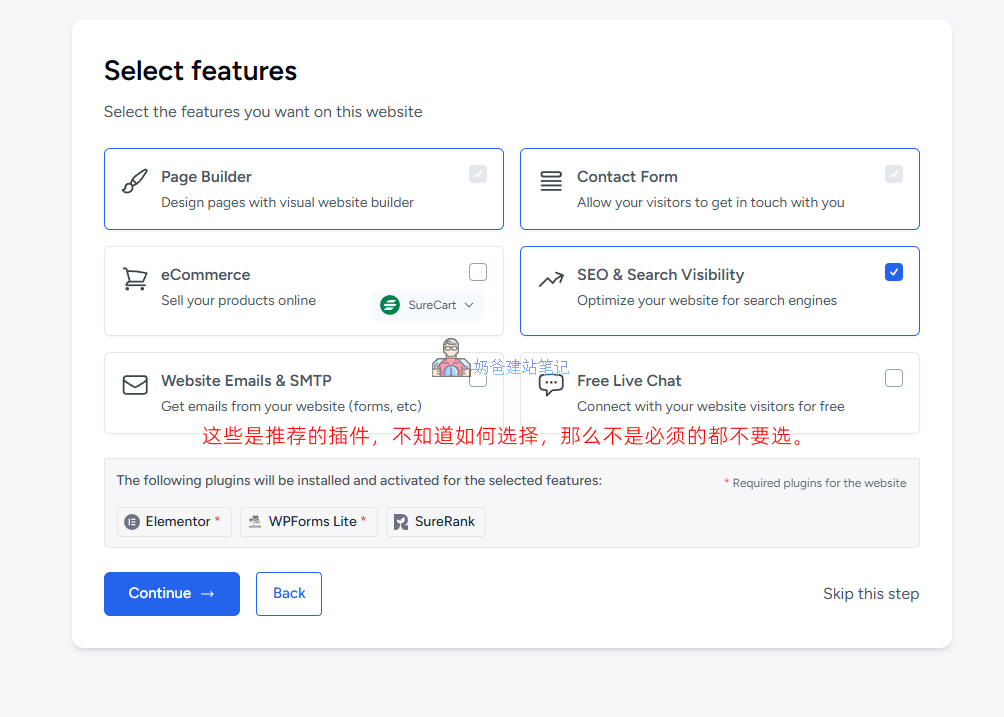
When the interface shown below appears, it recommends some plugins. If you don't know whether you need them, then don't select any. You can install them later if needed. Remember, the more plugins, the slower the website.
Next, follow the prompts until the import is successful.
How to Modify Demo Data
After a successful import, the frontend of your website will look the same as the demo site. If you want to make changes, you can do the following.
1. Modify all colors and fonts.
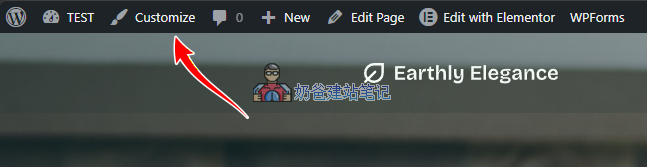
In the admin bar at the top of the website frontend, click Customize to enter the customization page.
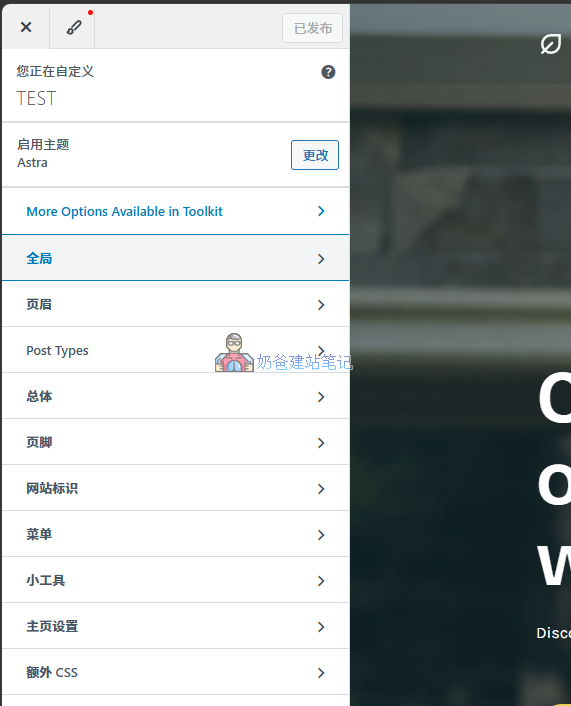
In the new interface, under Global on the left, you can modify fonts and colors.
2. How to modify the header and footer
Also in the customization panel, select Header to make modifications.
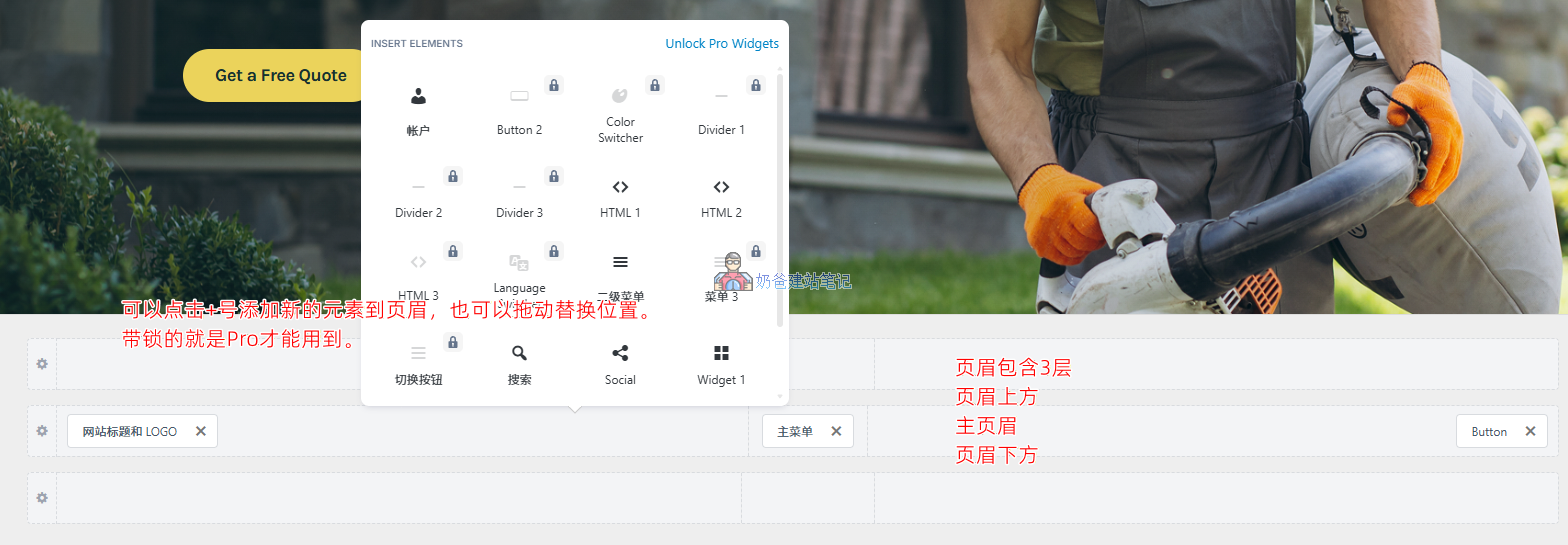
The Astra header consists of 3 layers: Above Header, Main Header, and Below Header. Each layer can hold different elements.
Elements with a lock icon require the Pro version to use. If needed, clickBuy here。
The bottom left corner is the button to switch between different browsers for responsive layout debugging.

The method for modifying the footer is the same as for the header.
3. How to modify the navigation menu
For the navigation menu, first add a menu in the header and footer areas, and set which menu to use.
Then, in the WP backend, under Appearance, Menus, make modifications. (You can also modify it in Customize, but it's not as convenient as here.)
4. How to modify page content
To edit a specific page, click the Edit button at the top. If you are using a Gutenberg template, there will be no Edit with Elementor button; just click Edit Page directly.
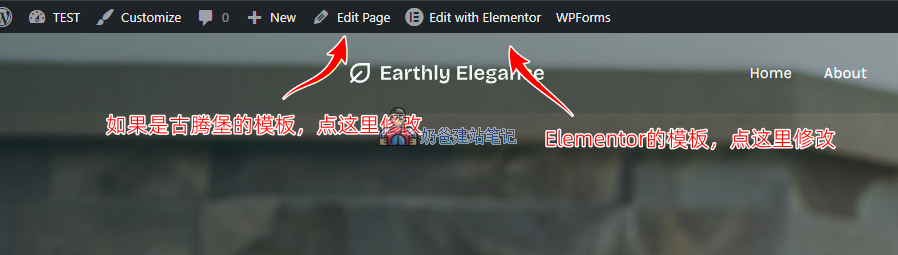
This site does not yet have a tutorial for the Gutenberg editor. For Elementor tutorials, refer to:Elementor Basic Usage
Advanced Tips for the Free Version
Some Astra Pro features can be implemented using free plugins, for example:
- To edit the header and footer with Elementor, you can install ElementsKit;
- To debug some styles, you can use custom CSS code, orCSS Hero;
Of course, you can also choose to install Elementor Pro to achieve these features.
How to Publish Products with the Free Version
Some friends may struggle when choosing a template whether to include product functionality. In fact, products are implemented using third-party plugins, for example,WooCommerceorB2B Product Management Pluginto achieve this.
You can pick any demo template with or without products, then install a product plugin, and you will be able to publish and manage products.
Summary
Astra is an excellent WordPress theme, especially now that the official template exporter feature has been introduced. I believe it will attract more excellent developers to use Astra to create and publish their designed themes.
However, whether a theme is good to use still needs to fit your actual needs. You can start with the free version of Astra to experience it, and only consider purchasing the Pro version after ensuring it meets your requirements.