🚀 Is building a website too difficult? Let me guide you step by step—Learn about the 「Naibabiji WordPress Website Building Coaching Service」 →

How to Add Related Posts in Astra Theme

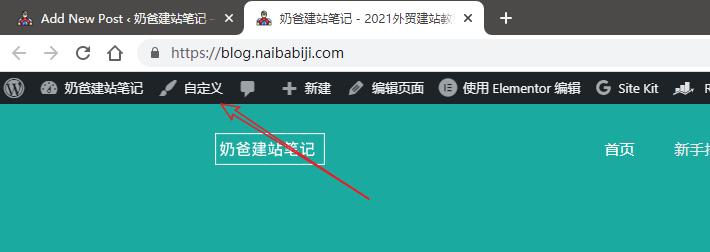
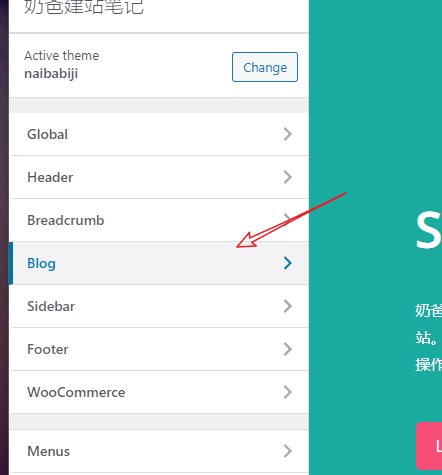
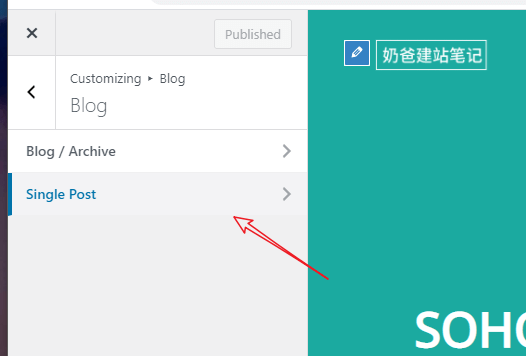
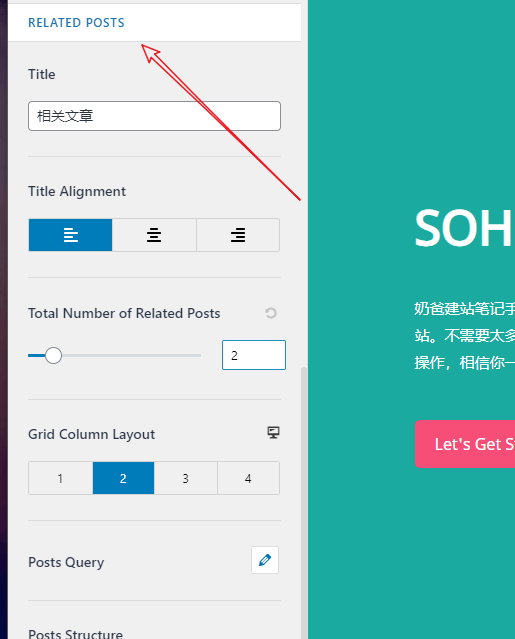
Astra is an entry-level WordPress Theme. The new version has added a related posts feature, allowing us to enable related content for website posts without relying on third-party plugins, which helps improve user experience and SEO. Below, we share the method. 1. Click on the website's Customize to enter the Theme customization settings.2. Navigate to Blog, Single Blog. 3. In the related posts area, you can set up the related posts feature.After setting, publish it. The related posts area will then be added after the website's posts.

🚀 Still feeling confused after reading the tutorial? Let me guide you step-by-step instead.

「Naibabiji WordPress Website Building Coaching」 — From selecting a domain and purchasing hosting to installing themes and publishing posts, I「ll guide you through every step, helping you avoid detours and reach your goals directly.

👉 Learn about Website Building Coaching Service
🔒

Comments are closed

The comment function for this article is closed. If you have any questions, please feel free to contact us through other channels.

×
二维码

Scan to Follow