
Home Astra Theme Tutorial Standard Post

Standard Post

Shortcode to Call Astra Theme Search Box

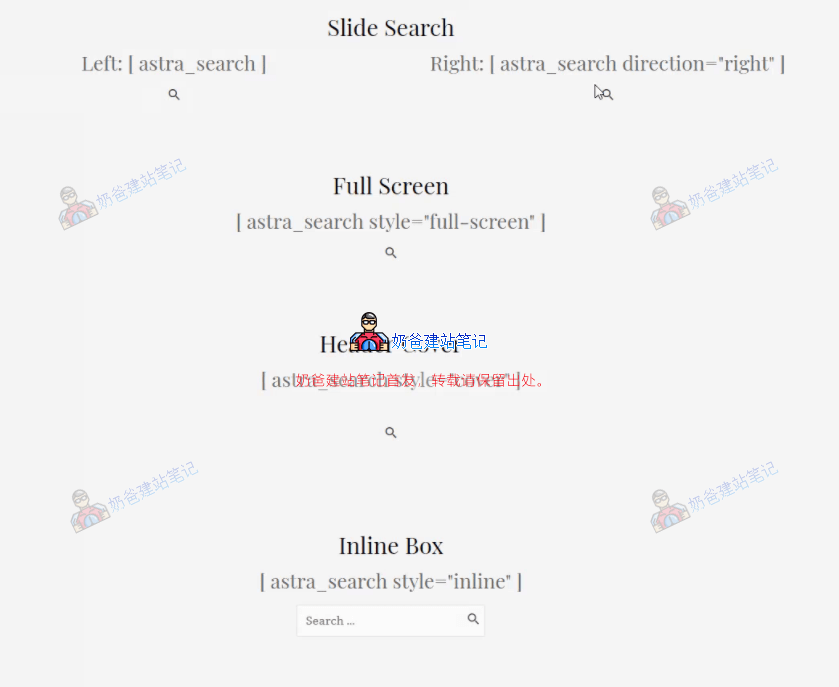
By default, when building a website with the Astra theme, the search box is at the end of the menu bar. You can add a search box position by adding sidebar widgets. But how do you call the Astra search box elsewhere? We can use Astra's shortcode feature. Astra has a built-in shortcode for the search box [ astra...

Updated on November 30, 2020 About 1 minute read
调用Astra主题搜索框的短代码

By default, when building a website with the Astra theme, the search box is at the end of the menu bar. You can add a search box position by adding sidebar widgets. But how do you call the Astra search box elsewhere? We can use Astra's shortcode feature.

Astra has a built-in shortcode for the search box [ astra_search]. You can enter [ astra_search] anywhere you want to call the search box.

(Note: remove the spaces in the code above)

[astra_search style="full-screen"]
 

1.7/5 - (8 votes)
Previous How to Remove the WooCommerce Additional Information Tab Continue reading content around the same timeline. Next Limit Crawl Frequency of Bing and Other Search Engines to Reduce Server Load View the next related tutorial or experience.

AI Website Building Assistant

🤖
Hello! I am the Naibabiji AI Assistant. How can I help you?
Quick Consultation: