
If the website traffic has not increased significantly but the server is too slow, then you need to consider whether there is a problem. Usually, if the website has not been upgraded or technically modified, the problem lies externally, such as the website being scraped or being crawled frantically by search engines.
Naiba recently checked the server monitoring information and found that the CPU usage of the server was very high, as shown below:
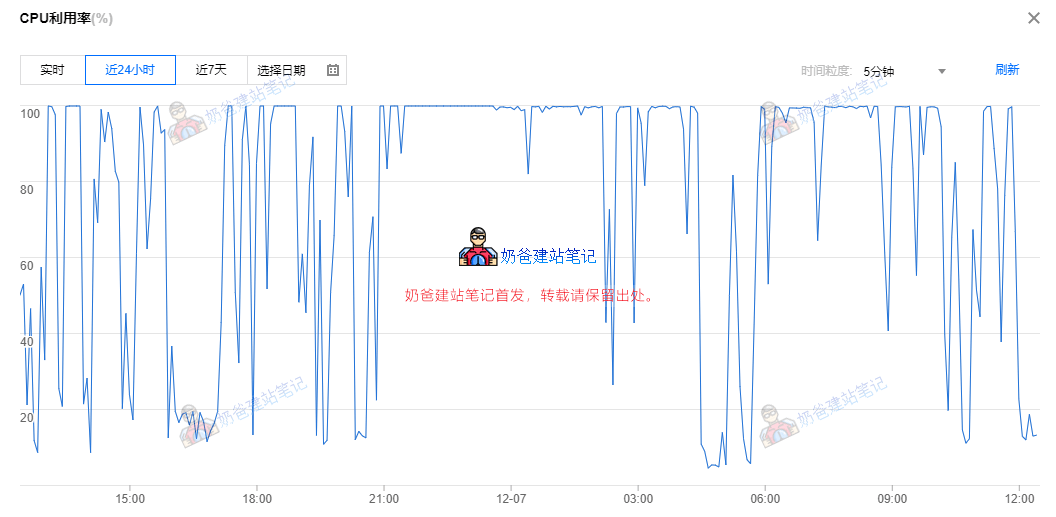
After analyzing the website logs, it was discovered that Bing's bot was crawling too frequently, so we need to resolve this.
The solution is to limit Bing's crawl frequency.。
Method 1: Set in the Admin Dashboard
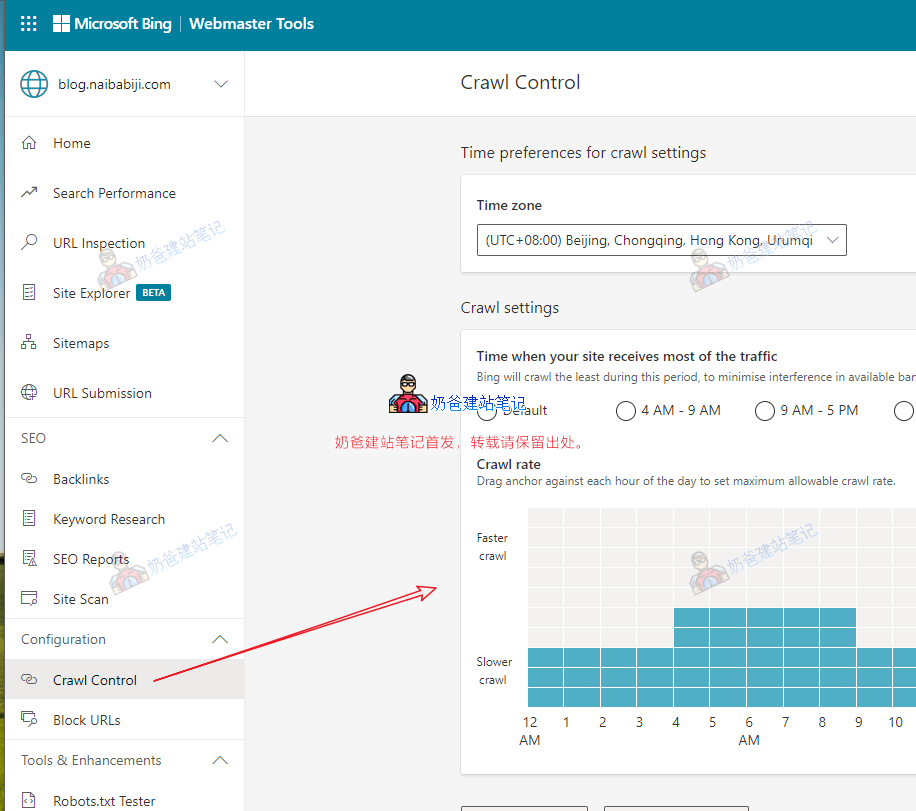
If you have registered for Bing Webmaster Tools, you can find the Crawl Control menu in the dashboard, then set the crawl frequency on the right side.
Method 2: Set via the robots.txt file
If you don't know what robots.txt is, please read this first:What is robots.txt? The Correct WordPress robots.txt Writing Method and Generation Tool
We can add the `crawl-delay` parameter in the robots.txt file.
User-agent: *
Crawl-delay: 1
The above code means that all search engines limit the crawl frequency to slow.
If Crawl-delay is not set, it means the search engine decides the crawl frequency by itself.
This value can be set to 1, 5, or 10, corresponding to slow, very slow, and extremely slow respectively.
For other search engines, such as Google, Baidu, etc., you can set the crawl frequency in their respective webmaster tools, or via the robots.txt file. Relatively speaking, the robots.txt method takes effect more slowly.