
With the popularization of computer technology, webuilding your own websitehas become easier. There are many free or paidforeign trade website building systems and source codeavailable. Naibabiji'sForeign trade website building tutorialsmainly shares WordPress website building methods. This article summarizes other foreign trade website building systems and source codes we can use.
The Difference Between Foreign Trade Website Building Systems and Source Code
If you want to build a foreign trade website yourself, you can choose between joining a foreign trade website building system platform or building it yourself using foreign trade website building source code.
Choosing a website building system (platform), such as Shopify, Wix, etc.
Theyare website building systems specifically designed for friends who don't know how to code.You just need to register an account, choose a plan, and start operating.You don't need to build the website yourself; their system will automatically set up a website for you.
而Choose Website Source Code for Building, common examples are WordPress, Joomla, etc.
TheyYou need to purchase a domain and server yourself, then upload the source code for installation. Finally, you have to select a Theme, plugins, etc., to create a perfect website.
What are the excellent foreign trade website building systems (platforms)?
These website building systems (platforms) handle the cumbersome processes of domain, server, and website setup for you. You just need to register an account, create a website, and use their included Theme templates to quickly drag-and-drop to generate a website. If it's an e-commerce website, they also handle the payment and logistics interface issues for you.
Below are some of the best Foreign Trade Independent Website building systems.
Shopify
Shopify Inc. is a Canadian multinational e-commerce company headquartered in Ottawa, Ontario. Shopify is also the name of the company„s e-commerce platform. Shopify provides online retailers with a complete set of services “including payments, marketing, shipping, and customer engagement tools to simplify the process of small merchants setting up online stores.„ via:Wikipedia
Shopify is the choice for many independent websites in domestic cross-border e-commerce because it is a system specifically designed for e-commerce. It handles everything from website setup to the payment system; the entire process is taken care of, and you only need to pay to use it.
Official Website:https://www.shopify.com/
Advantages:
Shopify provides a turnkey e-commerce website service for beginners, helping foreign trade enterprises quickly launch international online e-commerce businesses.
Disadvantages:
In the long run, Shopify's pricing is a bit expensive. Besides the basic monthly fee, it also charges transaction commissions.
Wix
Wix.com is an online website creation service that allows users to create HTML5 websites using drag-and-drop tools in its web editor. Users can add additional features to their website editor, such as social network buttons, e-commerce functions, contact forms, e-newsletters, and community forums. via:Wikipedia
Many enterprise users who cannot build websites themselves also choose Wix because Wix allows for simple drag-and-drop website generation and supports free use (with ads). It can also create online stores for product sales.
Official Website:https://wix.com/
Advantages:
It has an official Chinese website with excellent templates for you to choose from. You can also design pages yourself without needing much professional web knowledge.
Disadvantages:
The monthly fee is not cheap, and after selecting an initial template, you cannot switch to another template; you can only modify the page content within the current template.
Weebly
Weebly is a free website hosting service characterized by drag-and-drop website building. In Time magazine, Weebly ranked fourth in its 2007 list of the 50 Best Websites. Weebly has also been featured in The Wall Street Journal, San Francisco Chronicle, and Newsweek. As of July 2012, Weebly had over 12 million users, with 12% of Americans visiting Weebly monthly. via:Wikipedia
Weebly has an incomplete official Chinese website and also offers a free plan. E-commerce functionality can also be enabled.
Official Website:https://www.weebly.com/
Advantages:
It has a free version (includes an ad), is easy to operate, and has a low difficulty level.
Disadvantages:
Theme extensibility is not high.
Squarespace
Squarespace is an online content management system consisting of website creation tools, web hosting services, and a blog platform, operating under a software-as-a-service model. The service allows individuals or companies to create and modify websites and blogs. Since its founding in 2004, Squarespace has over 500 employees in 190 countries and millions of users creating web pages on the platform. via:Wikipedia
Squarespace has rich, exquisite templates with bold typography design and display space. It is very suitable for creatives seeking high-quality design and functionality.
Official Website:https://www.squarespace.com/
Advantages:
The template design style is the most cutting-edge, with hundreds of templates to choose from. It is easy to customize and offers great creative freedom.
Disadvantages:
After the website goes live, the template cannot be changed.
What are the foreign trade website building source codes?
Compared to choosing a website building platform, using website building source code to set up a foreign trade website offers higher customizability and greater control. In some cases, the cost is also much lower than using a third-party platform.
The most commonly used website building source codes for foreign trade websites are the following 6:
- WordPress
- Drupal
- Joomla
- Prestashop
- Opencart
- Magento
Choosing to use source code to build a website is much more complex than using a website building platform and requires significantly more effort. However, once the website is completed, the cost-effectiveness and returns are much higher than with a website building platform.
What is an open-source CMS?
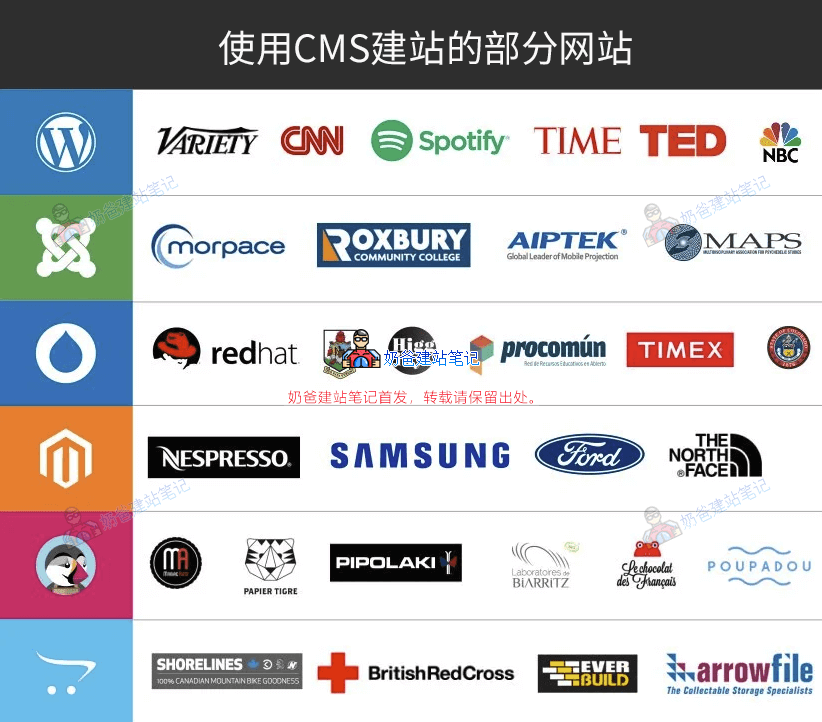
CMS stands for Content Management System. The image above shows some websites built using the corresponding CMS.
The 6 CMSs introduced by Naibabiji in this article are all open source. Open source CMSs can be used for free without any charges. They are developed and maintained by global developers and coders. Any technical personnel can improve these systems or extend their functionality based on their own capabilities and experience.
Of course, in contrast to open source CMSs, there are also closed source CMSs, such as website building programs developed by some website building companies. Closed source CMSs have non-open source code or encrypted files, requiring payment for use (or sometimes not available even for payment). For ordinary small and medium-sized enterprises and SOHO individuals, open source CMSs are completely sufficient for building websites and conducting operations like e-commerce.
WordPress
Undoubtedly, WordPress is the most popular and widely used CMS website building system today, powering over one-third of websites globally. Naibabiji is also built using WordPress.
Simplicity and flexible extensibility are WordPress's greatest advantages, including a wealth of Theme and Plugin resources. Online tutorials and technical documentation are also the most abundant. Regardless of your technical knowledge, you can solve most encountered problems through searching.
Official Website:https://wordpress.org/
Advantages:
- Abundant resources,Whether it's technical materials or Theme and Plugin resources, WordPress is the richest among these three.
- Low learning curve,You don't need any programming knowledge to build a beautiful website with WordPress; beginners can get started quickly.
- Powerful plugins,If you don't know programming code and want to implement certain features, in WP, most functions can be achieved with corresponding plugins.
- Beautiful themes,With WP, you can find beautiful themes for free or at a low cost, without needing to spend extra money on customization.
- Low maintenance cost,Once set up, if there are no other requirements, there are only hardware costs annually.
- Strong SEO capability,WordPress comes with advanced SEO plugins that can help ordinary users implement many SEO functions, making it theGoogle SEOPreferred website building program.
Disadvantages:
- Security,Because it is widely used, with over 30% of global websites using WordPress, many hackers target it. Additionally, there are many themes and plugins, so the program itself, themes, and plugins may contain vulnerabilities exploited by hackers. Especially, some people like to use cracked themes and plugins and lack security awareness, making them easily hacked.
- Speed,For those who don't know how to optimize WordPress, they may feel WP is slow, especially after installing many plugins, it may feel even slower.
- Update frequency,Although updates represent new features and bug fixes, most domestic users are averse to frequent updates (many people do not update, which can easily lead to security issues).
Drupal
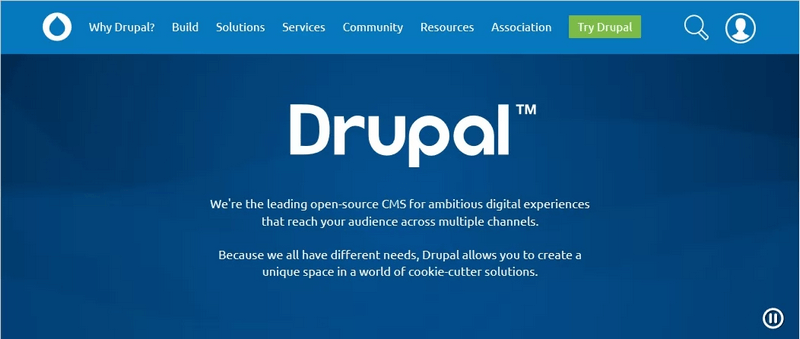
Drupal is an open-source content management system that is slightly more difficult than WordPress. You need to have certain HTML, PHP, and CSS skills, and its learning curve is relatively steep, making it more suitable for enterprises with their own technical teams.
Official Website:https://www.drupal.org/
Advantages:
- Powerful functionality, Drupal has strong extensibility; if you have technical development capabilities, you can use Drupal to build any type of website.
- Developer-friendly,Technical personnel skilled in Drupal development will find it easy to use, but for SOHO foreign trade individuals, this is undoubtedly a drawback.
- Performance,Drupal's page loading speed is the fastest among these website-building programs.
- Highly customizable,As long as you have technical support, you can modify Drupal to be „unrecognizable.“
- Community support,Questions asked on the Drupal forum usually receive resolved answers.
- Stability and scalability,Each version of Drupal is very stable and can be well extended to handle large websites.
- Security,Many government and institutional websites are built with Drupal; it is the most secure CMS system among open-source programs.
Disadvantages:
- Steep learning curve, ordinary novice users may find it difficult to use Drupal well; without certain professional knowledge, you might not be able to use Drupal.
- Expensive paid support,If your Drupal website encounters technical issues, you may not easily find professional technical personnel to help you in China.
- Unattractive themes,Compared to the themes you get on WordPress and Joomla, Drupal themes are less aesthetically pleasing.
Joomla
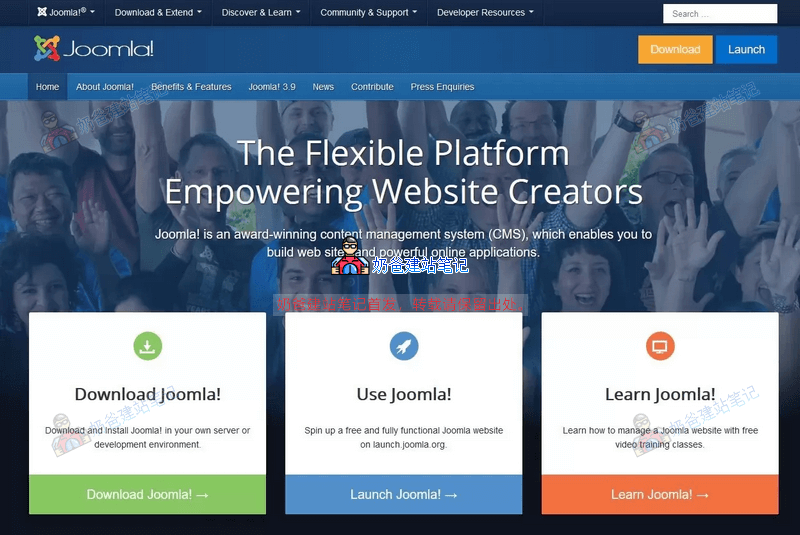
Joomla has over 105 million downloads worldwide and has become one of the most powerful and second-largest open-source CMS in the industry. The ease of use of Joomla falls between WordPress and Drupal, but it is still not friendly enough for beginners.
Official Website:https://www.joomla.org/
Advantages:
- Excellent interface, Joomla's admin interface is not only stylish and powerful but also very easy to use. Honestly, Joomla has the best interface among the three. This is because building and editing Joomla websites is very simple and intuitive.
- Strong developer community,Joomla's developer community is one of the strongest among the three top CMS. One of the main reasons is the availability of free open-source plugins and extensions.
- Good flexibility,Joomla can handle its content in more ways.
Disadvantages:
- High learning curveAlthough it doesn't have as steep a learning curve as Drupal, Joomla requires learning a broader range of topics, needing more time to become familiar.
- Weak ecosystem,With Joomla, you won't easily find suitable add-ons or modules to customize your website.
- Plugin compatibility,As versions upgrade, you might encounter bugs with certain plugins, and if you lack PHP skills, it could be difficult to resolve them.
- High performance requirements,Joomla has relatively higher server requirements, so you may need to purchase a better server.
PrestaShop
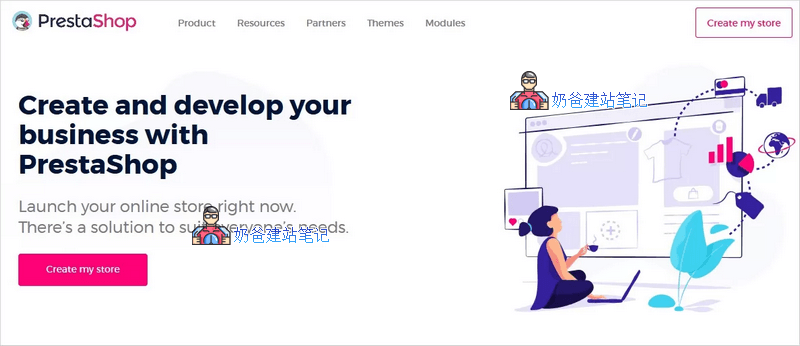
PrestaShop is an open-source CMS widely used for building e-commerce websites to achieve online product sales. Due to the ease of use of PrestaShop technology, over 300,000 merchants have placed their trust in it. The installation method for PrestaShop is very simple, and it's not difficult for beginners to get started.
Official Website:https://www.prestashop.com/
Advantages:
- PrestaShop is an open-source e-commerce solution that provides you with ready-to-use features.
- You can modify your PrestaShop store according to your preferences.
- PrestaShop is very lightweight, and website speed is much faster than e-commerce sites built with WordPress.
- User-friendly interface.
- PrestaShop stores are optimized for search engines, so you don't have to worry about search engine visibility.
- You can set different file permissions to ensure site security.
- PrestaShop supports multiple currencies and multiple languages. It supports over 65 languages and currencies.
Disadvantages:
- If you lack certain professional knowledge, the degree of customization is not high.
- The number and price of PrestaShop modules are not cheap.
OpenCart
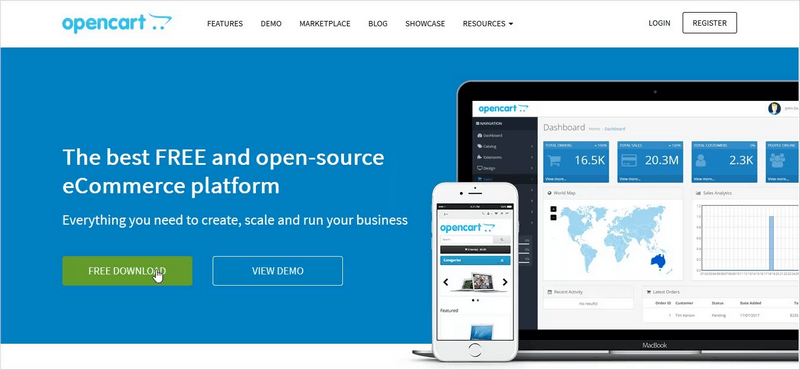
OpenCart is another well-known open-source e-commerce website source code program. OpenCart is a complete e-commerce solution, allowing you to launch your online store in minutes.
Official Website:https://www.opencart.com/
Note that the Chinese sites you search for are not official; they are just created by some domestic companies themselves.
Advantages:
- OpenCart is very flexible and can integrate with various payment methods.
- With the multi-store OpenCart system, you can conveniently manage everything.
- You can manage important data such as products, customers, orders, settings, and configurations for multiple stores on a single console.
- It integrates with common shipping methods (such as Royal Mail, FedEx, USPS, etc.) to ensure timely product delivery.
- This open-source CMS has an MVC architecture.
- You will find various extensions.
Disadvantages:
- If you have multiple stores using the same data, you might have to face SEO issues due to identical products and names.
- Some modules do not work properly in multi-store setups.
- Multi-store extension compatibility is not very good.
- Difficult to update versions.
- Custom development costs are relatively high.
Magento

Magento is the most suitable open-source content management system for e-commerce businesses. It is one of the most powerful e-commerce solutions on the market.
However, Magento is not suitable for beginners and micro-enterprises; it requires a company with certain technical support to fully master Magento.
Official Website:https://magento.com/
Advantages:
- If you run a small business, you can use the Magento Community Edition (free version), which is indeed cost-effective.
- The admin interface is intuitive, making it easy to find the features you need.
- Well-structured open-source program.
- Magento provides you with a powerful and secure online store.
- It supports multiple currencies.
- This is a multilingual platform.
- It has great scalability.
- You can easily modify the source code as needed.
- The large community of Magento users can help you during difficult times.
- There are many paid extensions/plugins in the Magento marketplace to meet various purposes.
- Magento stores are fully SEO-friendly.
Disadvantages:
- It takes time to get familiar with; Magento loads many plugins and extensions, and you need to distinguish which ones you need to use.
- High technical requirements; you need to be a skilled Magento developer to create a Magento website.
- The advanced version of Magento is very expensive.
- If you outsource a Magento website, the price is also not cheap.
Summary of Choosing Foreign Trade Website Building Systems and Source Code
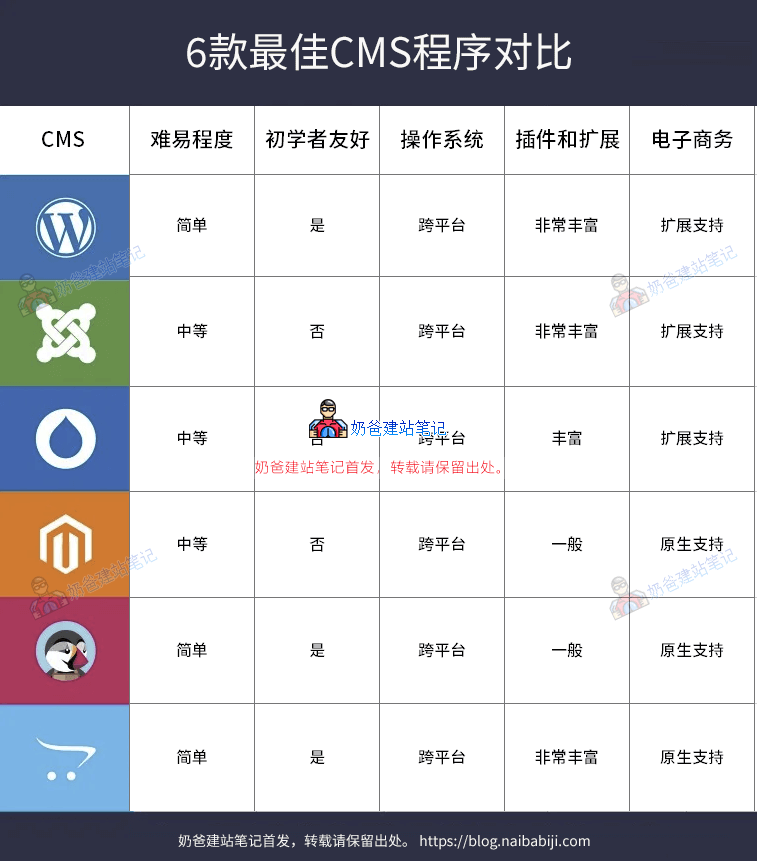
Through the analysis and introduction in this article, you can see that there are many programs (source codes) on the market that can help us quickly build foreign trade websites and e-commerce websites, but how should these needs be considered?
Naiba's suggestion to everyone is: if you lack confidence in building your own website, are in a hurry to get the website online quickly, and mainly focus on e-commerce business, then you can prioritize using these platforms.
If you are more focused on enterprise online presentation, doingGoogle SEO optimization, do not provide online sales, or are very confident in your self-learning ability, then prioritize building it yourself using source code.
Website building systems (platforms) are faster and ready to use out of the box; building with source code is more troublesome but offers higher customization, and you have complete control over your data. Each has its advantages, below are some of Naiba'sselection suggestions for your reference:
- If you want to build an enterprise website for marketing, promotion, and display purposes, then WordPress is the first choice;
- If you want to quickly implement e-commerce functionality, then Shopify is the first choice;
- If you have a certain technical foundation and self-learning ability, then WordPress + WooCommerce (an e-commerce plugin on WordPress) is a relatively perfect combination. After all, using third-party platforms is subject to platform rules, while with a self-built website, all data is your own, and you don't have to worry about account suspension and similar situations.
- If your company has strong technical support and wants to build a very powerful e-commerce website, then you can consider secondary development using open-source programs like Drupal, Joomla, Prestashop, Opencart, and Magento.
Some related articles:
I'd like to ask, which one can perfectly solve the payment collection issue? I'm referring to individuals without business qualifications.
Payment collection is a matter for third-party payment companies and has nothing to do with which program you use.
Love it, love it
For e-commerce and corporate websites, using the corresponding domestic open-source programs should be more convenient and easier to get started with.
It depends on the specific purpose. If the customers are overseas, these domestic website building programs are not very suitable. For ordinary domestic corporate websites, using domestic programs is indeed more in line with the needs of domestic users.