Google announced in September 2019Announcementthat it would officially update the rules for Nofollow links on March 1. So, what impact does this have on our Google SEO efforts, and what should we do?
When do these attributes and changes go into effect?
All the link attributes, sponsored, ugc and nofollow, now work today as hints for us to incorporate for ranking purposes.For crawling and indexing purposes, nofollow will become a hint as of March 1, 2020.Those depending on nofollow solely to block a page from being indexed (which was never recommended) should use one of the much more robust mechanisms listed on our Learn how to block URLs from Google help page.
What is Nofollow?
Nofollow links refer to hyperlinks with the rel=„nofollow“ attribute in the code. These links do not affect a website„s search engine ranking because Google does not pass PageRank through them.
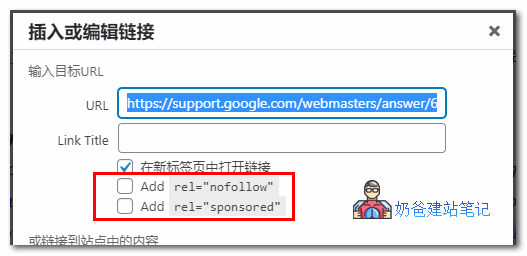
Just like when we insert links using the classic editor in WordPress articles, it's optional.
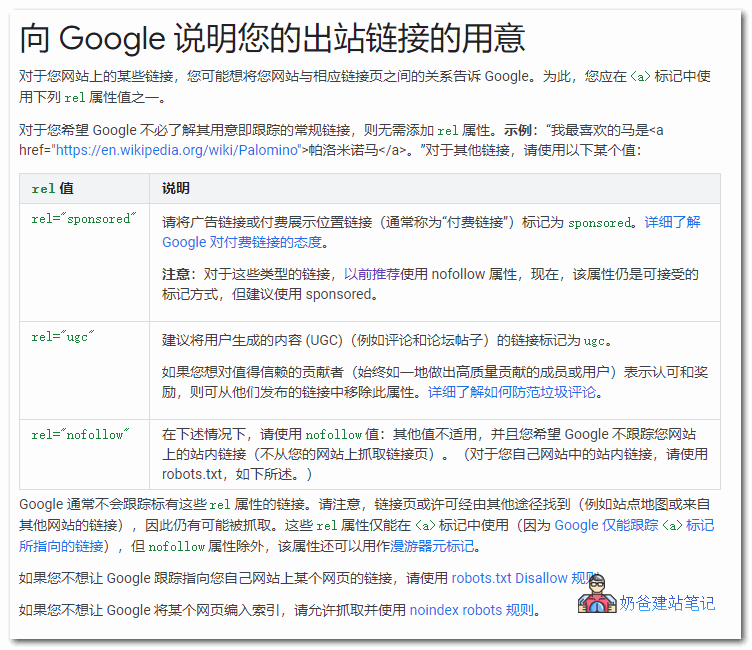
Google has also added two new attributes, sponsored and ugc, to the nofollow attribute.
What impact does this have on Google SEO?
Initially, we used nofollow on links to prevent search engines from crawling them, thus not passing link equity.
However, after Google's new nofollow rule update, for links with the nofollow tag, including those with sponsored and ugc, Google will decide whether to ignore or crawl the link.
So for our Google SEO, the best practice is to follow Google's rules and use the correct link attributes: add sponsored for paid links, ugc for comment links, and still use nofollow for links you don't want to pass link equity.
As for how Google will judge the link, let Google decide.
We just need to ensure that every link in the article appears naturally and the article is valuable.
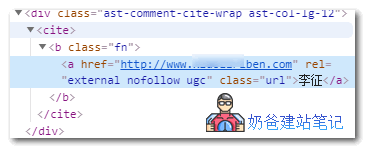
Meanwhile, Naiba noticed that the Astra theme I use has automatically added the ugc attribute to URL links in the comment section. If your theme doesn't support it yet, it's best to handle it manually.
As for the actual impact of this update to Google's link attributes, we'll need to observe until after March to see what substantive effects it has.
So, what should you do if you want to prevent Google from indexing a specific page?
Sometimes we use nofollow to prevent Google from indexing that page. Obviously, that won't work now.
The correct way Google suggests to prevent indexing is: 1. Userobots.txt to disallow crawling; 2. Add a noindex tag.
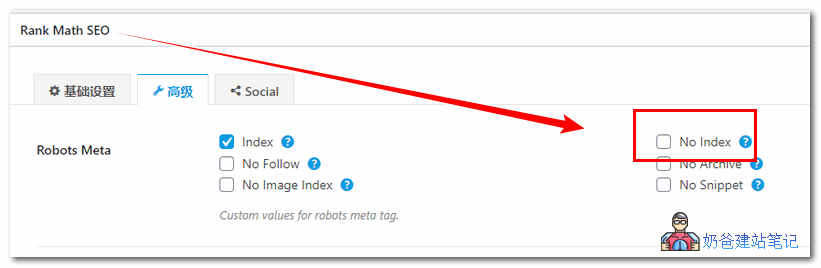
If you are using an SEO Plugin, you can set the noindex tag when publishing a Post.
References:
- https://webmasters.googleblog.com/2019/09/evolving-nofollow-new-ways-to-identify.html
- https://www.seozac.com/seo-tips/nofollow-as-hint/
- https://support.google.com/webmasters/answer/96569?hl=zh-Hans