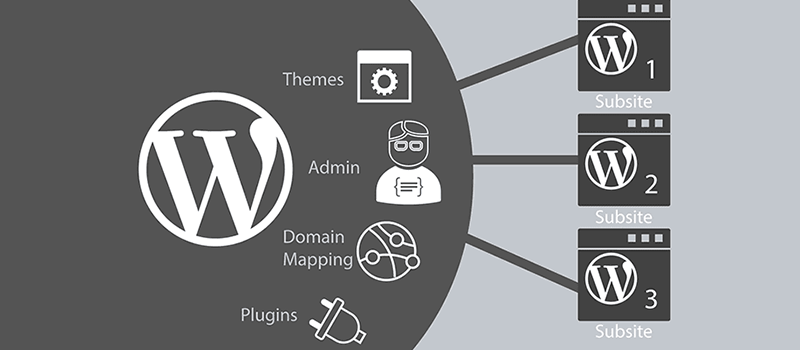
WordPress Multisite, Naiba has heard about it many times, recently researchingNaiba's Theme DEMOWhen building this site, I used the multisite feature, so here I record and share the specific steps and methods for setting up WordPress multisite.
If you encounter something not covered in this article, refer tothe official documentation.。
Introduction to WordPress Multisite
Normally, to set up a WordPress site, the standard steps are: add virtual host, bind domain, upload installation package, create database, install WordPress.
With WordPress Multisite (subdirectory mode), you only need to: enable multisite mode, add new site.
For subdomain mode multisite, there should be an additional domain binding step. It is also faster than the conventional installation method, suitable for those who need to create multiple sites at once.
These multisites share the main site's database, theme files, and plugin files. Any resources available on the main site can be directly used by subsites, eliminating the hassle of repeatedly installing themes and plugins.
Also, user data across multisites is shared. Upgrading only requires upgrading the main site, and other subsites will automatically upgrade.
WordPress Multisite Setup Tutorial
This article was completed based on WordPress 5.2.
First, add this line of code to the WordPress site configuration file wp-config.php for the site where you want to enable multisite.
define('WP_ALLOW_MULTISITE', true);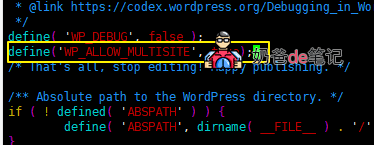
Add the code to the line above /* That’s all, stop editing! Happy blogging. */.
Then refresh the site backend, and you will see a Network Setup option, as shown below.
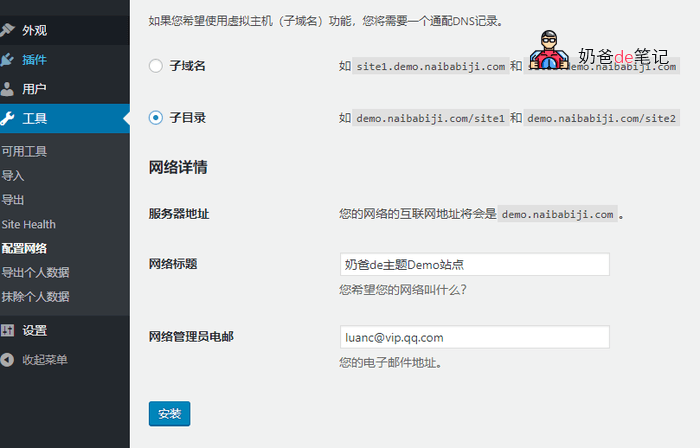
You can choose between subdomains and subdirectories, select according to your needs.
Subdomain means one website corresponds to one domain. Naiba hasn't tested the subdomain form. Also, if you want to bind other domains, you canrefer to this tutorial。
Subdirectory means creating a folder under the current domain, for example, Naiba's Theme DEMO uses one subdirectory to demo one theme.
After installation, copy the following code and add it to the wp-config.php configuration file. Add it to the line below the previously added code.
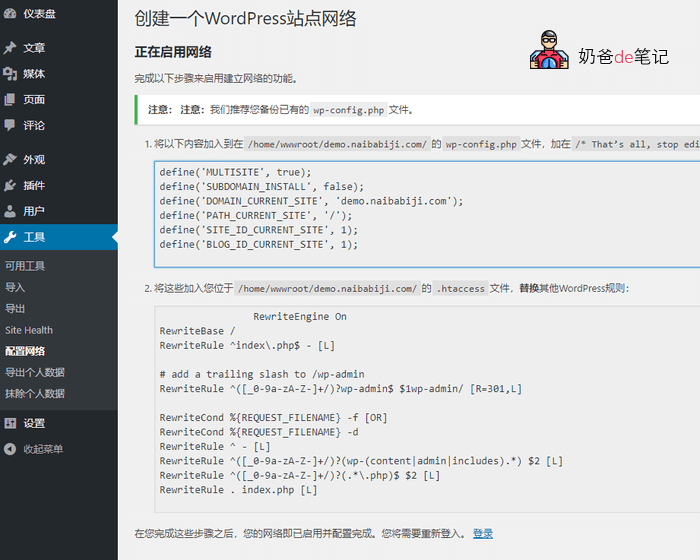
Refresh the WordPress admin dashboard again, and the Sites option will appear.
WordPressThe pseudo-static rules for Nginx for multisite are not provided here; only Apache rules are given. Naiba will share the Nginx pseudo-static rules later.
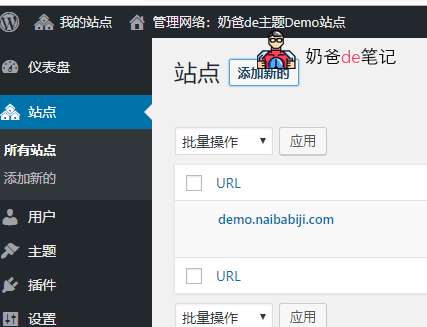
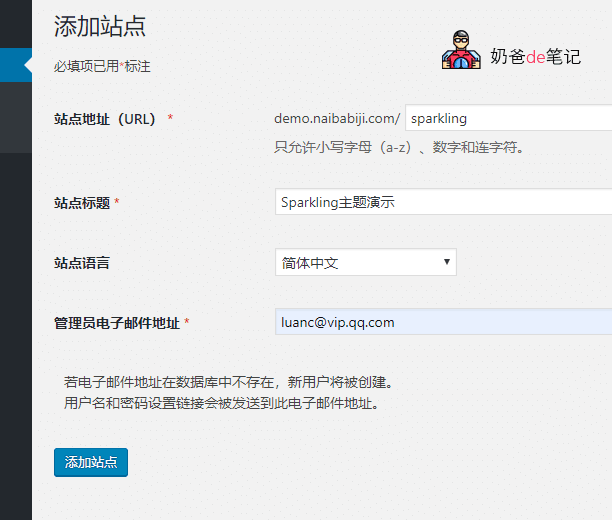
To add a new site, fill in the corresponding information and add it. If you have plugins enabled, you need to manually deactivate all plugins first.
WordPress Multisite Nginx Pseudo-Static Rules
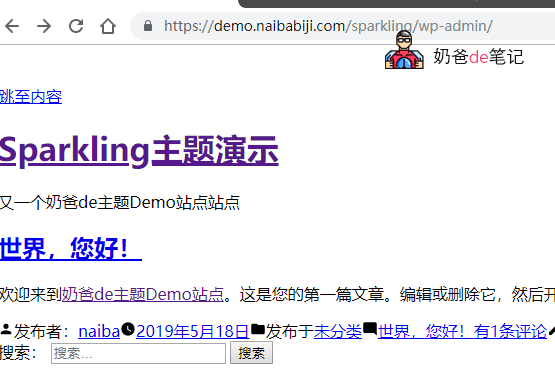
After adding, when we visit the newly added subsite, we will find the webpage layout is misaligned. This is because the pseudo-static rules haven't been added yet. We just need to add the pseudo-static rules.
Currently, the WordPress Multisite Nginx pseudo-static rule Naiba uses is the following one.
# wordpress固定链接设置
  try_files $uri $uri/ /index.php?$args;

  # 管理面板添加斜杠
  rewrite /wp-admin$ $scheme://$host$uri/ permanent;

  # 传递上传文件给 wp-includes/ms-files.php
  rewrite /files/$ /index.php last;

  # 重写多站点 '.../wp-.*' and '.../*.php'.
  if (!-e $request_filename) {
    rewrite ^/[_0-9a-zA-Z-]+(/wp-.*) $1 last;
    rewrite ^/[_0-9a-zA-Z-]+.*(/wp-admin/.*\.php)$ $1 last;
    rewrite ^/[_0-9a-zA-Z-]+(/.*\.php)$ $1 last;
  }
Another rule
#ignored: “-” thing used or unknown variable in regex/rew
rewrite ^/([_0-9a-zA-Z-]+/)?wp-admin$ /$1wp-admin/ permanent;
if (-f $request_filename){
set $rule_2 1;
}
if (-d $request_filename){
set $rule_2 1;
}
if ($rule_2 = "1"){
#ignored: “-” thing used or unknown variable in regex/rew
}
rewrite ^/([_0-9a-zA-Z-]+/)?(wp-(content|admin|includes).*) /$2 last;
rewrite ^/([_0-9a-zA-Z-]+/)?(.*.php)$ /$2 last;
rewrite /. /index.php last;