
Usually, when we build a website ourselves, we choose open-source programs, and the most popular open-source program for websites should be WordPress.
WordPress runs on PHP. According to statistics, most sites are still using PHP 5.* versions, and before the publication of this article, the latest PHP version is PHP 7.3.
Does PHP 7.3 help improve website performance? How to upgrade the PHP version? Let's take a look.
Testing Environment
WordPress version 5.1
Server:Linode2 cores, 4GB RAM, 48GB SSD
PHP versions: 5.6, 7.0, 7.1, 7.2, and 7.3
Concurrent users: 15
Duration: 60 seconds
OPCache memory: 128MB
Twenty Nineteen default theme
Benchmark Test Results
 From the figure above, you can see the number of requests processed per second by different PHP versions. It is clear that the difference between PHP 7 and above and PHP 5.6 is very significant.
The best is PHP 7.3, so if your server can choose or upgrade to PHP 7.3, upgrading is a good choice.
How to Upgrade PHP Version
Method to Upgrade PHP using Baota Panel
In the software store of the Baota Panel, select PHP 7.3 and install it.
After installation, go to the website settings and select PHP version 7.3. (The previously installed PHP version can be deleted or retained.)
Method to Upgrade PHP using LNMP One-click Installation Package
After logging into SSH, navigate to the lnmp folder of your current version, then execute: .\/upgrade_php.sh
Go to http:\/\/www.php.net\/downloads.php to get the version number, enter the version number (e.g., 7.3.7), press Enter, then press Enter again to confirm and start the upgrade.
Method to Upgrade PHP on Shared Hosting
This method may not be supported by your virtual host.
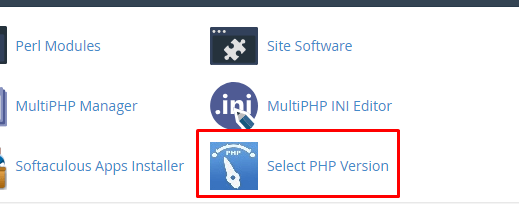
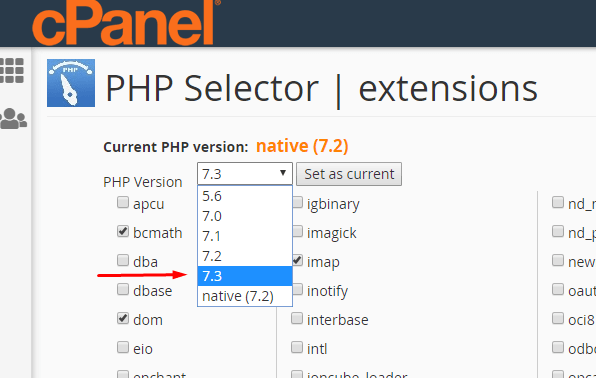
If you are using cPanel, you can find a Select PHP Version option, then enter and select 7.3.
If your Shared Hosting uses the Directadmin panel, look for the PHP version switch icon. Then, select the corresponding PHP version.
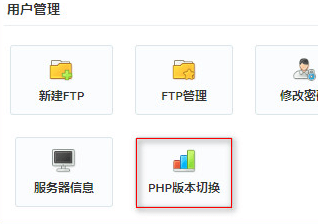
Note: In some Directadmin panels, the PHP version selection might be located within the site settings.