Friends involved in foreign trade have definitely heard of the Dropshipping model. Today, Naiba will introducehow to use WordPress and AliDropship to build a dropshipping sales website yourself. Low-cost operation, let's start learning now.
Terminology Explanation
What is Dropshipping?
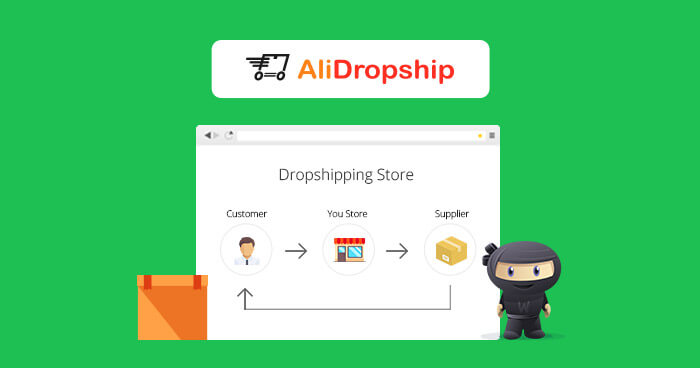
FromBaidu BaikeExplanation: Drop shipping, a foreign trade term, is a method in supply chain management. Retailers do not need to stock products, but pass customer orders and shipping details to suppliers, who ship the goods directly to the end customer. Retailers earn the difference between wholesale and retail prices.
If you are working with Alibaba, you should have quite a few inquiries about one-piece dropshipping, and the trend is increasing. Because the startup difficulty of one-piece dropshipping is really low, many people use Shopify to do it. In fact, WordPress can also do it, with lower cost and higher flexibility.
What is WordPress?
WordPress is an open-source content management system. The website you see, Naibabiji, uses WordPress. Many foreign enterprise websites and e-commerce websites are also built with WordPress.
WordPress is the most suitableForeign Trade Website Buildingprogram to use. Over 39% of websites worldwide are powered by WordPress. With WordPress, you can create almost any type of website. For foreign trade website building, using WordPress for B2B websites yields much better results than platforms like Shopify or WIX. Using WordPress for B2C online sales e-commerce websites is also possible, although it's a bit more complex to get started with than Shopify. However, the advantage is that you set your own rules and don't have to worry about store closures.
Related Articles:
- Shopify vs WordPress: Which is Better for an E-commerce Platform?
- Can WordPress be used for an e-commerce website? What are its advantages over Shopify?
What is AliDropship?
AliDropship is one of the most famous Drop Shipping plugins for WordPress. In one of Naiba's groups, I saw some foreign trade people discussing this plugin as early as April, and some were even using pirated AliDropship to conduct business. So, this plugin is a project validated by peers, with high feasibility.
AliDropship can automatically handle all sales-related content during dropshipping, such as automatically fetching products to your website database, automatically modifying prices, automatically placing orders on AliExpress, and automatically obtaining logistics information. Basically, you only need to build a website and then promote it.
The key point is that AliDropship is cheap, with a one-time payment, and the normal price is only $89.
AliDropship Versions and Pricing
AliDropship is divided into three types: Plugin, Custom Store, and Premium Dropshipping Store.
AliDropship Plugin
The AliDropship plugin is divided into two types: the pure AliDropship plugin and the WooCommerce plugin. The two plugins are sold as a bundle for $89, lifetime.
- AliDropship plugin for WordPress (only requires installing WP and the Alidropship plugin)
- AliDropship plugin for WooCommerce (requires installing WP + WooCommerce + Alidropship plugin)
Click to purchase AliDropship plugin (Promo code: GETPLUGIN25)
You can useGETPLUGIN25Get a 25% discount.
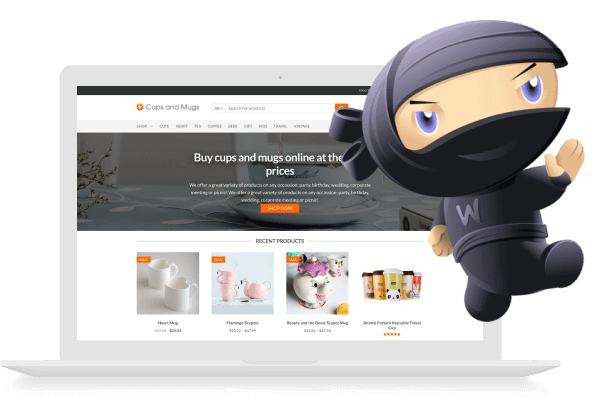
How to choose between the AliDropship plugin and the AliDropship WooCommerce plugin?
First, both plugins are based on WordPress websites. If you don't have a WordPress website yet, please refer toWordPress Tutorialsarticle to build a WordPress website.
AliDropship plugin for WordPress is simply a WordPress plugin that allows you to implement online dropshipping products without needing to install WooCommerce separately.
AliDropship plugin for WooCommerce is for those who are familiar with WooCommerce or have already installed the WooCommerce e-commerce plugin, helping you add dropshipping functionality to WooCommerce.
Another difference is that if you install the AliDropship plugin for WordPress, your site theme can only be one of the specific themes supported by AliDropship, whereas if you install the AliDropship plugin for WooCommerce, you can choose any theme that supports WooCommerce.
To make it easy to understand, without making it too complicated,in this article, Naiba will use AliDropship plugin for WordPress as an example to introduce how to build a Dropshipping website.
AliDropship Custom Store (Recommended)
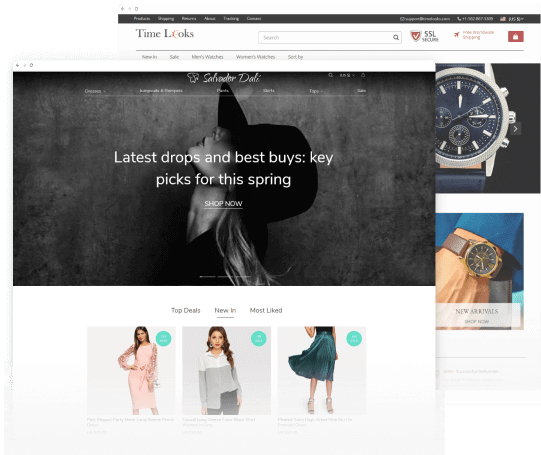
AliDropship Custom Store is a package that Naiba recommends more for beginners. Simply put, it's a money-saving hassle package. The minimum package is $299. If you don't have a server, you can choose their server for $48/year.
That is, you can directly spend 299 (Custom Store) + 48 (server) = $347 to buy a ready-built AliDropship website.
AliDropship official staff will contact you, understand the products you operate, help you select 50 high-quality products to upload to the site, and then tell you the website account password. It's like moving into a furnished apartment; you can open the door and start business.
The cost of AliDropship Custom Store is only about 1000 yuan more than building a site yourself with the plugin version. For beginners or those whose time is valuable, it's really a good choice.
Click to purchase AliDropship Custom Store (Promo code GETSTORE15)
You can useGETSTORE15Get a 15% discount.
Premium Dropshipping Store
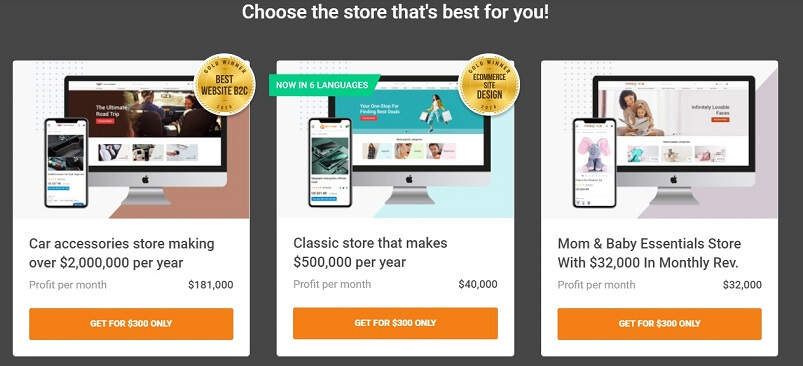
This Premium Dropshipping Store package is more suitable for wealthy bosses.
AliDropship officially provides 9 websites that are already online and have a fixed monthly income. You can spend money to buy a website exactly like one of them. Except for the website logo, name, contact information, and payment method, everything else is identical to the website you choose.
However, although these websites look good, it also means that users who purchase this package have the same product selection as you, increasing competition. Naiba recommends choosing a custom store, then selecting your own products and having them upload some, while you continue to update later. This offers better value for money.
Buy Premium Dropshipping Store Now
AliDropship Tutorial
AliDropship Custom Store Tutorial
AliDropship Custom Store is the package Naiba suggests for those who cannot build a website themselves. It saves time and costs less than 2500 yuan. The value for money is really high. If you follow the tutorial to build and familiarize yourself, most people would take at least a week, and the result may not be as good as the official website.
First, click the button below to go to the purchase link.
Click to purchase AliDropship Custom Store (Promo code GETSTORE15)
You can useGETSTORE15Get a 15% discount.
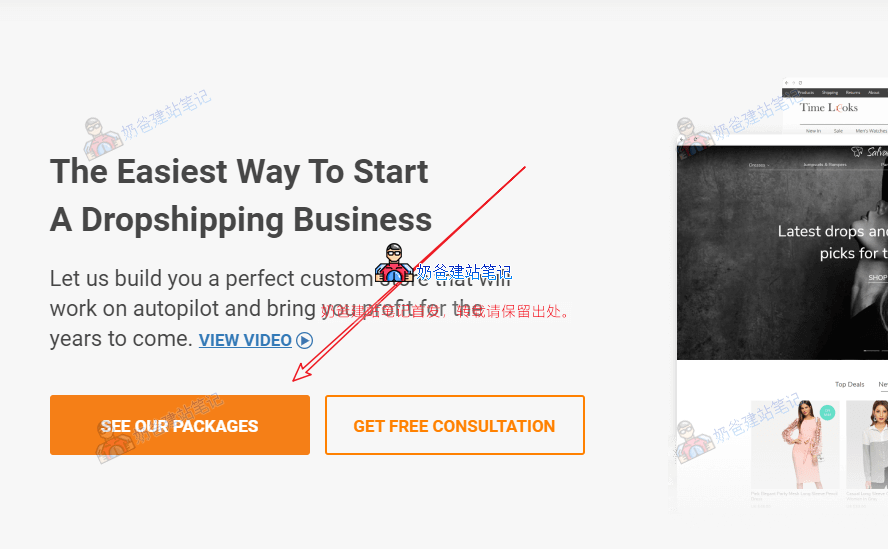
Click the View Packages button.
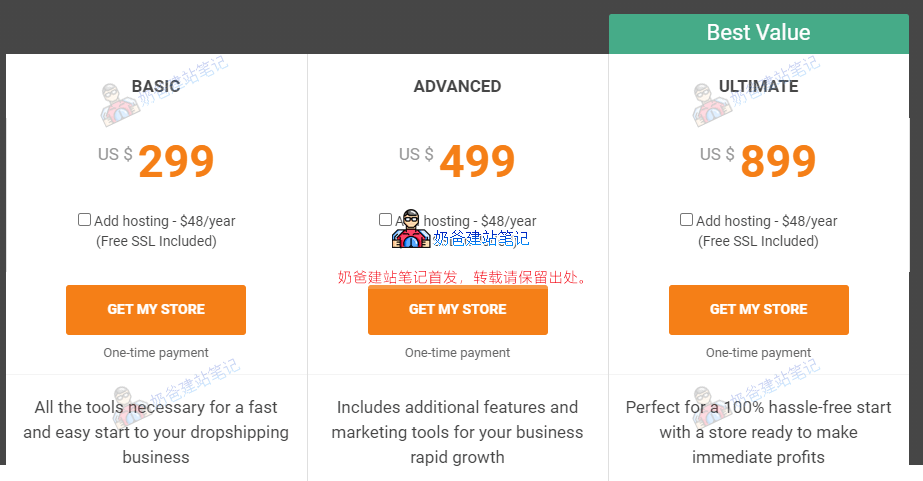
As you can see, there are three default packages: $299, $499, and $899.
If you haven't purchased a server, you can also add a $48 server (Add hosting – $48/year). If you already have a server, you can provide the server management website, account, and password to their customer service.
The biggest difference among these three service packages is the number of products imported into your store by default. The BASIC package only has 50, but you can import more later, so it's not a big problem.
Then there are SEO and social platforms. Although Naiba hasn't purchased this package, considering that the underlying code is still WordPress, these can be done later by yourself without extra cost.
So,directly purchase the $299 BASIC package.
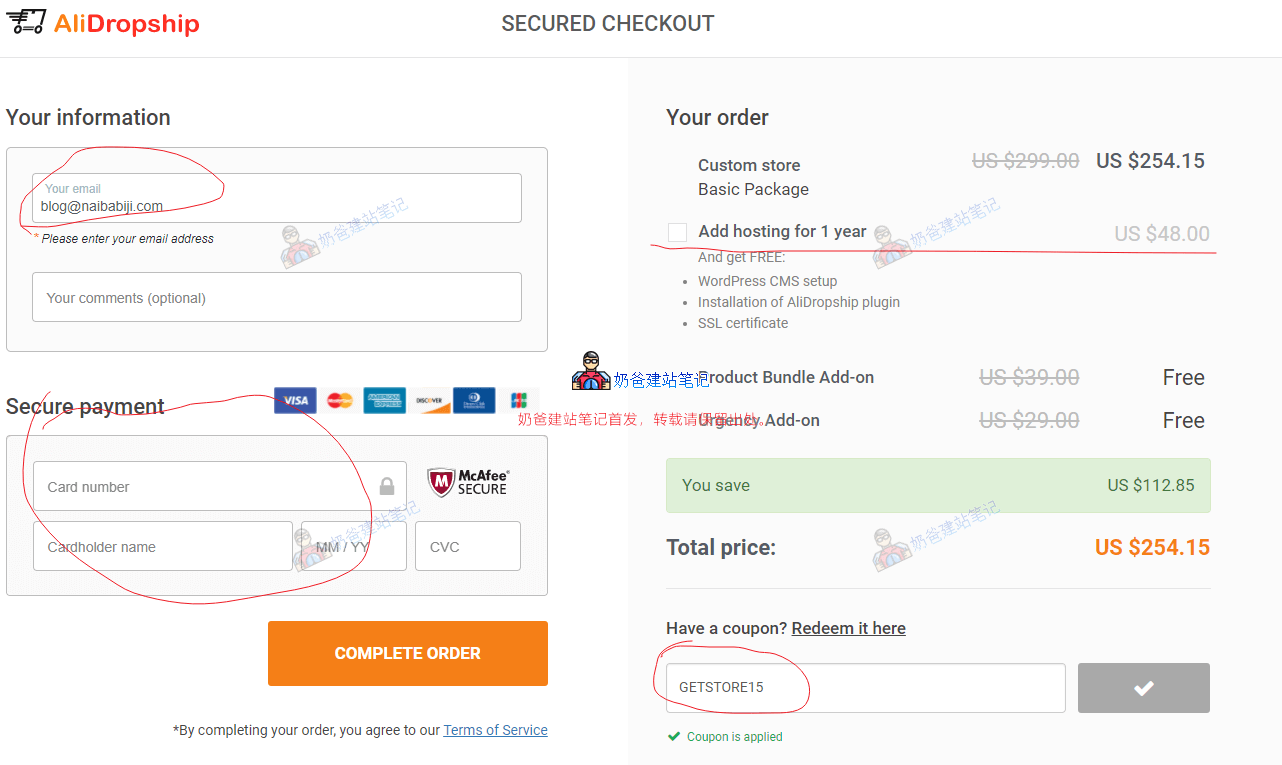
Enter your email, fill in your credit card, then choose whether to purchase hosting, enterGETSTORE15, and then make the payment.
After successful payment, an email will be sent to you with instructions on how to contact customer service, providing your domain, server, product selection, etc.
From placing the order to finally handing over the website to you, it takes 12-15 working days. During this time, you can think about how to promote the site after it's built and do some preliminary preparation.
AliDropship Plugin Tutorial
Purchase Plugin
The AliDropship plugin is cheaper and suitable for those who have already purchased hosting and a domain, have some understanding of WordPress, or whose self-learning ability is not too weak.
Click to purchase AliDropship plugin (Promo code: GETPLUGIN25)
You can useGETPLUGIN25Get a 25% discount.
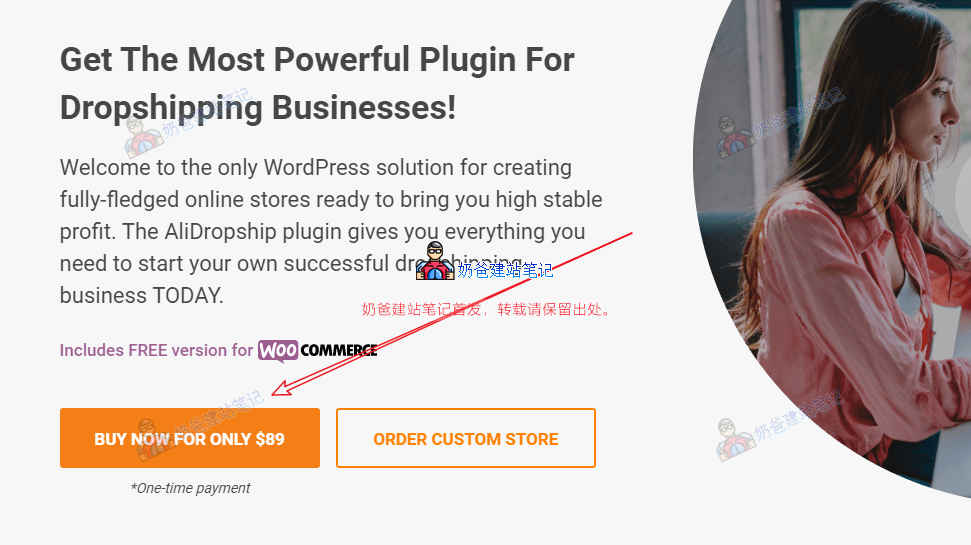
Click the BUY NOW FOR ONLY $89 button to go to the purchase page.
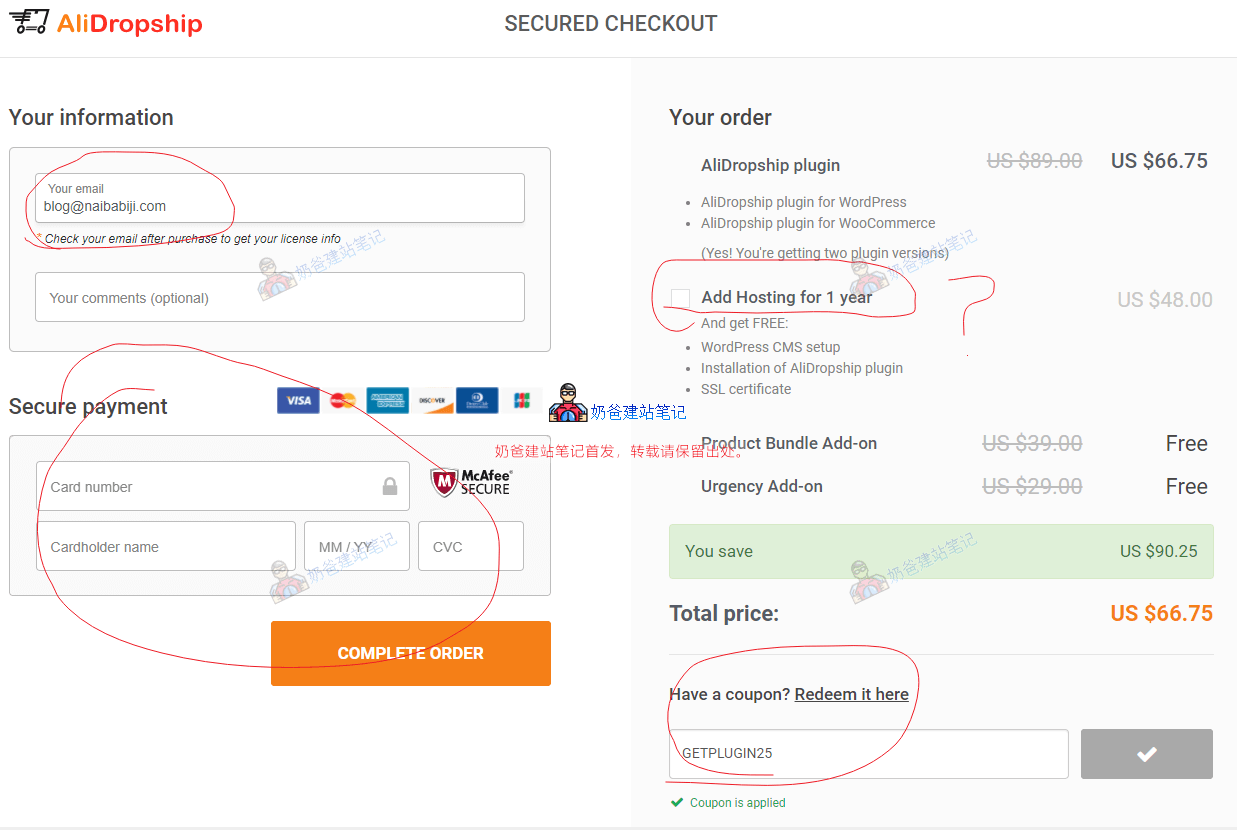
Enter email, credit card, fill in the promo codeGETPLUGIN25and then checkout.
Regarding the server, you can consider based on your situation. If you already have a server, you don't need to purchase one. If you don't have a server, you can buy one along with it. $48 per year is a reasonable price.
If you want to buy a server from another provider, that's also perfectly fine. For example,SiteGround、GreenGeeks、Hostinger, orVPS.
In addition to a server, you also need a domain. If you don't have a domain, you can go toNameSiloto purchase one.
Download Plugin and Theme
After payment is completed, you will receive plugin information from AliDropship in your email.
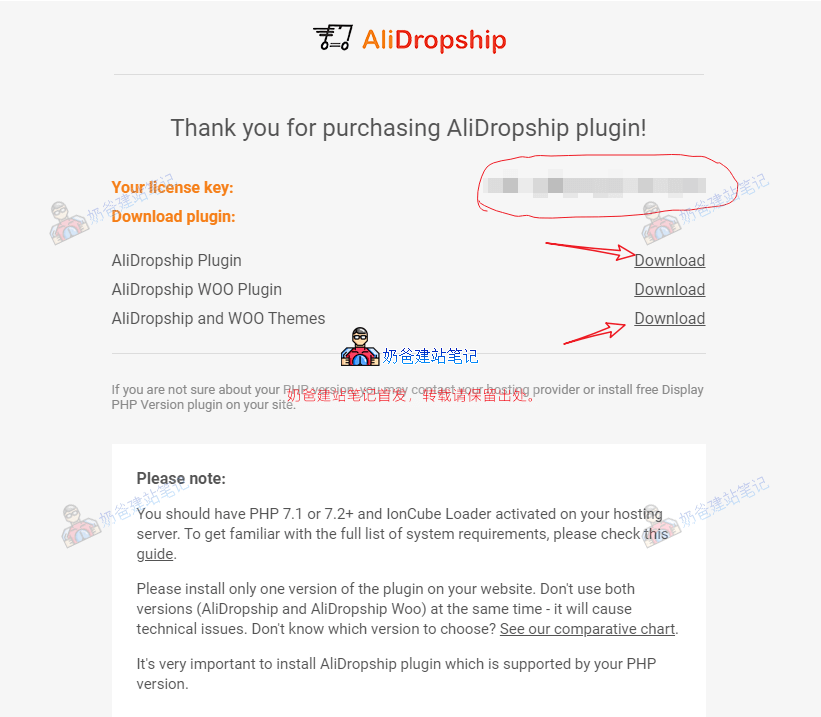
Save the key yourself, then download the AliDropship Plugin to your local machine. The AliDropship WOO Plugin is for websites that have WooCommerce installed. Since we are starting from scratch, it is recommended to install the version without WooCommerce, which is simpler and has better performance. (If you want more customization features, install the WooCommerce version.)
Then go toAliDropship and WOO Themesto download a free theme template. (You can also purchase a paid one if you wish.)
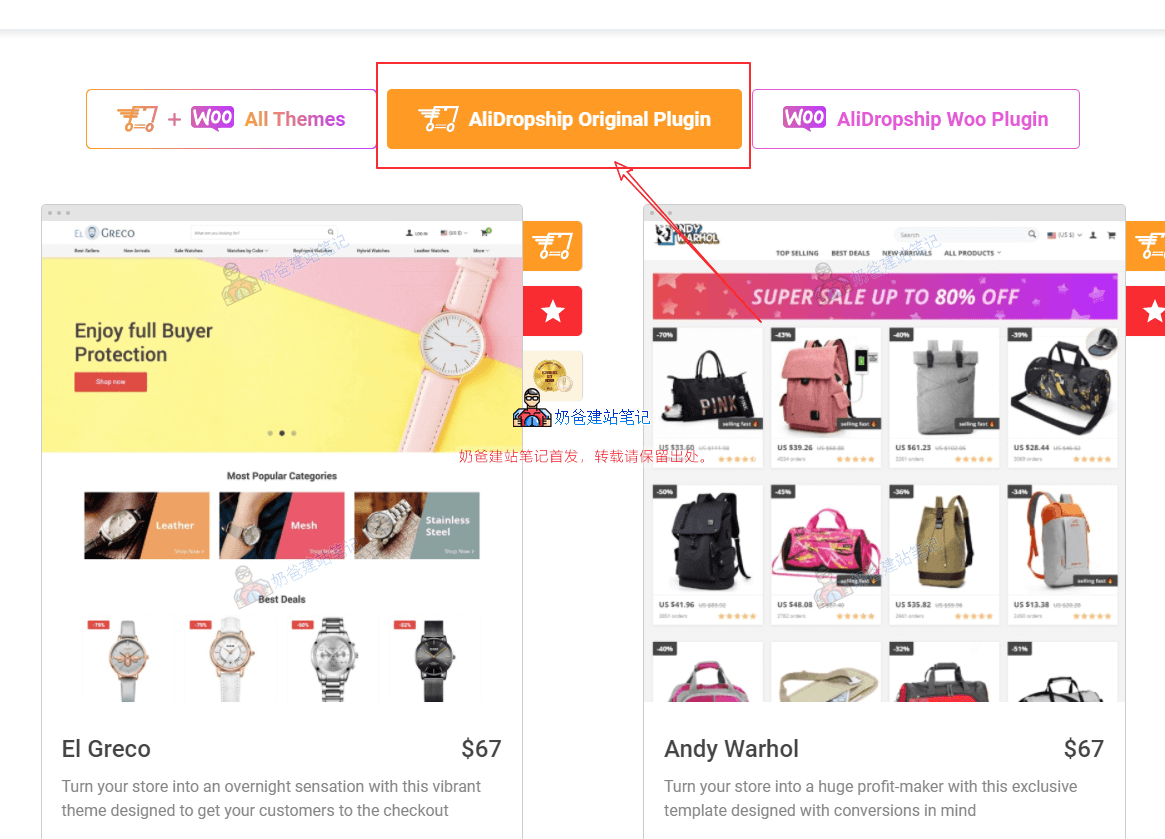
Since we are planning to use the AliDropship Plugin, the theme must be selected from under AliDropship Original Plugin; otherwise, it won't work.
Install Theme and Plugin
Access the Admin Dashboard of your WordPress website. If you don't have a WordPress site yet, refer toWordPress Tutorialsto install one.
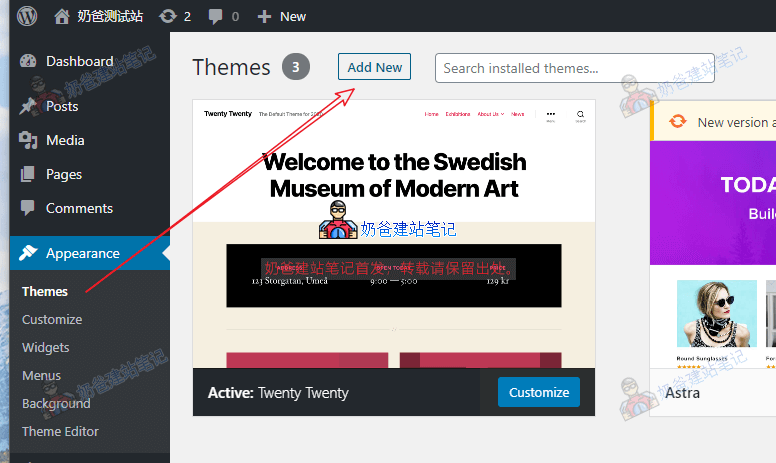
Select Appearance – Themes – Add New from the admin menu
Then upload the theme file we downloaded earlier to install.
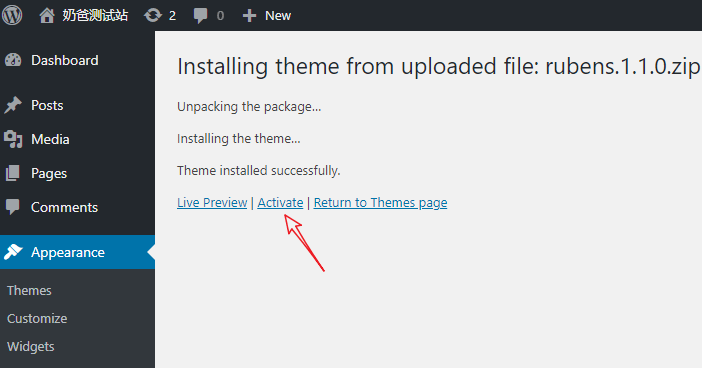
Activate the Theme after installation.
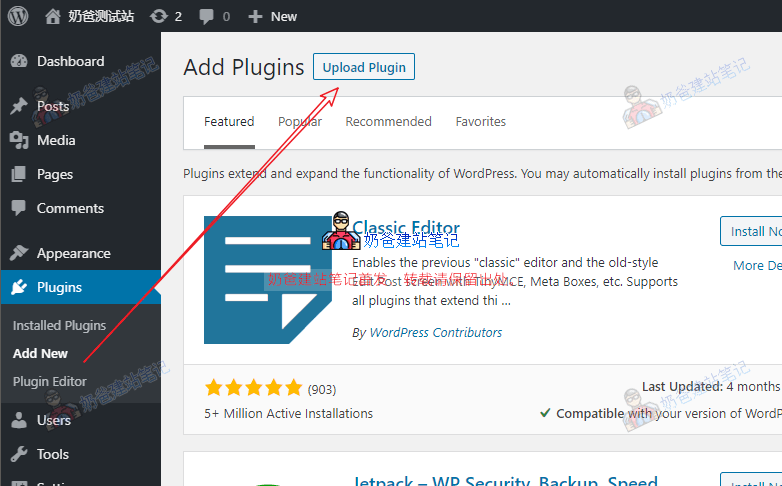
Then click on Plugins – Add New in the menu, and upload the AliDropship Plugin file we downloaded.
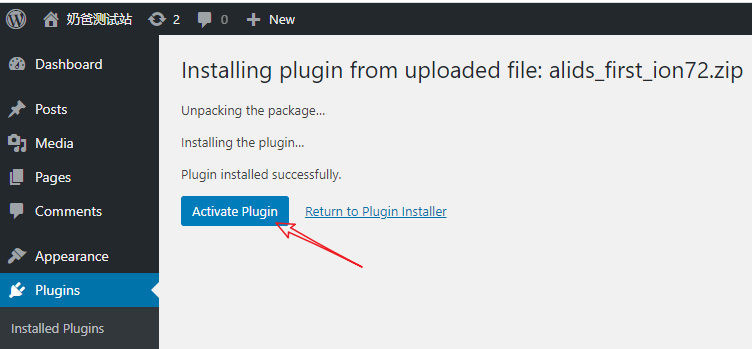
After installation, activate the plugin.
If after activating the plugin you see the prompt "AliDropship plugin alert: Error! ionCube Loader Loader not found. Alidropship plugin can’t be activated. Please check instructions."
This means your server does not have the ionCube component installed. If you are using shared hosting, please contact your hosting provider. If you have your own VPS, you can install it yourself.
If your VPS usesBaota Panelfor the installed environment, you can go to the App Store, find the settings for your installed PHP version, and then select to install extensions.
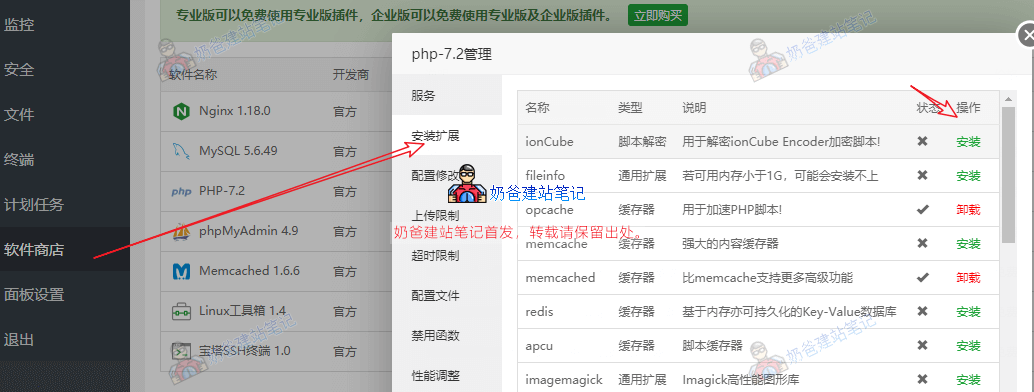
Just install ionCube.
After installation, refresh the WordPress plugins page again, and the error should disappear.
AliDropship Plugin Settings
Before configuring the AliDropship Plugin, we need to activate the plugin license first.
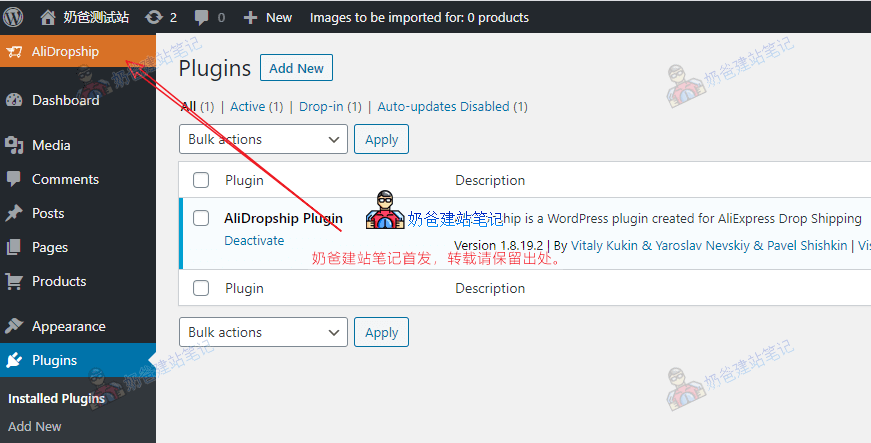
You can see the AliDropship Plugin settings menu in the top-left corner.
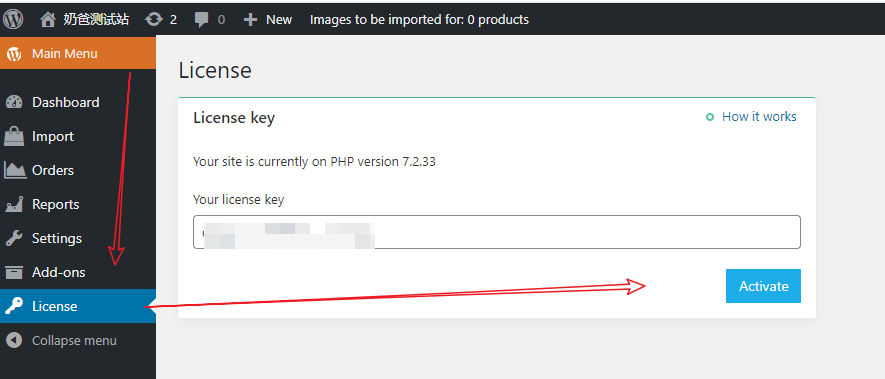
Go to the License menu and enter your activation code to activate.
After activation, go to the Settings menu and open each setting page to check and modify as needed.
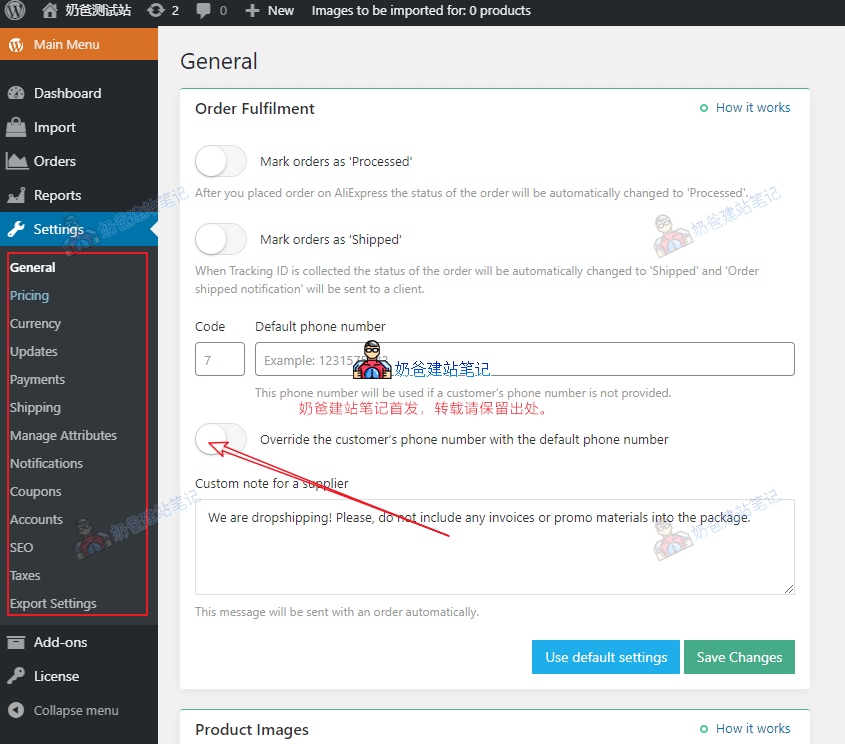
The main areas that need configuration here are:
- Pricing: Set store product prices; you can set formulas to automatically set prices at 2x, 3x, or a custom multiple of the AliExpress product price.
- Payments: Payment methods. If you're unsure how to set up payment methods, there is a 'How it works' help link in the top-right corner of the settings; check it.
- Shipping: Shipping countries and methods.
Finally, don't forget to set up product Categories for your products.
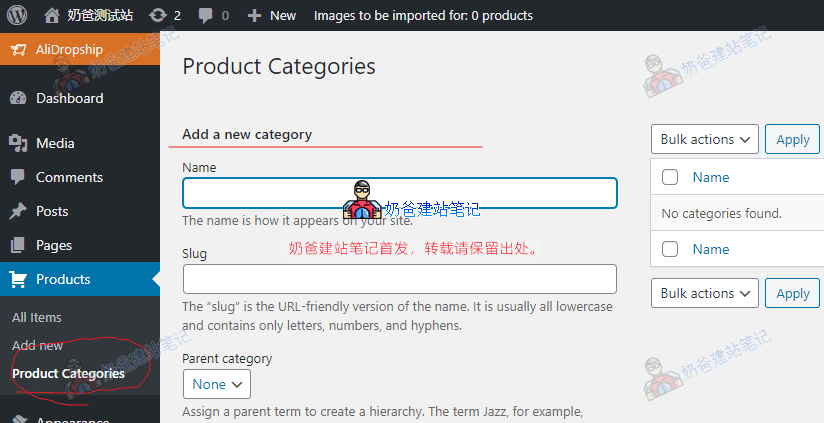
Import AliExpress Products
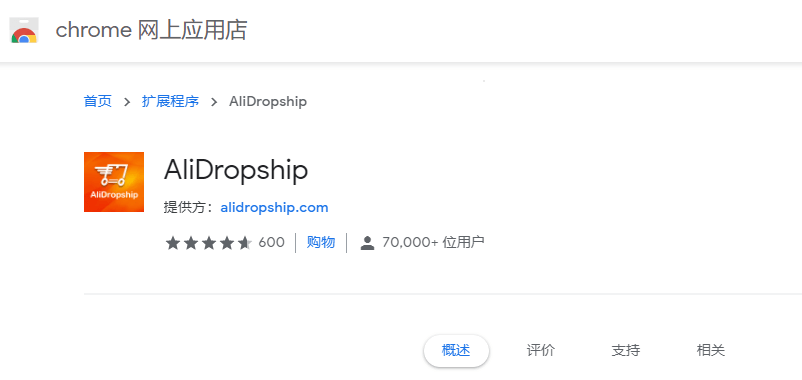
After the plugin is set up, you can start importing products. To import products, we need to use the AliDropship Chrome extension.
Open Chrome browser, then clickhttps://chrome.google.com/webstore/detail/alidropship/jlnhdnbbikjkdejminhdpmejldiapdgnto install the extension.
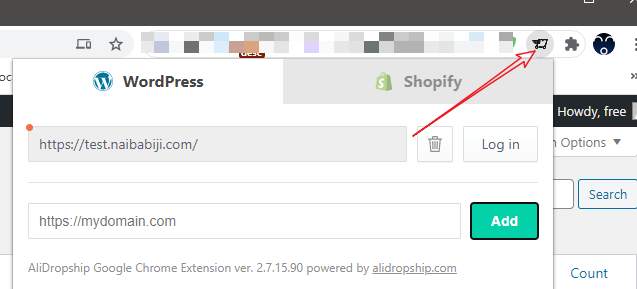
After installation, click the extension icon in the top-right corner and add your website URL.
After adding the URL, click 'Log in' next to it for authorization, and the following image will appear.
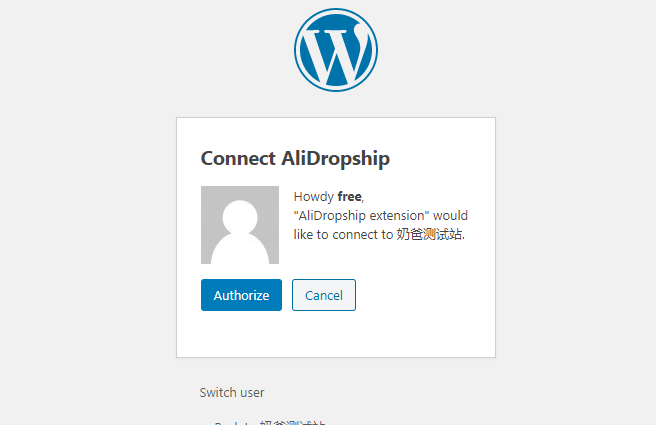
Click Authorize to authorize.
Then go toAliExpress website, search for the product you want to sell, select a suitable supplier, and click the AliDropship icon on the product image, as shown below:
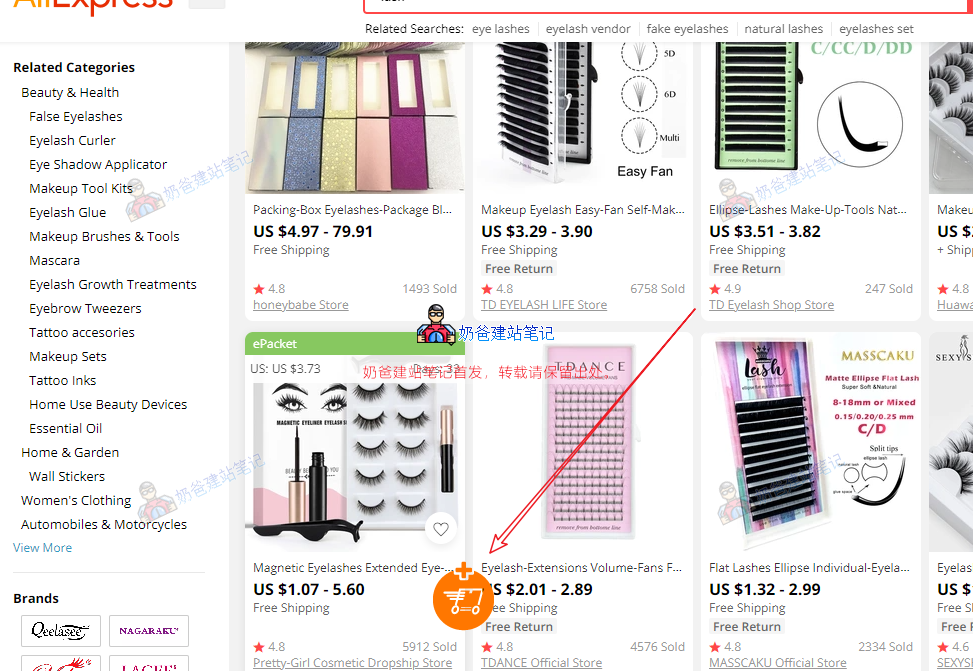
When the plus sign on the icon turns into a checkmark, it means the import is complete. Go to the WordPress Admin Dashboard.
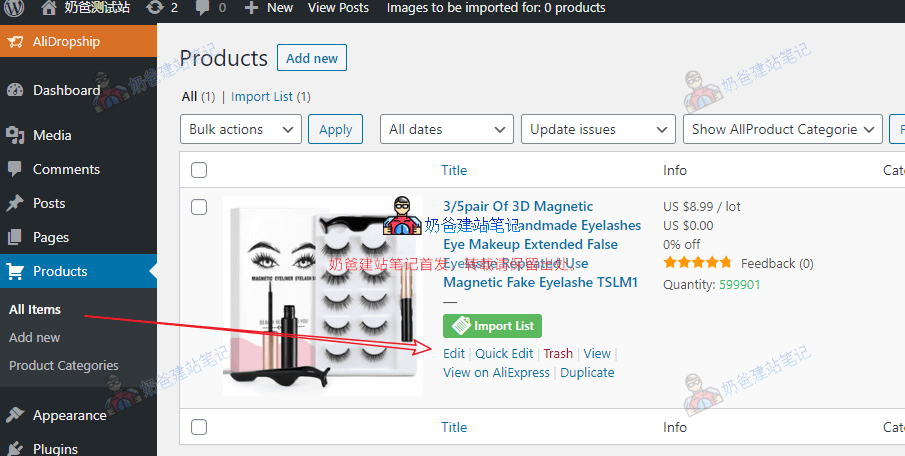
Go to Products, All Items, where you can see the product just imported. Click 'Edit' to edit it.
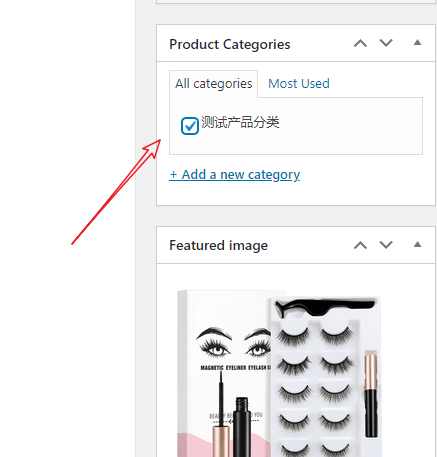
Select the product category on the right.
If you are not satisfied with the Featured image, you can replace it with another one.
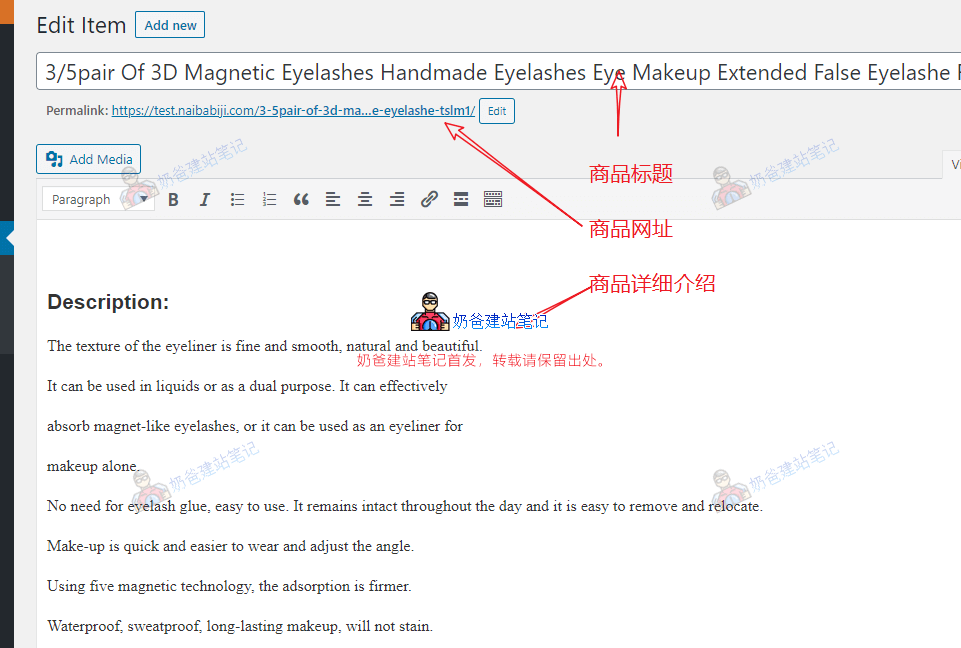
You can edit the product title, URL, and details again.
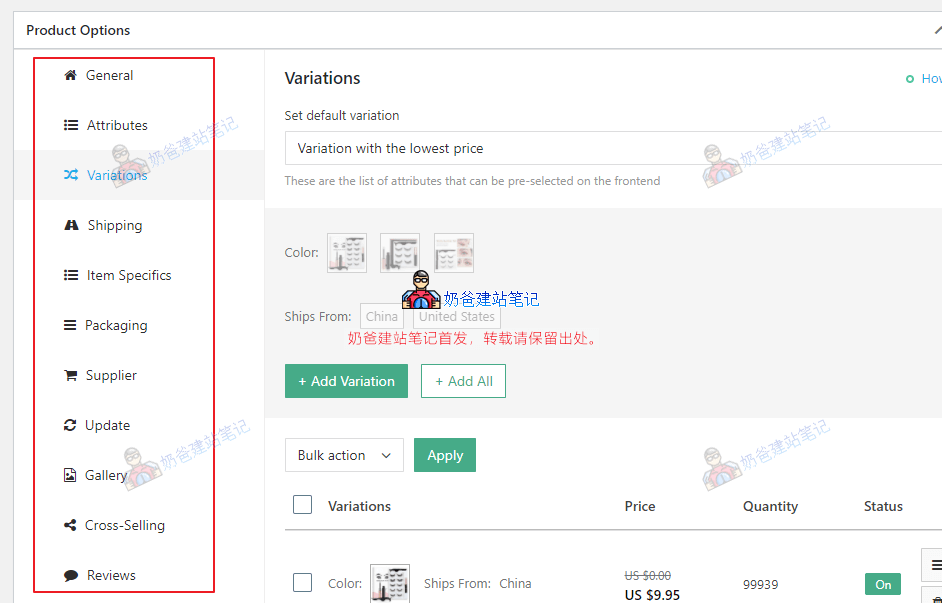
The Product Options at the bottom are also pre-configured. If you are not satisfied, you can set them yourself.
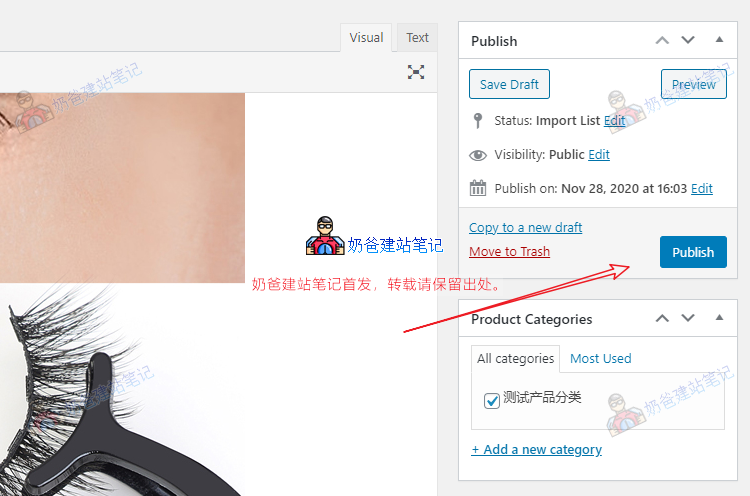
After making all modifications, click the Publish button.
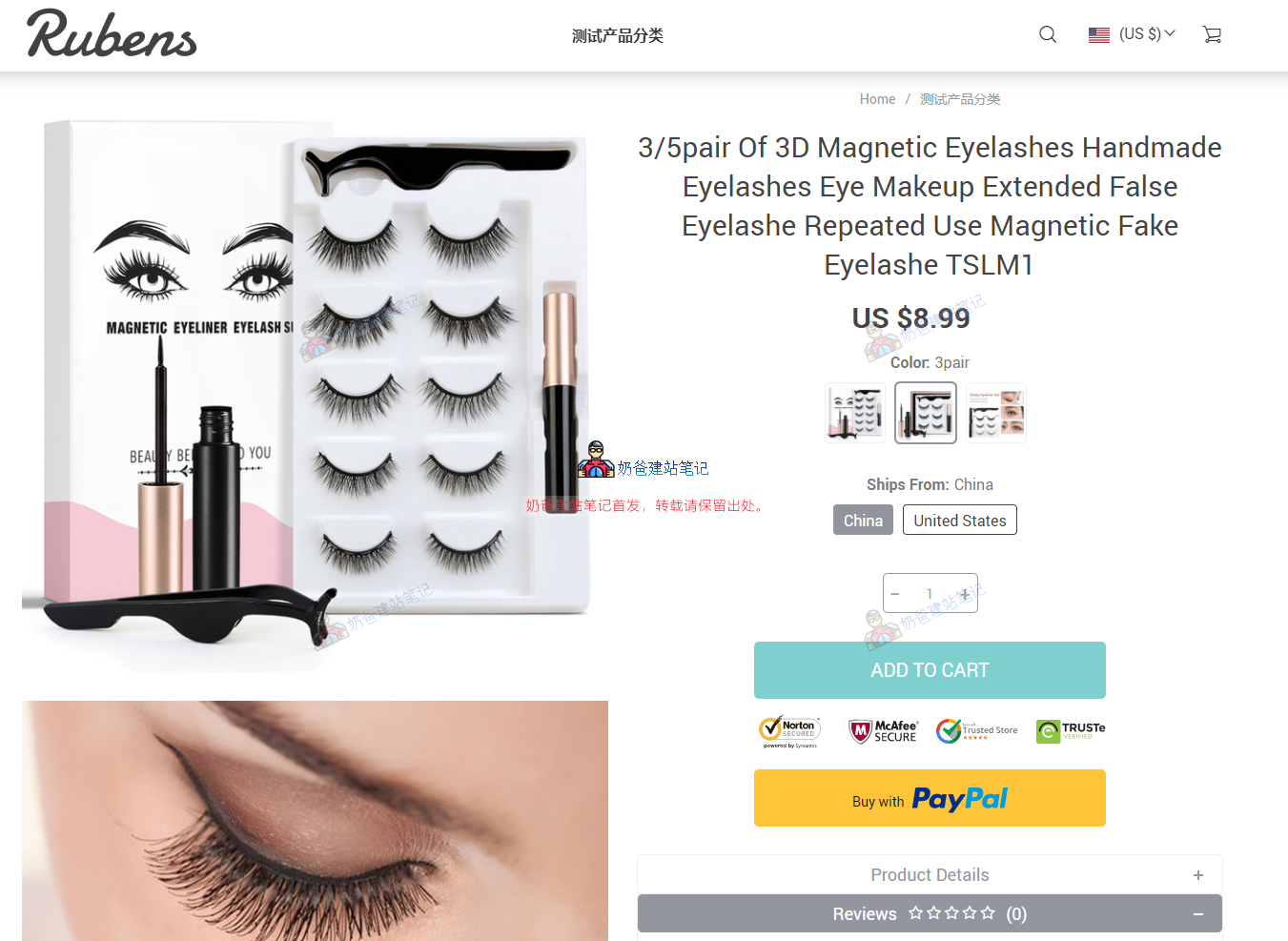
Click the product URL to view the product's frontend page, as shown in the figure below:
Click the Buy button and go through the entire process yourself to check for any errors.
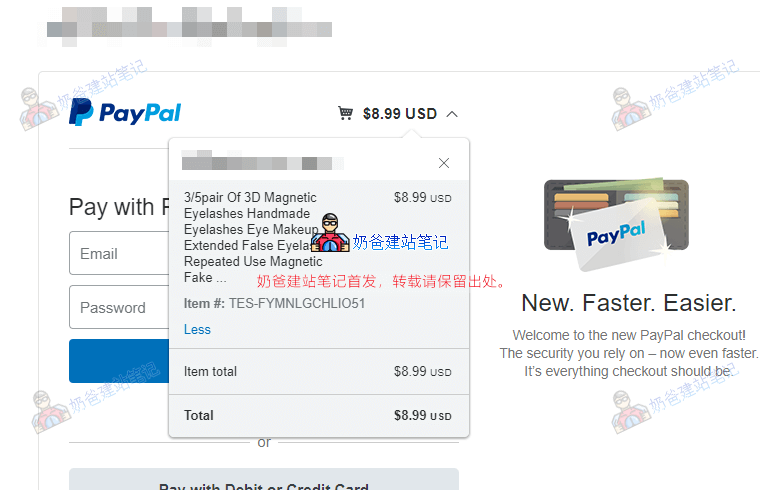
After payment, AliDropship will automatically place the order on AliExpress for you. The shipping address will be the address your customer filled in on your site. Then the AliExpress seller will ship to the customer's address, and the tracking information will be synced to your site.
That's it. The entire Dropshipping process is now set up.
Product Import Method 2
If you find manually importing with the plugin too troublesome, you can also batch import directly from the AliDropship backend. The method is as follows:
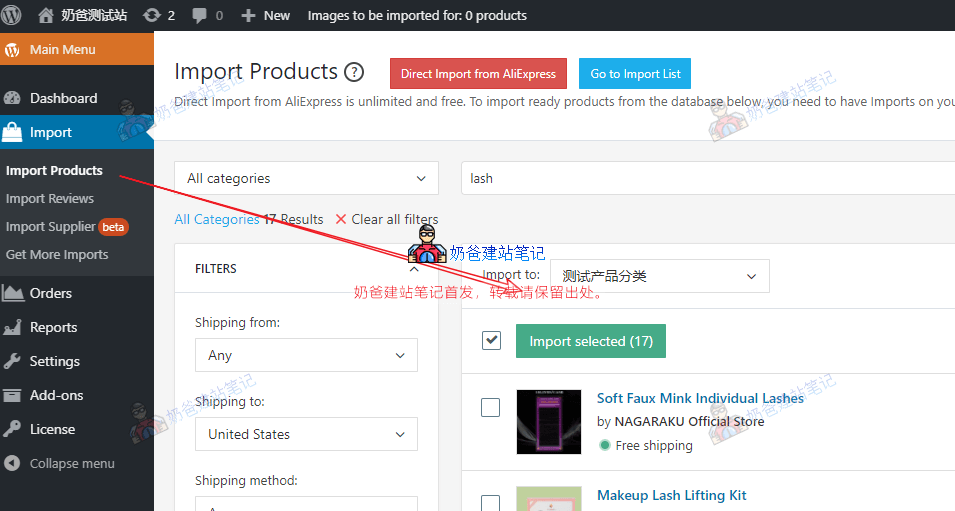
In the Import Products interface, you can search for products from the official AliDropship product library and then select batch import.
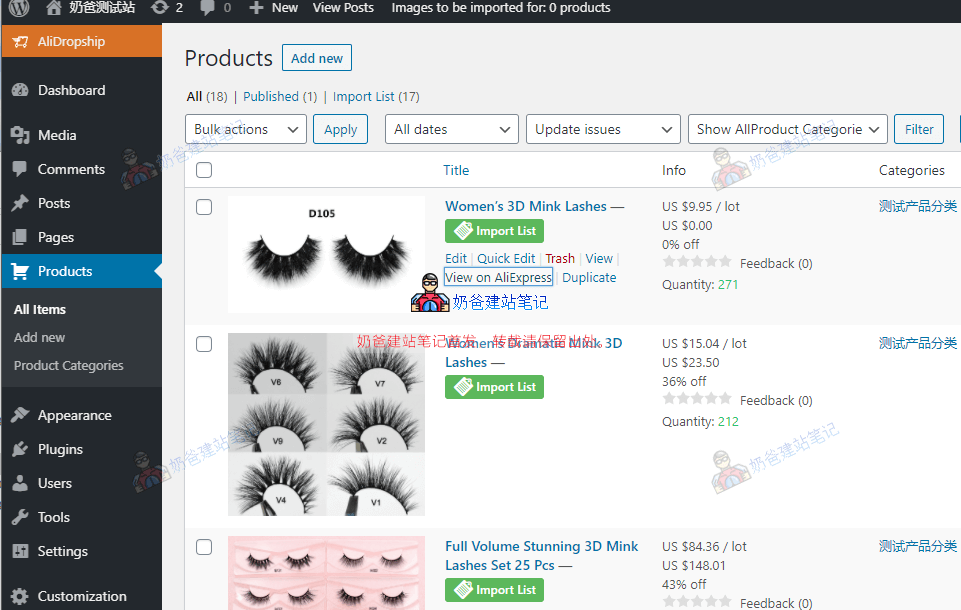
After importing, similarly, go to the product list, edit, and then publish.
Import Product Reviews
A bare product description page looks a bit monotonous. Adding Reviews improves appearance and aids conversion. Go to the AliDropship menu, find Import, select Import Reviews, and proceed with the import.
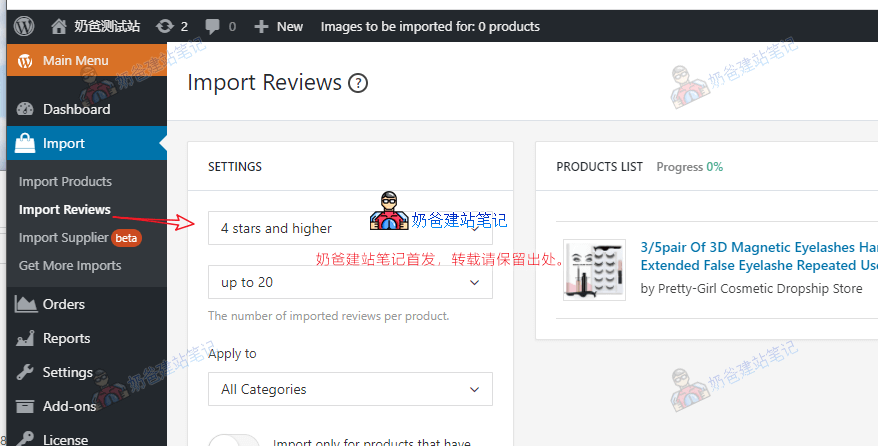
After importing, you can see the effect on the website frontend.
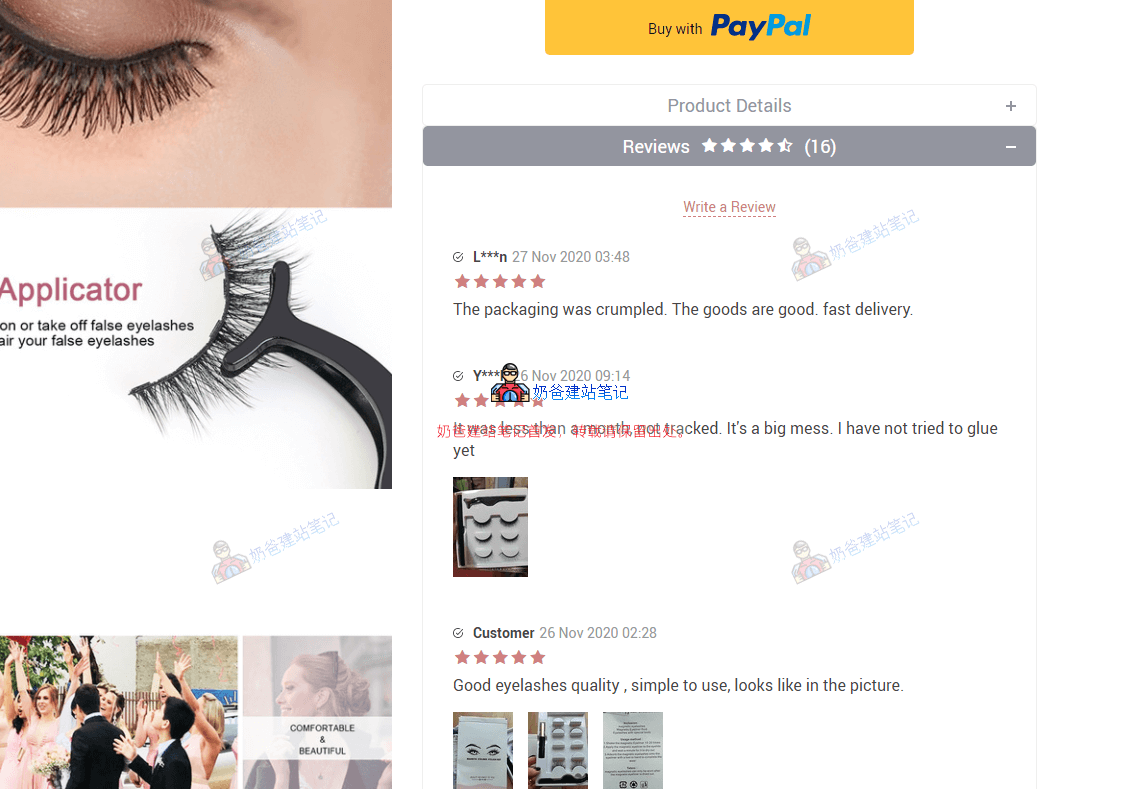
If you find some content in these reviews unsuitable for display, you can also edit the reviews yourself in the product editing interface.
Modify Website LOGO
After installing the theme earlier, we haven't made any custom modifications to it, so the default website LOGO is still the one that comes with the theme. We can modify it using the following method.
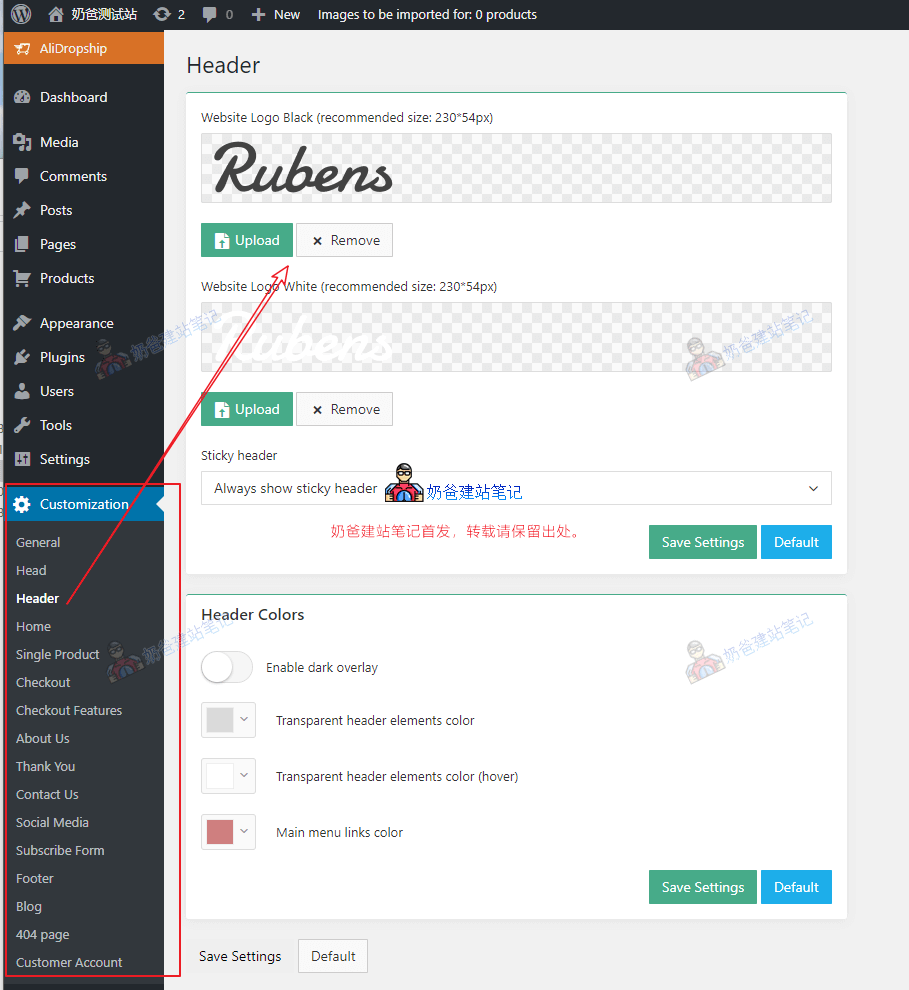
In the WordPress admin, under the Customization menu, find Header to see where to modify the logo.
Other settings can also be adjusted as needed, but we won't go into detail here.
Modify Navigation Menu
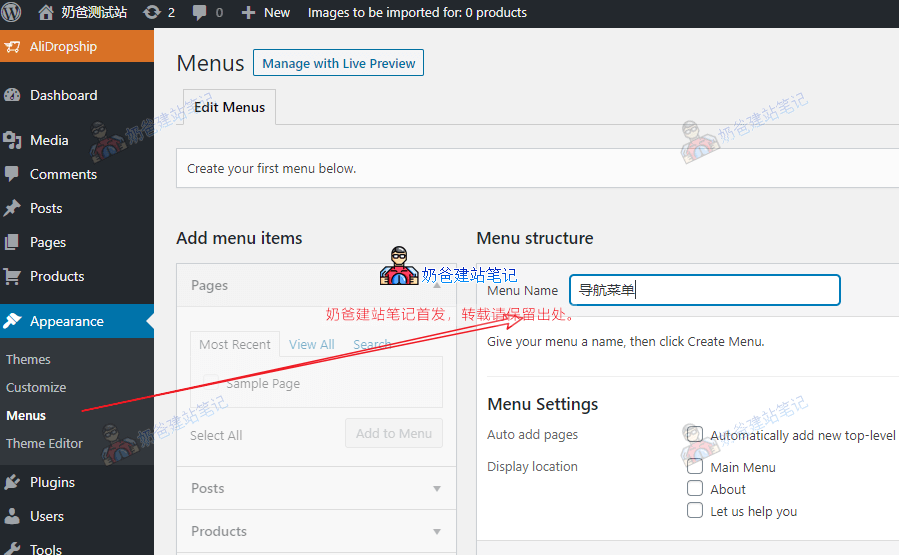
In the WordPress backend menu, select Appearance, then choose Menus to create a new menu.
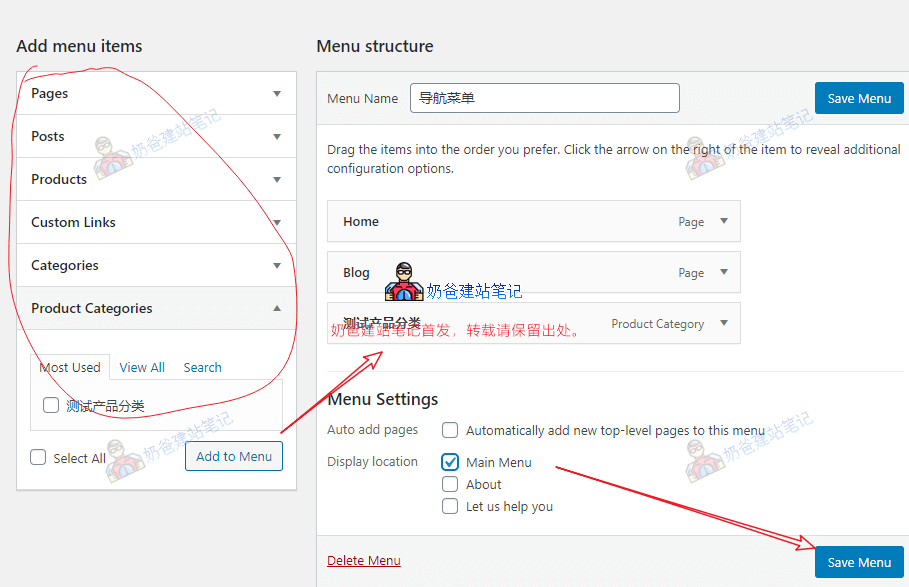
Then, add menu content according to your website's needs, check the Display location as Main Menu, and save the menu.
Add Pages Like About Us
E-commerce websites typically include pages such as About Us, Refunds & Returns Policy, Payment Methods, Shipping & Delivery, Terms & Conditions, Privacy Policy, etc. We need to create these ourselves. The method is as follows:
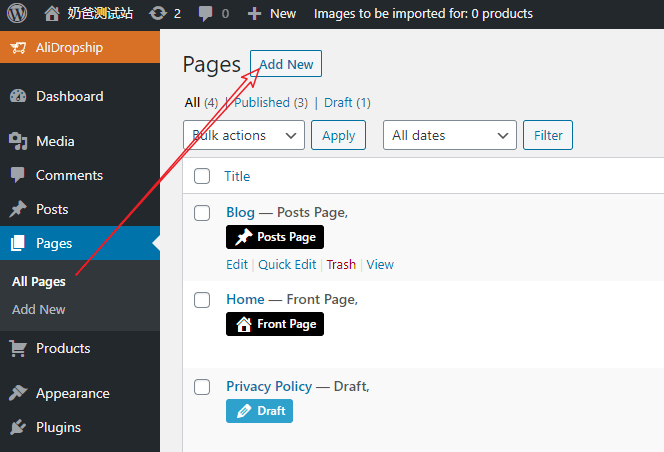
In the WordPress admin menu, select Pages, then Add New to add a page.
These pages usually don't require special design; just format them like Word documents.
After creating the page, remember to add it to the website navigation menu or footer menu.
Add Blog Posts
If you want to do it yourselfSEO, then blog posts are an essential part.
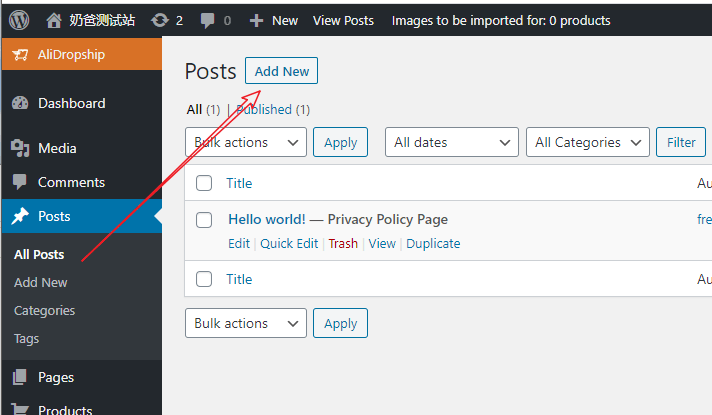
In the WP admin, select Posts, then click Add New.
Categories are for classifying posts; you can plan them yourself.
AliDropship FAQ
Q: Should I choose the WordPress version or the WooCommerce version of AliDropship?
Answer: The AliDropship plugin for WordPress is the version installed directly on WordPress, while the AliDropship plugin for WooCommerce requires installing WordPress and then WooCommerce to use.
The standalone WordPress version is simpler and more straightforward, but you can only use AliDropship-specific themes; the WooCommerce version offers higher customizability and allows any theme, but it requires more system resources and is more complex. Beginners are advised to install the WordPress version directly.
Q: How many products can I import to my website using AliDropship?
A: If you use the original AliDropship plugin without WooCommerce, you can add up to 10,000 products to your site. If using the WooCommerce version of AliDropship, it is recommended not to exceed 500 products, as it may slow down the website.
Q: Can I add my own products?
A: You can add your own products; it's not necessary to only scrape products from AliExpress for sale.
Q: How many websites can one serial number be used for?
A: After purchasing the AliDropship plugin, you will receive your own personal license key, which is valid for one website/domain. Subdomains are considered separate domains. If you decide to create another online store in the future and use the plugin on another domain, we can deactivate the license in the current store and activate it for free on another store.
Article Summary
Through thisAliDropship TutorialIt can be seen that using WordPress with AliDropship for dropshipping is very simple. You only need to focus on product selection and promotion, and AliDropship will handle the subsequent sales and shipping processes.
AliDropship plugin $89, server $60 per year, domain $8, total $89+$60+$8=$157, ×7=1099 RMB.
With just over 1000 RMB in startup capital, you can start your own foreign trade dropshipping business. What other project has lower startup capital and investment risk?
Action speaks louder than words. Take advantage of Black Friday to buy a plugin as a backup (one-time payment, lifetime use).
Click to purchase AliDropship plugin (Promo code: GETPLUGIN25)
You can useGETPLUGIN25Get a 25% discount.
Click to purchase AliDropship Custom Store (Promo code GETSTORE15)
You can useGETSTORE15Get a 15% discount.
If you have other questions, feel free to leave a comment (yes, this article has comments enabled, just below).
Does the AliDropship Custom Store package fee of $347 include a domain?
It probably does not include a domain, I forgot. You can try placing an order yourself to see what's included.
Is there a pirated version of AliDropship? Share.
Using a pirated version of such a plugin might lead to wasted effort and more loss than gain.
Absolutely right. I have purchased it using your discount code, but after installation, the plugin is missing some features. In the Settings, pricing, payments, shipping, and some other functions are missing. I can't upload a picture here to show you. Is there something wrong with my setup?
Which version are you using, the WooCommerce plugin version or their own standalone version? The setup methods are different for different versions. Check your product editing interface to see if something wasn't filled in, or if the product import failed.
Later, the system prompted a plugin update which solved this issue. Now the problem is that the price displayed on the webpage is US$0.00, but after clicking to buy, the price is shown. Where is this setting?
The version is Version 1.8.23.7
For such issues, it's best to contact their customer service directly to help you troubleshoot, as you have after-sales service after purchasing.
After the customer pays, does AliDropship automatically place the order on AliExpress for you? How is the payment for the purchase on AliExpress made?
It's been too long to remember. You can check the official website's help section or ask their customer service. You should be able to choose to manually confirm orders or have them placed automatically.