
我building your own websiteWhen building a website, there are often two situations where you don't want others to view the website content. 1. A purely personal blog, not wanting to be viewed by others. 2. Some internal websites, not wanting unrelated people to access. 3. Special resource sites.
So if you useWordPressyou can easily achieveWordPress PluginWordPress login required to viewfunctionality through.
Below are several implementations shared by Naiba.WordPress requires registration to view.
Registered Users Only
The Registered Users Only plugin was seen on WP Jianzhan Ba. Its function is very simple: after installation and activation, all unregistered and non-logged-in users will be redirected to the login page.

If you want to allow open registration, then check the option to allow anyone to register. If you want visitors to temporarily access the website content, then check the guest mode.
Force Login
Force Login is simpler; after downloading and activating, it directly enablesThe entire site requires login to viewfunction. There is no separate settings page; enabling the plugin requires login to view, and disabling the plugin does not require login to view website content.
My Private Site
My Private Site, this plugin is more suitable for resource marketing websites because, in addition to redirecting unlogged users to the login page, it can also customize the login interface and registration interface.
In addition, the most powerful feature of My Private Site is the ability to exclude pages. You can set the homepage to be viewable without login, and also add pages that do not require login to view.
At the same time, if you enable the requirement to log in to view pages, it also supports redirecting to the page before login after logging in.
Introduction to the simple usage of My Private Site:
If Private Site is checked, login access is enabled.
Custom Login is the option for customizing the login page.
Visible Exclusions is the option for excluding pages.
Show/Hide as Needed
If you want to set methods to display specific content and hide specific content yourself, you can useWicked Block Conditions
If using code, here is the following
add_shortcode('hide','loginvisible');
function loginvisible($atts,$content=null){
if(is_user_logged_in() && !is_null($content) && !is_feed())
return $content;
return '';
}
Then in the article, wrap the hidden content with [hide] and [\/hide].
If you just want to simply hide articles from the homepage or category pages, refer to:Method to Hide Specific Posts on the WordPress Website Homepage or Category Page
Visible after entering password
If you want to implement that WordPress posts, categories, or the entire website require a password to view or access, you can refer to this article:3 WordPress Plugins That Require a Password to Access the Website_Password to View Content
Using Code to Hide Categories, Login Required to View
//template_redirect动作钩子是一定会执行的,所以用这个钩子对全站有效
add_action( 'template_redirect', 'ashuwp_show_only_login', 0 );
function ashuwp_show_only_login(){
//判断登录,about页面就允许访问
if( !is_page('about') && !is_user_logged_in() ){
auth_redirect(); //跳转到登录页面
exit();
}
}
If a category directory requires login to be visible, use the following code.
// 首页和指定分类文章可以访问
add_action( 'template_redirect', 'ashuwp_show_only_login', 0 );
function ashuwp_show_only_login(){
//判断登录,只允许访问ID为3和2的分类文章
if( !in_category( array( '3','2' ) ) && !is_home() && !is_user_logged_in() ){
auth_redirect(); //跳转到登录页面
exit();
}
}
The exclamation mark before !in_category means negation, i.e., if the category is not ID 3 or 2, and it is not the homepage, and the user is not logged in, then redirect to the login page.
Add the code to the theme's functions.php file to take effect.
Note that in_category only supports top-level categories. If there are subcategories, you need to list them all or add the following check.
if ( ! function_exists( 'post_is_in_descendant_category' ) ) {
function post_is_in_descendant_category( $cats, $_post = null ) {
foreach ( (array) $cats as $cat ) {
// get_term_children() accepts integer ID only
$descendants = get_term_children( (int) $cat, 'category' );
if ( $descendants && in_category( $descendants, $_post ) )
return true;
}
return false;
}
}
Then call it like this
<?php if ( in_category( 'fruit' ) || post_is_in_descendant_category( 'fruit' ) ) {
// These are all fruits…
}
?>Ultimate Plugin
Not satisfied with the above methods after testing them one by one? Let me recommend a solution that Naiba is currently using—a powerful conditional plugin.
[vk-content]
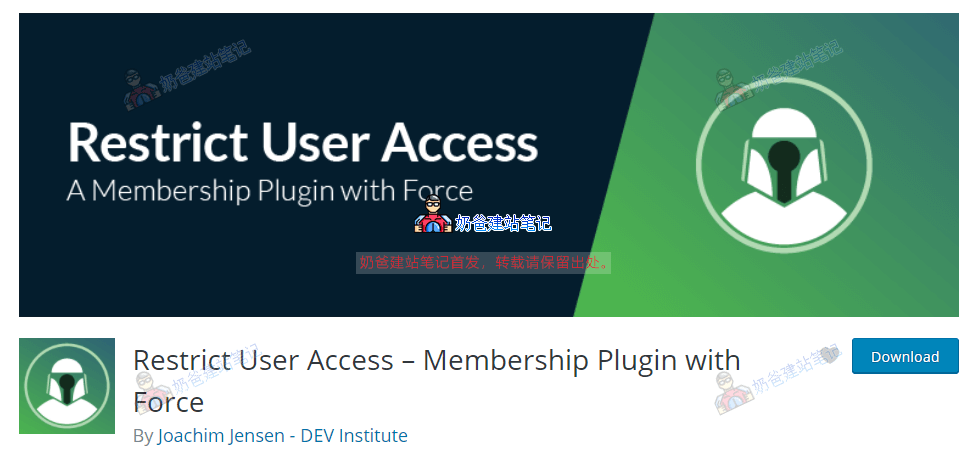
This plugin, named Restrict User Access – Membership Plugin with Force, is perfect for friends who need multiple conditional checks but don't know how to rewrite code themselves.
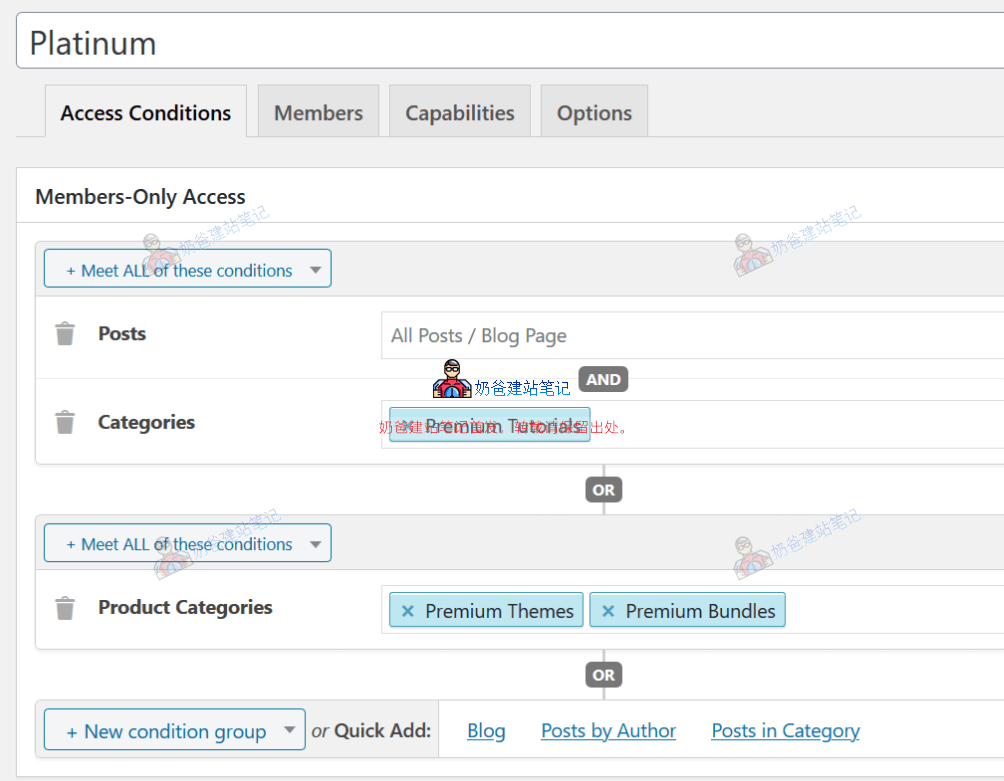
You can add multiple conditional rules, then set up user groups in Members, configure permissions in Capabilities, and save to make it effective.
[/vk-content]