
Avada is a premium paid WordPress theme, but friends planning to use Avada to build a website have a doubt in mind:How is Avada actually? Is it good to use, and what are its pros and cons?So, Naiba here provides a detailed introduction to the Avada theme.

Avada is the best-selling WordPress theme onThemeforestThe best-selling WordPress theme, with over 580,000 copies sold as of this article's publication, is one of the world's best-selling premium WordPress themes.
It is also frequently seen in tutorials for building foreign trade websites.Avada to build a websiteare often seen, but many novice friends do not understand how powerful Avada actually is. After all, with a price of several hundred yuan, they dare not easily make a purchase. So, below, Naiba will introduce the detailed situation of the Avada theme.
What does the Avada theme include?
The Avada theme is priced at $60. After purchase, you get the Avada theme license, theme files, 6 months of technical support, and theme help documentation.
Avada comes with rich help documentation (in English), where you can find many corresponding feature usage methods.
Avada Theme Resource Package
After purchasing the Avada theme, you can download the theme files, which include the Avada theme file, bundled extensions (third-party premium plugins, free to use, cannot be upgraded), and language files (Avada already has Chinese built-in).
Avada Theme Installation Method
The specific installation method has been introduced by Naiba in a previous article. You can also refer to the previous tutorial:How to Build a Website with the Avada Theme? WordPress Avada Theme Usage Tutorial
The standard installation method is to go to the WordPress backend, select Themes, then Add New, choose Upload Theme, and upload the Avada.zip and Avada-Child.zip files respectively.
Then activate Avada Child Theme, which is the Avada child theme.
The benefit of using a child theme is that your custom function file code and CSS styles will not be lost due to Avada theme updates.
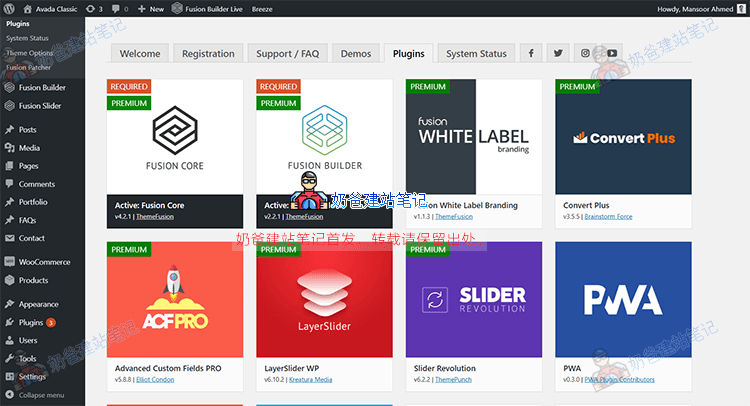
After the theme is installed, you can see the corresponding Fusion menu in the upper left corner. Enter the corresponding menu and find Plugins. Install the necessary plugins.
You can activate all plugins first, and then deactivate unused ones after the website is built.
Avada Theme Requirements
Avada has many features, so it correspondingly consumes more server resources. Therefore, it is recommended to purchase a server with better performance, such asSiteGroundorVPS。
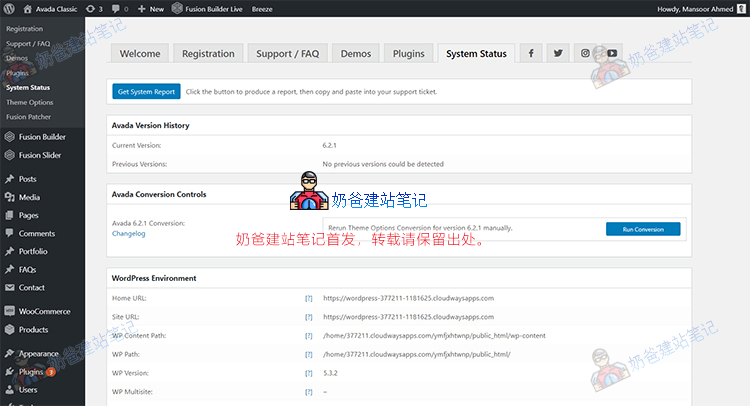
The minimum server requirements for the Avada Theme are:
- WordPress 4.6 or higher
- PHP 5.6 or higher
- MySQL 5.6 or higher
The recommended PHP limits and configurations are:
- max_execution_time 180
- memory_limit 128M
- post_max_size 32M
- upload_max_filesize 32M
Avada Theme Demo
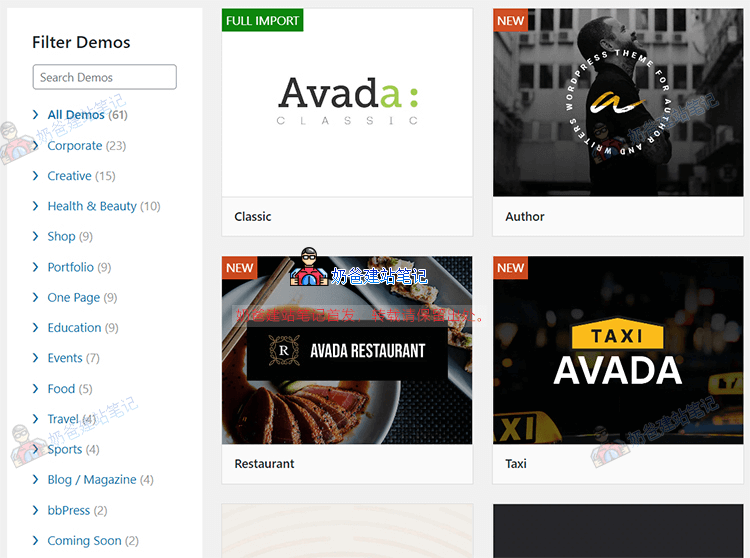
The Avada Theme includes data for over 60 demo websites. You can directly import and use them, or you can create and modify pages using the builder that comes with Avada.
Avada Theme Options
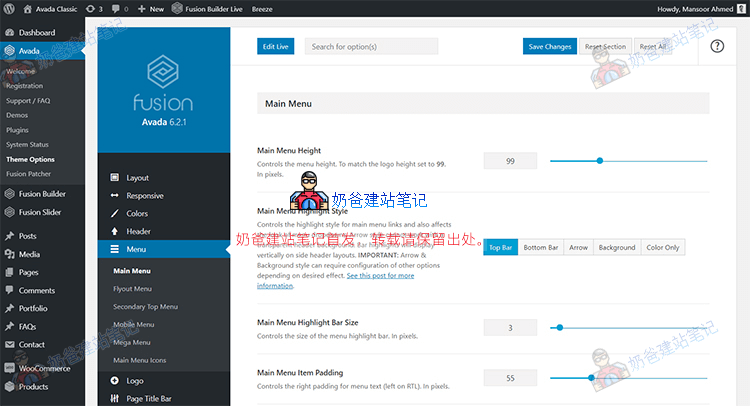
Avada theme options are very rich and integrate many features, allowing you to achieve many functions without coding. You just need to toggle switches in the theme settings.
Using these theme options, you can customize and set the appearance of the entire WordPress website. From typography and coloring to site style, you can control almost everything, but it also means there are too many options to study thoroughly in a short time.
However, each option has a brief description to help you understand what it does.
Fusion Builder
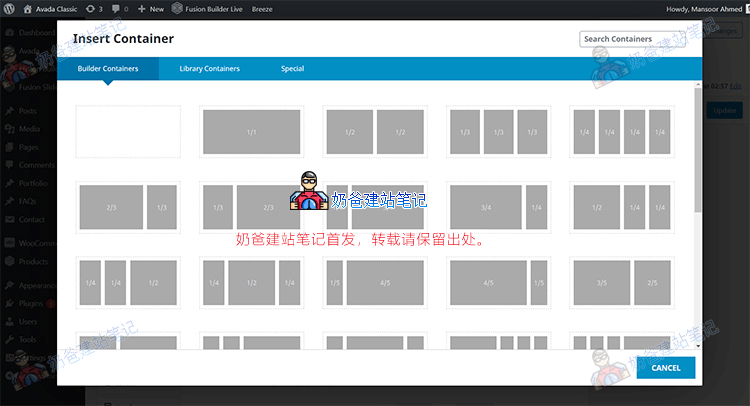
Fusion Builder is Avada's own page builder, which you can use to easily build web pages, including the design of posts or pages. You don't need to write code; just add the required modules.
Mobile Device Compatibility
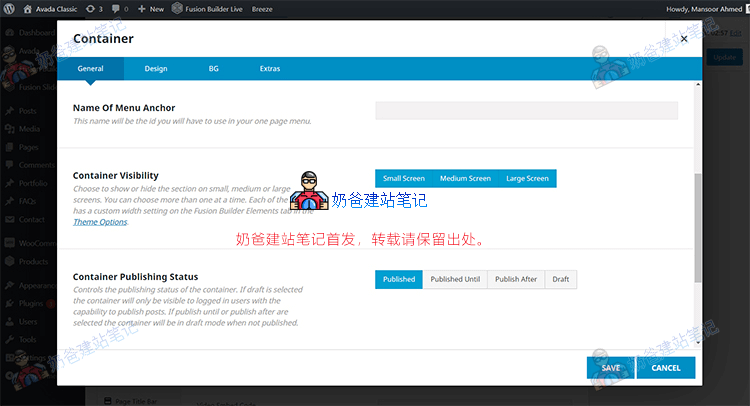
Responsive web layout is now mainstream in web design. Avada's Fusion Builder makes it easy to set display methods for different mobile devices, so you don't have to worry about your website displaying incorrectly on mobile.
Fusion Builder Library
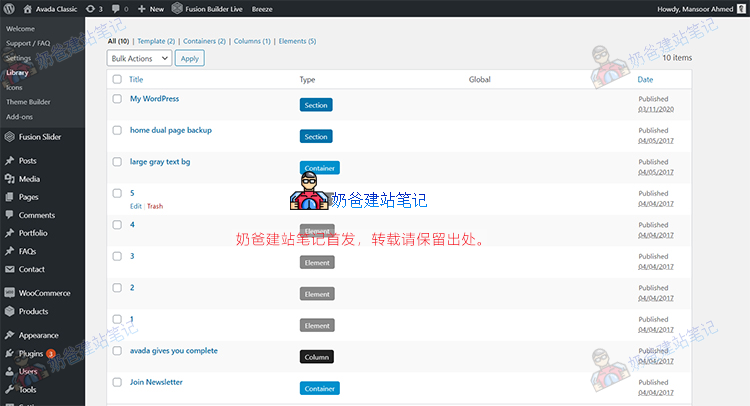
This feature is typically used more when you design web pages yourself. For example, a function you create, like a contact button, can be saved as a template and directly inserted when needed on the next page.
Performance Optimization
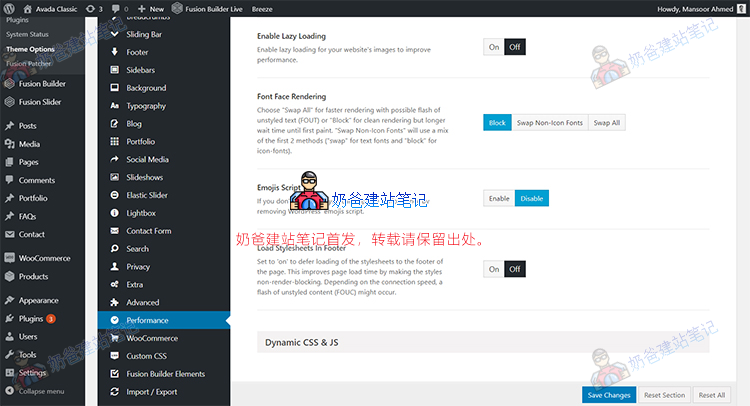
As an advanced theme, the code and files are more complex, so it will be slower than ordinary themes. Therefore, performance optimization is extremely important.
Avada's theme options include performance optimization, where you can set image sizes, CSS and JS lazy loading, font rendering, etc.
Of course, optimization here alone is not enough. It is also recommended to installWP Rocketthis caching plugin to improve website speed.
Avada Theme: Pros and Cons
After introducing some features of Avada, we come to the key content: the pros and cons of the Avada Theme.
Advantages
- Top seller, large user base, abundant related documentation
- Built-in demo data for 60 different industries, convenient for one-click import and modification
- Unlimited webpage layout settings, no need to worry about theme „clashing“
- Own drag-and-drop page builder (Fusion Builder live)
- Provides multiple paid premium plugins, including ACF Pro and Revolution Slider
- Integrated cookie privacy reminder
- Built-in performance optimization features
- Powerful theme setting options
- Integrated advanced menu features, allowing for beautiful navigation menu designs
Disadvantages
- Low-quality Shared Hosting may not fully import demo data
- Too many theme options, requiring a longer familiarization time
- Because it uses its own builder, migrating pages when changing themes later can be more troublesome
Summary
Undeniably, Avada is an excellent theme, but you must spend some time to get familiar with and study it. Avada's options are complex, and some features may be difficult for friends without web development experience to understand their purpose at first.
But once you become familiar with it, you will find that Avada is a theme that can meet all your needs, especially suitable for large websites. If you only need a simple corporate website, Avada is relatively bloated, and you can consider the Astra theme.
If you are interested in the Avada theme, click the button below to purchase and view the 60+ built-in demo data.