
How to Build a Beautiful Website? For friends who are building foreign trade websites or corporate websites, many people must know the Avada theme. After all, this theme is powerful, and many tutorials on building foreign trade websites recommend using the Avada theme. Therefore, this article by Naiba teaches you how to use the Avada theme to build a beautiful website.
Preparations
Set up a WordPress website. If you don't know how, refer to previous articles:Steps to Build a Website、Website Building Video Tutorial。
Avada new version theme installation file (buy the genuine version yourself, Naiba uses a cracked version, available in the QR code group at the end.)
Theme Package Introduction
After downloading the theme file, extract it. After extraction, it looks like the image below:
 In the extracted folder, the Avada Theme folder contains two files: Avada.zip and Avada-Child-Theme.zip.
Upload both theme zip files to your website's themes, then enable the Avada-Child-Theme child theme. If you don't know how to install a theme, please refer to:How to Install a WordPress Theme WordPress Theme Installation Tutorial
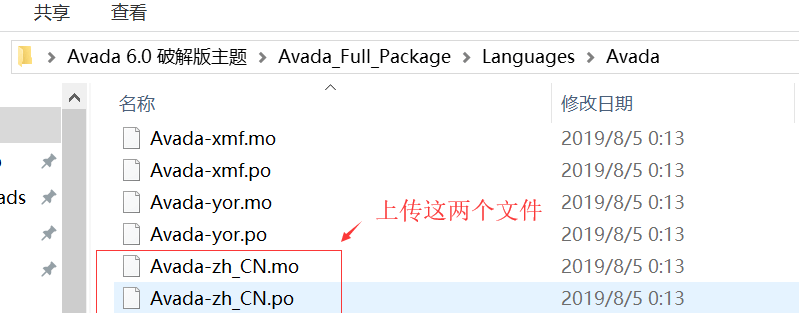
The Languages folder contains language pack files, including Languages files for themes and plugins. You just need to upload the corresponding theme files to the theme or plugin folder on your website.
For example, to install the Avada Chinese language pack, directly upload Avada-zh_CN.mo and Avada-zh_CN.po to the wp-content/themes/Avada/languages folder.

Install Plugin
After installing the theme, go to the theme's plugins page to install the required plugins.
 Click GoManage Plugins to enter the plugins page. (You can also click Plugins in the left navigation.)
 On the theme page, REQUIRED plugins must be installed; other plugins are optional. If you are using it for the first time, it is recommended to install all plugins and delete any unnecessary ones later.
Import Demo
For beginners, the easiest way to quickly learn how to use the Avada theme is to directly use their Demo data and then modify it. As shown in the image below:
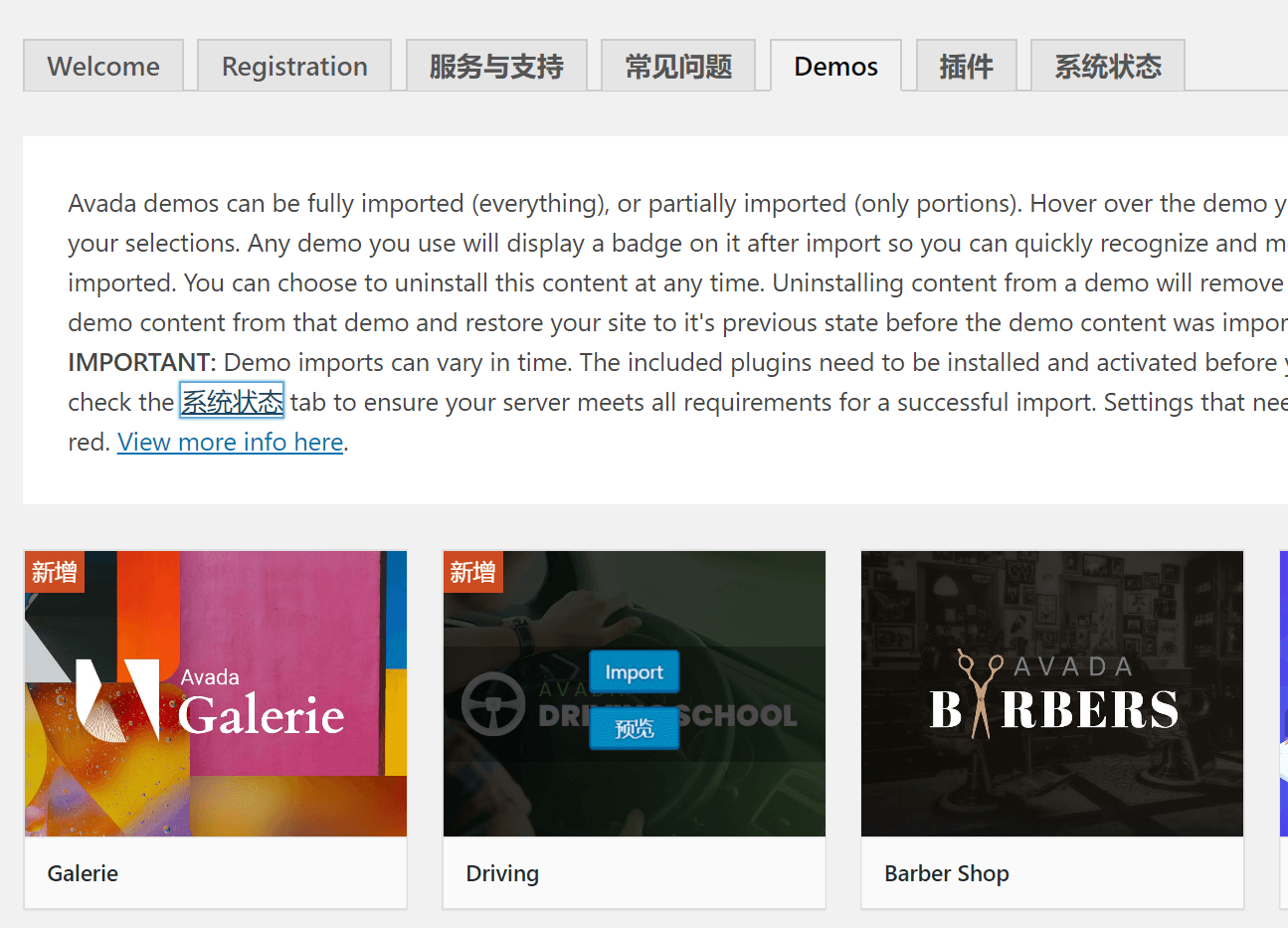
Switch to the Demos interface, select any Demo theme you want to import, click import to import it, and the preview button allows you to view the Demo.
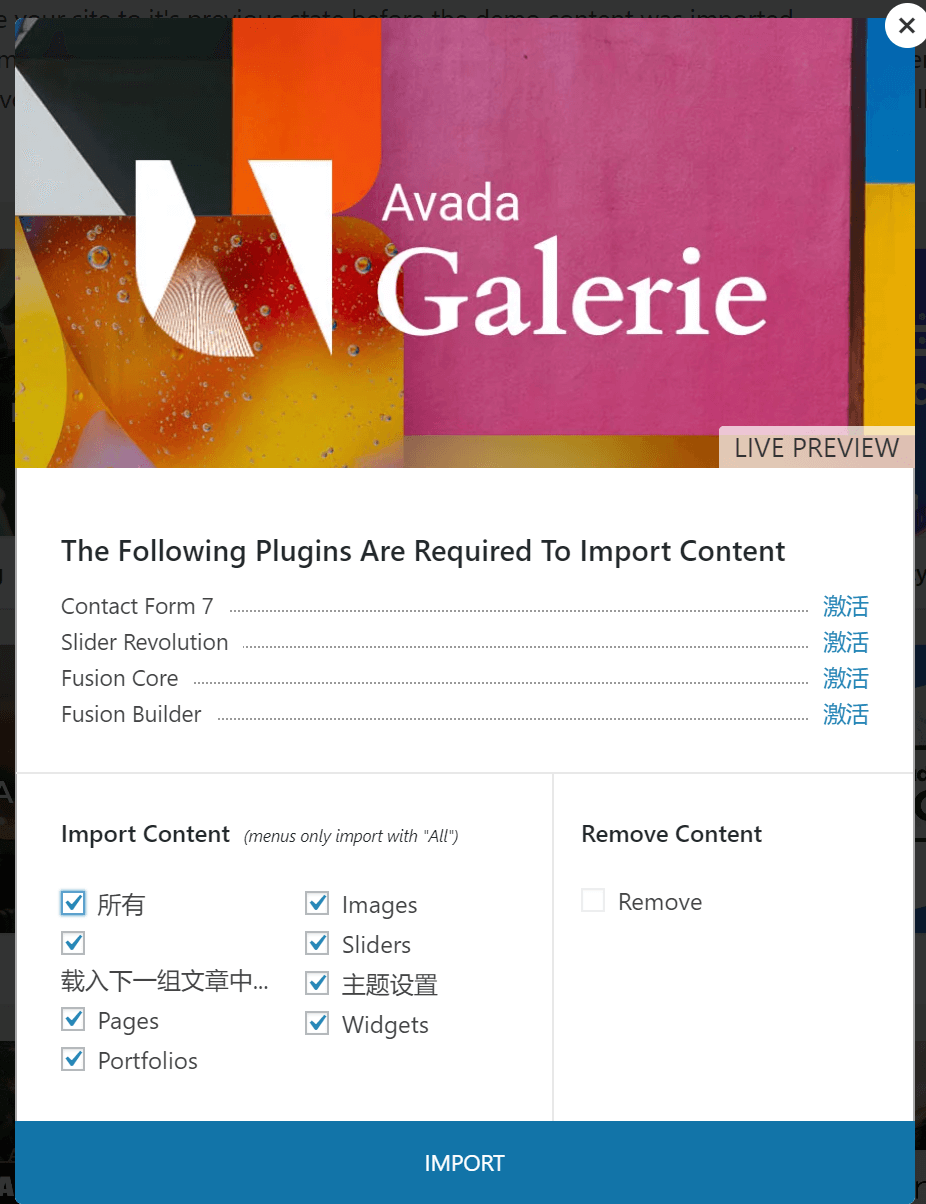
Different Demo themes require different plugin support. Import content imports the demo data; it is recommended to check this option (If your website already has content, it is advisable to back up the database before importing. After testing, restore the data or use a separate website for testing.)
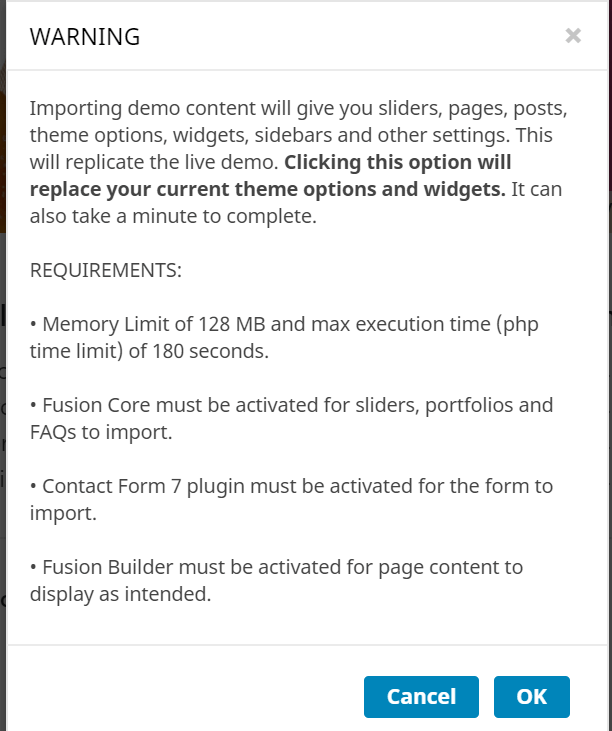
After clicking import, there is another prompt; click OK.

After importing, a progress bar appears below. When it shows DONE, it means the import was successful. You can then visit the website frontend to see the results.
Modify Theme Content
You can view the website effect on the frontend, but some data directly references Avada's official materials, so loading may be slow in China. We need to replace images with those from our own server to speed up loading (Of course, access for foreign clients won't be slow; it's only slow within China.)
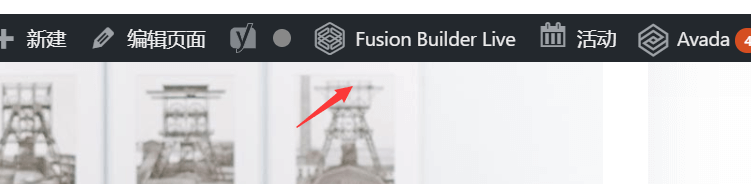
Click the Fusion Builder Live button in the admin bar at the top of the website to enter theme modification mode.
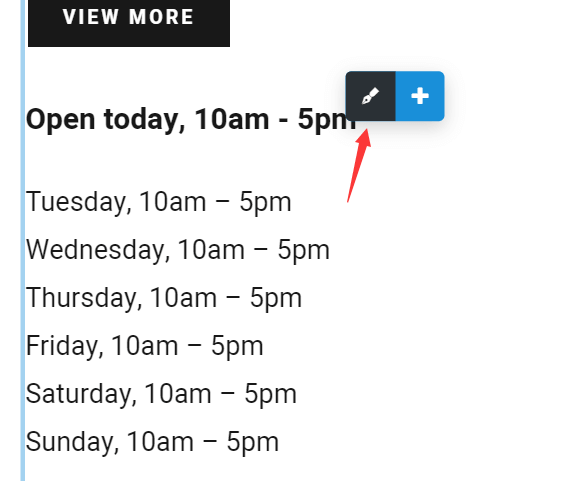
Move the mouse over the content you want to modify, and a button like the one above will appear. Click the pen icon to edit (the editing content is on the left side of the screen).
You can modify the display content of the Avada theme according to your needs, and then you can create the website appearance you want.
New Version Avada Theme Download
Avada 6.11 Chinese Localized Version Download_demo tutorial_WordPress Theme
This concludes the tutorial on how to use Avada to build a website. If you find the Avada theme difficult to use, or if you feel the pirated version is unsafe but cannot afford the genuine version, it is recommended to use a customizable WordPress multifunctional free theme: Zakra. This Zakra theme is also powerful and, most importantly, free.