
在After setting up the Baota Panel and website environment, andafter resolving the domain, we can officially start building the website. Baota Panel can bind many websites on the server.If a website is not bound, it cannot be accessed directly, so we need to add the website first.
Naiba Tip:
Before adding a domain, you need to configure DNS resolution. Naibabiji has written tutorials on DNS resolution for common service providers. You can refer to these tutorials to add DNS records first.
- Tutorial on how to purchase and configure DNS for a domain at the foreign domain registrar Dynadot
- Tutorial on DNS resolution for domains registered on Alibaba Cloud
- Tutorial on domain registration and DNS resolution on Tencent Cloud
- Tutorial on DNS resolution and DNS server modification for NameSilo domains
- Tutorial on building a website with Hawk Host and binding domain DNS
- How to build a website after buying a domain_Does it require ICP filing and hosting_Domain DNS resolution tutorial
Tutorial on adding a website in Baota Panel
Adding a website in Baota Panel is very simple. Just click „Add Site“ in the „Websites“ tab and fill in the corresponding information. For the specific method, refer to the image below:
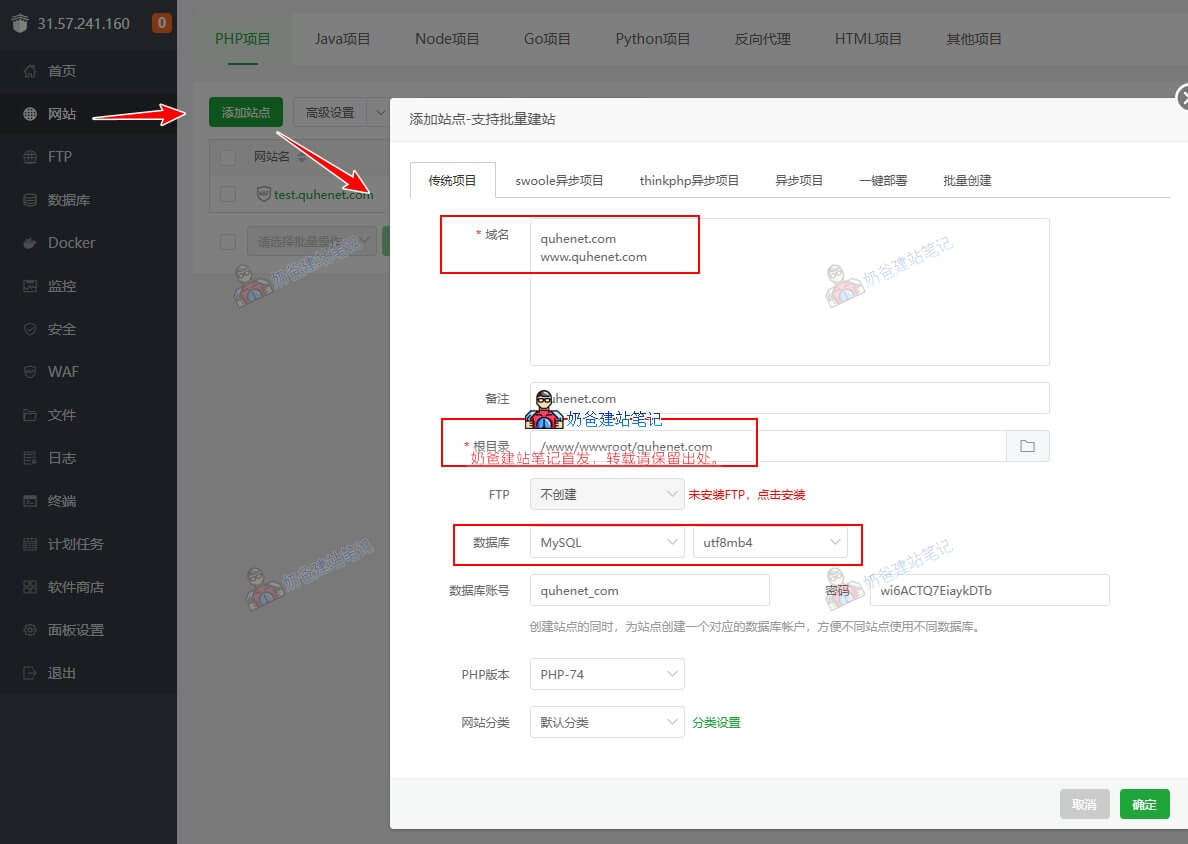
In the Domain field,enter the domain you previously configured for DNS resolution. For beginners, it's common to enter both the domain with www and without www, one URL per line.
thenSelect to create a database. Other settings can be left as default (FTP is rarely used nowadays and can be skipped).
Click Submit. A success window will pop up, displaying the account and password information created for you. Save this information.
Now open your domain URL. If you see the image below, it means the website has been successfully added.
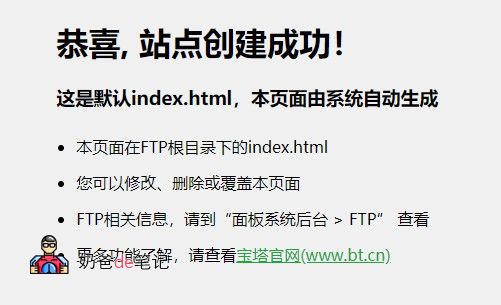
Once the domain is bound, you can start installing the website via the domain. Refer to the next tutorial:
If you want to install multiple websites on the server, simply repeat the steps above to add and bind more domains.
The purpose of adding a website
Servers that can install Baota Panel, such as VPS, can host many websites. The website we add here is essentially what is commonly referred to as Shared Hosting.
This means one VPS (server) can host many Shared Hosting accounts. We need to add the corresponding URLs in Baota Panel so that the panel knows which URL accesses which Shared Hosting account.