
For foreign domain registration, Naiba usually purchases fromNameSilopurchased, today I recommend another registrar: dynadot.
Dynadot is an ICANN-accredited domain registrar and web hosting provider, founded in 2002, headquartered in San Mateo County, California, USA. In 2011, it established an international office in Beijing, and later created two more international offices in Zhengzhou and Toronto.
Which is better, Dynadot or Namesilo?
Most of Naiba's domains are placed with Namesilo, mainly because Namesilo's domain prices are relatively fair and they offer free privacy protection. However, after encountering Dynadot, future domain registrations will likely lean towards Dynadot for the following reasons:
- The prices of the two are similar, and both offer free privacy protection.
- The Dynadot website has a Chinese language option, and its access speed is faster than Namesilo.
- The Dynadot domain checkout page clearly shows the renewal price for the second year.
- Some webmaster friends have also used Dynadot for a long time; it is secure and stable.
It seems that Dynadot has more advantages. However, if you are concerned because Dynadot has a Chinese office, then it's better to chooseNameSilonow.
Important update: When registering a domain with Dynadot and encountering a field to fill in your birthday, please be sure to provide your real birthday information; otherwise, the domain cannot be transferred out.
Dynadot domain registration tutorial
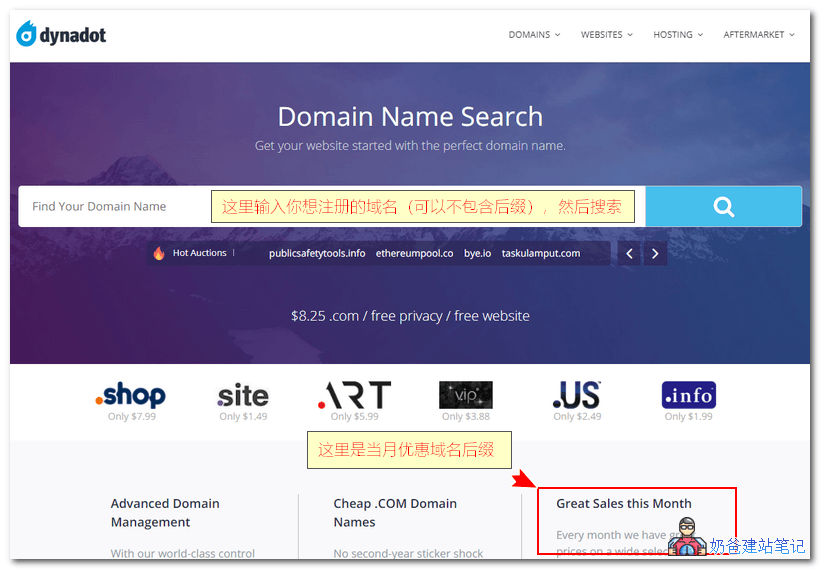
Click the Dynadot official website, enter the domain name you want to register in the homepage search bar, and then click the search button.
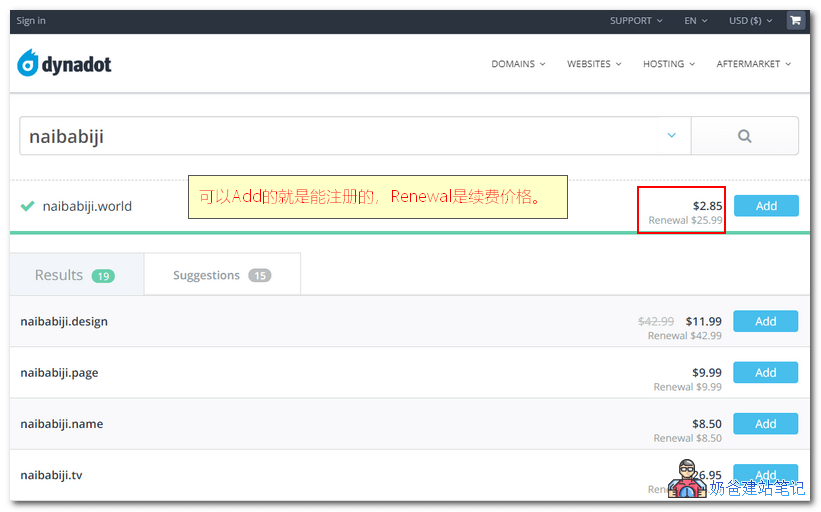
For search results that are available for registration, click the "Add to Cart" button.
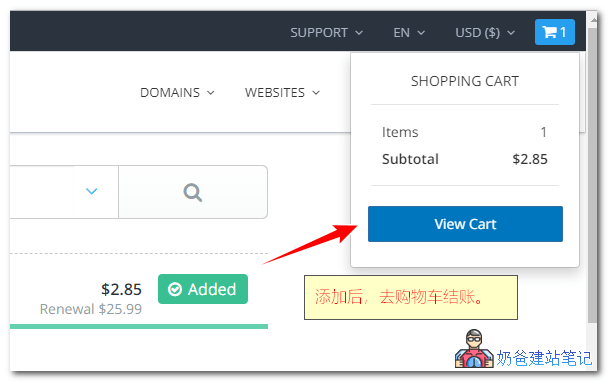
After adding, proceed to checkout in the shopping cart.
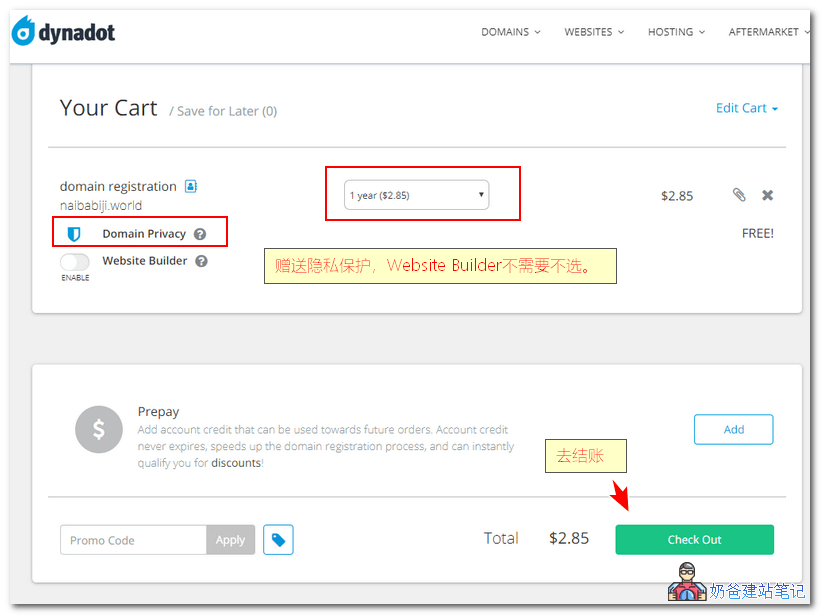
Offer free domain privacy protection, select the registration period, and then click the checkout button.
Register an account on the new page that appears. If you don't understand English, manually switch the language to Chinese in the top right corner.
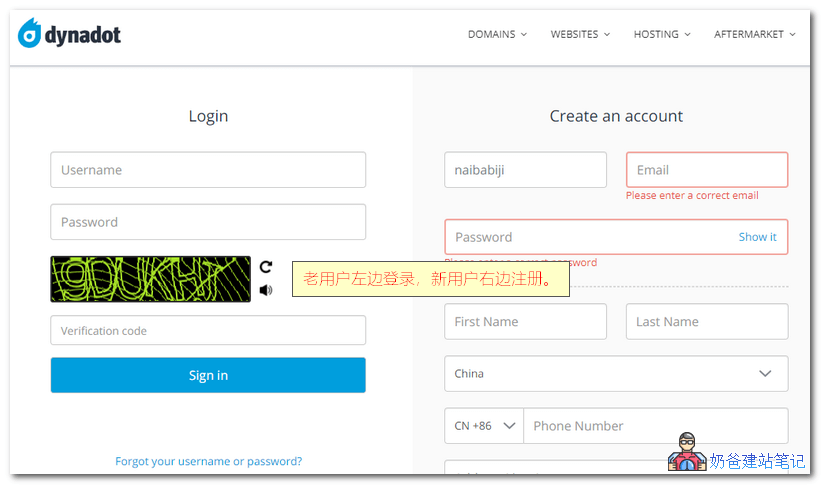
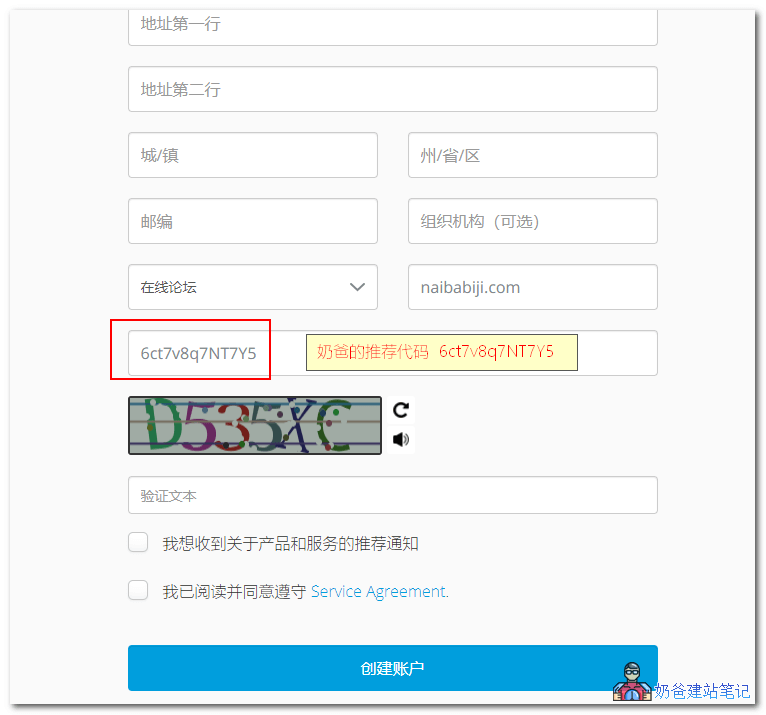
The registration interface has a referrer field. If you are willing, please fill in Naiba's referral code:6ct7v8q7NT7Y5
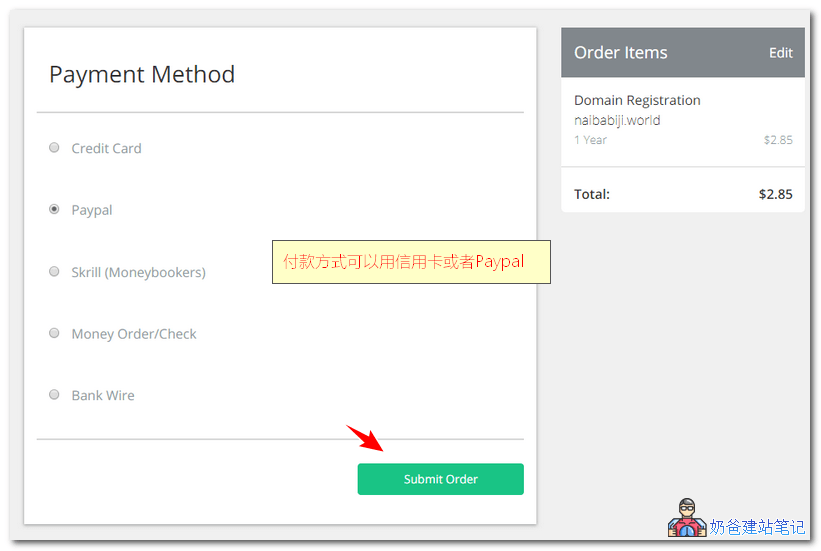
After the account is created, a payment method selection interface will appear. By default, there are no Alipay or WeChat Pay options; only foreign payment methods like credit cards and PayPal are available.
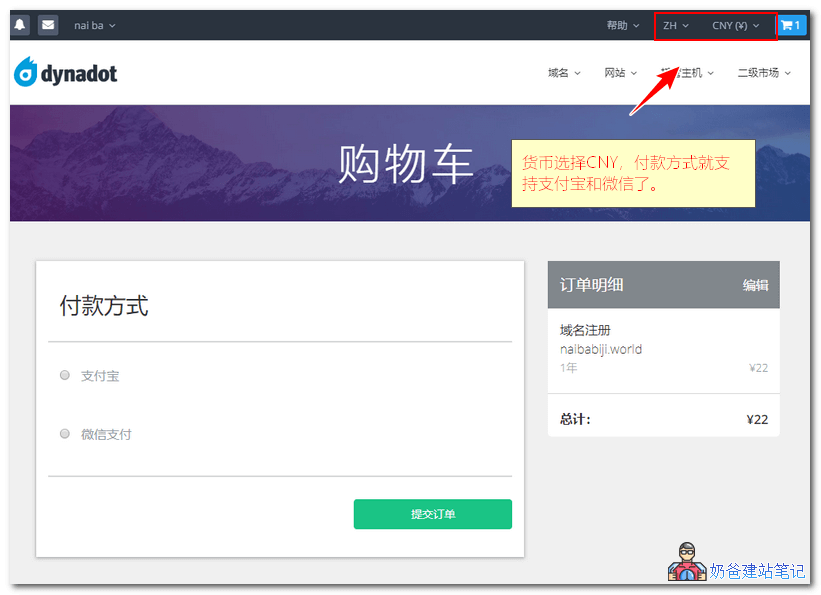
At this point, simplychange thecurrency in the top right corner toCNYto see theAlipay和WeChat Payoption.。
 After payment is completed, wait a moment and the domain will appear in your domain list.
Dynadot domain resolution tutorial
The DNS management interface of dynadot is quite different from that of common domain service providers. At first, Naiba studied it for a while, but after getting used to it, I found dynadot's DNS management features quite useful.
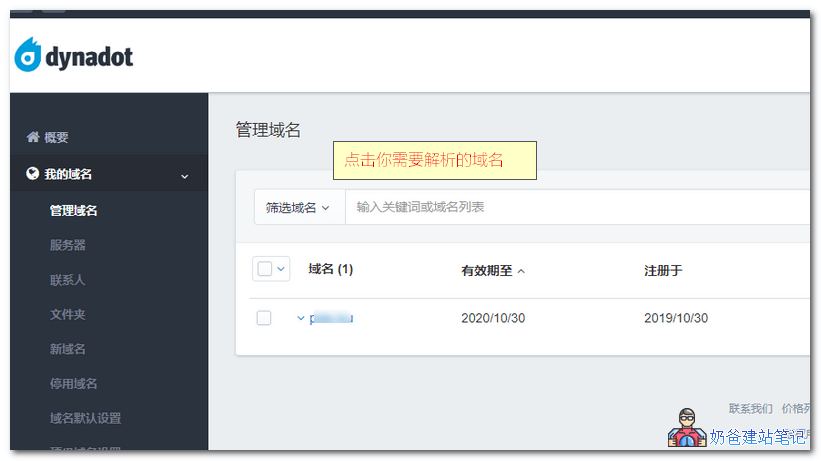
First, after logging into the dynadot management backend, select My Domains on the left, then Manage Domains.
Click on the domain you want to manage to enter the details page.
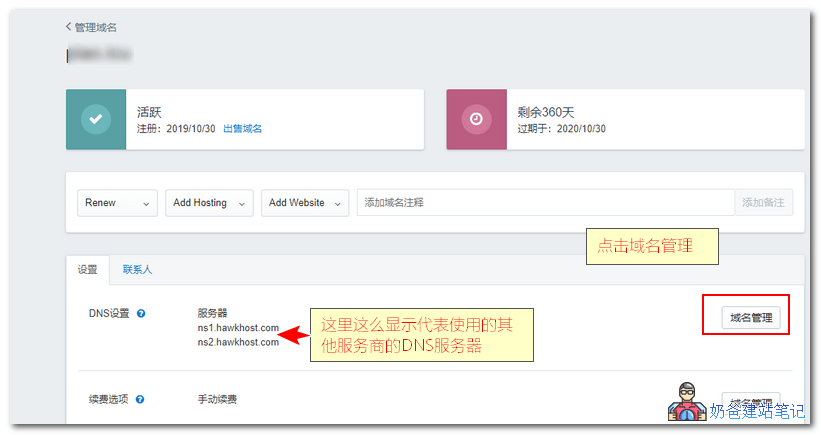
Click the 'Manage Domain' button.
In the image below,select 'Custom'DNS, then add a record.
Record type is A, fill in the IP value below.
If you need to resolve a www URL, add a subdomain record for www.
Set TTL to 5 minutes, then save DNS.
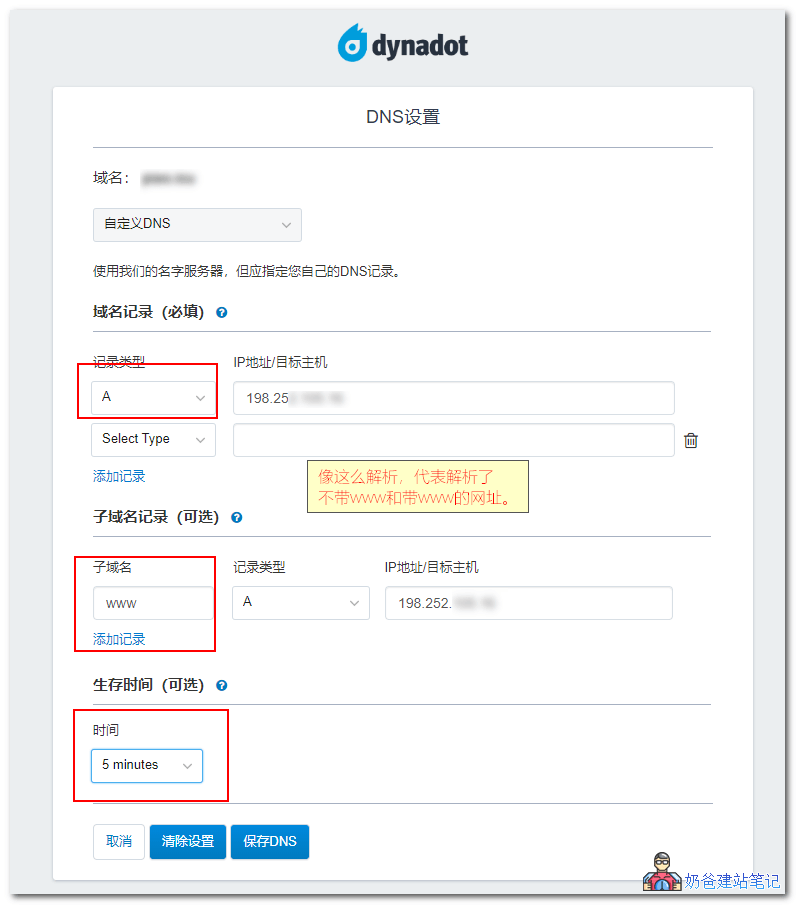
That's it, dynadot domain DNS is set up. Just wait for the DNS to take effect.
Tip: After adding DNS records, it takes some time for the DNS to propagate. It usually takes about half an hour to take effect, but it can take up to 2 days. So if your website is not accessible yet, just wait a bit.