
Rank Math, like Yoast SEO and All in One SEO Pack, is a WordPress SEO plugin. It ranks third in downloads and has great potential to reach the top. Naibabiji has previously introduced how to use this plugin. Now in 2023, the plugin has undergone some changes, so we are providing a content update for theRank Math Tutorialmake a content update.
Advantages of Rank Math
The biggest difference between Rank Math and the top-downloaded Yoast SEO and second-place All in One SEO Pack is that some advanced features are free (it has now launched a paid Pro version).
Many foreign trade bloggers recommend Yoast SEO, but many useful features require the paid version. The advantage of All in One SEO Pack is its built-in Chinese language support, but its features are not very powerful (sufficient for beginners), and it also includes paid items.
Most features of Rank Math are free, including some advanced features of Yoast SEO, the new version of Rank Math also introduces AI features.
Rank Math Chinese Language Pack Download
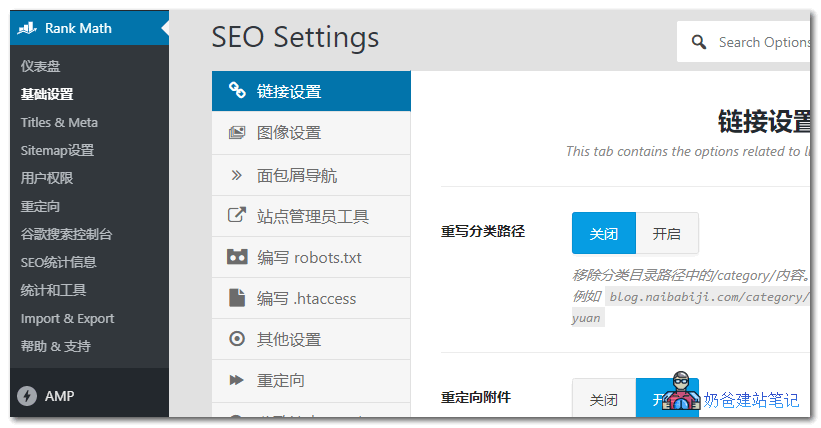
Differences Between Rank Math Free and Pro Versions
Rank Math has now launched a Pro version, adding some advanced features. If you happen to need them, you can consider purchasing it.

For specific differences, you can visithttps://rankmath.com/pricing/to view. Naiba has summarized that the following features are worth considering.
- Google Analytics integration, allowing you to view Google traffic statistics directly from the website's Admin Dashboard;
- Keyword ranking monitoring;
- Google Trends integration for convenient keyword research direction;
- News and video sitemaps, which are only useful for specific websites;
- Image SEO optimization, automatically filling alt information;
- Multi-location local SEO optimization, also only applicable to local websites;
- More comprehensive WooCommerce SEO support;
- Check the keyword ranking for each post;
- Keyword ranking records for up to 12 months;
- Advanced redirect functionality;
- Integration with Elementor;
- Detect individual pages;
For regular users, the features of the free version are already completely sufficient. If you have no basic understanding ofGoogle SEOinstalling Pro won't make much sense either.
The following features of Rank Math Pro are very convenient for webmasters doing SEO optimization, allowing them to observe website traffic and keyword ranking changes.


Rank Math Free Version Tutorial
1. Install the Rank Math pluginYou can install it directly by searching from the Admin Dashboard, or download and upload it for installation.
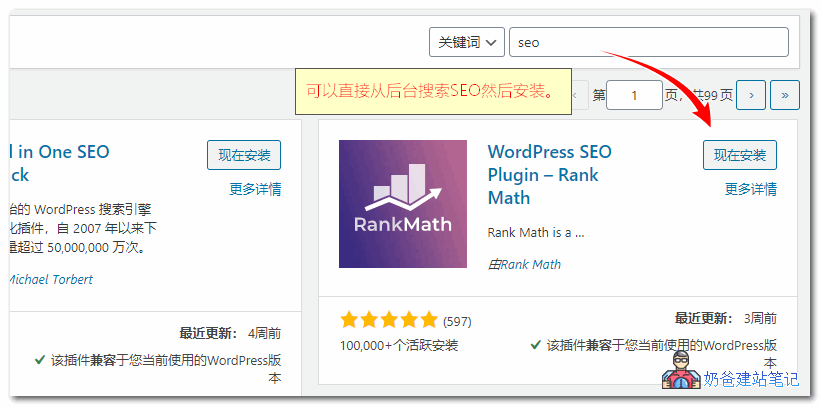
2. After installation, activate Rank Math, and it will automaticallyenter the setup wizard.。

First, a feature suggesting you connect an account will pop up. You can choose whether to register an account and connect based on your actual situation. Skipping without logging in does not affect usage.
3. Click the Start Wizard button to begin running the configuration wizard.
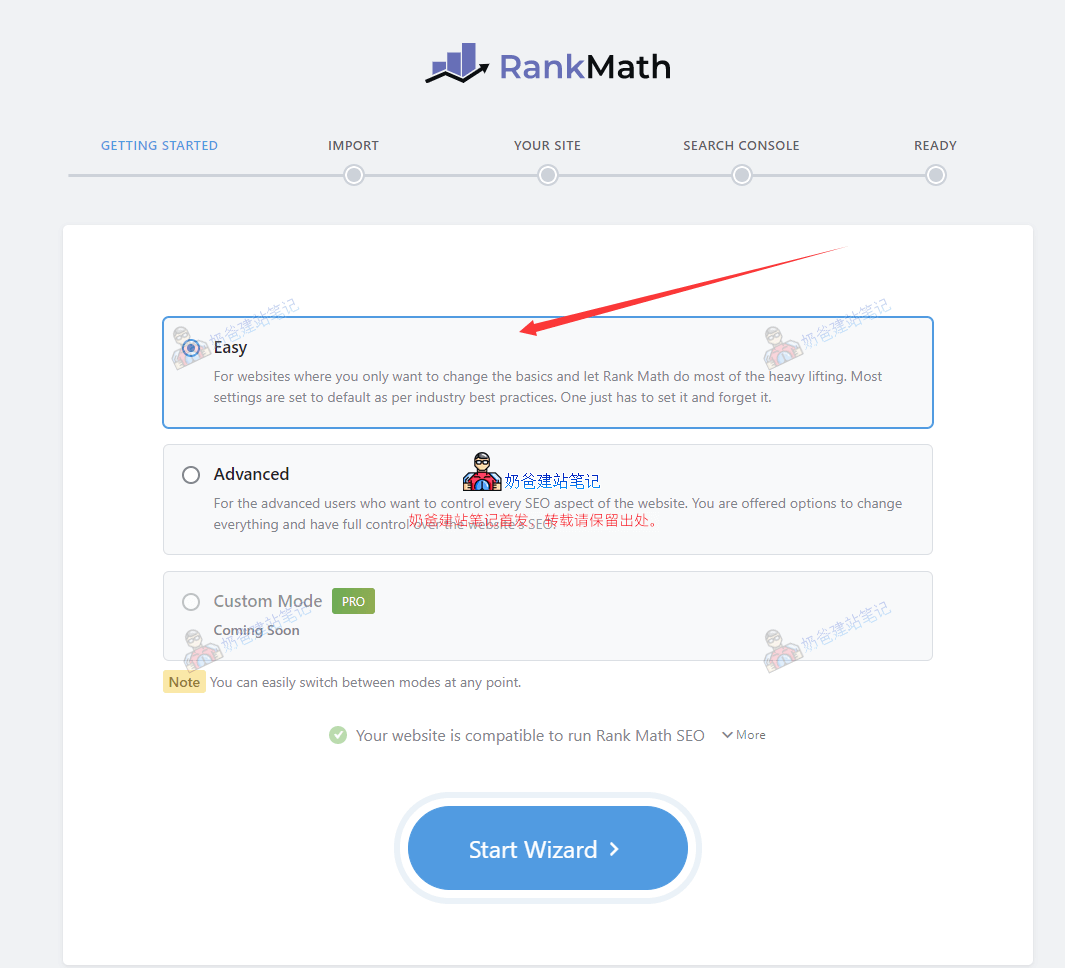
Next, a mode selection interface will appear: Easy, Advanced, and Custom Mode.
For beginners, Easy mode is sufficient. You can also switch to Advanced mode later yourself. Click Start Wizard.
4. Import data from other SEO plugins (optional).
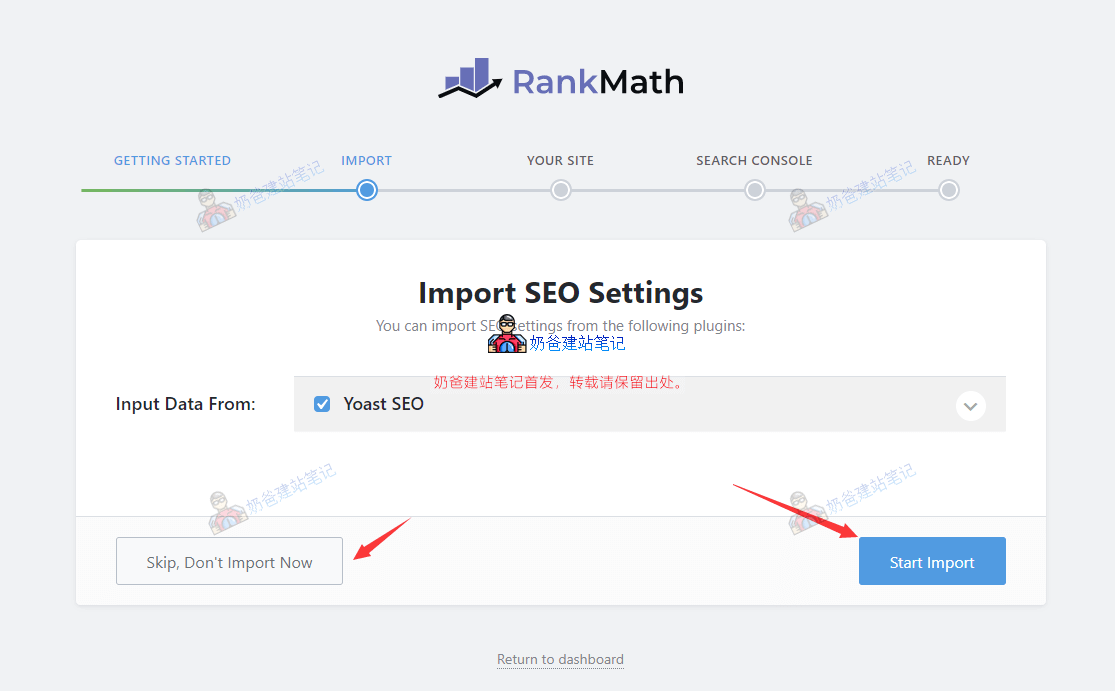
If you have installed other SEO plugins, such as Yoast SEO, you can choose to import (Start Import) or skip import (Skip).
Decide whether to import based on your actual situation; typically, choose to import. After importing, click the Continue button.
5. Set site identity and logo.
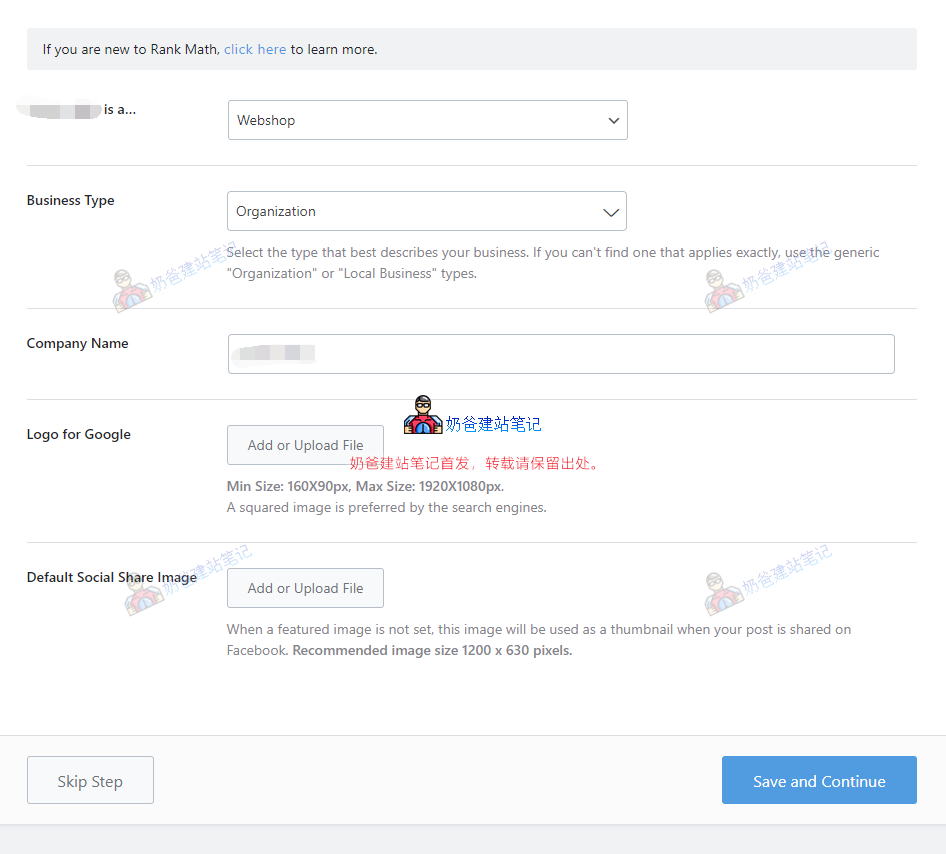
In the image above, select the site identity according to your website's nature. Usually, choose Personal Blog for a personal blog. If it's a business website, choose Small Business Site; for an e-commerce website, choose WebShop.
Upload both the Logo For Google and Default Social Share Image below; they will be used in Google search results and social sharing.
- The image size for Logo for Google: minimum dimensions 160x90px, maximum dimensions 1920x1080px. Search engines prefer square images.
- The Default Social Share Image is the default image shared on social media when your post lacks a featured image. The recommended image size is 1200 x 630 pixels.
6. Google Search Console verification.
For the role and application method of Google Search Console, refer to the article below. This step can be skipped and added later by yourself.

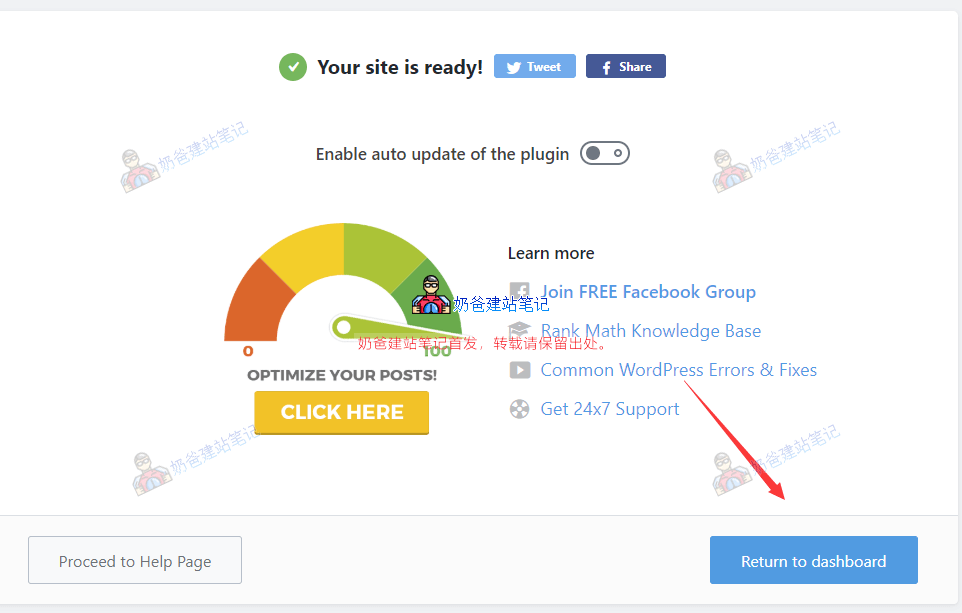
7. After setup is complete, enter the Dashboard.
8. Select Advanced Features

Click 'Advanced Mode' in the upper right corner to switch to advanced mode.

The image above shows the advanced features of Rank Math. The specific functions and their explanations are as follows:
- 404 Monitor: For new websites, dead links generally don't exist. It's recommended to enable for older websites, especially those that have undergone redesigns.
- ACF: Advanced Custom Fields analysis tool. Enable only if you use it.
- AMP: If you have installedAMP plugin, you can enable this feature.
- Analytics: After connecting your Google account, you can view analytics information.
- bbPress: If you have installed the bbPress community plugin, you can enable this.
- BuddyPress: Same as above.
- Image SEO: Automatically adds alt information to images.
- Link Counter: Counts the number of internal and external links on your web pages. Enabling is optional.
- Local SEO & Knowledge Graph: Service for Google My Business. Generally not needed for foreign trade websites or domestic websites.
- Redirections: URL redirects. Enable if needed.
- Schema (Structured Data): Can be enabled. If you have a similar plugin, disable it.
- Role Manager: User permission management. Can be enabled for multi-user websites.
- SEO Analysis: SEO statistics, helps score your SEO. Scores for Chinese websites are not very accurate yet; don't aim for 100 points.
- Sitemap: Recommended to enable. You can disable if you have other Sitemap plugins installed. (What is a Sitemap)
- Google Web Stories: A special form of SEO presentation. Not needed for most websites; can be disabled.
- WooCommerce: Enable if using WooCommerce, especially for B2C websites.
The above content covers all features of the free version of Rank Math. Some features have advanced versions in the Pro edition.
Setting SEO Information Individually for Pages and Posts
I. Setting the Homepage Title and Description
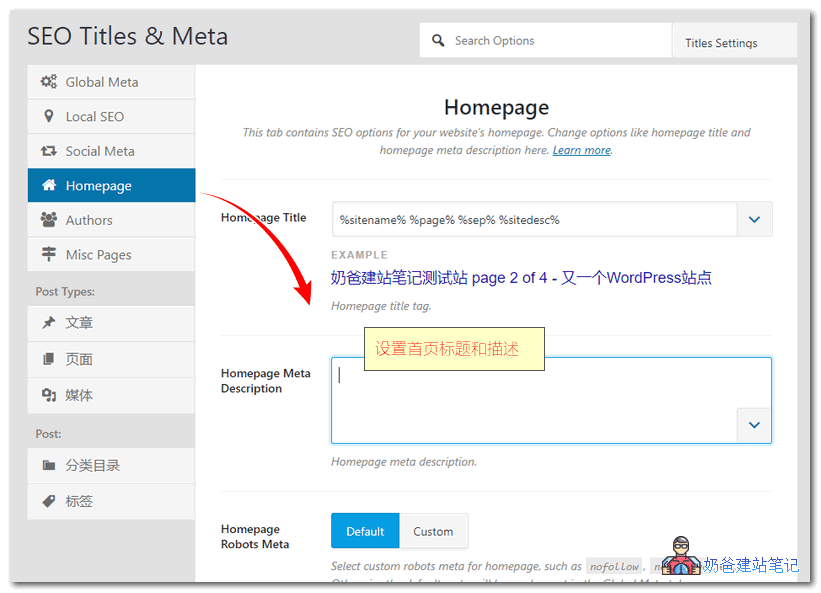
On the Homepage settings page, set the title and description for the homepage.
You can research how competitors set their homepage titles and descriptions.
Simply put, it's introductory content that includes your website's keywords.
II. Setting SEO Information for Individual Pages
For some important Posts, you can individually set an SEO-friendly title and description. The method is to find the area like the one shown in the image below at the bottom of the page when publishing a Post (The screenshot below is taken from the Classic Editor interface.), and then edit.
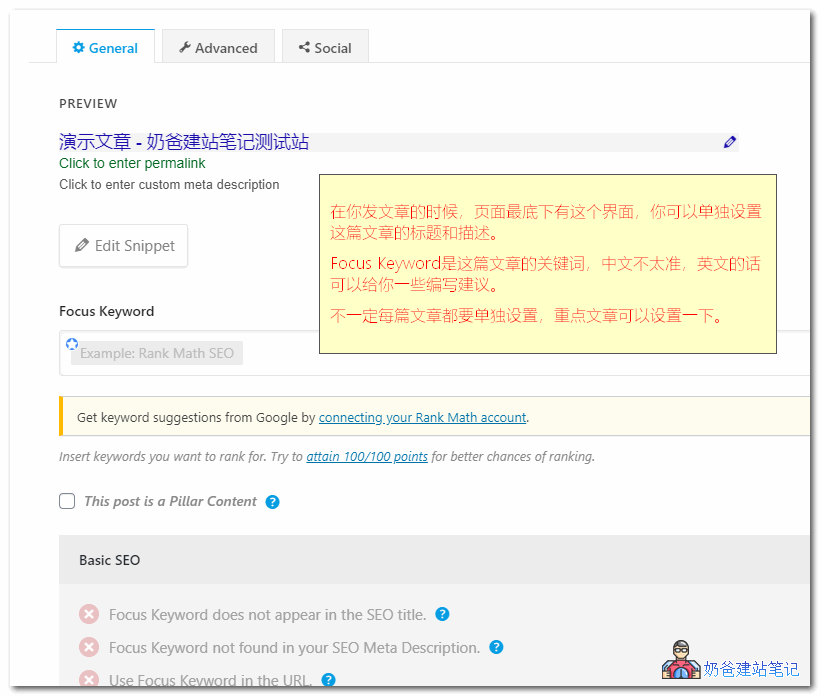
The Focus Keyword is not very useful for Chinese websites, as foreign tools struggle with Chinese word segmentation.
If you have an English foreign trade website, you can enter keywords here, and it will provide some writing suggestions for your posts.

Setting SEO Information for TAG Pages
Some website owners use TAG aggregation for SEO optimization. The default tag page title and description are not suitable for SEO, so you can use Rank Math's tag feature to write your own TDK information.
To use this feature, you need to enable the SEO box for tags in the settings, then go to Posts > Tags, find the tag you want to modify, and you will see the editing area.
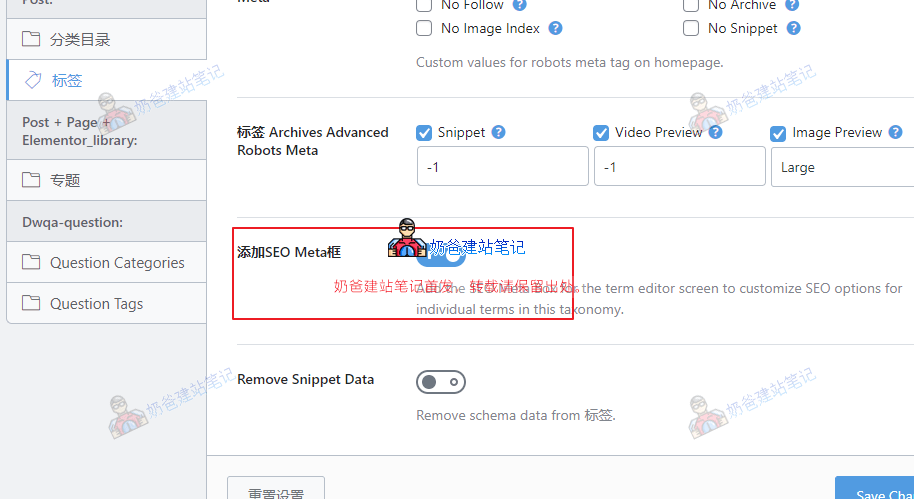
Alright, the above is the tutorial for using the free version of Rank Math. You can explore more settings on your own and use them according to your needs.
Rank Math Pro Version Tutorial
The additional features of Rank Math Pro are more focused on SEO data analysis and statistics. Here's how to use it:
1. Purchase a Pro license from the official Rank Math website.(You can also purchase it from Naiba., priced at 59 RMB/year).Naibabiji currently does not use Rank Math.

Official website address:https://rankmath.com/pricing/
2. After purchase, you will receive the Pro installation package. Install it via the website backend, Plugins, by uploading the plugin.

3. Connect your Google account to your website (if already connected during the free version installation, no further action is needed here).

When connecting your Google account, you need to grant some permissions; just allow them.

After granting permissions, you will be redirected to the following Analytics setup interface.

Here, you can select the website information you have added in your Google account. If there is no data, Rank Math will automatically create corresponding data for your website. You can also manually create a website in Google Analytics. Refer to the tutorial:How to add Google Analytics tracking code to view daily traffic when building your own website
Other features like Image SEO and Redirections are similar to the free version, but with more configuration options, so they won't be covered in detail here.
The above content is the tutorial for using the free and Pro versions of Rank Math shared by Naiba. SEO tools are just an aid; more depends on website operation and content output. Wishing everyone's websites good rankings. Please share this article if you find it helpful.
Other Related Articles
- Free Advanced SEO Plugin The SEO Framework Download and Usage Tutorial
- Website SEO is too difficult? Just stick to these 2 points.
- Essential Plugin for Chinese Website Baidu SEO_Baidu Search Push Management WP Plugin
- WordPress's #1 SEO Plugin Yoast SEO Chinese Premium Version Download and Tutorial
- Don't Dream – Google SEO for Foreign Trade Websites Isn't Something You Can Just Pay For to Succeed
- 10 Methods to Improve Website SEO Ranking_Simple and Easy-to-Understand SEO Techniques
- Solution for Rank Math sitemap file index_sitemap.xml 404 error.
I hi oh no
Hello, may I ask, when using the Rank Math SEO Plugin, after filling in the keywords, I checked the webpage source code and did not find the focus keyword. Does this affect SEO optimization?
I was used to checking keywords in the webpage source code. This plugin does not display keywords, is that a problem?
Looking forward to the expert's answer.
Thank you.
The keywords in this plugin are used to help you check the keyword density and similar functions in the article. The source code does not contain that keyword meta information because Google and others have clearly stated they no longer use this meta tag, while those targeting Baidu in China still use it.
Hello blogger, may I ask if the feature that displays other post detail pages at the end of the current detail page is a function of the Theme or a Plugin, or is it a custom development feature?
This is a built-in feature of the Theme.
May I ask how to enable this feature?
Theme customization, blog, single post. Auto Load Previous Posts
Understood, thank you very much~~