Home Experience & Tips Sharing Standard Post

Standard Post

Fix WordPress No ‚Access-Control-Allow-Origin‘ header is present Error

If you have added a CDN to your WordPress website, and the CDN and the main domain are not the same URL, it is very likely that when viewing the source code, you will see the error 'no 'access-control-allow-origin' header is present on the requested...

Posted on January 11, 2021 About 1 minute read

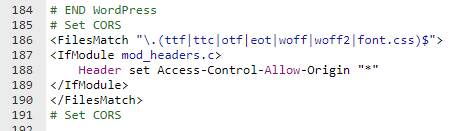
If you have added a CDN to your WordPress website, and the CDN and the main domain are not the same URL, it is very likely that when viewing the source code, you will see the error ‚no ‘access-control-allow-origin‚ header is present on the requested resource‘. This problem is caused by font cross-domain permissions. If you are using Apache, you only need to add the following code to the server‚s pseudo-static file.

# Set CORS
<FilesMatch "\.(ttf|ttc|otf|eot|woff|woff2|font.css)$">
<IfModule mod_headers.c>
Header set Access-Control-Allow-Origin "*"
</IfModule>
</FilesMatch>
# Set CORS
3.7/5 - (3 votes)
Previous Advanced WordPress SEO Plugin Rank Math Tutorial (2023 New Edition) Continue reading content around the same timeline. Next Create a Temporary Admin Account for WordPress: Temporary Login Without Password View the next related tutorial or experience.

AI Website Building Assistant

🤖
Hello! I am the Naibabiji AI Assistant. How can I help you?
Quick Consultation: