
在How to Make Money with a WebsiteOne article mentions membership systems. So, how to implement a membership website with WordPress? We can achieve this through invitation code registration.
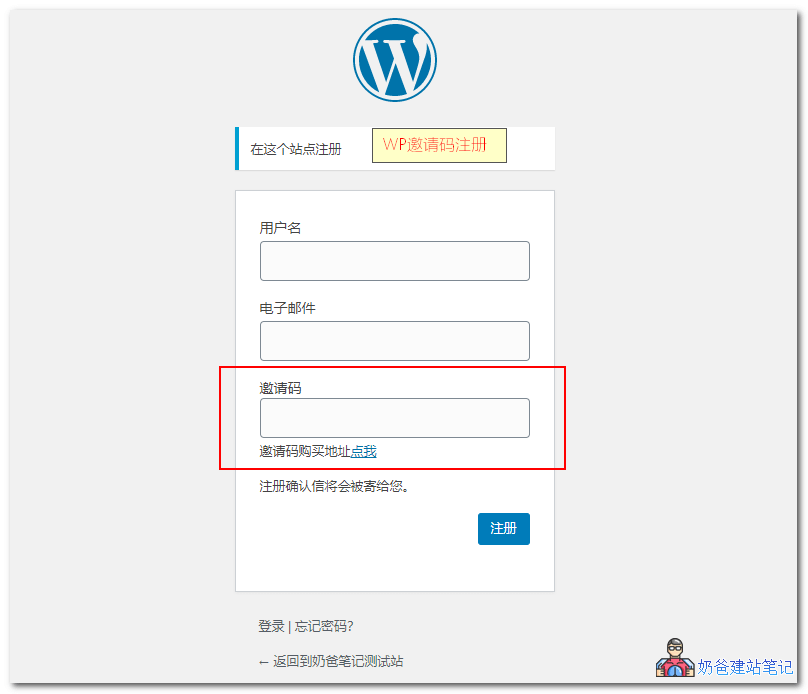
This article introduces several still-availableWordPress invitation code plugins。
Reminder: Before using the following plugins, please enable the option to allow anyone to register in the WP backend settings.
Ashuwp invitation code
Ashuwp invitation code is a WordPress invitation code plugin that Naibabiji has used. Although the plugin hasn't been updated for two years, its features still work in the latestversions of WordPress.
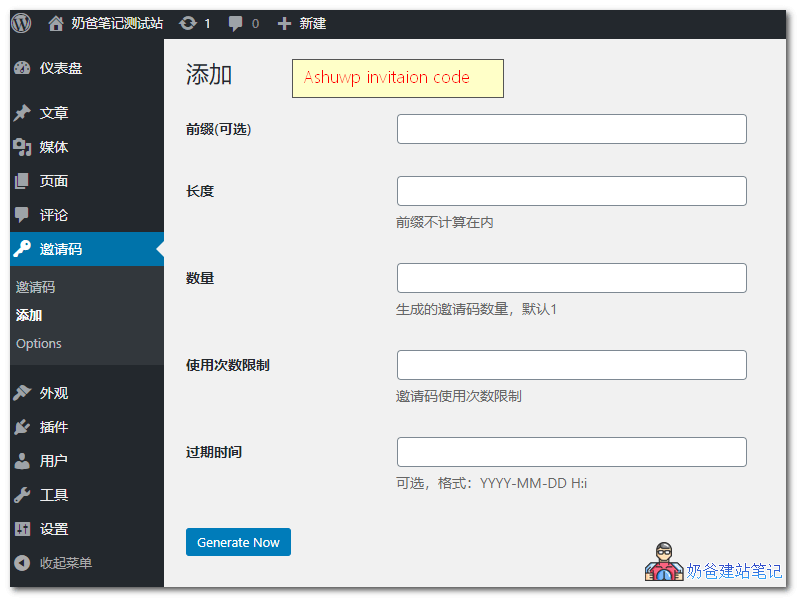
Ashuwp invitation code supports Chinese, and the usage is very simple. After installation, you can see the invitation code menu in the WP backend navigation bar. Click to add invitation codes.
You can set the usage limit and expiration time for invitation codes. It also supports displaying prompt documents on the registration page, such as telling users how to obtain an invitation code link.
Plugin supportMultisiteand BuddyPress.
Easy Invitation Codes
Easy Invitation Codes has similar features to the Ashuwp invitation code mentioned above, supportingWordPress invitation code generation. However, the version in the WordPress plugin repository hasn't been updated for 4 years and doesn't support newer WordPress versions. You can download an updated version from GitHub maintained by a foreign user.
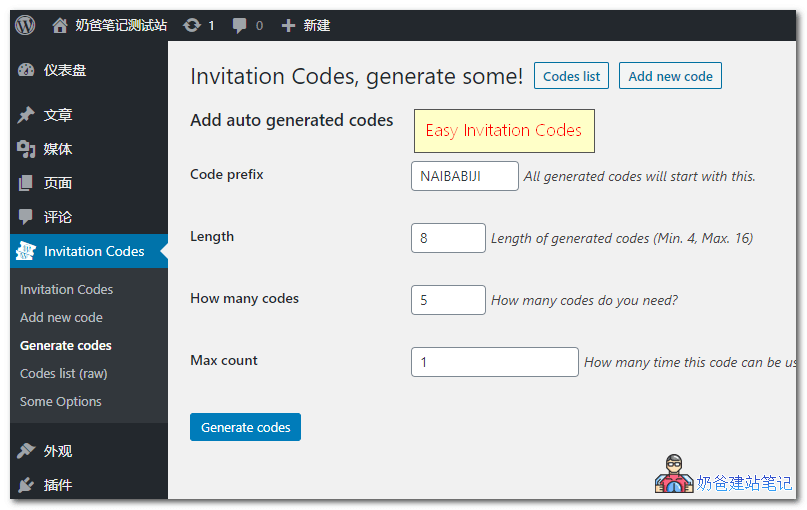
Note: The link provided below is for the corrected GitHub download. You cannot install it directly by searching the name in the backend, as the backend version is incompatible with newer WordPress versions.
Invite Anyone
Invite Anyone is a plugin for BuddyPress that sends registration invitation links. That is, it cannot work alone and requires BuddyPress to function.
If you want to use WordPress to build a community forum website, consider installing BuddyPress and then using Invite Anyone to enable invitation link registration.
Not receiving the registration email?
Because WordPress's registration workflow is: users fill in their username, email, and invitation code on the website, then click the register button, and the system automatically sends a registration link to the email address provided.
Method 1: Use SMTP to send registration emails
Therefore, you need to ensure your website's email function works properly. Most server VPSs block direct email sending. You can consider using an SMTP plugin to send emails. Refer to the article below:
Method 2: Users create their own password during registration
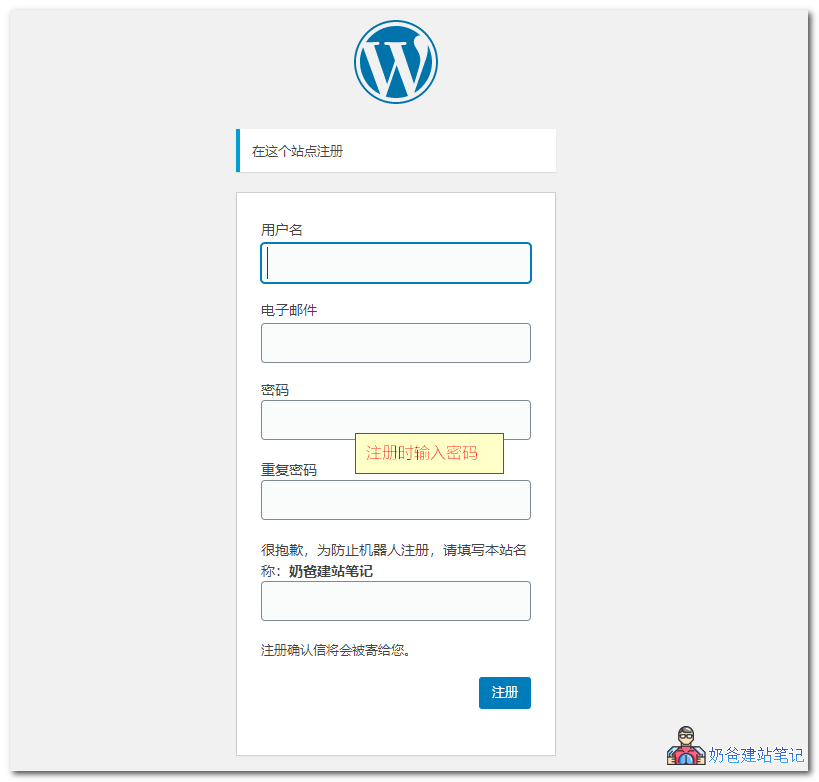
User Generate Passwordis a plugin that supportsusers entering their own password during registration, and includes a simple verification requiring the correct website title to be entered to pass registration verification. As shown in the figure below:
If you need User Generate Password, please join QQ group 774633089 to obtain it.
File path: Group files > WordPress Plugins > 04.user-generate-password.zip
The above is what Naiba shares with everyoneWordPress invitation code plugins. If you have a better one, feel free to share it.