If yourWordPressIf your blog is very popular and often receives comments, you may encounter some features that require modifying comment content.
For example, typos, incomplete comment content, inappropriate wording, etc. In this article, Naiba recommends a plugin that allows commenters to edit their comments within a limited time.WordPress Plugin:Simple Comment Editing
Simple Comment Editing – Demo of Time-Limited Comment Editing
Simple Comment Editing is very easy to use. After installing the plugin, enable it. The backend settings only have a countdown setting, making it a very simple WordPress plugin.
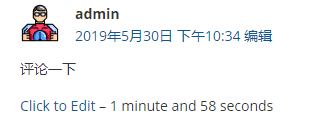
The image above shows the display status after a normal comment with Simple Comment Editing installed. There will be an additional "Click to Edit" button and a countdown. The plugin defaults to a 5-minute countdown, allowing comments to be edited within 5 minutes of posting.
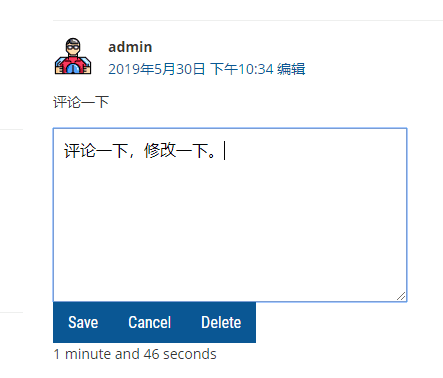
After clicking "Click to Edit", you can enter the comment editing interface, and the countdown is still running. You can click "Save" to save or "Cancel" to cancel, or "Delete" to delete your comment.