
WooCommerce is an open-source e-commerce plugin for WordPress that can be used to sell physical or virtual goods. But how can individuals or businesses accept payments on WordPress? Naibabiji shares with you5 WordPress WooCommerce WeChat and Alipay Payment Plugins。
Woo PayGate plugin
Woo PayGate is a payment gateway plugin for WordPress WooCommerce stores, supporting WeChat Pay and Alipay. The plugin also includes a backend refund interface, making it convenient and quick to use.
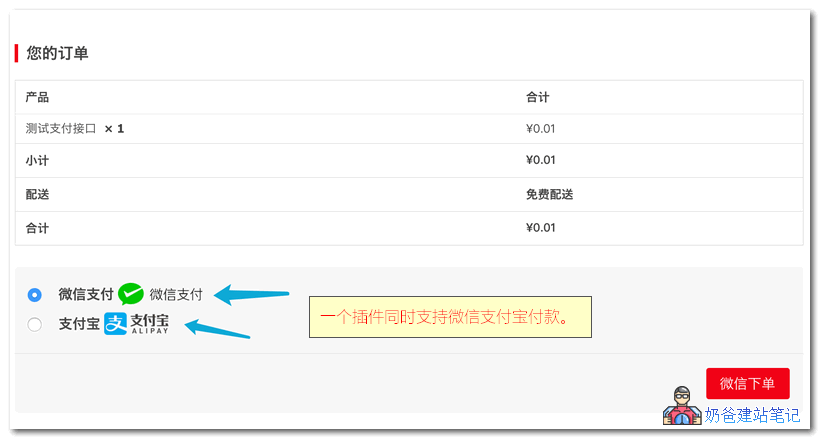
Features
- Alipay desktop website payment;
- Alipay mobile website payment;
- WeChat QR code payment;
- WeChat in-app browser payment (Official Account payment);
- WeChat H5 payment;
- One-click refund support from the backend;
- Visual backend settings;
- Supports exchange rate settings;
- Payment logs integrated with the WooCommerce log system;
- New version real-time backend push notifications, and can directlyone-click update and upgrade;
- One-time purchase for permanent free use.
Wenprise WeChat Pay Gateway
This is a free WordPress payment gateway plugin released by WordPress Think Tank, a free WooCommerce WeChat payment gateway, Enterprise Edition, which requires WeChat Enterprise certification to use.

Supported features are as follows:
- Supports all WooCommerce product types
- PC-side scan QR code payment
- Mobile browser H5 initiates WeChat Pay
- WeChat Official Account payment, WeChat automatic login, compatible with other WeChat login plugins
- Directly refund via WeChat within WooCommerce orders, refunds return to the original payment method
- When the currency is not RMB, a fixed exchange rate can be set
Wenprise Alipay Payment Gateway
Also a free payment gateway plugin shared by WordPress Think Tank, a free Alipay payment gateway, Enterprise Edition, which requires Alipay Enterprise certification to use.
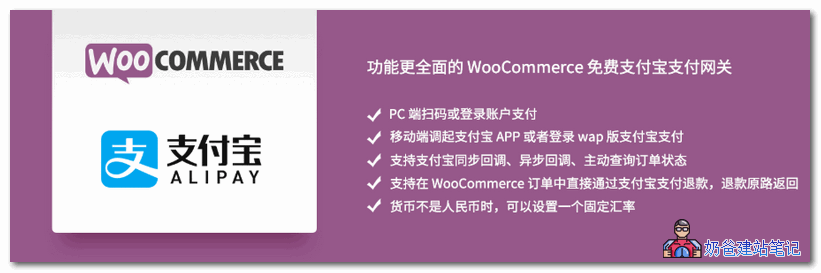
Supported features are as follows:
- Supports all WooCommerce product types
- PC-side scan QR code or login account payment
- Mobile initiates Alipay APP or logs into the wap version of Alipay for payment
- Supports Alipay synchronous and asynchronous callbacks
- Supports active query of Alipay order completion status
- Supports direct refund via Alipay within WooCommerce orders, refunds return to the original payment method
- Since Alipay is blocked within WeChat, Alipay payment is automatically hidden in WeChat
- When the currency is not RMB, a fixed exchange rate can be set
WordPress WooCommerce WeChat Pay Personal Edition
This is a personal, free-to-use WeChat Pay gateway developed by Xunhu Network. It uses the official WeChat Pay interface for individuals, requires no withdrawal, ensures 100% fund safety, features official settlement directly to personal bank cards, and supports various website systems. It is the best solution for personal collections and is limited to individual users only.

- Supports PC-side QR code payment
- Supports WeChat Official Account payment
WordPress WooCommerce Alipay Personal Edition
This is a personal, free-to-use Alipay payment gateway developed by Xunhu Network. This plugin is suitable for personal websites without a business license and is limited to individual users only.

- Supports PC-side QR code payment
- Supports mobile website H5 payment
- A genuine instant settlement payment interface for WeChat and Alipay personal editions. Any amount, instant settlement, 100% fund safety, official Alipay clearing, low fees, no manual operation required. It is the best solution for personal collections.
With these 5 WordPress WooCommerce WeChat and Alipay collection plugins, you can use them with confidence.Install a WordPress websiteto start selling products. What are you waiting for? Get started now.
- Basic Steps to Build a Website Yourself
- 【E-book】'Easily Learn to Build Your Own Website, First Edition'
Using PayPal for a foreign trade e-commerce website? For collection methods, refer to:How to Collect Payments for Foreign Trade Websites? PayPal Registration and WooCommerce Payment Setup Tutorial