
How to use PayPal for payment collection on a self-built foreign trade independent website?PayPal is one of the default payment methods supported by WooCommerce. This article from Naibabiji will introduceHow to register a PayPal accountand how to set it up as a website payment method.
Register directly from the official website
PayPal introduction, what is PayPal?
PayPal is a global payment platform headquartered in San Jose, California, USA. Since its establishment in 1998, it has 280 million active users across more than 200 countries or regions worldwide. It supports multiple payment collection methods, allows users to receive payments in over 100 currencies, withdraw 56 currencies to bank accounts, and hold balances in 25 different currencies within PayPal accounts.
When paying with PayPal, you only need to enter your PayPal account and password to complete the checkout. Your personal and financial information is securely encrypted and never disclosed to the seller, ensuring the safety of funds and information. Additionally, as long as your transaction meets the conditions, you can enjoy Buyer Protection and return shipping reimbursement services. Many e-commerce websites have integrated PayPal payments, such as familiar platforms like eBay, Etsy, AliExpress, Bonanza, DaWanda, Storenvy, etc.
Why do buyers love using PayPal?
Global Shopping
With PayPal, you can use Visa, MasterCard, UnionPay cards, and PayPal account balances to shop from millions of sellers worldwide.
One-Touch Payment
After enabling PayPal One Touch™, you can stay logged into your PayPal account on the same device and browser, eliminating the need to re-enter your username and password at checkout for convenience and speed.
Simple and Easy to Use
The PayPal online payment system is simple and easy to use; you only need an email address and password to complete checkout.
Buyer Protection
If an item is not received or is significantly different from the seller's description, PayPal will reimburse your loss, provided the conditions are met.
Return Shipping Reimbursement
If you are dissatisfied with an online purchase or change your mind and need to return an item, PayPal can provide reimbursement for return shipping costs up to a certain amount per month.
Bank Points
You can centrally manage all your credit and debit cards in your PayPal account and choose them at any time. Moreover, you can still earn miles, points, or card rewards as usual.
Selling with PayPal

Faster, safer, and more convenient, loved by sellers worldwide
PayPal supports multiple payment methods and operates globally. Using PayPal can help boost your business sales, making it popular among sellers worldwide. Besides being easy to set up and use, PayPal also provides comprehensive security and protection measures. Even better, buyers shopping on mobile devices can enjoy an optimized PayPal mobile checkout interface without requiring additional integration.
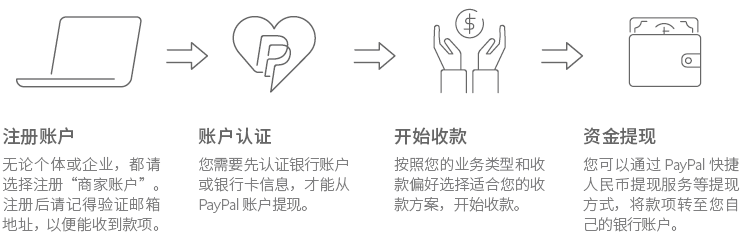
Why do sellers love using PayPal?
A globally trusted payment method
Used in over 200 countries worldwide, with more than 200 million active users.
One account, easy management
PayPal allows centralized access and management of all your sales proceeds, with the ability to hold balances in up to 25 different currencies simultaneously.
Fast receipt of funds
Receiving payments through PayPal typically takes only a few minutes, accelerating capital turnover and enabling quick cash flow recovery.
Convenient RMB withdrawal service
Four-step withdrawal process, with funds arriving in as fast as two days! Exchange rates are settled according to the official Bank of China rate, and are not subject to the individual annual foreign exchange limit of $50,000.
Seller Protection
The Seller Protection program helps sellers reduce losses from fraudulent transactions, offering full reimbursement for eligible transactions.
Simple and transparent fees
No monthly fees, no account opening fees, and no account closure fees. Fees are only charged when a transaction is completed.
PayPal Registration Tutorial
Having detailed PayPal information earlier, let's now start registering a PayPal account.
1. First, click the button below to go to the registration page.
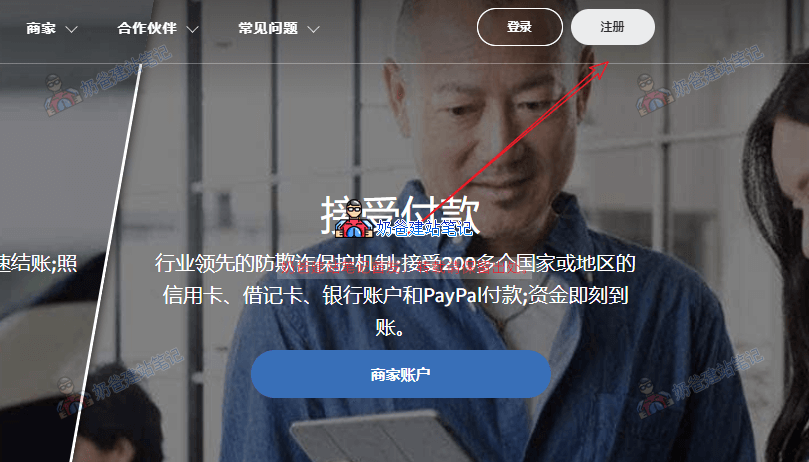
2. Click the registration button in the upper right corner of the page.
3. On the registration interface, you can choose a Personal Account or a Business Account.
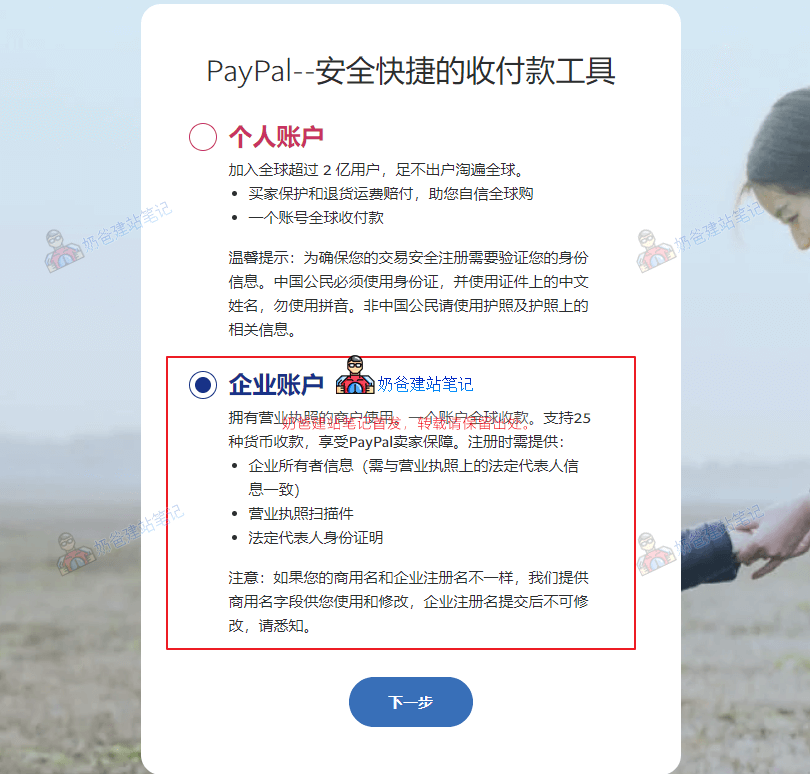
Registering a PayPal Personal Account requires using an ID card and the Chinese name on the document; do not use pinyin. Non-Chinese citizens should use a passport and the relevant information on it.
Registering a PayPal Business Account allows global collections with one account. Supports collections in 25 currencies and includes PayPal Seller Protection. Registration requires providing:
- Business owner information (must match the legal representative information on the business license)
- Scanned copy of the business license
- Legal representative's identity proof
Note: If your trade name differs from the registered business name, we provide a trade name field for you to use and modify. The registered business name cannot be changed after submission, please be aware.
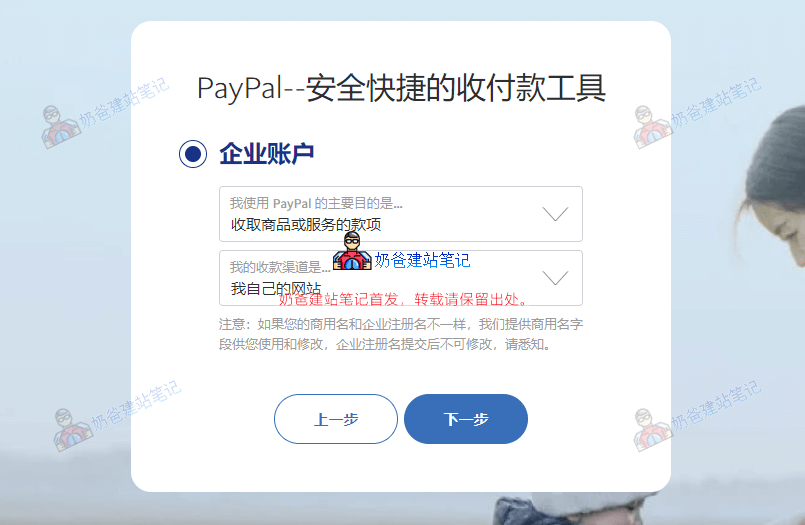
4. Select the purpose and channel for registering PayPal
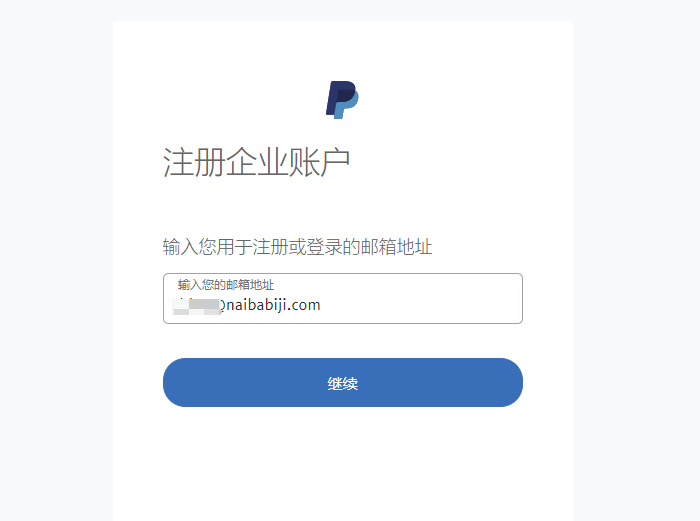
5. Enter the registration email
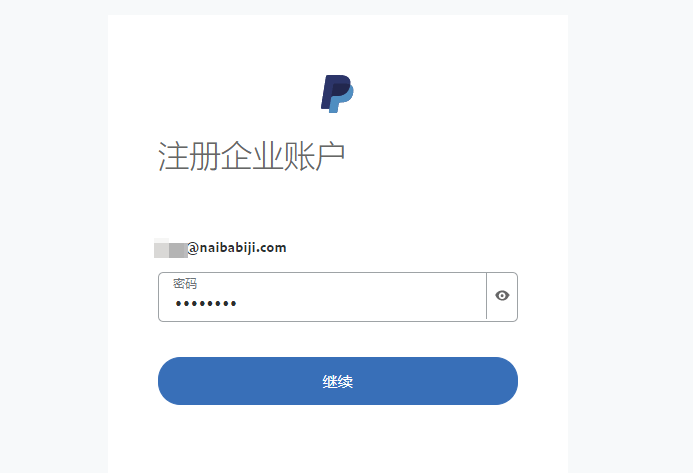
6. Enter the password
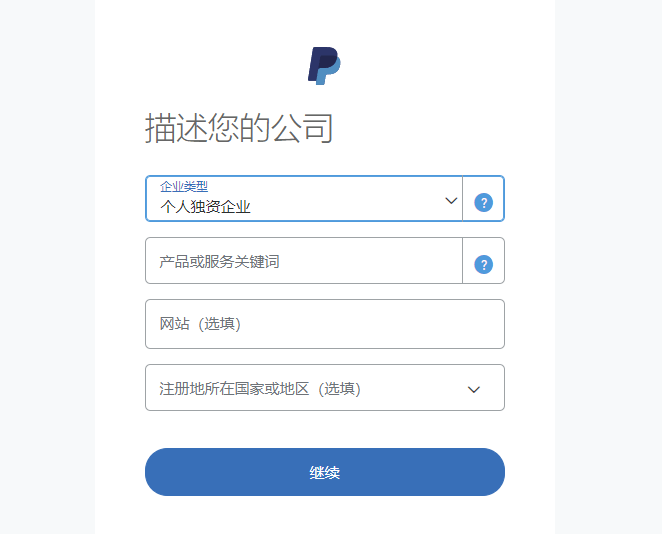
7. Fill in company information
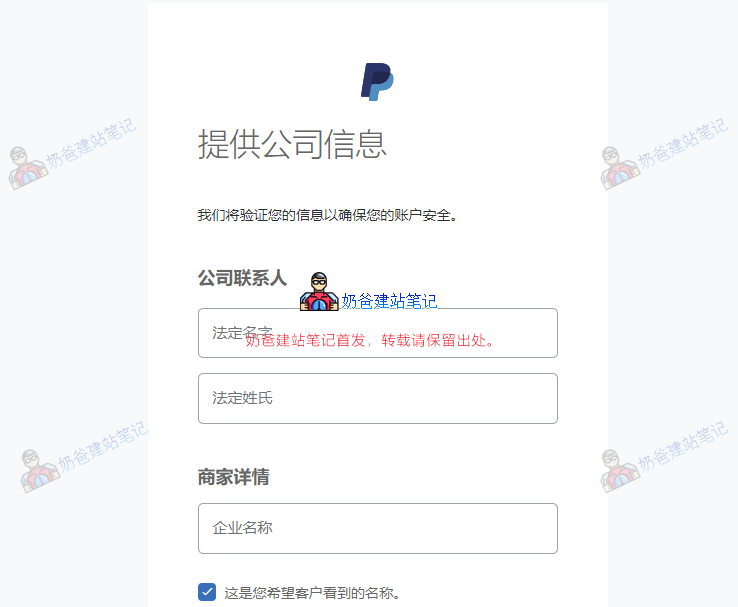
8. Describe company information
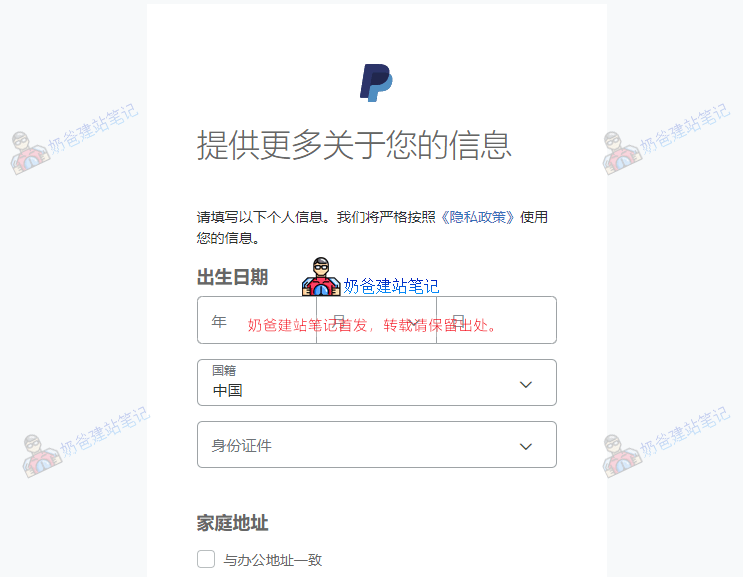
9. Fill in the legal representative's information
10. Registration completed
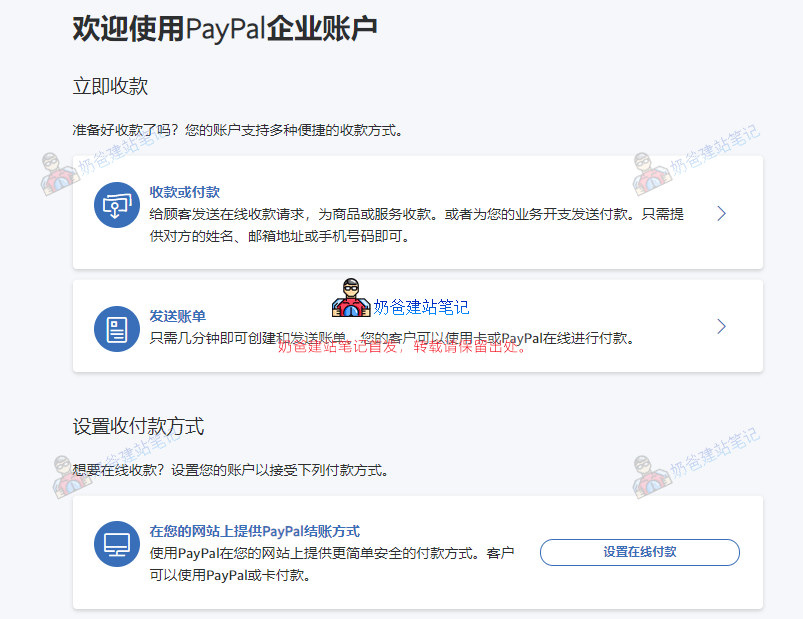
At this point, our corporate PayPal account is registered, but it's not finished yet.
11. Verify identity
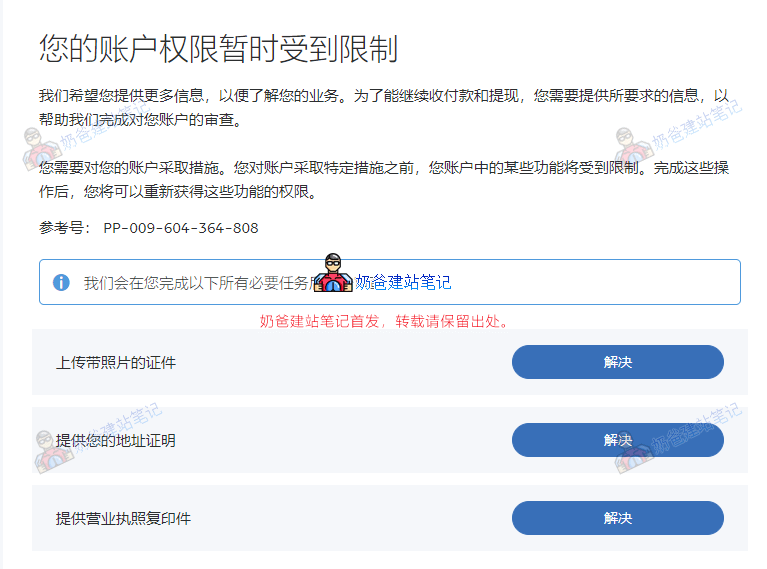
You will receive several emails from PayPal in your registered email address, requiring you to fill in some tax information and verification. Follow the prompts in the emails and click the links to complete the operations.
Full functionality can only be used after identity verification. The materials required for registering a PayPal China corporate account must be uploaded: Mainland China Business License (photo) + Legal Representative's ID Card Front and Back (photo)
+ Address proof also uses the Legal Representative's ID Card Front and Back (photo)
After uploading the verification materials, it will take a few days for review. Just wait during this period.
The steps above are the latest complete PayPal registration tutorial. Next, Naiba will introduce how to set up the website to use PayPal for receiving payments.
WooCommerce Integration with PayPal for Payment Collection
Following the abovetutorial to register a PayPal accountand after approval, we can configure PayPal payment on the website.
Register a PayPal account now to receive payments from users in over 200 countries worldwide
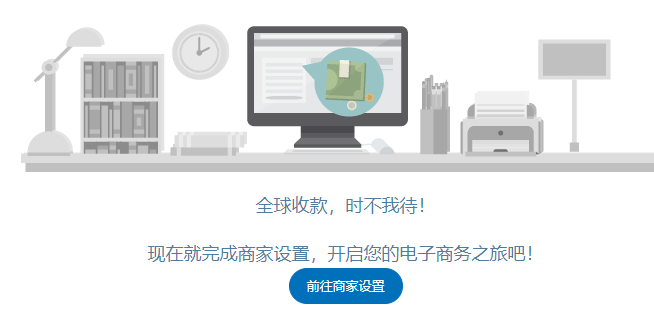
1. Log in to the PayPal official website, see the image below, and click 'Go to Merchant Settings'.
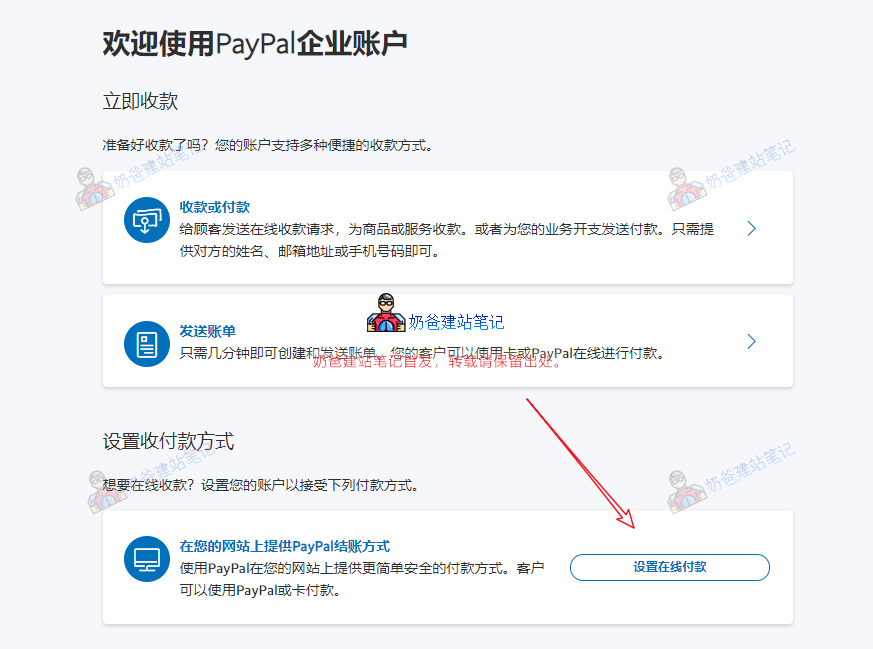
2. Set up online payments
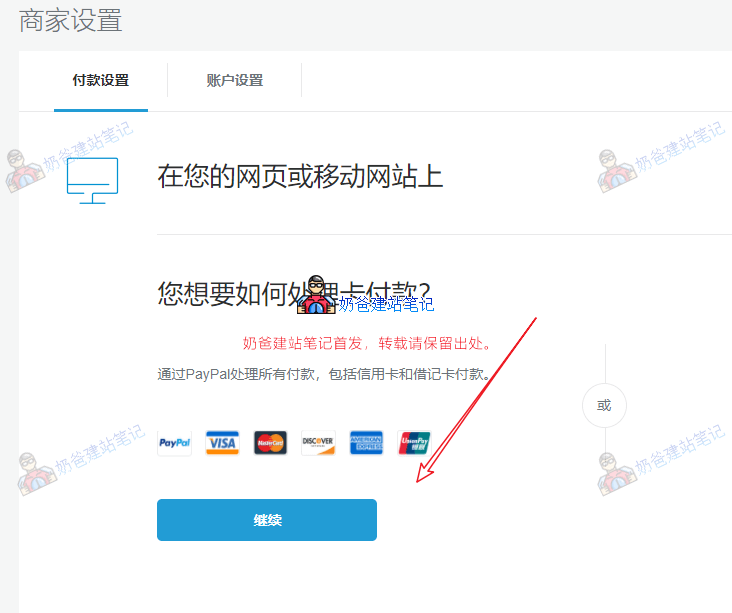
3. Process all payments on your website through PayPal.
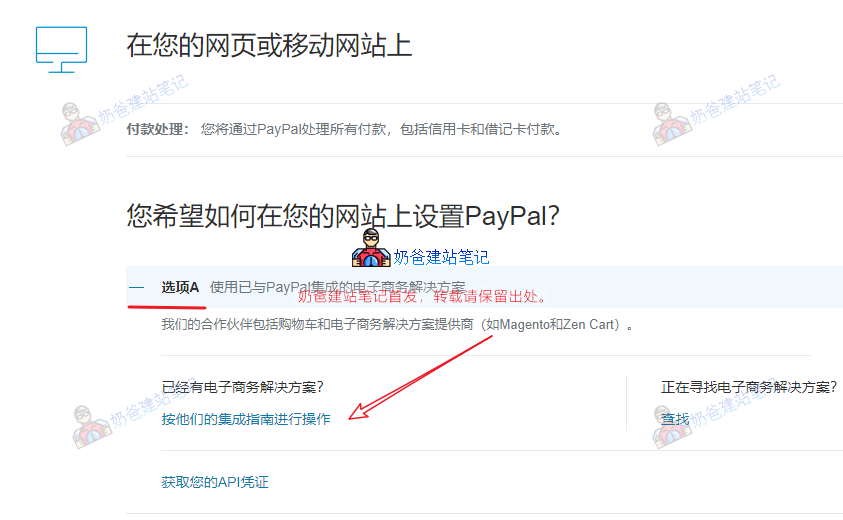
4. Choose to use an e-commerce solution already integrated with PayPal, then click 'Follow their integration guide'.
5. Click the WordPress icon to view the tutorial for setting up WooCommerce and PayPal on a WordPress website. If it's too troublesome, click the URL below directly.
Enter the WordPress Admin Dashboard, select WooCommerce > Settings > Payments on the left
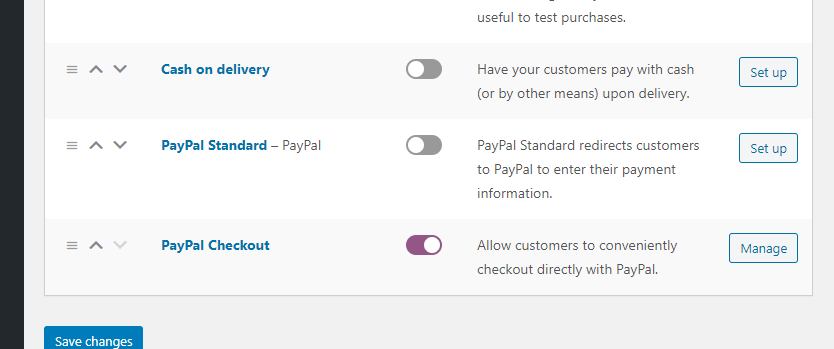
After installing the plugin according to the official tutorial, enter the WooCommerce payment settings. You will see two PayPal options: PayPal Standard comes pre-installed with WooCommerce, and PayPal Checkout is the officially recommended one we installed. Both can be used; you can choose whichever you find more convenient.
6. Set up API, click 'Setup or link an existing PayPal account'
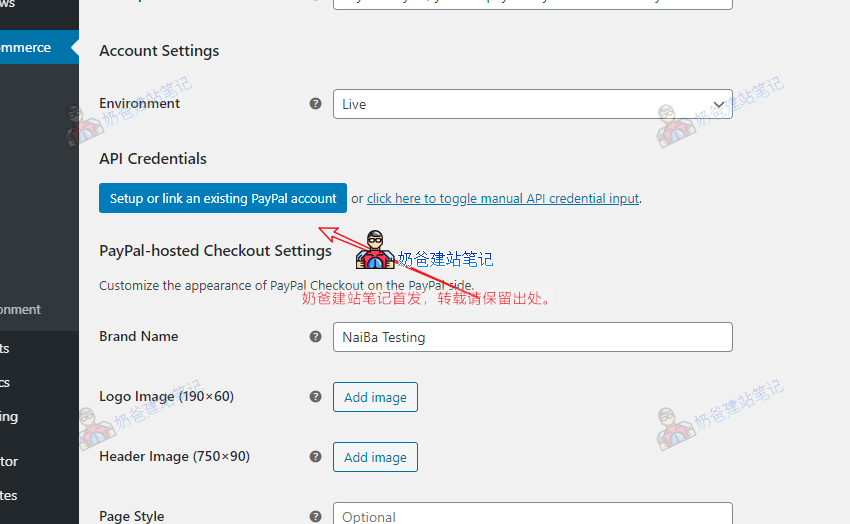
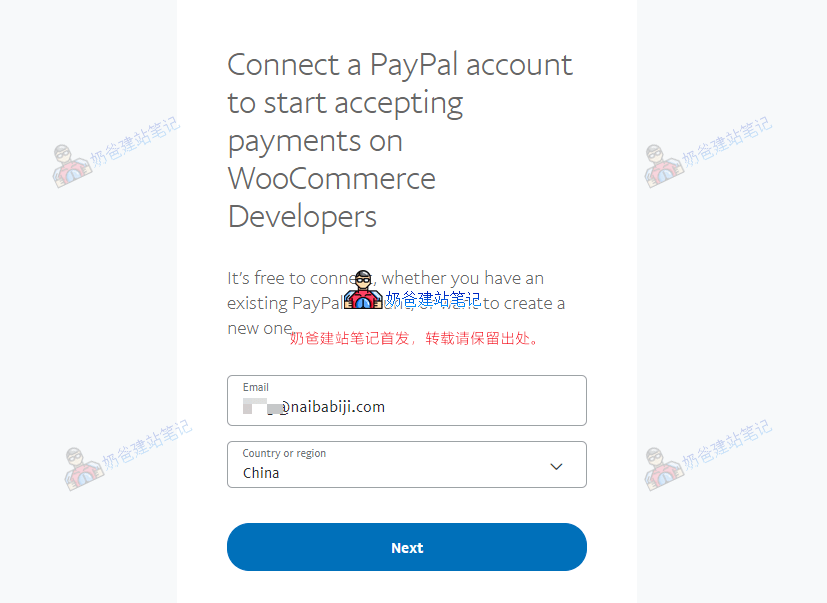
7. Enter your PayPal account and country, then click Next. (If already registered, you will be prompted to log in after clicking.)
8. Agree and Connect.
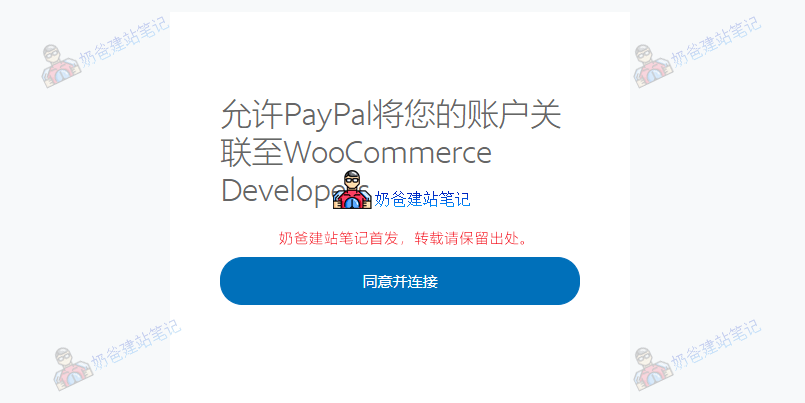
9. Return to WooCommerce Developers.
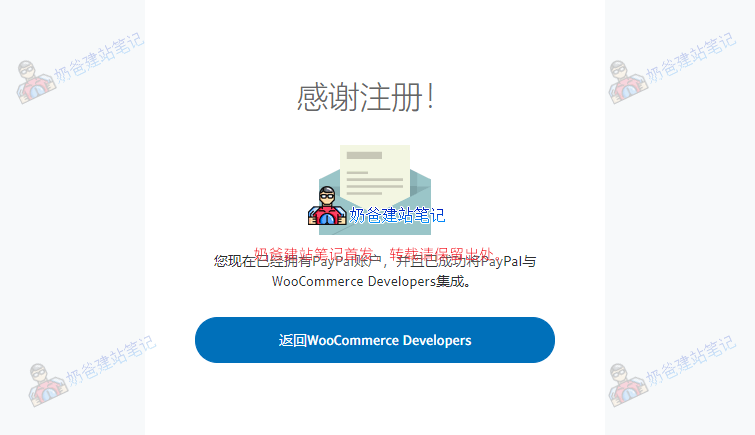
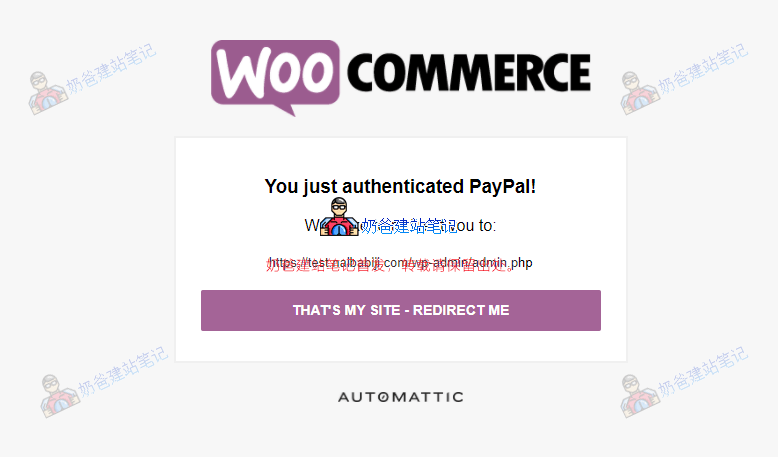
10. Click the button to confirm it's your website.
11. Setup completed, you can test payments on the Frontend.
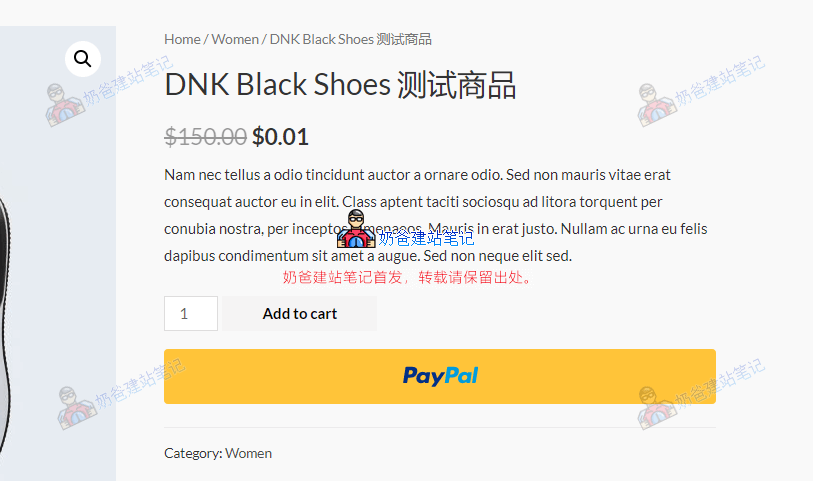
After setting up this way, the PayPal button will be visible on the website Frontend. When purchasing products, you can choose to pay with PayPal at checkout. You can test the entire process yourself. Of course, in the PayPal payment plugin settings, you can also choose to test in Sandbox mode (select Sandbox in the Environment field).
At this point, we have officially completed the PayPal registration and integration with WooCommerce, enabling the foreign trade website to use PayPal for receiving payments.
Register a PayPal account now to receive payments from users in over 200 countries worldwide
Register directly from the official website
PayPal Frequently Asked Questions
PayPal Fee Rates
PayPal cross-border payment transaction fees are only charged when a transaction is successfully completed. The higher the monthly sales volume, the lower the fee rate you need to pay.
If your monthly sales reach $3,000 or more and maintain a good account record, you can apply for the preferential merchant rate. You only need to apply once. Subsequently, the applicable rate will be automatically adjusted monthly based on your collection amount and will take effect the following month.
Website payments, email payments, and invoice payments*
Monthly Sales (USD) | Rate | |
|---|---|---|
| Standard Rate | $3,000 and below | 4.4% + $0.30** |
| Preferential Rate | 3,000 – 10,000 | 3.9% + $0.30** |
| 10,000 – 100,000 | 3.7% + $0.30** | |
| Above $100,000 | 3.4% + $0.30** |
*The applicable rates for eBay collections are the same as those listed in the table.
** Fixed fee: When collecting in USD, the fixed fee is $0.30.
Withdrawal Fee
You can conveniently withdraw funds to a Chinese bank account or choose other withdrawal options. We may deduct a handling fee from your withdrawal amount.
| Withdrawal Method | Disbursement Currency | Handling Fee |
|---|---|---|
| Wire transfer to a bank account in Mainland China | USD | $35 per transaction |
| Withdrawal to a bank account in Hong Kong, China | HKD | Free for withdrawals of HKD 1,000 or moreHKD 3.50 per transaction for withdrawals below HKD 1,000 |
| Withdrawal to a US bank account | USD | $35 per transaction |
| Withdrawal by check | USD | $5 per transaction |
Other Questions
Q: Can one PayPal account be set up to receive payments on multiple websites?
A: Yes, but it is not recommended to use one account for multiple websites.
Q: How long does the document review take?
A: Standard KYC review takes 48 hours (for materials provided as required).
Q: How to manually apply for the PayPal API?
A: After logging into the PayPal website, click the gear icon in the upper right corner > Account Settings > API Access > NVP/SOAP API Integration (Classic) > Manage API Credentials > Create API.
Q: What to do if the PayPal account is restricted?
A: A restriction means risk control has taken management measures on the account, requiring the user to provide corresponding review materials. It is recommended to contact PayPal's official customer service or check the official emails in the PayPal mailbox to provide the review materials.
Q: Why can't I transfer money to my own PayPal account?
A: Mainland China PayPal accounts cannot transfer money to other Mainland China PayPal accounts.
Still have questions? Feel free to leave a comment and discuss.
Register a PayPal account now to receive payments from users in over 200 countries worldwide
Hello, what is the difference between a personal account and a business account for an independent website?
Personal accounts are definitely less formal than business accounts, and there are differences in corresponding usage permissions. For WP, personal accounts can still be used to receive payments for now.
Can personal accounts still be used to receive payments now?
Should be possible
1. Business account registration requires a bunch of materials like address proof. 2. Withdrawal methods for personal/business accounts. Can you supplement these two points? Especially regarding business account withdrawals. Our company opened a corporate account, but without an import/export zone. The bank liaison for the company account said the account might not be able to accept withdrawal transfers from a PayPal business account.
For a corporate account, address proof can use the front and back of the legal representative's ID card for upload. Do not use PDF format; the file size should not exceed 5MB. Personal PayPal accounts can add the account holder's bank card for withdrawals. Corporate accounts can add the company's basic account for withdrawals. When adding the company's basic account to the PayPal account for withdrawals, if the receiving bank requires deposit details, you can provide the payment records from the PayPal account for review. Different commercial banks have different requirements. It is best to consult the policy of the bank that issued the account before adding it.
I don't know why there is no option for China when I connect my account.
You can consult their customer service. The policy might have changed since I registered.