
Forbuilding foreign trade websitesor corporate websites, after usingWordPressAfter setting up the website, create a contact form on the site. When customers contact you through the form, an email is sent to the admin email.
However, you cannot guarantee that the email system will work 100%, especially since many hosts requireusing SMTP to send emails, and you may also encounter spam filtering policies from email service providers, so you cannot guarantee receiving every customer's email. Therefore, you need to consider saving contact form data locally, allowing administrators to view user contact form information directly in the website backend, similar to customer messages.
To achieverecording contact form content for viewing in the website backendis very simple. This article recommendstwo plugins that record Contact Form 7 form data into the local database。
Contact Form 7 Database Addon
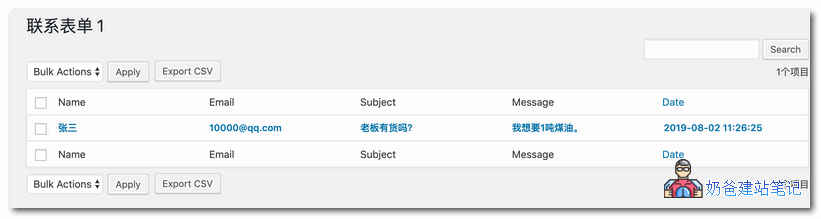
Contact Form 7 Database Addon – CFDB7 is an enhancement plugin for Contact Form 7. Before use, ensure that Contact Form 7 is installed.
Contact Form 7 Database Addon download
Usage Method
Step 1: Install Contact Form 7 and configure a contact form on the webpage.
Step 2: Install Contact Form 7 Database Addon – CFDB7, activate it, and no additional configuration is needed.
When a user submits a message through the Contact Form 7 form, if you have configured the email system, Contact Form 7 will send you an email and also record the user's message in the Contact Forms List, as shown below:
Advanced Contact form 7 DB
Advanced Contact form 7 DB also saves a copy of Contact Form 7 form information to the database. After installation, simply activate it, and it will automatically record contact form information submitted via Contact Form 7.
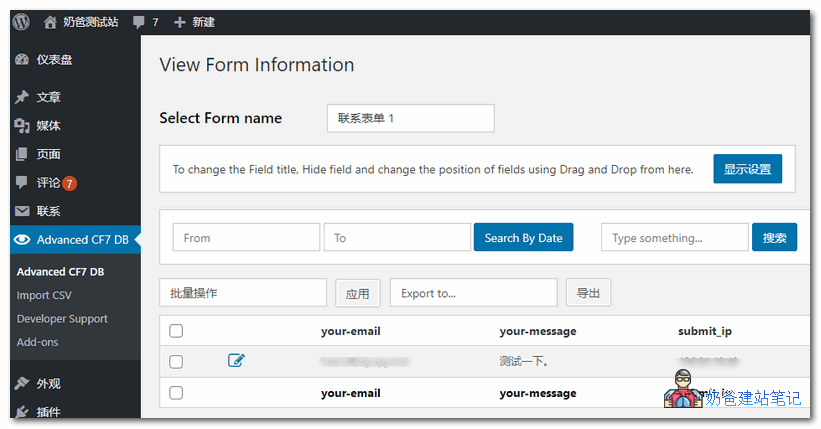
This plugin needs to be used in conjunction with Contact Form 7. After installation, simply activate it, and it will automatically record form information to the database.
Flamingo
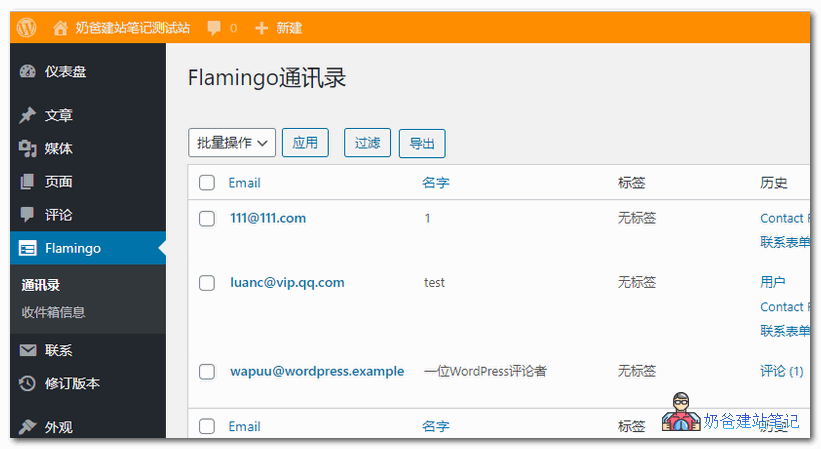
Flamingo is a message storage plugin created for Contact Form 7, it is100 Popular WordPress Pluginsone of them.
After activating the plugin, you will find Flamingo in the WordPress admin screen menu. All messages from the contact form are listed there and are searchable. With Flamingo, you don't have to worry about losing important emails due to mail server issues or incorrect mail settings.
Install any one of these 3 plugins and use it with the Contact Form 7 plugin. Even if your email system fails, you don't have to worry about missing customer form submissions. Finally, if you want one plugin to solve the problem, you can install Gravity Forms mentioned in the related article; it's very powerful.