
Building a websiteFor comments, contact forms on websites, or inquiry forms for foreign trade websites, most people are probably familiar with Contact Form 7. Naibabiji previously introduced it:WordPress Contact Form Information Recorded in Website Backend Databasemethod, and also published yesterday:5 WordPress Inquiry Form Plugins_WooCommerce Email Inquiry Button
Today, I found an even betterWordPress form plugin Gravity Forms, sharing it with everyone.
Gravity Forms Plugin Introduction
Gravity Formsis calledGravity Formsin Chinese. It can generate a very convenient form system on WP and is one of the most powerfulform pluginsfor WordPress websites. Besides complete contact form functionality, it integrates many practical third-party services, including project management tools, email marketing services, communication tools, and payment tools.
Why is it said to be better?
- Automatically submits form content to the backend for recording, no need to worry about the email system failing and missing customer inquiry information;
- Supports sending forms via email to a specified mailbox, allowing you to always get the latest contact form content;
- Supports extension functionality, can integrate with analytics, CRM, and payment systems;
- Supports Chinese localization, drag-and-drop form creation.
For the extension systems supported by Gravity Forms, please refer to the official website list.
Gravity Forms Tutorial
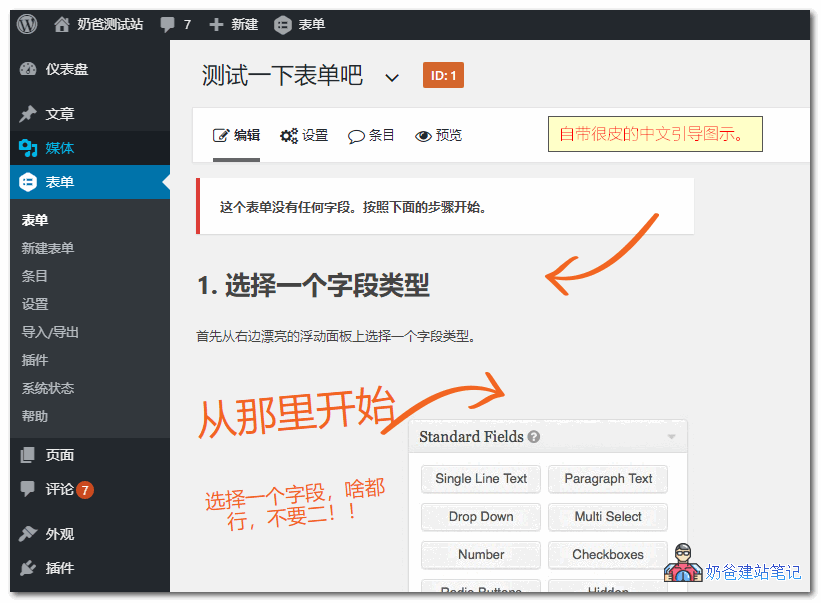
1. After installing theWP form pluginGravity Forms, entering the settings interface shows a complete Chinese translation, including a Chinese guide tutorial.
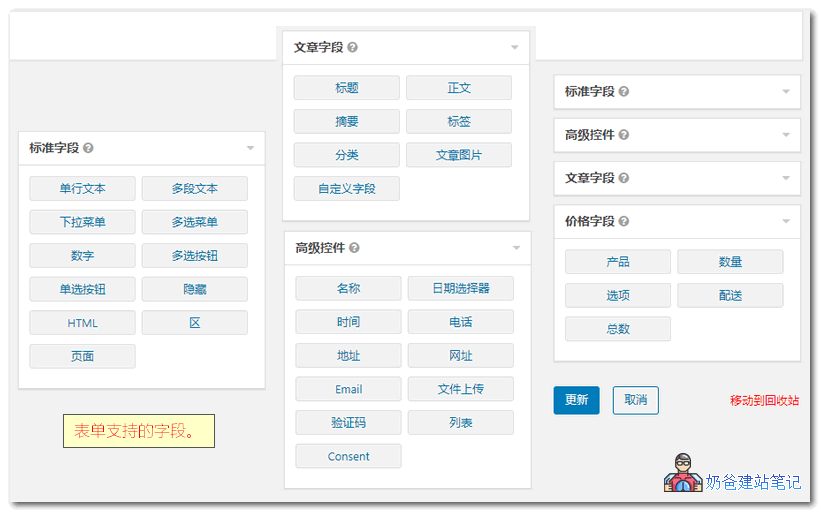
2. The Gravity Forms plugin comes with rich fields. You can create your desired form by dragging and dropping with the mouse. Each form field has setting parameters, allowing customization of display content.
3. After creation, it can be integrated into the website via post insertion components, shortcodes, or HTML code. Here, the post insertion and shortcode methods are introduced.
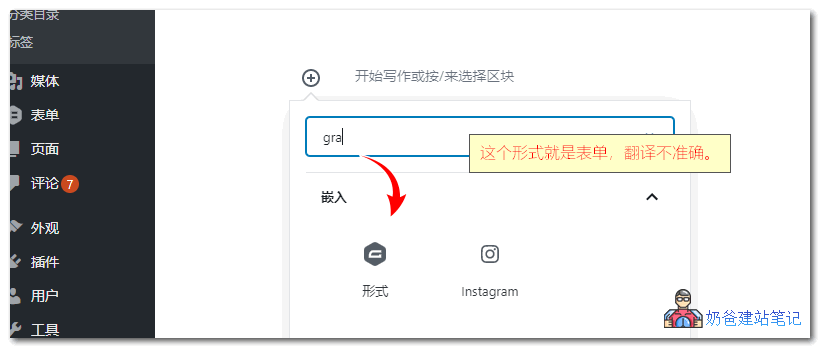
Method to insert Gravity Forms in the Gutenberg editor, as shown in the figure below, search for 'gravity' on the plus sign to see a form icon. Clicking it inserts a form, automatically calling the form items you have already created.
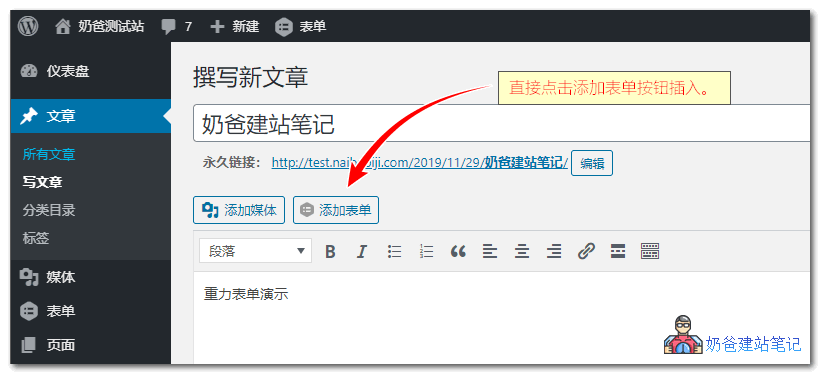
Method to insert Gravity Forms in the classic editor, when publishing a post, simply click the insert form button on the editor.
Method to insert Gravity Forms using shortcodes:To insert using shortcode, simply place the following shortcode where you want it to be called.
[gravityform id=1 title=false description=false ajax=true tabindex=49]
Shortcode parameter description:
- id: Required. Can be found on the form details page.
- title: Title, optional. true to display, false to hide.
- description: Description, optional. true to display, false to hide.
- ajax: Whether to enable AJAX submission.
- tabindex: Specifies the starting tab index for fields in this form.
- field_values specifies default field values. Example: field_values ='check = First Choice, Second Choice'
4. Let's call the form in an article to see the effect.
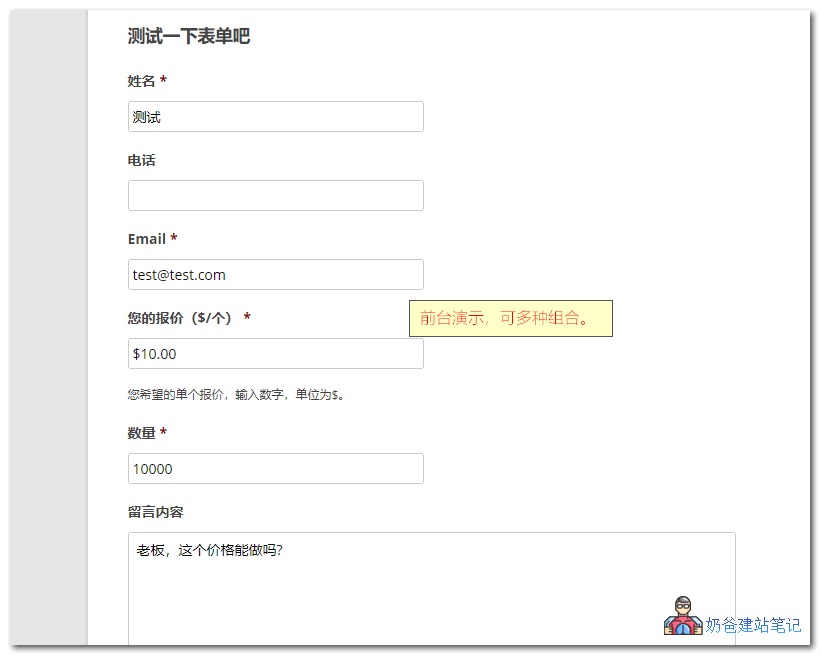
5. When a user submits from the frontend, the administrator can view the submitted information in the backend entries.

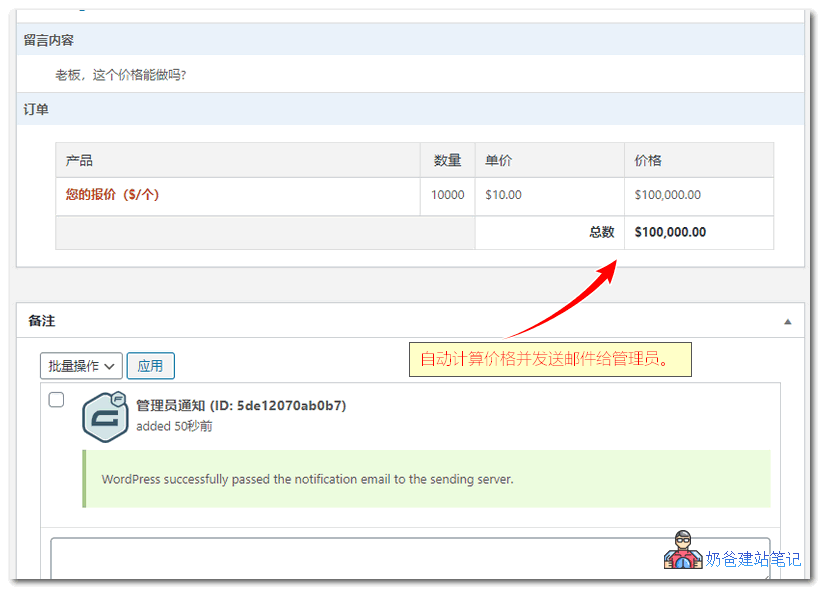
6. Clicking on the entry details shows the complete form information, with email system notifications at the bottom, and the option to forward the email to others.
Gravity Forms Download Link
Gravity Forms is a paid WP form plugin, so it cannot be found in the WordPress plugin marketplace (what you find are add-ons for Gravity Forms).
Gravity Forms costs $59/year. If you need it, you can purchase it from the official website. Here, Naibabiji shares a copyGravity Forms 2.4.6 cracked version.
Purchase from Official Website Join Group to Download
Q Group 774633089 shared files > wordpress plugins > CJ06.gravityforms2416n
Update log
- ### 2.4.16 | 2019-12-18
- - Added security enhancements.
- - Added the *[gform_form_summary](https://docs.gravityforms.com/gform_form_summary/)* filter.
- - Added the *[gform_form_switcher_forms]
- (https://docs.gravityforms.com/gform_form_switcher_forms/)* filter.
- - Enhanced performance: Updated the gform_version_info option, thus disabling autoload.
- - Updated the minimum required WordPress version to 5.2.
- - Fixed an issue where merge tags used in the placeholder settings for dropdown lists were not being processed.
- - Fixed an issue where PHP notices in PHP 7.4 were triggered when the Stripe add-on was enabled.
- - Fixed compatibility issues with the Form block and WPGraphQL Gutenberg.
- - Fixed a JavaScript error that could occur in the form editor when trying to edit a field populated with integer-based choices via a form object filter.
- - Fixed PHP 7.4 compatibility issues. Credit: Gravity PDF team.
- - Fixed some untranslatable strings for the form and entry locking features. Credit: GravityView team.
- - Fixed an issue with the active/inactive toggle styling in the admin.
- - Fixed an issue where conditional shortcodes could output content with mismatched values when using the endswithwith 0 rule. Credit: Gravity PDF team.
- - Corrected a typo in the country subfield of the address field selection for Brunei Darussalam.
- - Fixed an issue where form blocks and widgets were not centered when using the Twenty Twenty theme.
- - Fixed an issue where the US/Canada phone field type could not validate correctly when the „No Duplicates“ feature was enabled.
- - Fixed an issue where form widgets did not hide tabindex by default.
- - Fixed a PHP notice where third-party plugins or custom functions on some sites might change the $phpmailer->ErrorInfo of the $phpmailer object.
- - Fixed the front-end merge tag replacement return value for fields in sections hidden by conditional logic.
- - Fixed an issue where the [gform_input_change](https://docs.gravityforms.com/gform_input_change/) filter could not pass the correct value for its parameters.
- - Fixed a style conflict between the ready class and signature add-on fields.
- - Fixed an issue with password fields that triggered validation errors when using the password strength feature in certain multi-page form configurations.
- - Fixed an issue where leading spaces in the consent field label would trigger false validation errors on multi-page forms if the field was marked as required.
- - Fixed the clickable password visibility toggle when editing forms.
- - AF: Fixed a database error that could occur when uninstalling payment add-ons that do not support callbacks.
- - API: Resolved an issue where GFAPI::get_feeds() and the GET gf/v2/feeds and GET/PUT/DELETE gf/v2/feeds/[feed_id] endpoints could not properly update or delete feeds.
- - API: Fixed an issue with GFAPI::update_forms_property() that could cause the wrong form to be updated.
- - API: Fixed an issue where the gravity_form() function did not suppress tabindex by default.