
Backing up your website database is the best way to ensure website security. WordPress backup plugins can help you quickly restore your website to a normal state when it is hacked or experiences a failure. This article compiles a list of10 excellent free WordPress backup plugins。
UpdraftPlus WordPress Backup Plugin

UpdraftPlus simplifies backup and restore operations. It is the highest-rated and most popular backup and restore plugin in the WordPress plugin repository, with over 2 million active installations. You can easily back up files and databases to the cloud with UpdraftPlus and restore them when needed.
Supported cloud storage includes: Dropbox, Google Drive, Amazon S3 (or compatible), Rackspace Cloud, DreamObjects, FTP, Openstack Swift, Updraft Vault, and email. Paid versions can also back up to Microsoft OneDrive, Microsoft Azure, Google Cloud Storage, Backblaze B2, SFTP, SCP, and WebDAV.
Features:
- Backup and restore data and databases
- Supports backing up to the cloud
- Supports scheduled automatic backups
Reference Tutorial:Using Plugins to Automatically Backup WordPress Websites_Methods for Website Backup
BackWPup
BackWPup can back up complete website data and upload backups to the cloud, such as Dropbox, S3, FTP, etc.
It can also optimize, check, and repair the database, and supports multisite backups.
Reference Tutorial:Tutorial on Using BackWPup to Backup Your Website Database and Files
BackUpWordPress

The BackUpWordPress plugin will schedule backups of the entire WordPress website, including the database and all files.
Features:
- Super simple and easy to use, no setup required.
- Manage multiple schedules.
- Choose to have each backup file emailed to you.
- Uses zip and mysqldump for faster backups (if available).
- Works on Linux and Windows Server.
- Exclude files and folders from backups.
Migrate & Backup WordPress – WPvivid Backup Plugin
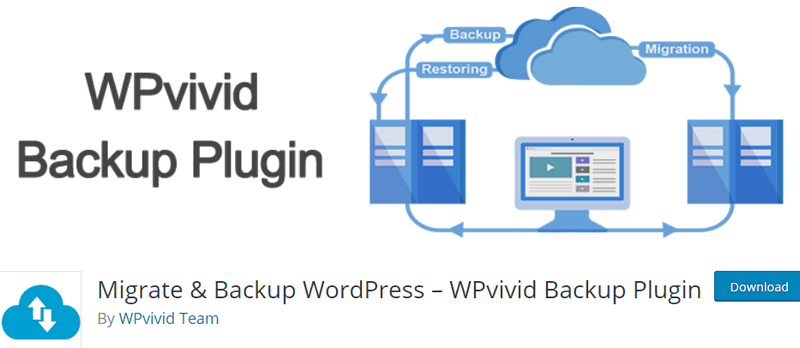
Migrate & Backup WordPress supports backing up and migrating data, and also supports uploading backup data to the cloud. This plugin has a premium version.
Features:
- One-click site migration
- Upload backup
- Automatic backup
- One-click restore
- Supports cloud storage
WP-DBManager

Allows you to optimize the database, repair the database, backup the database, restore the database, delete backup databases, delete/empty tables, and run selected queries. Supports automatic scheduled backups, optimization, and repair of the database.
VaultPress
VaultPress is a real-time backup and security scanning service designed and built by Automattic, the company that runs (and backs up!) millions of sites on WordPress.com.
VaultPress, now powered by Jetpack, easily backs up all posts, comments, media files, revisions, and dashboard settings from your site to our servers. With VaultPress, you are protected from hackers, malware, accidental damage, and host outages.
Key features:
- Daily and real-time backups
- Automatic restore to any point
- Comprehensive security scanning
- Important statistics for website owners and publishers
- Centralized site management
WordPress Backup and Migrate Plugin – Backup Guard
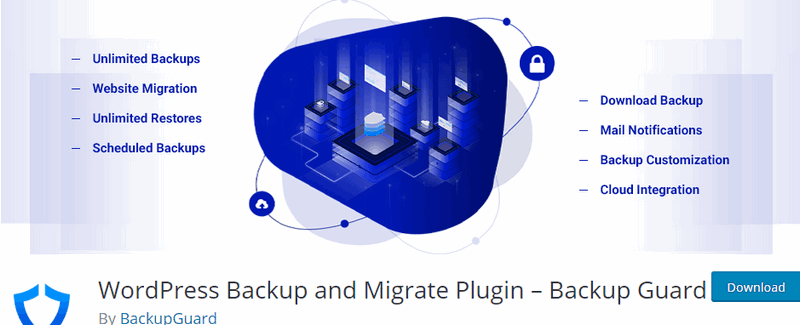
Backup Guard is the most complete WordPress backup plugin. We offer the simplest way to backup, restore, and migrate WordPress websites. You can backup and restore WordPress files and/or the database.
Features:
- Backup site – unlimited site backups
- Backup files, database, or both
- Select folders to backup
- Select database tables to backup
- Restore site – restore backups when necessary
- Selective file or database restore
- Download backup – download backups to your computer
- Import backup – upload backups to restore (no FTP required)
- Supports Multisite WordPress Network
- Cancel Backup – Cancel the backup process
- Explore backup or restore log files
- Ability to specify custom exclusion paths
- Ability to exclude database tables
- Real-time progress – Precise progress of current backup or restore
WP Database Backup
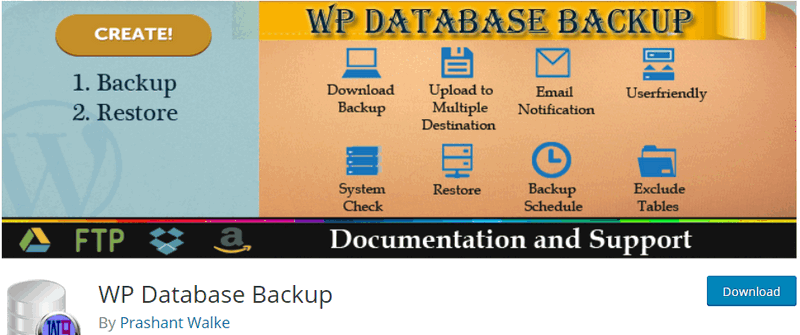
WP Database Backup plugin helps you easily create database backups and restore database backups with a single click. Perform manual or automatic database backups, and also store database backups in secure locations – Dropbox, FTP, email, Google Drive, Amazon S3.
Key features:
- Easily perform database backups with a single click.
- Automatic backups.
- Easily restore database backups with a single click.
- Store database backups in secure locations – Dropbox, Google Drive, Amazon S3, FTP, email.
- Search and sort database backup functionality.
This plugin is no longer recommended for backups. Naiba found in actual use that there is a bug in the backup data, where percentage signs are backed up incorrectly.
Backup & Staging – BlogVault Backups
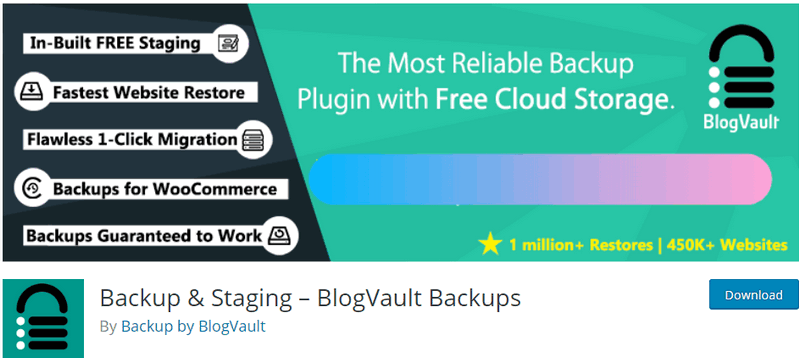
BlogVault Backups features incremental backups, but it is paid. If you are looking for incremental backups, you might want to give it a try.
XCloner – Backup and Restore

XCloner is a backup and restore plugin that integrates perfectly with WordPress. It can create full and differential backups of your site manually or automatically via the built-in scheduler.
Features:
- Easily backup and restore your WordPress website
- Create compressed and uncompressed backups using the open-source TAR format
- Create encrypted backup archives using the AES-128-CBC algorithm
- Create automatic backups from the „Scheduled Backups“ section
- Receive email notifications about backup creation
- Generate automatic backups based on cronjobs, which can run daily, weekly, monthly, or even hourly
- Restore your backups to local or remote locations. XCloner will attempt to extract the backup archive files for you, as well as import MySQL dumps and update WordPress configuration details
- Upload your backups to remote storage locations supporting FTP, SFTP, Dropbox, AWS, Azure Blob, Backblaze, WebDAV, Google Drive, etc.
- Watch each step of XCloner via the built-in debugger
- By optimizing XCloner to run properly on most hosts, we provide developers with options to customize XCloner's running speed and avoid backup timeouts, all through XCloner Config -> System Options
- Backups can be split into multiple smaller parts if a certain size limit is reached
- Generate differential backups, so your backups will only contain files modified after a specific date, allowing you to optionally reduce total backup space disk usage
- Generate automatic backups before WordPress automatic updates
- Comply with GDPR by adding encrypted data
The above are 10 excellent WordPress backup plugins compiled by Naiba. It is very necessary to install a backup plugin to regularly back up your website data and database to prevent data loss in case of site failure.
You can choose one of these 10 backup plugins that you think works best and install it on your site.
Related articles:
- 7 WordPress Database Plugins for _Cleaning_Optimizing_Resetting_Repairing_Searching
- The Difference Between Exporting from the WordPress Admin Dashboard and Database Plugin Backup
- Tutorial on Automatically Backing Up Websites and Databases to FTP Storage Space with Baota Panel
- Using Plugins to Automatically Backup WordPress Websites_Methods for Website Backup