
The WordPress database is where website settings and article content are stored, so it is very important. Finding the right WordPress database plugin can help you manage the database effectively.
Naibabiji will recommend 6 WordPress database-related plugins here. TheseWordPress PluginThese plugins offer different database functions: cleaning, optimizing, resetting, repairing, or searching and replacing database content.
Advanced Database Cleaner
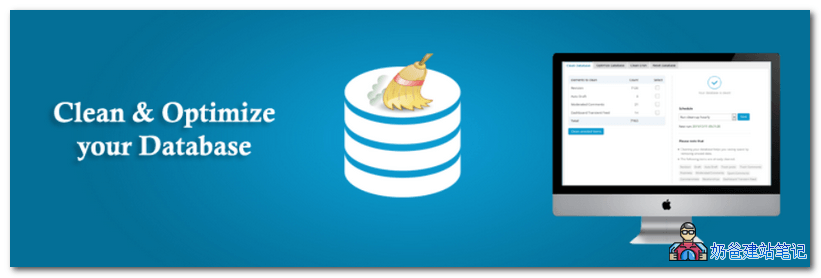
Advanced Database Cleaner optimizes and cleans the database by deleting auto-saved revisions, draft files, etc.
By default, WordPress automatically saves revisions and auto-saves drafts. After running your website for a while, you will find many revision records in the database. These records are actually useless after your article is published, so you can clean them up regularly to save database resources.
Main Features
- Supports scheduled automatic cleanup
- Automatically optimizes the database
- Preview orphaned database content
- File backup
- View scheduled tasks
- Delete junk content
- Multisite compatible
Optimize Database after Deleting Revisions

This plugin primarily deletes some database information automatically saved after revisions. Additionally, it can clean oEmbed caches (not commonly used for domestic websites) and handle pingbacks.
Key Features:
- Supports one-click cleanup
- Can delete pingbacks and trackbacks
- Delete all expired content
- Optimization logs
- Supports scheduled tasks
- Multilingual support
- Compatible with PHP 5.0+
WP-Optimize

The WP-Optimize plugin was previously introduced:Optimize Your WordPress Database with WP-Optimize
It can clean the database, delete database information from uninstalled plugins, etc.
Key Features:
- Complete database cleanup and optimization
- Multisite Support
- Supports mobile interface
- MySQL database defragmentation
- Cleans up stale database records
- Supports automatic cleanup
- Supports pre-backup
- Supports cleanup content preview
- Supports lazy loading
- Supports image compression
- Supports page caching
WP Reset – Best WordPress Reset Plugin
 WP Reset is a plugin for resetting the WordPress database. If you want to clear the website content in a fit of anger, you can try this plugin. Naiba himself often uses this plugin to reset the database on test sites.
After clicking the reset button, all content in your WordPress database will be automatically cleared, restoring the database to its initial state after installation, similar to a one-click restore.
The database reset operation will not affect your website's plugin and theme data files.
Key Features:
- One-click database reset
- Database snapshots
- Change WP version
- Reset theme options
- Supports multisite
WP-DBManager
WP-DBManager, as the name suggests, manages the WP database with simple functions: repairing, backing up, cleaning, and optimizing the WordPress database.
Key Features:
- Supports automated tasks
- Supports preview before running
- Repairs database content
- Automatic Cleanup
- Supports database backup
Better Search Replace
Better Search Replace is also one introduced by NaibaWordPress Plugin:WordPress Batch Find and Replace Plugin and Code for Modifying Article Content
When we need to batch modify articles published on the website, we can use this plugin. For example, after changing the website domain, Better Search Replace can batch replace old domain names with new ones in the website article content. Very convenient.
Key Features:
- No server version requirements
- Supports multisite
- Simple operation
- Supports database backup and import
WP Database Backup
This is the database backup plugin currently used by Naibabiji, as introduced in a previous article:Automatically backup WordPress websites using plugins
Both it and UpdraftPlus WordPress Backup Plugin are widely used WP database backup plugins. Of course, the plugins introduced above can also back up the database and optimize it, all being good choices.
Key Features:
- Supports scheduled database backup
- Supports uploading backup files to the cloud or sending them via email
- Simple operation
Well, introduced7 WordPress Database-Related Plugins, if you haven't installed any of them, listen to me, install at least one.Database Backup Plugin。