
Naiba believes that wherever passwords are involved, there will always be cases of forgetting them. For example,WordPress Password Forgotten_Three Methods to Recover Administrator Password
The plugin introduced in this article allows you to no longer need to remember a password; you just need WordPress to send you a login link via email to log into the website without a password.
Passwordless Login to WordPress
Plugin Introduction
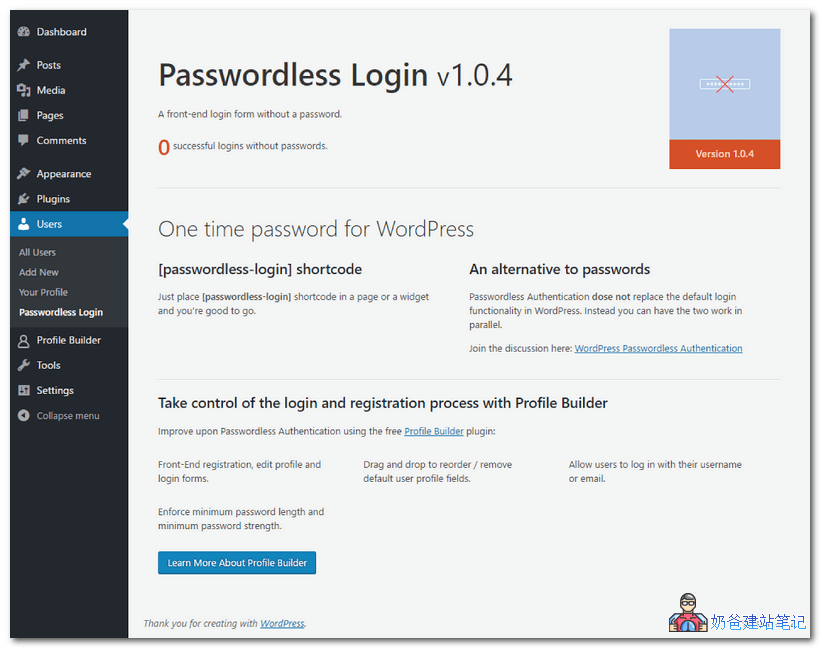
The plugin that enables passwordless login for WordPress is calledPasswordless Login. It is a freeWordPress Plugin, and its workflow is as follows:
- When a user attempts to log into your website, we do not ask for a password, but only request their username or email.
- The plugin creates a temporary authorization token for them to log in, and the login link will expire after 10 minutes.
- Then, we send an email to the user containing the link and token.
- The user clicks the link and sends the authorization code to your server.
- Then, the plugin checks if the code is valid and creates a log in the WordPress cookie, thereby successfully authenticating the user.
Plugin Usage Method
After downloading and installing Passwordless Login, you can call it via the shortcode [passwordless-login]. It can be inserted into posts or widgets.
However, using Passwordless Login has a prerequisite: your server's mail system must work properly. Most servers cannot send emails directly and need to use SMTP. Refer to this article:
Recommended WordPress SMTP Email Plugins I Have Used
Also, this plugin does not replace the default WordPress login functionality; both login methods can coexist.
However, you can consider hiding the WordPress admin login URL to force login via email link. Reference article:Hide WordPress Admin Login Address to Enhance Security: WPS Hide Login
Why Use Passwordless Login for WP
The main reason for using email link passwordless login to WordPress is to enhance website security, especially for sites with multiple authors or users.
We know that most people use simple passwords or the same password for many websites. You can ensure your own password security, but other users on your site will not proactively set a secure password for your site.
By using the email passwordless login introduced in this article, you can forcibly improve WordPress security.
After using Passwordless Login, if someone wants to steal your site user's password to log in, they would need to:
- Guess the username or email
- Steal the target's email account (and must do so within ten minutes)
Which Websites Are Suitable for Passwordless Login
Passwordless login is not suitable for WordPress sites with a very large user base, as your emails are likely to be marked as spam or exceed sending limits, causing users to fail to receive emails and be unable to log into the site.
Passwordless login is suitable for use on corporate websites.Because the vast majority of corporate employees do not prioritize website security (since they are just employees), administrators can set a complex password when creating accounts for staff, then hide the real backend login URL, forcing the use of email link login. (After all, the email is their own, so security should still be considered.)