
A Markdown editor is a lightweight text editor that uses simple, easy-to-remember plain text markup syntax to format headings, lists, links, images, code blocks, etc. It is favored by many programmers. Currently, WordPress defaults to the Gutenberg editor. Previously, we introducedmethods to disable the Gutenberg editor. If you want to use a Markdown editor, Naibabiji can also recommend two options here.
The first WordPress Markdown editor plugin Naiba introduced was calledWP Githuber MD. However, it was taken down in 2024 due to security issues, so we are recommending two new ones.
Markup Markdown
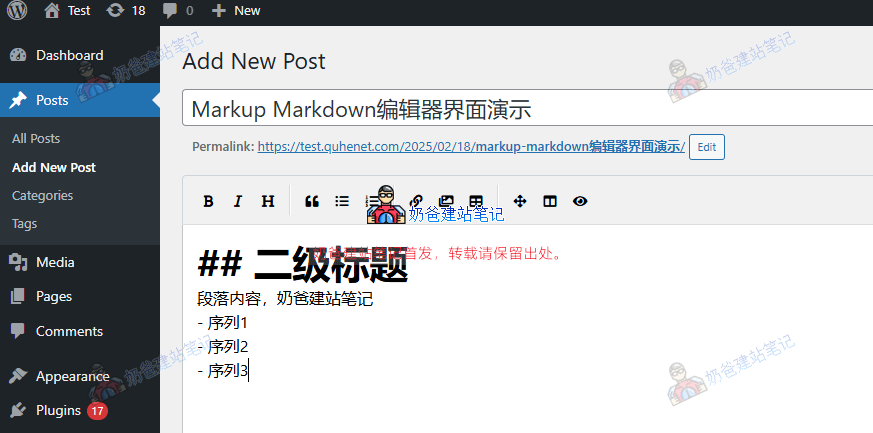
The function of the Markup Markdown plugin is: when editing a Post, it replaces the default Gutenberg Block Editor (or the old TinyMCE editor) with the EasyMDE editor. EasyMDE is a Markdown editor based on CodeMirror, making it simpler and more intuitive to use.
When you write a Post using this editor, the content is saved to the database in Markdown syntax. Then, when the Post is displayed on the Frontend, WordPress uses its built-in filters and the Parsedown PHP library to convert the Markdown syntax into normal webpage content, so readers see a properly formatted article.
In short, this plugin allows you to write Posts using Markdown syntax, making writing easier while maintaining excellent display results.
WP Editor.md
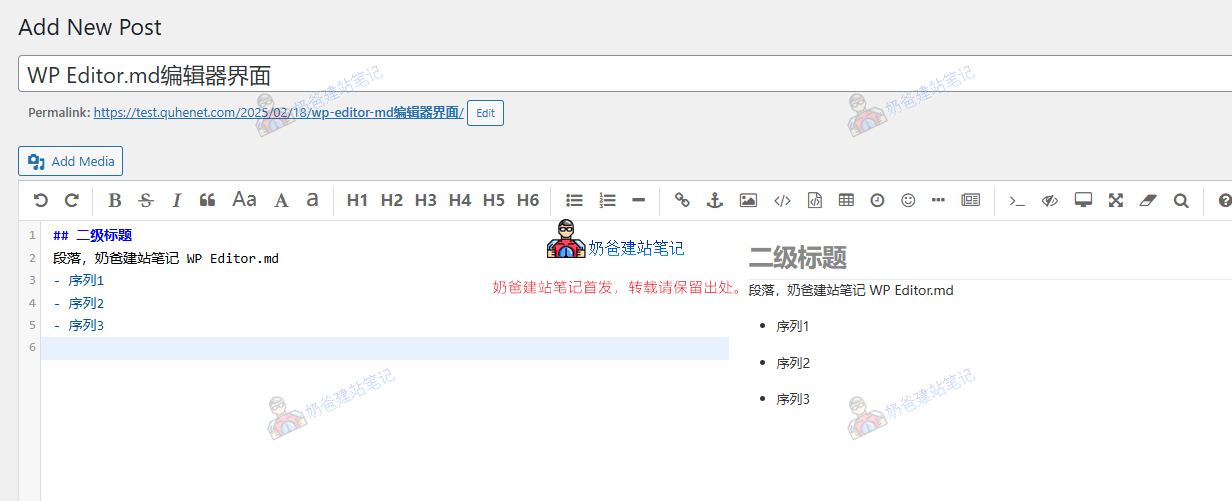
The WP Editor.md plugin's editor page adds a preview interface. Comparatively, its update frequency is not as high as Markup Markdown's.