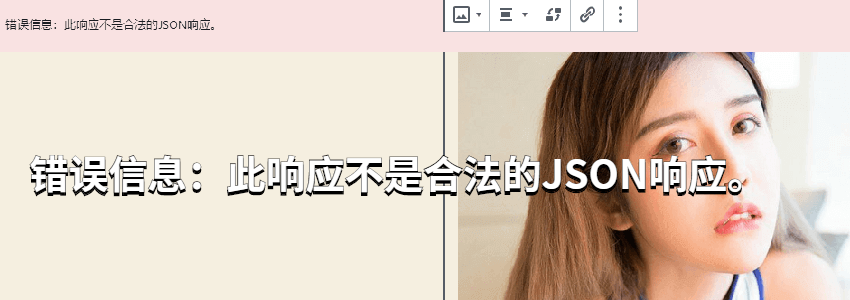
Today, a website owner friend in the group reported that after upgrading to WordPress 5.3, when publishing a post, they were prompted:Publishing failed. Error message: This response is not a valid JSON response.

Common situations of WordPress post publishing failure
The occurrence of this problemis usually due to two reasons:
1. Compatibility issues between a plugin and the editor
2. Issues with the WP REST API
3. Issues with the system image
Below, we analyze the solutions for these two types of problems.
Compatibility issues between plugins and the editor
This problem usually occurs with the Gutenberg editor. It may be that a plugin you installed has compatibility issues with the Gutenberg editor. Simply disable the Gutenberg editor and test again.
Disable method:How to Disable the New WordPress Gutenberg Editor
Additionally, some netizens have reported that switching to the Firefox browser allows normal publishing. You can also try this.
Issues with the WP REST API
If you inspect resources via the browser's F12 tool when publishing an article, you may find that the WP REST API reports an error. In this case, you can try disabling the WP REST API to test if it works normally.
To disable the WP REST API, you can install the following plugin to achieve this.
Reasons related to the system image
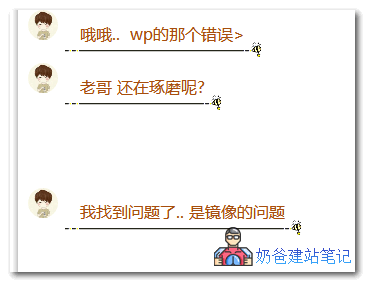
The netizen who gave feedback to Naiba on this issue finally found out that it was a bug in the system image. Just reinstall the website environment with a different system image and then install the website.
It should be caused by incompatibility between a component in the system image and the new version of WordPress. For technical novices, it is troublesome to figure out the specific problem, so it is faster to just switch to another image.
Indirectly solve the problem by inserting through the Media Library
 Some netizens have reported that if your WordPress file upload promptsthis response is not a valid JSON response, then when uploading images, you can click on the Media Library, and then from theMedia Libraryinterface, click theupload buttonto upload. Do not directly click the upload button in the post interface toupload image files. This canindirectly solveThis error.
The above method didn't work?
If neither of the two common situations above matches what you encountered, you can also use the following methods to diagnose and detect the problem.
- Disable all plugins and switch themes to try
- Reinstall WordPress to try
If you have already tried disabling plugins, switching themes, and reinstalling WordPress, and still cannot solve the problem, you can only refer to the ultimate solution below.
- Solution for WordPress 5.3 Image Upload and Post-Processing Failure: Reducing to 2500 Pixels
- Solution for WordPress Forced Image Cropping to 2560 Pixels
If server folder permissions are all normal but you still cannot publish posts, then you can only try reinstalling the website environment (to be safe, you can first install a WordPress on another server to test if it works).
Are you experiencing a WordPress update failure?
Some friends may also encounter WordPress update failure prompts.this response is not a valid JSON responseIn this case, manually updating solves the problem. There are two related articles you can check out.