After a website is builtAfter that, many people modify the front-end theme template, but few modify the back-end style. At most, they modify the WordPress login page.
This articleNaibabijishares with youfive WordPress Admin Dashboard beautification Plugins. Let you replace the unchanging WordPress backend Dashboard interface.
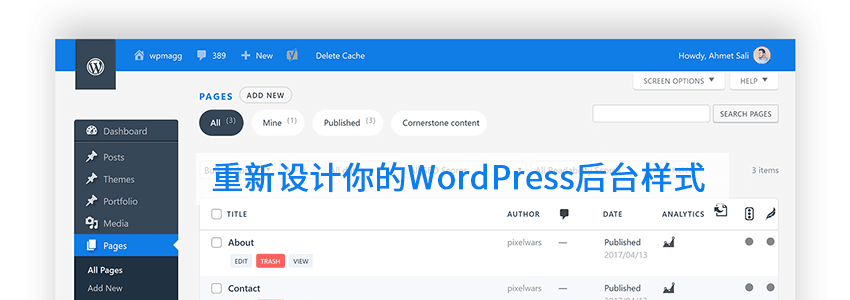
Backend Beautification Plugin One: WpRedesigned
1. Search for WpRedesigned – Beautiful Custom Admin Theme in the WordPress Admin Dashboard to install, or click the button below to download and upload it to your WordPress website.
2. Activate the Plugin, and the backend will apply the new style, with the interface as shown in the image below.
 This Plugin that modifies the WordPress backend style only works on the website backend and does not affect your website's Frontend interface, so there's no need to worry about slowing down the website speed.
Effect Demo
Currently, this plugin does not have custom beautification style options, but you can modify its CSS file to change some display content.
The specific method is: WP Admin, Plugins, Edit Plugin, then find WpRedesigned – Beautiful Custom Admin Theme, and modify the CSS stylesheet in the css folder.


 If you come across a better-lookingWordPress backend beautificationPlugin, remember to share it with Naiba.
Backend Beautification Plugin Two: Fancy Admin UI
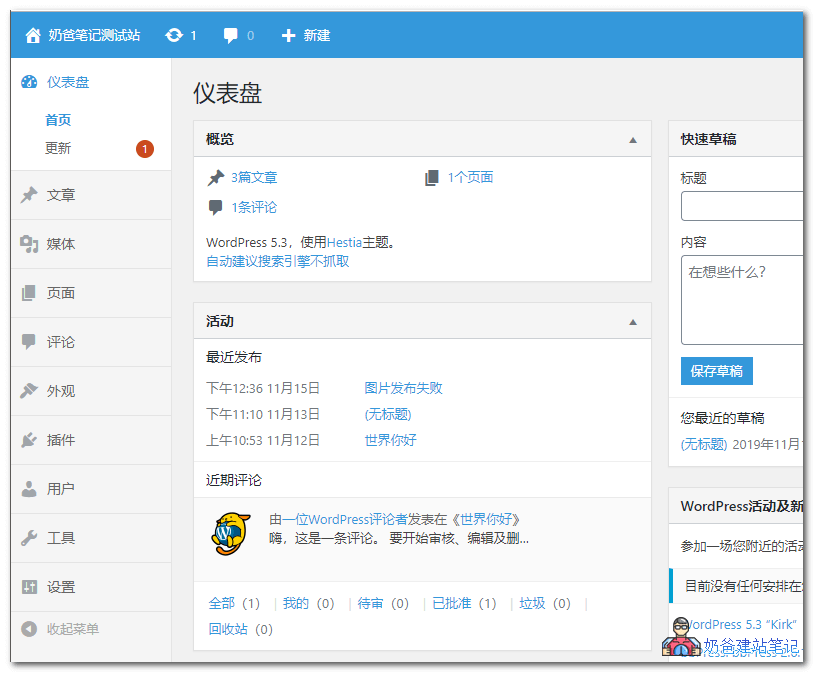
The Fancy Admin UI WordPress backend beautification Plugin hasn't been updated for 2 years, but it's still usable. It has a light blue effect, very fresh. You can customize the display colors in the settings.
Description
WordPress's admin theme is great, but we want to go further. By default, this is a clean blue/gray theme for the admin panel, simplifying the interface and making it easier for clients to use. Customize colors by visiting Settings > General.
If you want to check any features or errors with other plugins, please visit the support tab and let me know.
Features
- Blue AdminBar for website frontend and backend
- Light gray menu
- Large call-to-action on the „Edit“ screen
- Ability to change custom primary/secondary colors
- Mobile menu compatibility
Backend Beautification Plugin Three: Slate Admin Theme
Slate provides a clean, streamlined design for your WordPress Admin area.
Our goal is to simplify the visual design, focusing primarily on the content writing experience.
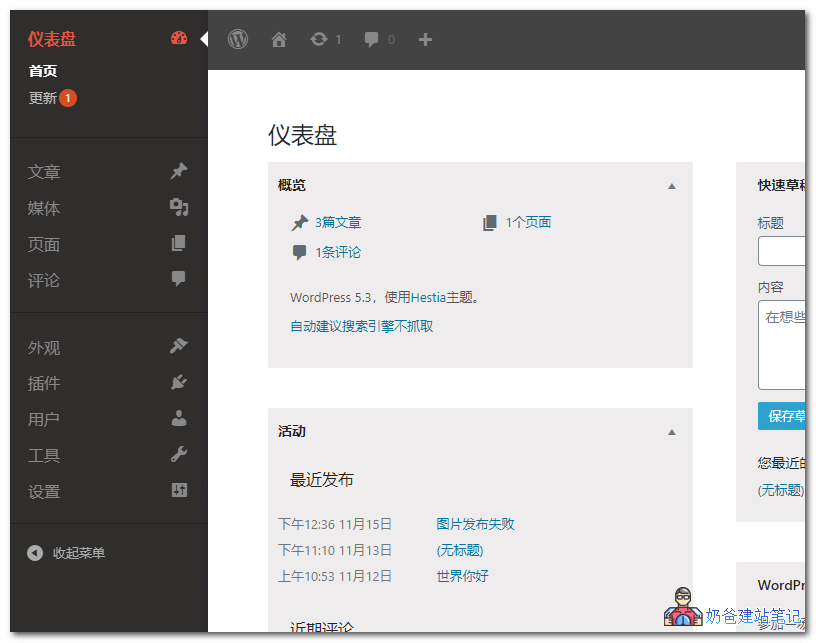
The Slate Admin Theme defaults to a dark color scheme, but you can also modify the CSS to achieve color changes.
Backend Beautification Plugin Four: Aquila Admin Theme
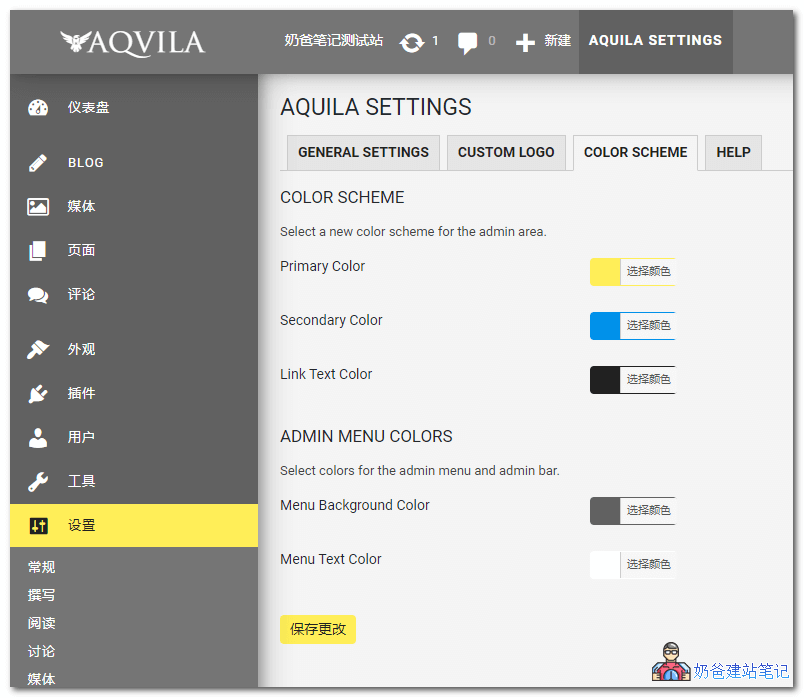
The Aquila Admin Theme can be considered among thefive WordPress admin beautification pluginsIt is one of the most customizable ones.
In addition to modifying the display effect and colors of the WP admin, it can also customize the logo icon, hide or show widgets, etc.
Description
Material Design inspired customizable color schemes, redesigned for WordPress Admin (v4.0 and above). By using beautifully designed images for client websites, Aquila also removes unnecessary or potentially confusing items from the final user's project management area.
Many updates have been made to the admin area, including:
- Complete redesign of the admin area.
- Use your own logo instead of the WordPress logo in the admin area and login screen.
- Customizable color schemes using a color picker.
- Roboto font complies with Material Design guidelines.
- „Posts“ renamed to „Blog“ (can be changed back in „Aquila Settings“).
- Dashboard metaboxes have been removed and cleaned up.
- Cleaned up and simplified user „Profile“ area.
- New custom icon pack.
- Current user role added as an admin body class.
- Removed „Hello..“ from the top right corner.
- Redesigned login screen.
- Admin bar clutter removed.
- New dashboard widgets.
- WordPress and plugin support links on the dashboard.
- „Update“ notifications hidden in the editor.
- Removed „Post Formats“ from posts.
- Multisite support.
- Support for Gutenberg.
- View server information directly on the Dashboard.
- The Media Library supports clear PNG images.
- The „Aquila Settings“ page controls most of these options.
Backend Beautification Plugin Five: Add Admin CSS
The Add Admin CSS plugin for backend beautification is different from the four above. It helps you customize the backend CSS styles; it does not come with built-in backend beautification effects, requiring you to design CSS code yourself to achieve backend beautification.
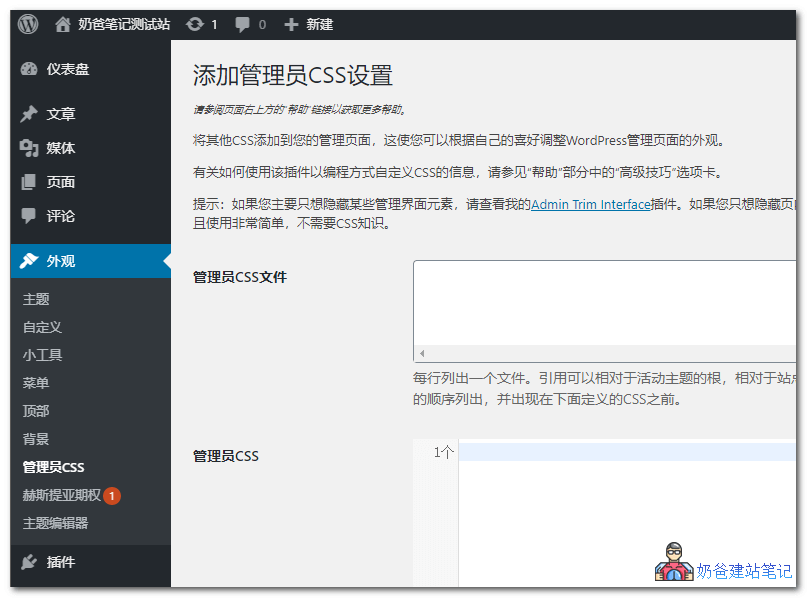
Description
Have you ever wanted to adjust the appearance of WordPress admin pages by hiding content, moving content, changing fonts, colors, sizes, etc.? You can easily make any CSS modifications with this plugin.
With this plugin, you can easily define additional CSS (inline and/or URL files) to be added to all admin pages. You can define CSS to be displayed inline in the admin head (within style tags), or reference CSS files to be linked (via „link rel=“stylesheet„“ tags). Referenced CSS files will appear first in the admin head, listed in the order defined in the plugin settings. Then, any inline CSS is added to the admin head.
The above content introduces these fiveWP backend beautification plugins. Go ahead and switch to a style you like.
Backend Beautification Paid Plugin: Material WP
If the above five free WP backend beautification plugins do not meet your needs, you might consider Material WP, which costs $999 (much cheaper on the official website). The demo effect is as shown below:
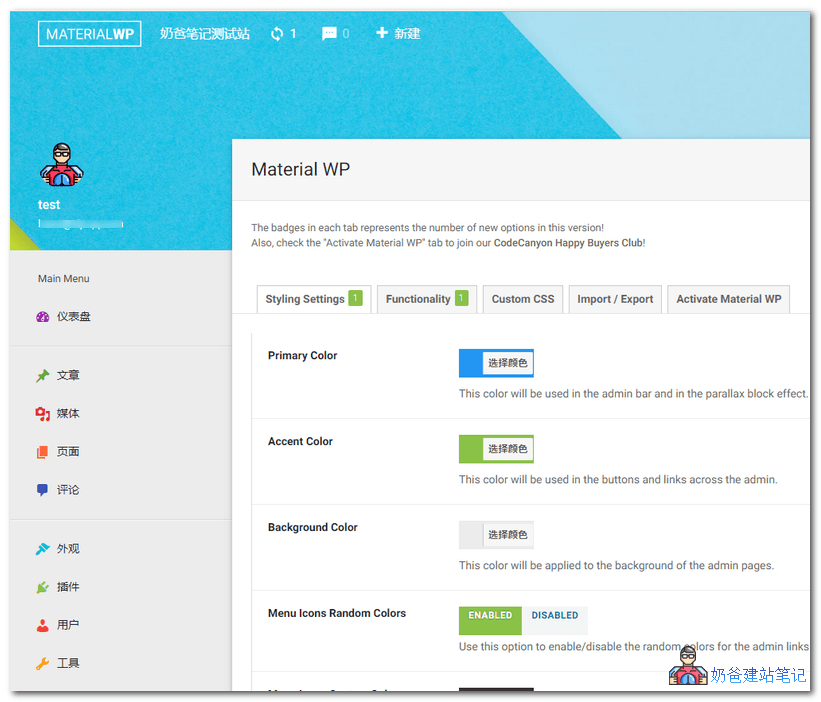
Material WP's slogan is: Your WordPress admin experience will never be the same.
If you don't know how to install the plugin, please refer to: