
Previously sharedHow to Upgrade WordPress? Solution for 'Another Update is in Progress' Prompt和Solutions for Failed WordPress Version or Plugin Upgrades, however, neither article detailed how toManually Upgrade WordPress Plugins. This article provides a detailed introduction to the method of manually upgrading WordPress plugins.
Reasons for Manually Upgrading WordPress Plugins
Why do you need to manually upgrade WordPress plugins?
Keeping WordPress version and WordPress plugins up to date helpsimprove website security. However, if you are using a domestic server, you may encounter instability in the server network connection to the WordPress update website, leading to upgrade failures.
Steps for Manually Upgrading WordPress Plugins
The method for manually upgrading WordPress plugins is similar to that for manually upgrading the WordPress version.
Note: After updating to WordPress 5.5, manually upgrading plugins only requires uploading the new version of the plugin directly from the backend again, which will prompt you whether to replace the old version. The following operations are no longer necessary.
1. Download the new version of the WordPress plugin installation file
2. Replace the old version of the WordPress plugin files
Detailed step-by-step example:
For example, the plugin in the image below prompts an update, but the network connection from the server to the WordPress update server is not working, causing the automatic update to fail, so manual update is required.
First, click the Deactivate button to disable the plugin (not mandatory, but it is recommended to deactivate it for safety).

Then, via FTP or SSH, enter the server's plugin folder, delete the plugin folder to be upgraded (or rename it to the old version).
Next, go to the WordPress website to download the new version of the plugin installation package, and upload it via the backend plugin installation upload function (or unzip and upload via FTP).
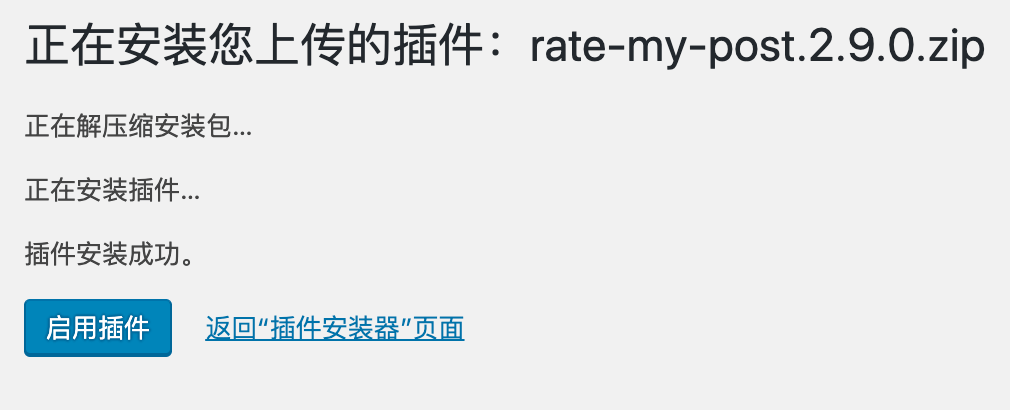
Finally, activate the plugin.