If you have used WHMCS (related article:Building a Hosting Sales Website Using WHMCS), then you must know that WHMCS administrators can directly log in to any user's frontend interface from the backend.
Many WordPress site owners also use it to sell products, so they enable user registration. When a member says there is a problem with their service or order, the most direct way is to log in through their account to check the cause of the problem. Naiba recommends this plugin called: Login as UserWordPress Plugin, which enables administrators to log into the website as a user.
Plugin Introduction
Login as User is a plugin that supports WordPress site administrators logging into the frontend as any registered user on the website. After logging in, you can view all information of that account on the website, such as product orders, service records, etc.
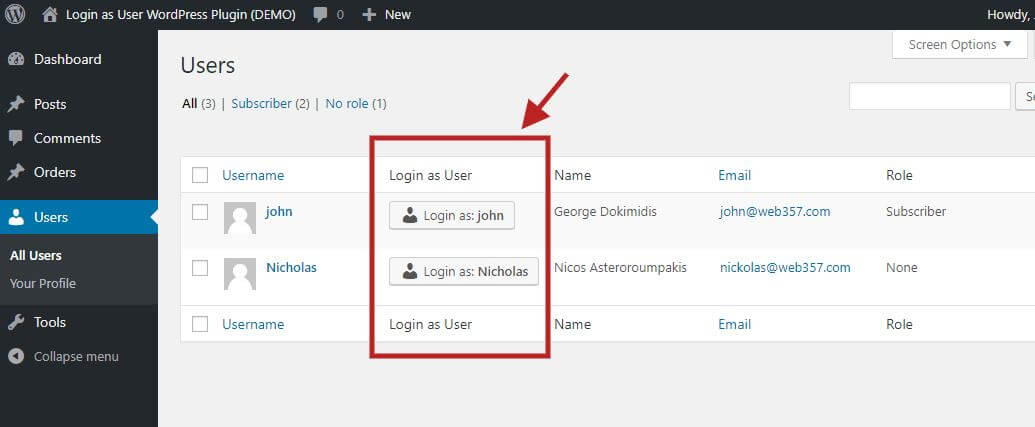
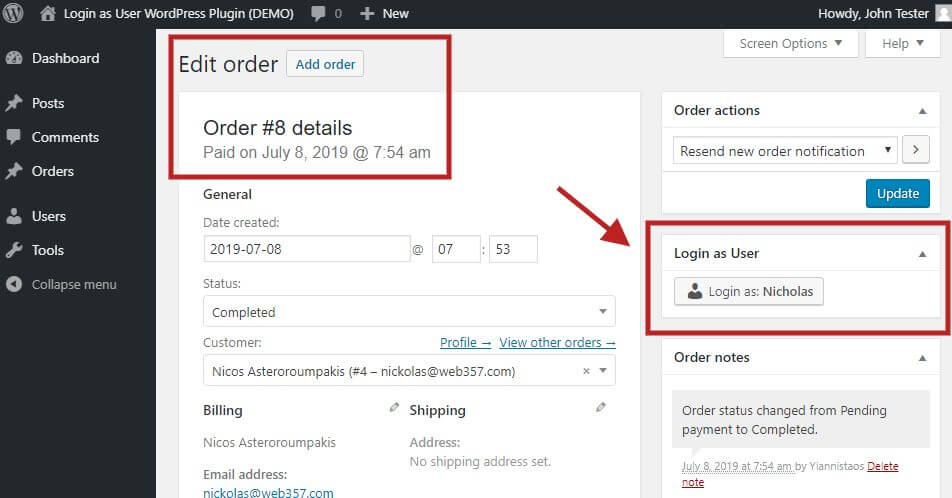
After installing this plugin, a 'Login as this user' button will appear in the user information section. Once logged in, there is a quick entry at the top of the page to return to the administrator account. You can quickly switch between administrator and user identities.
Plugin Download
You can directly search for the plugin name 'Login as User' in the WordPress backend to install it. If it cannot be found or online installation fails on domestic servers, you can download it via the link below and upload it for installation.
Similar Software Recommendations:WP User Switch