
Today, someone in a QQ group was looking for someone to build a website for selling navel oranges, and even provided a demo site, just to make a similar fruit-selling website. Several people in the group thought it was simple, but none were willing to help because such orders have low prices, many requirements, and troublesome after-sales service.
Of course, it's not realistic to do it for free; others' time is also time. So Naiba is sharing herethe steps and process to build a fruit-selling website yourselfnow.
In general, the method to build a fruit-selling website by yourself is similar toSteps and Process of Building a Website. Below is a detailed explanation.
Demo site provided by a netizen
The netizen in the group shared a website selling navel oranges, with separate mobile and desktop versions. Here, a screenshot of the desktop version is provided; if interested in the mobile version, search for the site name shown in the image to view it yourself.
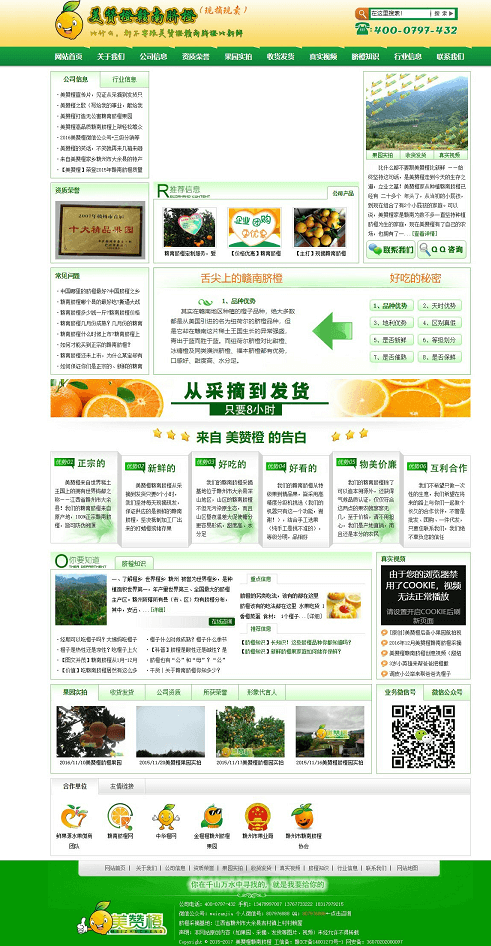
Next, Naiba will teach you how to create a website for selling fruit products similar to the screenshot above.
Preparations
- Domain name (How to Choose a Domain Name for Beginners Building a Website)
- Server (Recommended VPS that is stable and suitable for beginners)
- Website Program / CMS
- Website template
For domain name and server, refer toSteps and Process of Building a Websitethe introduction inside, so I won't repeat it here.
The website program, the demo site uses dedecms, so we will also use dedecms to build it.
For website templates, there are many sites online offering free dedecms templates for download. You can search for them yourself. Here, a theme for selling dragon fruit is used as an example.
Install Website Program
If you bought a virtual host, then directly start installing the website program.
If you bought a VPS, first set up the website environment for the VPS, using LNMP or Baota Panel.
#WebsiteBuilding# Beginner-friendly Baota Panel setup tutorial
#Website Building# LNMP One-Click Package Installation Illustrated Tutorial
Download your website program (if you also downloaded this dragon fruit website template, then directly unzip the compressed package and upload all contents), unzip it and upload to your website root directory.
1. Then open http://yourdomain/install/index.php in the browser to start the installation.
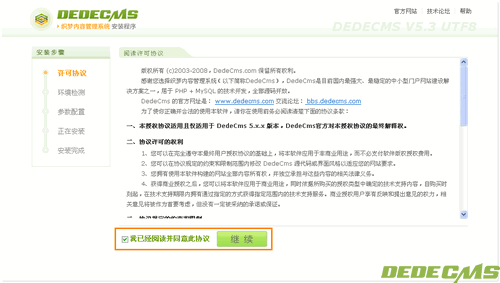
2. Select „I have read and agree to this agreement“ and click Continue; the system will then redirect to the environment detection page.
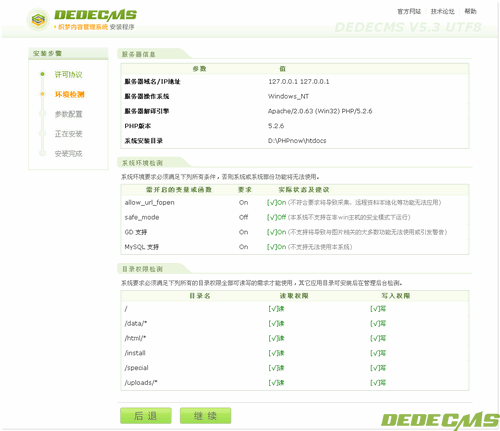
3. Check the server environment. If the environment fully meets the installation requirements of dedecms, directly click Continue.
If it does not meet the requirements, check where the problem is and solve it.
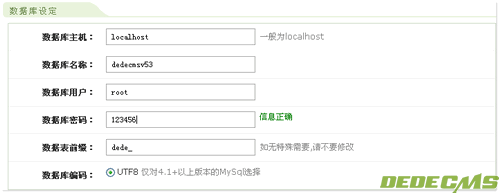 4. Enter the database information, then continue.
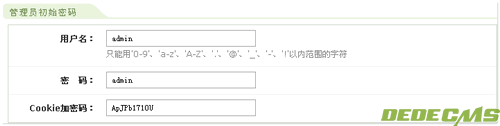
5. Set the administrator account information.
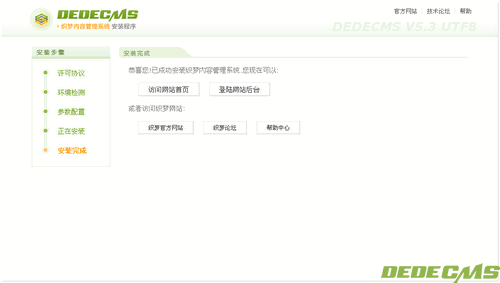
When this interface appears, it indicates the setup is complete. Log in to the administrator backend to make modifications to the website.
Replace the website template
If you directly downloaded the template file provided on this page, then after logging into the dede backend, find:
„System“ - „Database Backup/Restore“
Click „Data Restore“ in the upper right corner of the screen
Click the 'Start Restore' button at the bottom of the screen
Confirm the website style (click OK whether modified or not)
Click „System“ - System Basic Parameters
Change „Site Root URL“ to your URL, such as http://www.xxx.com/ (for local installation, keep http://127.0.0.1.)
Click the „OK“ button
Update the entire site cache:
Click „Generate“ - „Update System Cache“
Update the website:
Click „Generate“ - „One-click Update Website“ - „Update All“ - „Start Update“
Click „Generate“ - „Update Homepage HTML“
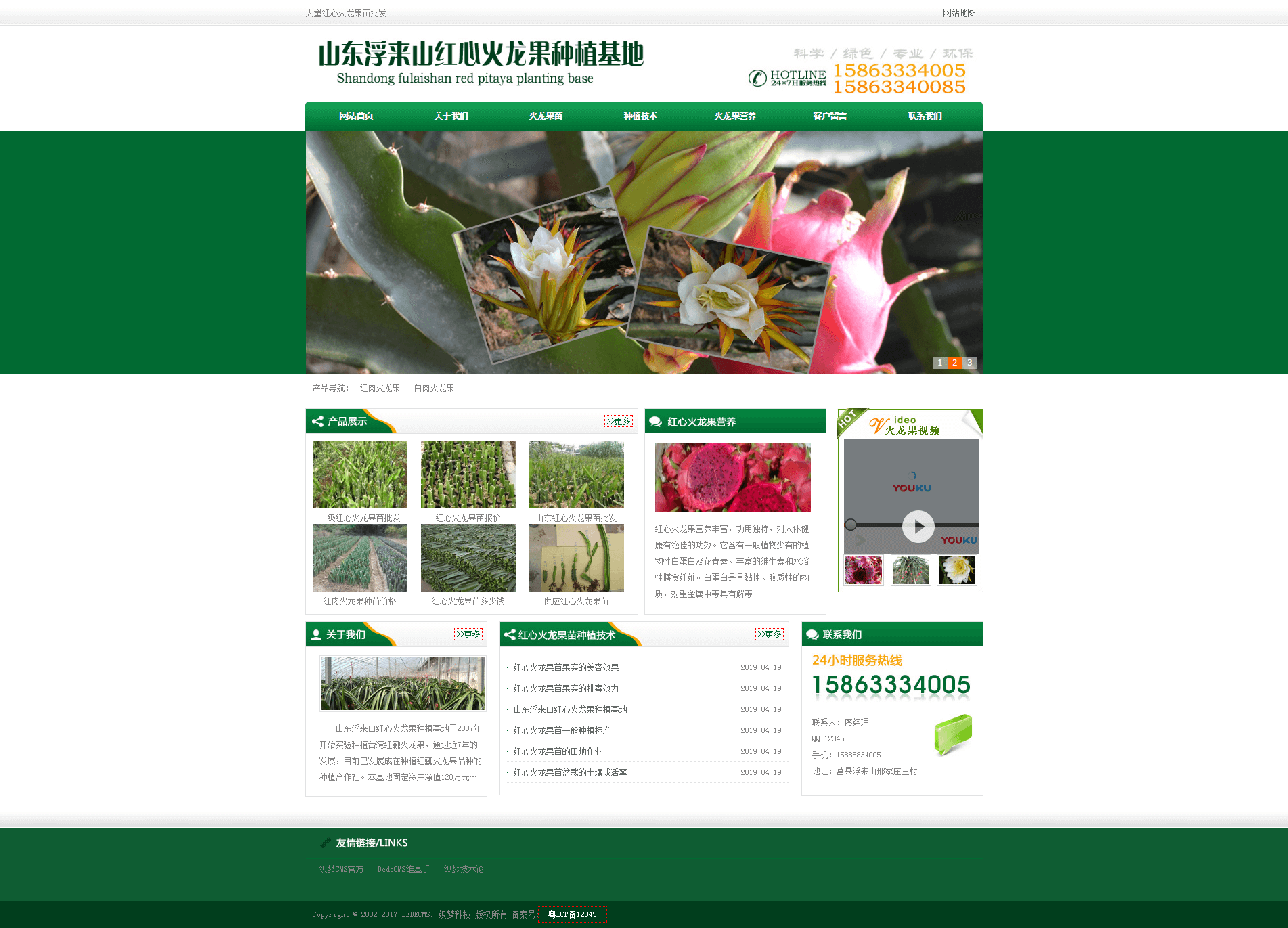
At this point, the installation of the dragon fruit seedling wholesale template is complete.
Visit the website, and it should look like the image below.
Modify website details
If you want to modify the logo image, phone number, and other information on the website, directly replace the corresponding images in your website's root directory skin/images. (Yes, you also need to know how to use Photoshop.)
If you need to modify page details, such as text, you need to edit the template information.
If you need to modify article content, edit it in the backend articles.
In the end, you will find thatBuilding a professional website yourself may seem simple, but it actually involves quite a lot of things.
Other notes
DedeCMS is a decent website building program, and many domestic websites use it. However, Naiba does not recommend it for beginners because, for novice users, DedeCMS completely lackswordpressWordPress has high customizability, with many WordPress website templates, and they are not hardcoded like the template in this article. Additionally, WordPress allows you to design web pages using page builder plugins without needing to know code.
Also, DedeCMS has many vulnerabilities. If your website security is not well managed, it can easily be hacked.
Related articles: