
Beginners, afterHow to Build a WebsiteThe questions on this issue are really, far too many. So here, Naiba will explain againthe relationship and differences between cloud web hosting, VPS, and Baota Panel。
What are Cloud Web Hosting and VPS?
Regarding web hosting and VPS, Naiba previously wrote a separate article introducing them, so it won't be repeated here. Please refer to the previous article:
#WebsiteBuilding#BeginnerQuestions The Difference Between Shared Hosting and VPS
What is Baota Panel?
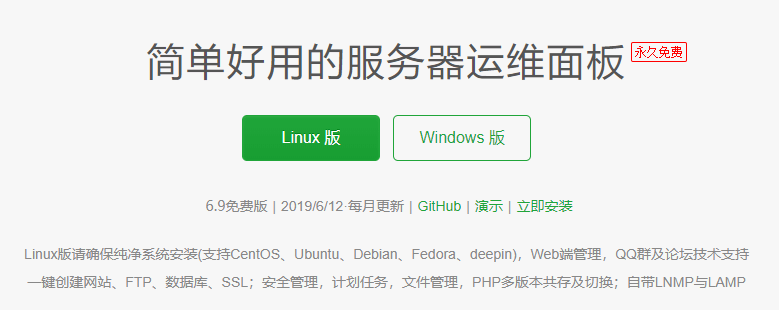
From the Baota Panel official website, you can see that Baota Panel describes itself as: a simple and easy-to-use server operation and maintenance panel.
To explain, using Baota Panel allows you to easily install the environment needed for your website to run. For example, if your website needs programs like PHP, MySQL, Apache, Nginx, Baota Panel will install them for you automatically, without you having to manually install and configure them.
And it is simple to use, all with a graphical panel. Whatever you want to do, you can directly click buttons in the Baota Panel backend to operate.
Easy-to-understand explanation
If we have to put it in layman's terms (so that outsiders can understand), let's give an example that everyone can understand.
Think of building a website as finding a place to live.
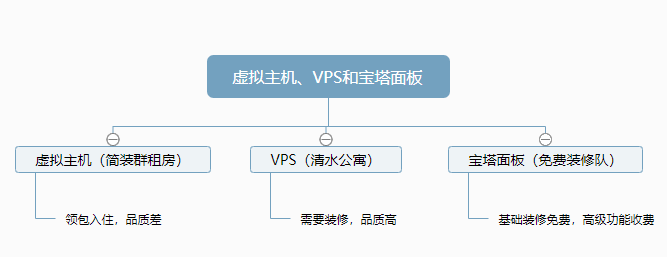
Virtual hosting and VPS can be understood as rental rooms (basic decoration) and independent apartments (bare shell).
Then Baota Panel is the decoration team (free).
So their relationship is as shown in the figure below.
Other website environment suites
Besides Baota Panel, there are other free one-click website environment packages (free decoration teams?). For example, the following:
LNMP one-click package:https://lnmp.org/(No panel, command line management mode, saves resources. Beginners may find it difficult, but it is actually very simple.)
OneinStack:https://oneinstack.com/(Same as above, with higher update frequency and customization. Many people switch from LNMP to OneinStack.)
LAMP one-click package:https://lamp.sh/(Same as above, the difference is that it uses Apache as the web component, while LNMP uses Nginx.)
Of course, if you have good technical skills, you can also manually install each software needed for the website environment one by one without using the above one-click packages. The effect is the same; it just depends on who decorates better.
How to build a website?
Alright, after understanding the differences between web hosting, VPS, and Baota Panel, then followSteps to Build a WebsiteThen you can start building your own website.
Of course, you can also install a panel on your VPS to open virtual hosting for sale. Reference:VPS Installation of Free Web Hosting Panel VestaCP_Integration with WHMCS Setup Tutorial
For more knowledge on building websites, you can join the group via the QR code at the end of the article to discuss.